
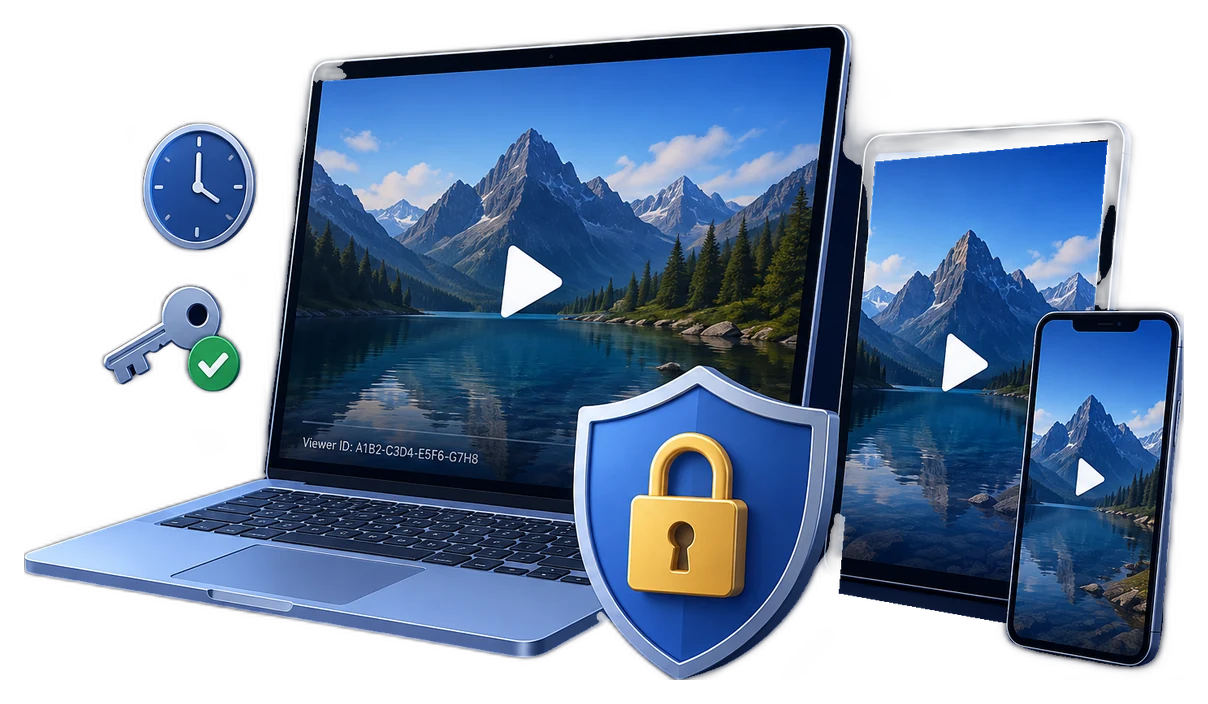
Secure video delivery means controlling more than the file
A secure video delivery plan decides who receives access, how that access is verified, what happens when the video is downloaded or played, and how access can be withdrawn when circumstances change.
For browser-first libraries, the usual starting point is account authentication plus short-lived signed playback URLs. Cloudflare Stream, for example, can require a signed token before a private video can be watched or downloaded; Amazon CloudFront signed URLs can carry expiry and, with a custom policy, IP restrictions. These controls protect the route to content, but they do not turn an ordinary downloaded MP4 into a controlled file.
For protected downloads, direct partner delivery, and offline training, the important control moves into the playback package itself. GiliSoft Video DRM Protection turns video into a managed delivery package with playback passwords, PC or USB binding, dynamic watermarks, expiration, blacklist checks, and available anti-capture controls.
Choose protection by delivery model
Private streaming portal
Best for audiences who sign in through a browser. Use authenticated accounts, short-lived signed tokens, restricted embed origins, and streaming DRM where licensed playback across browsers and devices matters.
Protected downloadable video
Best when you need direct control after a file is delivered: offline playback, a named recipient, a managed USB kit, or a course package that must not become an ordinary reusable MP4. Apply playback passwords, PC or USB binding, watermarking, expiry, and revocation.
Offline USB or field delivery
Best for training locations with unreliable internet. Bind the protected package to an approved USB drive or PC, keep a public area separate where useful, and test the delivery device before handoff.
Time-limited review or partner preview
Best for pre-release footage, proposals, and client review. Use a named watermark, a short expiry, restricted viewer access, and a clear disable process for changing circumstances.
| What you need to protect | Useful delivery control | Best-fit approach |
|---|---|---|
| Private browser playback | Signed URL or cookie, login, allowed embed origin | Private streaming service or membership portal |
| Premium files that need controlled direct delivery | Protected player, playback password, PC or USB binding | GiliSoft Video DRM Protection |
| Content that should close after a course, project, or license term | Expiry date, time window, or play count | License-managed streaming or protected package |
| Leaks that must be traceable | Dynamic viewer watermark and delivery logs | Named streaming sessions or protected package |
| Access that may need to be disabled later | Account removal, token expiry, or password blacklist | Portal administration plus a revocation process |
Build security in layers
Encryption at rest, HTTPS during transport, and a private link all help, but each covers a different moment. A practical delivery setup joins them rather than treating one as the whole answer.
1. Source storage
Keep original media in controlled storage. Do not expose source MP4 files through a public bucket, predictable download path, or reusable staff link.
2. Entitlement
Connect enrollment, contract, purchase, or employment status to access. An account or approval decision should happen before a viewer receives a playback token or package.
3. Delivery route
Use signed URLs or signed cookies for hosted private content. Their expiration and policy reduce the value of a forwarded browser link.
4. Playback policy
Use streaming DRM for multi-device licensed viewing, or a protected download package when secure offline delivery is the primary requirement. GiliSoft is produced on Windows and its protected videos can be played across supported platforms.
5. Viewer identity
Use an individual account or dynamic watermark to associate a delivered copy or visible playback with a viewer, customer, class, or organization.
6. Response and recovery
Document how to disable an account, expire a token, blacklist a password, issue a replacement device rule, and review a suspected leak.
Direct, controlled video delivery with GiliSoft
GiliSoft Video DRM Protection is built for organizations that want control to travel with the video, rather than depend only on a portal login or a temporary link. It is especially useful for downloadable courses, confidential demonstrations, paid coaching libraries, partner training, field-service material, and USB delivery where the recipient needs a protected package with enforceable playback rules.
Delivery environment: GiliSoft is a Windows desktop publishing tool; its protected videos can be played across supported platforms, making it a practical controlled-delivery choice alongside, or instead of, browser-based streaming.
See the controls before you deliver
These screens show the controls a generic private link cannot carry with the file: access rules, protected output, and an operational blacklist for credentials that should no longer work.
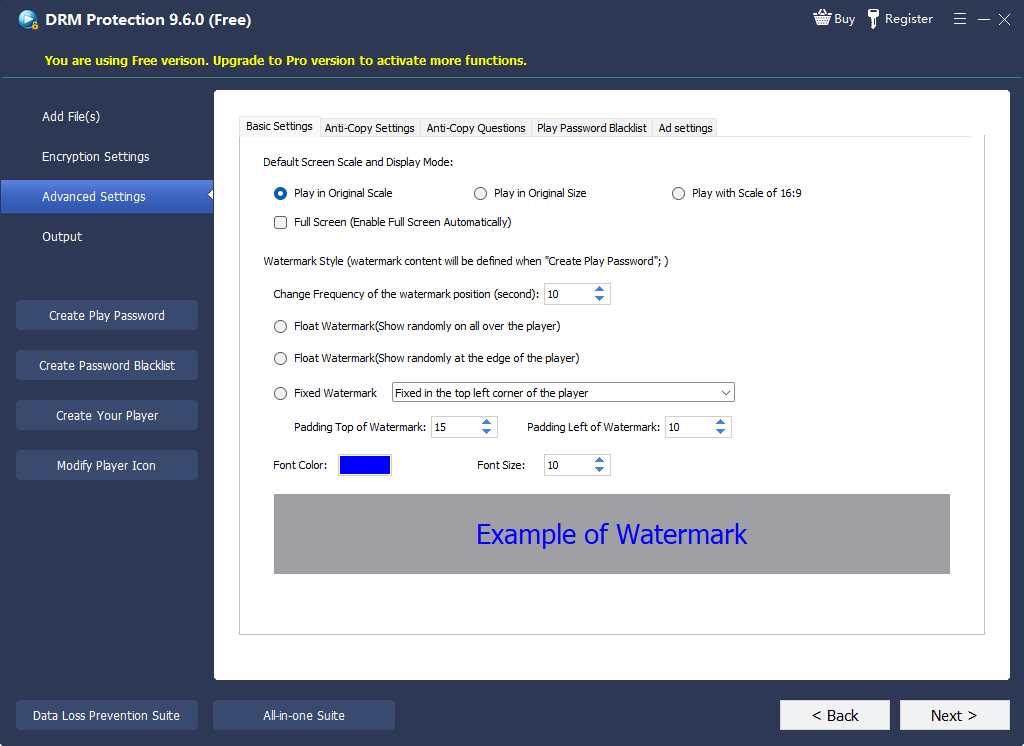 Set playback rulesConfigure the protected delivery behavior.
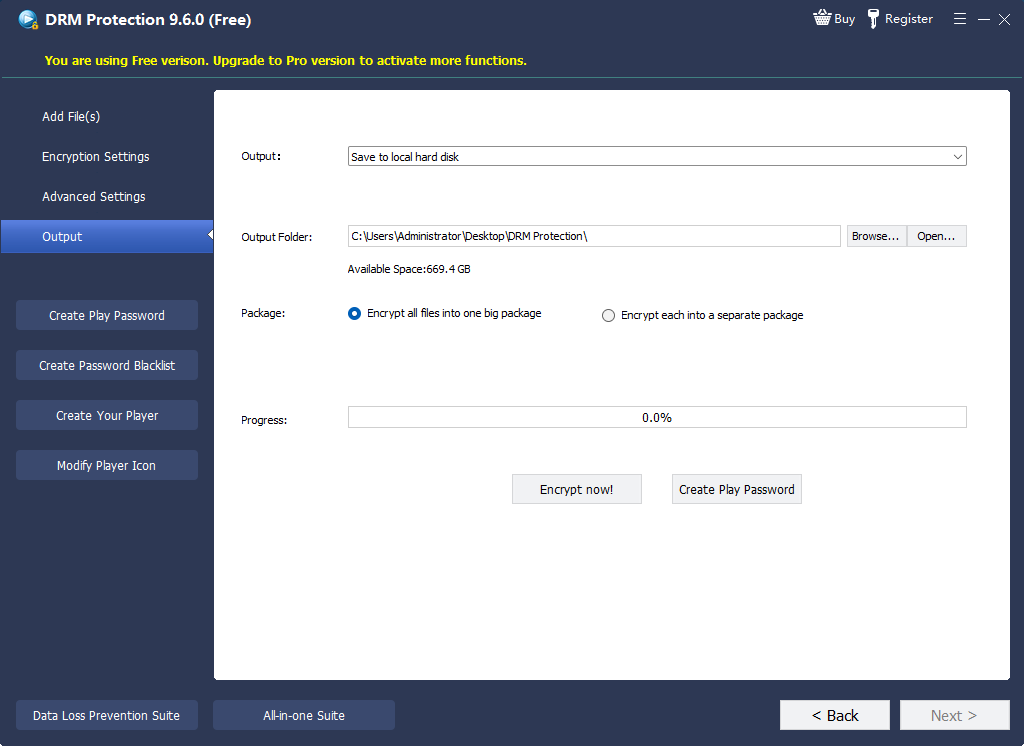 Create protected outputPrepare the package before sending it.
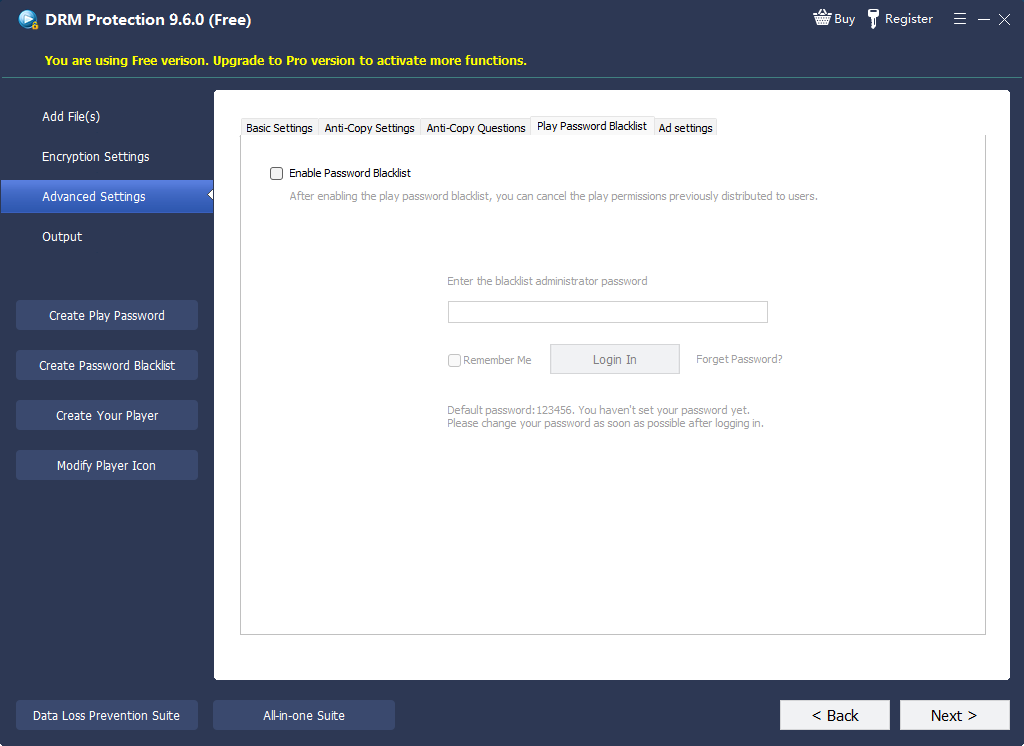 Disable compromised accessManage passwords that should no longer play.
- Add the videos and supporting filesImport the lessons, demonstrations, documents, or other media that should travel together.
- Choose the protected outputSelect the appropriate protected delivery package rather than sending the recipient an ordinary source video file.
- Set playback credentialsCreate a playback password and choose whether viewing should be bound to one PC, an approved USB drive, or another permitted device rule.
- Set duration and access rulesConfigure expiry, play limits, internet verification, and other conditions to fit the course, contract, or delivery window.
- Add a dynamic watermarkUse viewer-visible identity information when traceability matters more than a generic logo.
- Enable available anti-copy and capture deterrenceUse the relevant controls for protected playback, then test the user experience on each supported viewer platform.
- Export and test before releaseCheck both an approved device and an unapproved device. Keep the original source files outside the recipient package.
- Respond to changesFor a refunded, leaked, or retired credential, use the password blacklist or your access process to prevent continued playback.
Match the controls to the job
| Situation | Recommended setup | Main reason |
|---|---|---|
| Private company training library | Authenticated portal, signed playback links, role-based access; use DRM where browser/device coverage requires it | Training is always online and access should follow employee status |
| Downloadable course materials | Protected package, PC binding, dynamic watermark, expiry, and password blacklist | Customers need offline viewing without receiving a reusable MP4 |
| Remote sites or field teams | USB-bound protected package, named watermark, planned renewal method | Reliable internet cannot be assumed at the viewing location |
| Partner demonstration | Short expiry, named watermark, device rule, and revocation record | Limit pre-release exposure while keeping delivery convenient |
| Premium consumer streaming | Account login, CDN signed delivery, Widevine or PlayReady service, operational support for supported devices | Browser and device coverage are more important than offline file delivery |
Controls that should not stand alone
It may be hard to guess, but it can still be copied from a message, browser, log, or page source.
HTTPS protects data in transit; it does not decide what a recipient can do with an ordinary file after download.
A shared credential has no useful identity trail and can be forwarded with the video.
Once extracted, a normal video file has no continuing playback policy.
Branding is not traceability. A viewer-specific watermark is more useful when investigating a leak.
It can deter common software capture but should sit alongside identity, policy, and revocation controls.
Delivery readiness checklist
Secure video delivery FAQ
What is the safest way to deliver a video file?
The safest method depends on whether the recipient needs browser streaming or an offline file. For browser delivery, use authenticated access and short-lived signed URLs. For protected downloads, use a controlled playback package with a password, device binding, watermarking, expiry, and a revocation process instead of sending an ordinary MP4.
Are signed URLs the same as DRM?
No. A signed URL controls the request for hosted content, often for a limited time. DRM adds rules that govern playback through a license or protected player. Both can be part of the same secure delivery plan.
Can a forwarded signed link be used by someone else?
A short expiration reduces the time in which a forwarded URL is useful. Depending on the service and policy, access can also be tied to a signed-in user, embed origin, or IP rule. For downloaded files, use an additional playback policy.
Can secure delivery prevent screen recording?
It can deter common capture paths and make redistribution easier to trace with a dynamic watermark, but no software can prevent every recording method, such as filming a display with another camera.
Can I revoke a protected download?
For GiliSoft protected packages, you can use the password blacklist as part of a documented response process. Hosted services can also expire tokens or remove a viewer's account entitlement.
When is USB-bound delivery appropriate?
Use it for field teams, controlled partner kits, remote facilities, or other cases where the video must work without a dependable connection. Test the exact delivery USB and approved viewer PC before distribution.
Official references
- Cloudflare Stream signed URLs documents private video tokens, expiry, geographic restrictions, and download permissions.
- Amazon CloudFront signed URLs documents signed private-content policies, expiry, and optional IP restrictions.
- Google Widevine DRM overview explains license-based protection for premium media delivery.
- Microsoft PlayReady license policies describes license rights and restrictions such as expiry and output protection.
- Vimeo privacy settings outlines password and embed-focused access options for hosted video.
Deliver videos with access rules attached
Use GiliSoft Video DRM Protection when downloadable or offline delivery needs playback passwords, PC or USB binding, dynamic watermarks, expiry, and blacklist-based access control, rather than an ordinary shareable video file.