
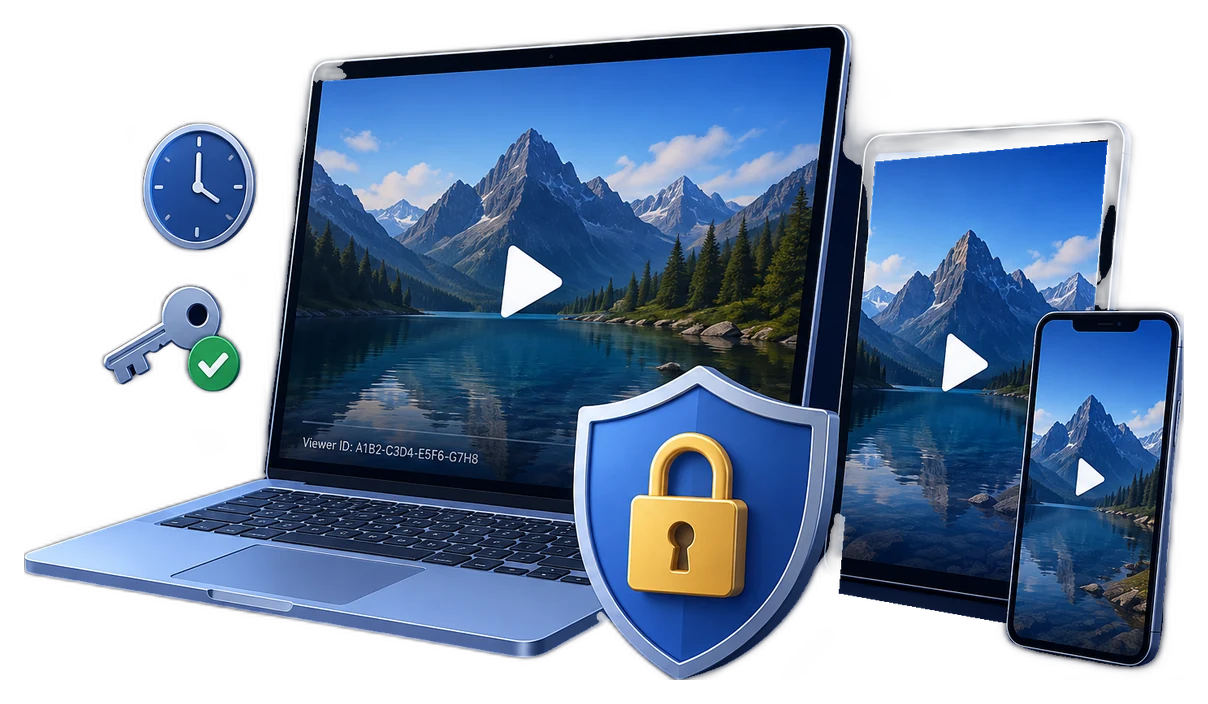
Can you password protect video playback?
A normal MP4, MOV, AVI, or WMV file does not include a universal password prompt that works in every player. Password protection is added around the video: at the hosting page, inside an encrypted container, or through a protected player and license workflow.
Four ways to protect video playback with a password
| Method | Best for | Control after sharing | Main trade-off |
|---|---|---|---|
| Hosted page password | Private reviews and small groups watching online | Change the page password or privacy setting | One shared password can still be forwarded |
| Password-protected ZIP | Simple file transfer | None after the archive and password are delivered | The extracted video becomes an ordinary file |
| Protected playback package | Offline training, paid downloads, demos, and partner delivery | Device rules, expiry, play count, watermarking, and blacklist support | Viewer uses the protected playback workflow |
| Hosted multi-DRM streaming | Large streaming services and subscription platforms | Central license policies and account authorization | Requires a streaming platform and DRM infrastructure |
Choose the right playback-password model
Fixed password
A fixed password is fast to issue and suits a small trusted group, internal preview, or short-lived delivery. Anyone who receives it can also forward it, so it should not be treated as a personalized license.
Viewer-specific password
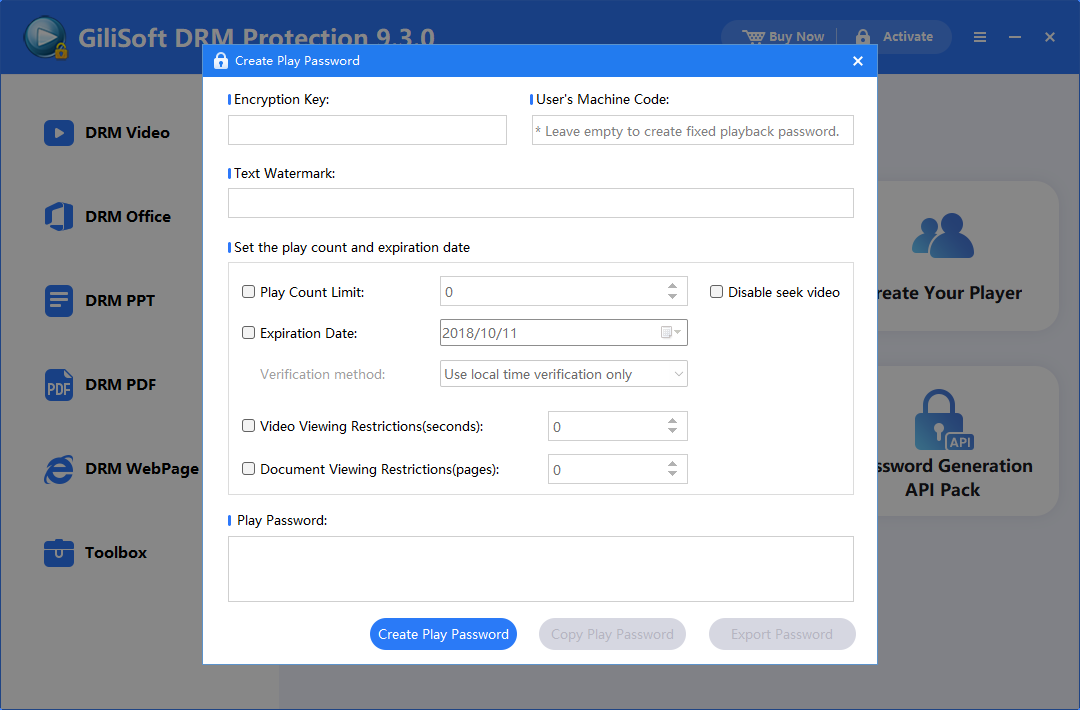
For paid courses, client delivery, or confidential training, generate a separate password for a viewer or device. GiliSoft Video DRM Protection can combine that password with a machine code, PC binding, or USB binding.
Time-limited or usage-limited access
Expiration dates, allowed play counts, and preview limits fit rentals, assessments, timed training, and content that should stop opening after a project ends.
How to create password-protected video playback
- Add the video and supporting files.Import the course, lesson, demo, or premium video to deliver.
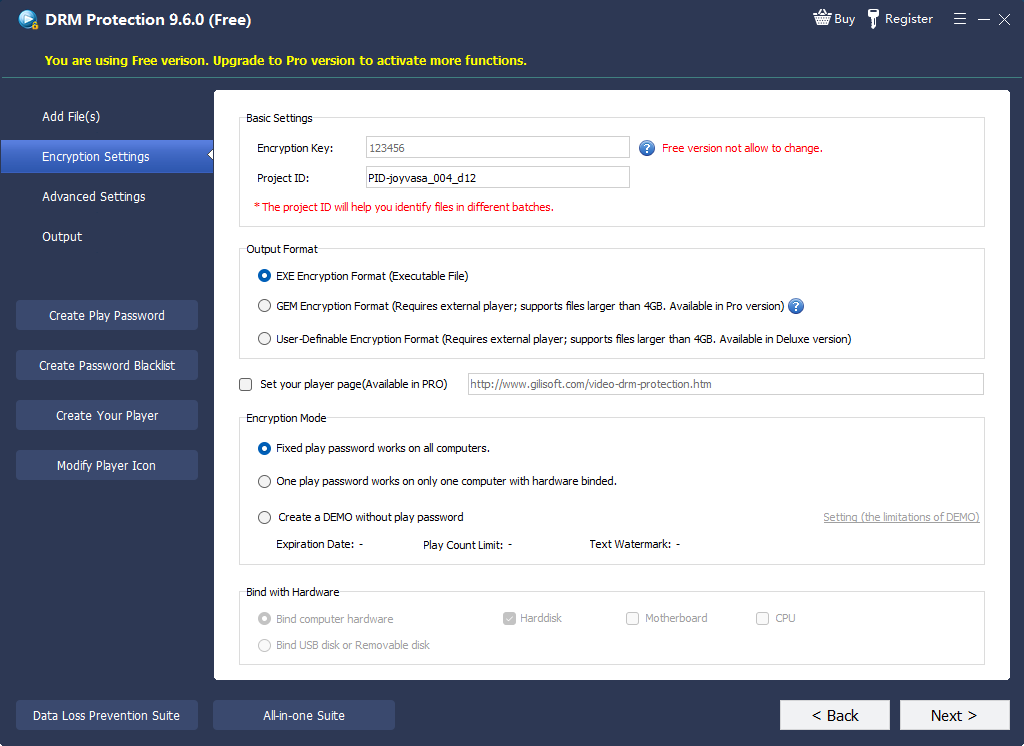
- Choose the playback rules.Set watermark, play count, expiration, preview, and capture controls.
- Create the protected package.Export protected content without distributing the ordinary source video.
- Generate the playback password.Create a fixed password or a viewer-specific credential using the recipient's machine code.
- Deliver and test.Send package and password separately, then verify playback on the intended PC or USB drive.
- Manage access.If online blacklist support was enabled before packaging, blacklist a leaked or withdrawn password.
Controls that strengthen a playback password
- PC binding
Authorize one viewer's machine code. - USB binding
Limit offline delivery to an approved drive. - Dynamic watermark
Display viewer or session information during playback. - Expiration and play count
Set when access ends or how often it can open. - Screenshot deterrence
Apply protected-viewing controls to common capture paths. - Password blacklist
Withdraw a generated password when online checking is enabled.
When playback-password software is the better fit
Paid course downloads
Deliver downloadable lessons without turning the original video into an unrestricted file. Use viewer-specific passwords and visible watermarks when enrollment accountability matters.
Internal training outside the LMS
Give employees or partners offline access while keeping expiry dates, device authorization, and usage limits attached to the delivery.
Client previews and confidential demos
Share demonstrations, unreleased media, or approval cuts with a defined recipient instead of publishing an open cloud link.
USB-based training kits
Bind protected playback to an approved USB drive for classrooms, field teams, exhibitions, or locations with limited internet.
Test before distribution
- Open the package on a clean Windows PC.
- Confirm a correct password succeeds and a wrong one fails.
- Verify expiry, play-count, and preview limits.
- Check the watermark at several playback positions.
- Test binding on approved and unapproved devices.
- Back up the protected master and original source separately.
Video playback password FAQ
Can I add a password directly to an MP4?
No universal MP4 password field works across common players. Use a hosted password page, encrypted archive, or protected playback package.
Can viewers watch offline?
Yes. GiliSoft supports protected offline delivery, including optional PC and USB binding.
Can I revoke a password after sending the video?
A fixed offline password cannot normally be recalled. Generated passwords can be blacklisted when online checking was configured before packaging.
Is password protection enough to stop all recording?
No client-side control can guarantee that visible content can never be re-recorded. Device rules, watermarks, validity limits, and capture deterrence work together to reduce casual redistribution and improve accountability.
Video Encryption or Video DRM Protection?
Choose basic encryption for a simple password-protected GFX or EXE package. Choose Video DRM Protection for viewer-specific credentials, device binding, watermarking, expiry, play-count limits, or revocation.
References and further reading
- Vimeo: password-protecting a hosted video
- Microsoft PlayReady: licenses and policies
- Microsoft PlayReady: license acquisition
- Google Widevine DRM overview
Protect downloaded videos with controlled playback
Create protected packages, issue playback passwords, and add device and validity rules that match your delivery model.
View Video DRM Protection