
The short answer
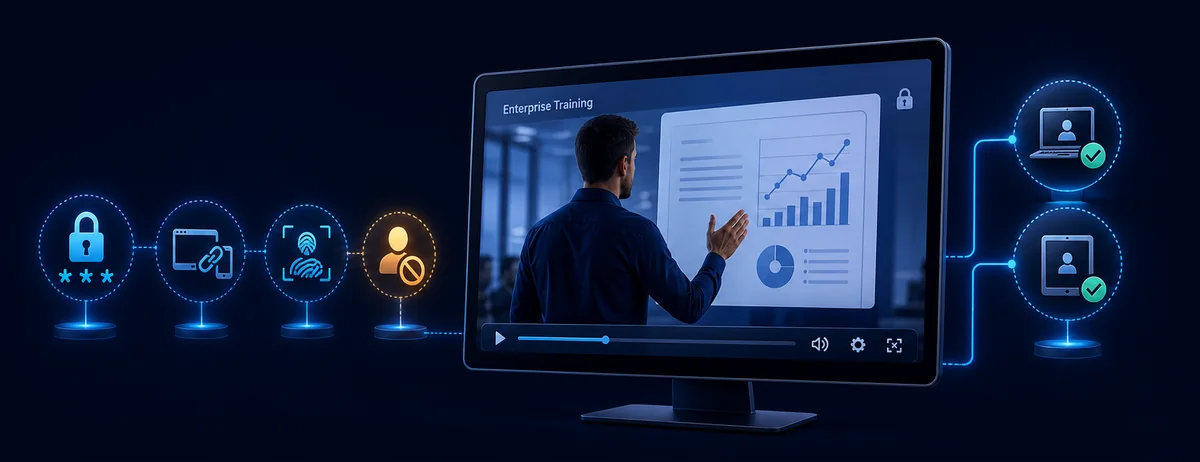
Paid video protection is not one switch. A secure plan connects payment and account access to the way the video is delivered, then adds controls that still matter after the viewer receives access.
For hosted streaming, that usually means authenticated accounts, short-lived signed playback URLs, restricted embedding, and streaming DRM where the platform supports it. For downloadable courses or offline training, use a protected player package with playback passwords, device binding, dynamic watermarks, expiration rules, and access revocation. GiliSoft is published from a Windows desktop application and its protected videos can be played across supported platforms.
Choose protection by delivery model
Hosted streaming or membership site
Keep source files off the public site. Require a signed-in account, issue short-lived playback tokens, restrict approved embed domains, and add browser DRM when the business needs licensed streaming.
Downloadable or offline video delivery
Export a protected package that opens in a controlled player across supported platforms. Bind playback to an approved PC or USB drive, add a viewer watermark, and retain the ability to expire or revoke access.
Live class, webinar, or coaching event
Control registration and meeting access, avoid publishing reusable room links, and provide the recording later through a protected library or controlled download.
Marketplace or public video platform
Use the platform's entitlement and copyright tools. If customers also need downloadable files, protect that separate delivery instead of treating platform privacy as file protection.
| Paid-video risk | Useful control | What it changes |
|---|---|---|
| A purchase link is forwarded | Authenticated account or signed URL | The public link alone is not enough to watch. |
| A downloaded file is copied | Protected player plus device binding | The copied package still needs an approved playback device. |
| A buyer records the screen | Anti-capture settings plus dynamic watermark | Common software capture is deterred and leaked footage can carry viewer identity. |
| A refund or leak occurs | Password blacklist or license revocation | Previously issued access can be disabled. |
| A course should close after a term | Expiration date, time window, or play count | Access ends according to the sales or training agreement. |
Build protection in layers
1. Entitlement
Connect payment, enrollment, or membership status to access. Avoid permanent public links for paid libraries.
2. Controlled delivery
Use signed streaming tokens for hosted video or a protected package for downloadable content.
3. Playback identity
Bind access to an account, machine code, approved PC, or authorized USB drive.
4. Traceability
Overlay a dynamic viewer watermark so a leaked recording can be connected to its access credential.
5. Usage policy
Set expiry, allowed devices, play counts, and whether internet verification is required.
6. Response
Keep logs, revoke compromised credentials, preserve purchase records, and use platform copyright reporting when copies appear publicly.
Protect downloadable paid videos with GiliSoft
GiliSoft Video DRM Protection is designed for paid or confidential videos that need controls to remain attached after delivery. It is useful when a course, demonstration, or training library must work outside a closed streaming platform without becoming an ordinary shareable file.
- Add the paid videos and supporting filesImport course lessons, demos, documents, or other material that should be delivered together.
- Choose how viewers receive accessCreate playback passwords and decide whether access is tied to one PC, an approved USB drive, or another permitted device rule.
- Set the usage policyConfigure expiration, play count, time limits, internet verification, and other rules that match the purchase or license.
- Add viewer-specific watermarkingPlace visible identity information over playback when leak traceability matters.
- Enable copying and capture deterrenceUse the available anti-copy and anti-screen-capture controls for the intended protected playback environment.
- Export and test the protected packageTest on an approved device and an unapproved device before sending the package to paying customers.
- Revoke compromised access when necessaryAdd a leaked or refunded password to the online blacklist so the credential no longer opens protected content.
Match controls to the business
| Use case | Recommended setup | Priority |
|---|---|---|
| Downloadable online course | Protected player, PC binding, dynamic watermark, expiry, blacklist | Prevent casual sharing after download |
| Premium membership library | Account login, signed streaming token, domain restriction, streaming DRM | Keep access linked to active membership |
| Paid coaching recordings | Individual credentials, watermark with buyer identity, limited devices | Trace redistribution to a session or customer |
| Partner or reseller preview | Short expiration, named watermark, revocable password | Limit pre-release exposure |
| Offline corporate training | PC or USB binding, offline protected package, controlled renewal | Work where continuous internet is unavailable |
What not to rely on alone
The address can be copied from a page, browser tools, logs, or messages.
A reusable password can travel with the link or file unless access is also tied to identity or device.
Branding discourages reuse but does not decide who can open the video.
After extraction, the MP4 is ordinarily open and shareable.
Terms support enforcement, but technical controls reduce easy leakage before enforcement is needed.
No software can prevent an external camera. Combine deterrence with watermarking, device rules, and revocation.
Checklist before selling access
Paid video protection FAQ
Can I stop buyers from sharing paid videos?
You can make sharing substantially harder by avoiding ordinary MP4 delivery and combining protected playback, device binding, watermarks, expiration, and revocation. No protection can prevent every possible re-recording, including filming a screen with another camera.
Is a password enough for premium video?
A password is useful, but a reusable password can be forwarded. Pair it with device binding, viewer-specific watermarking, usage limits, and blacklist control when the video has meaningful commercial value.
What is the best method for downloadable courses?
For downloadable course videos that need controlled playback after delivery, use a protected package that applies access rules after delivery. Keep ordinary MP4 source files out of the customer package.
How should hosted paid videos be protected?
Require authenticated accounts, use short-lived signed playback URLs, restrict approved embed origins, and consider browser DRM when the platform and audience justify it.
What should happen after a refund or leak?
Disable the viewer's access credential, add compromised passwords to the blacklist, preserve relevant logs, and use the hosting platform's copyright reporting process if a copy is posted publicly.
What is the difference between video encryption and video DRM?
Encryption protects the media data. DRM adds rules around license issuance and playback, such as who can play, on which device, for how long, and whether access can be revoked. See the video DRM vs. encryption guide.
Official references
- Google Widevine DRM overview explains license-based protection for premium media.
- Cloudflare Stream signed URLs documents short-lived tokens, download permission, geolocation rules, and allowed origins.
- Vimeo video privacy settings describes password and embed-only access options.
- YouTube Content ID explains matching, blocking, monetizing, and tracking uploaded copies for eligible rights holders.
Deliver paid videos with playback rules attached
Use GiliSoft Video DRM Protection when customers need downloadable or offline delivery with passwords, device binding, dynamic watermarks, expiration, and revocation.