
What is video access control software?
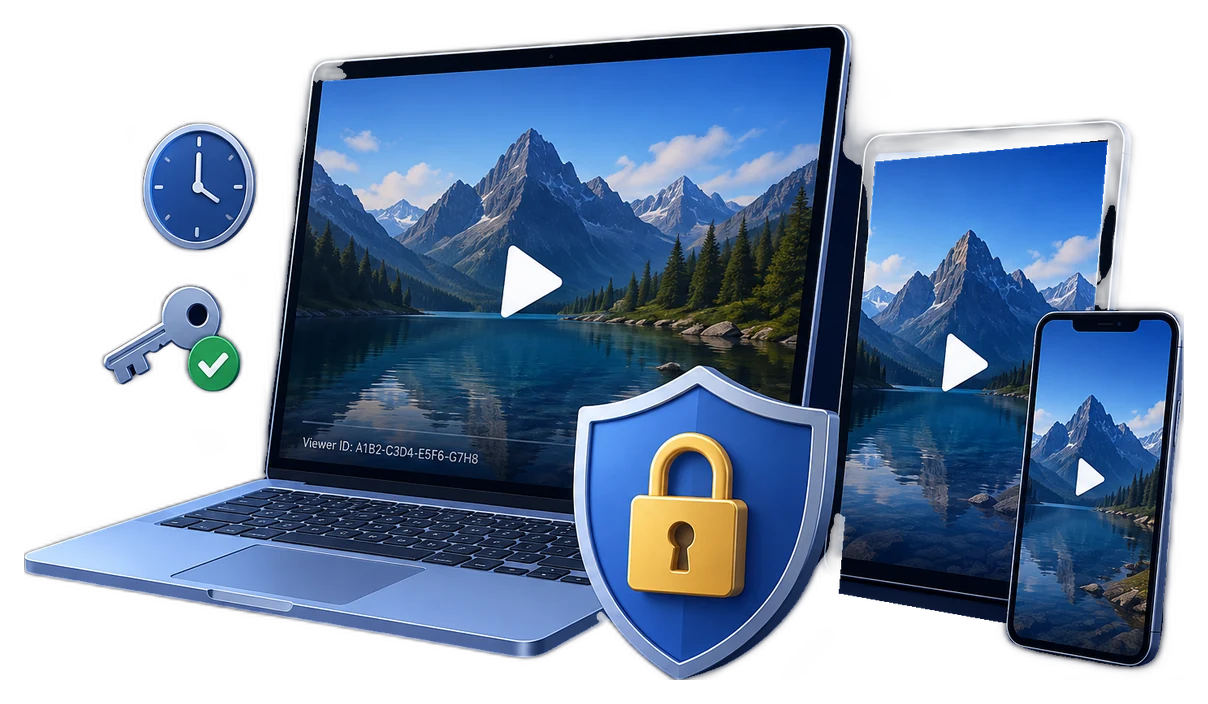
Video access control software decides whether a viewer is allowed to play protected content under a defined policy. It goes beyond encrypting the media by answering who may watch, which device may open it, when access begins or ends, and what happens when a password is shared or an account is cancelled.
The right implementation depends on delivery. Hosted video usually relies on account entitlement, short-lived URLs or tokens, approved domains, and sometimes a streaming DRM license. Downloaded and offline video needs controls that travel with the delivered package instead of disappearing when the file leaves the website.
Five questions every access policy should answer
Who may play the video?
Use an account entitlement, viewer-specific password, or license instead of one permanent password shared by an entire audience.
Where may it play?
Limit hosted playback to approved origins, or bind a protected download to an authorized PC or USB drive.
When does access end?
Define start time, expiry, first-play duration, play count, or the end of a paid course or contract term.
What may the viewer do?
Set playback, output, download, copy, watermark, and capture-deterrence rules according to the value of the content.
Can access be revoked?
Plan how to stop a leaked credential, refunded order, expired learner, or lost device without replacing every protected video.
Can an incident be traced?
Use individual credentials and visible viewer identity so a redistributed recording is easier to investigate.
Choose the access-control model by delivery method
| Delivery model | Core access control | Best fit | Main operational need |
|---|---|---|---|
| Private hosted streaming | Entitlement check plus short-lived signed URL, cookie, or token | Member libraries and frequently updated catalogs | Keep the media origin private and recheck authorization for new sessions |
| Browser or app streaming DRM | Encrypted streams plus a device or domain-bound playback license | Large premium streaming services | Operate a supported player, packaging, entitlement, and license workflow |
| Protected direct download | Password, device binding, expiry, watermark, and revocation attached to the package | Courses, coaching, partner demos, and premium archives | Issue individual credentials and test supported playback platforms |
| Protected USB delivery | USB binding, password verification, offline playback rules, and watermarking | Training kits, field teams, events, and low-connectivity locations | Control replacement media and lost-device response |
| Hybrid delivery | Hosted authorization for the main library plus protected packages for offline access | Programs that need both convenience and controlled downloads | Keep account status and offline credentials synchronized |
Control access to hosted video
Do not expose a permanent storage URL after a viewer signs in. Amazon CloudFront documents a private-content pattern in which the application verifies that the viewer is authorized and then returns a signed URL. Custom policies can add a valid-from time, expiry, and optional IP restriction. Cloudflare Stream similarly supports signed tokens and Allowed Origins, so copied embed code cannot simply be replayed from an unapproved domain.
- Keep the source and manifests privateMake the player request authorized media rather than embedding a permanent public URL.
- Check entitlement at playback timeVerify the viewer, plan, course enrollment, purchase, region, or organization before issuing authorization.
- Return short-lived authorizationUse a signed URL, signed cookie, playback token, or DRM license that expires after the intended session.
- Restrict the playback surfaceApply allowed-origin, domain, player, or output policies that match the service architecture.
- Log the decisionRecord the viewer, title, time, device, result, and reason so support and incident response have context.
For high-value premium streaming, license systems can express deeper rights. Microsoft PlayReady documents policies such as begin and end dates, expiration after first play, security levels, and output restrictions; licenses can also be bound to a client or domain. Google Widevine uses individualized licenses for premium media across supported platforms. These systems are powerful, but they require a streaming, player, entitlement, and license-server stack.
Control downloaded and offline video with GiliSoft
GiliSoft Video DRM Protection is the practical choice when customers, learners, employees, or partners intentionally receive the video file for direct or offline playback. The publishing application runs on Windows, while protected videos can play across supported playback platforms. Instead of delivering an ordinary MP4, you publish a protected package and keep viewer, device, watermark, time, and revocation rules attached after delivery.
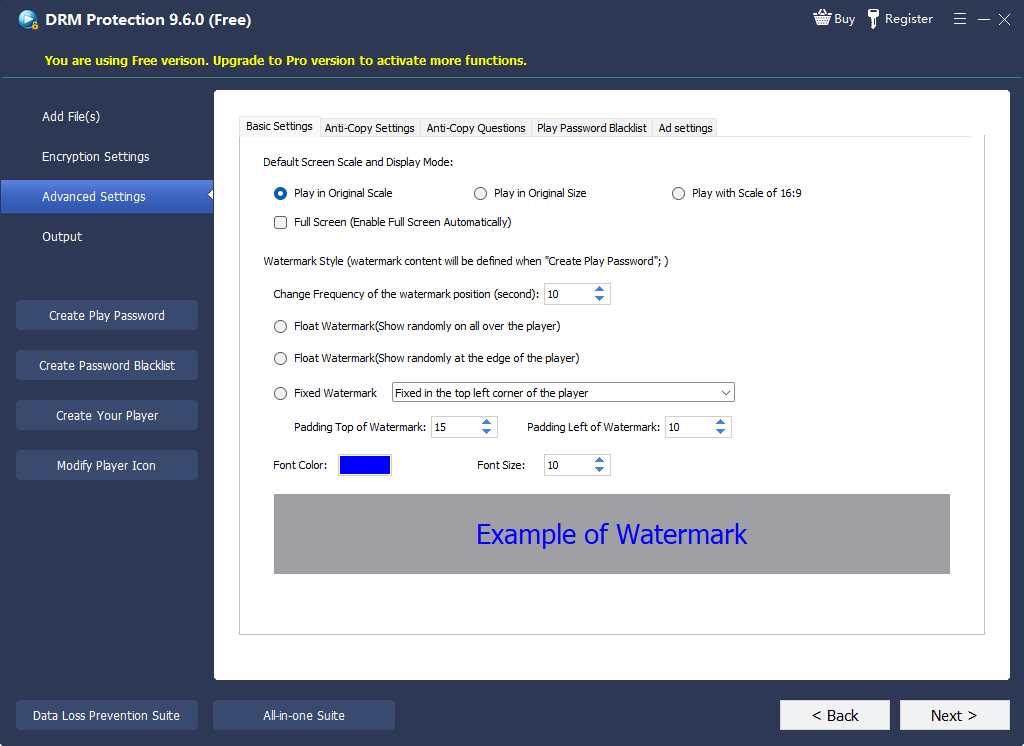
- Add the video and supporting contentImport the course, premium recording, demonstration, or internal video that will be delivered outside the portal.
- Create an individual playback passwordIssue credentials per viewer, customer, class, organization, or delivery batch so one incident does not affect everyone.
- Choose PC or USB binding when neededMake a forwarded password less useful by requiring the approved machine or removable drive.
- Set access duration and playback rulesMatch expiry, play count, online verification, and other limits to the license or training period.
- Add a dynamic identity watermarkDisplay customer, learner, email, order, account, or machine information during playback to discourage redistribution.
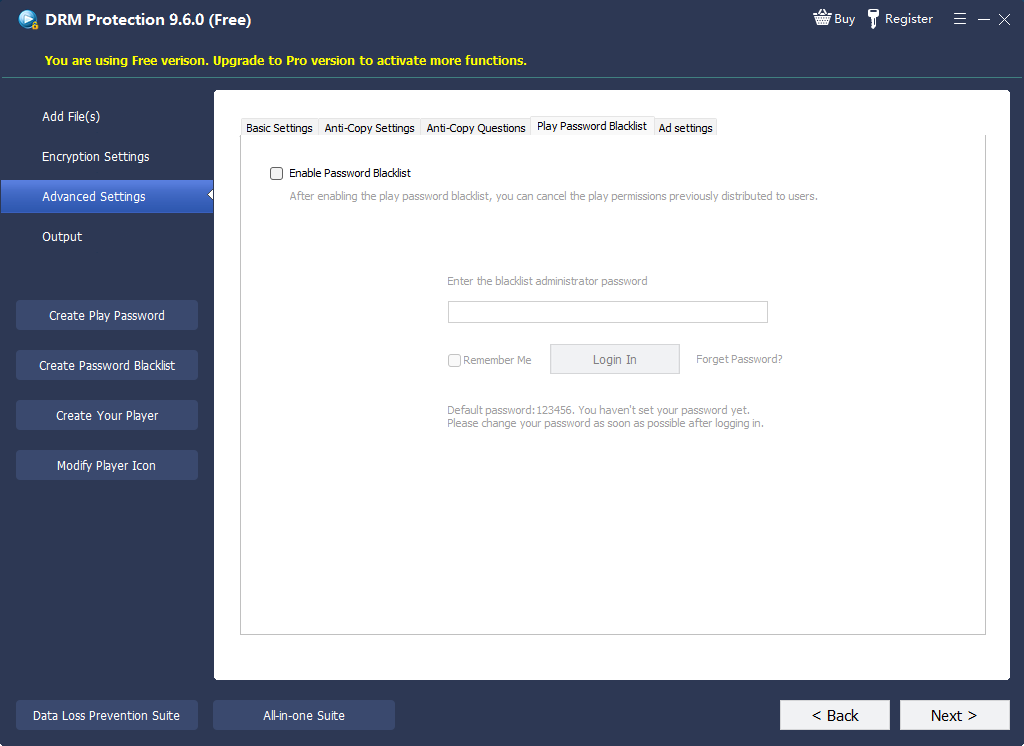
- Test approved and rejected casesVerify the intended player and device, then test a wrong password, second device, expired credential, and blacklisted credential.
Keep access control attached after video delivery
Use viewer passwords, PC or USB binding, dynamic watermarks, expiry, playback limits, online verification, and blacklist revocation.
Match each GiliSoft control to a real risk
| Control | Problem it addresses | Practical use |
|---|---|---|
| Playback password | An unauthorized person receives the package | Issue a unique credential instead of a catalog-wide password |
| PC binding | A valid password is forwarded to another computer | Authorize one viewer machine or a managed replacement |
| USB binding | Offline content must stay connected to approved media | Prepare training kits and portable delivery for controlled locations |
| Expiry and play limits | Access should end after a course, rental, review, or contract period | Align viewing rights with the commercial or organizational term |
| Dynamic watermark | A viewer records or redistributes the screen | Show viewer identity or machine information during playback |
| Online blacklist | A credential is leaked, refunded, cancelled, or abused | Revoke that credential while leaving other viewers unaffected |
| Anti-capture settings | Casual screen capture creates an uncontrolled copy | Add deterrence alongside watermarking and incident tracing; do not treat it as an absolute guarantee |
Where GiliSoft video access control fits best
Paid training downloads
Give each learner a protected lesson package with an individual credential, access period, and identifying watermark.
Internal compliance video
Distribute mandatory training to approved employees or branch offices while keeping access tied to a device or term.
Partner and customer previews
Send confidential demos outside the company without turning the source recording into an ordinary open file.
Offline and USB delivery
Support field teams, events, classrooms, ships, factories, and other locations where continuous streaming is impractical.
Premium coaching libraries
Offer intentional offline access while retaining passwords, expiry, watermarking, and revocation after download.
Licensed media collections
Apply different playback rules to customers, distributors, regions, cohorts, or contract periods without sharing one master password.
Compare common video access-control methods
| Method | Controls hosted playback | Controls a delivered file | Selective revocation | Best use |
|---|---|---|---|---|
| Unlisted or hidden link | Weak | No | Replace the link for everyone | Low-risk previews |
| Login page with permanent media URL | Only at page entry | No | Account-level only | Basic catalog organization |
| Signed private streaming | Strong when entitlement is rechecked | Not an open downloaded copy | Stop issuing authorization | Hosted libraries |
| Streaming DRM | Strong within supported players | Only through supported offline-license systems | License and entitlement policy | Large premium streaming services |
| GiliSoft protected package | Not a hosted-streaming service | Yes: controls remain attached | Blacklist individual credentials | Direct download, offline, and USB delivery |
Video access-control deployment checklist
Video access control FAQ
Is video access control the same as video encryption?
No. Encryption protects the media bytes, while access control decides whether a particular viewer, device, time, or session may decrypt and play them. Effective delivery normally combines both.
Can GiliSoft control a video after it is downloaded?
Yes. A GiliSoft protected package can retain password verification, PC or USB binding, expiry, play limits, dynamic watermarking, online checks, and blacklist revocation after direct delivery.
Does the viewer have to use Windows?
The publishing application runs on Windows, while protected videos can play across supported playback platforms. Test the platforms promised to your audience before distribution.
Can one leaked password be disabled without affecting everyone?
Yes, when viewers receive individual credentials and online verification is part of the policy. Add the compromised credential to the blacklist while leaving other credentials active.
Can software completely prevent screen recording?
No honest deployment should promise absolute prevention on every camera, device, virtual environment, or capture path. Use anti-capture settings as deterrence and combine them with dynamic identity watermarks, device rules, and incident response.
When should I use signed streaming instead of GiliSoft?
Use signed streaming for content that remains hosted and is viewed through a website or app. Use GiliSoft for intentional downloads, offline playback, and USB delivery where playback rules must travel with the package.
Official technical references
- Amazon CloudFront signed URLs documents authorization before delivery, expiry, valid-from time, and optional IP restrictions for private content.
- Cloudflare Stream security documents signed tokens, Allowed Origins, and restrictions for authenticated video playback.
- Microsoft PlayReady licenses and policies describes playback rights, begin and end dates, expiration, security levels, and output restrictions.
- Microsoft PlayReady binding policy explains client, machine, and domain-bound licenses.
- Google Widevine DRM overview describes individualized premium-media licenses and supported playback platforms.
Control who can play delivered videos
Use GiliSoft Video DRM Protection to publish videos with viewer passwords, device binding, dynamic watermarks, access limits, online verification, and selective revocation.