
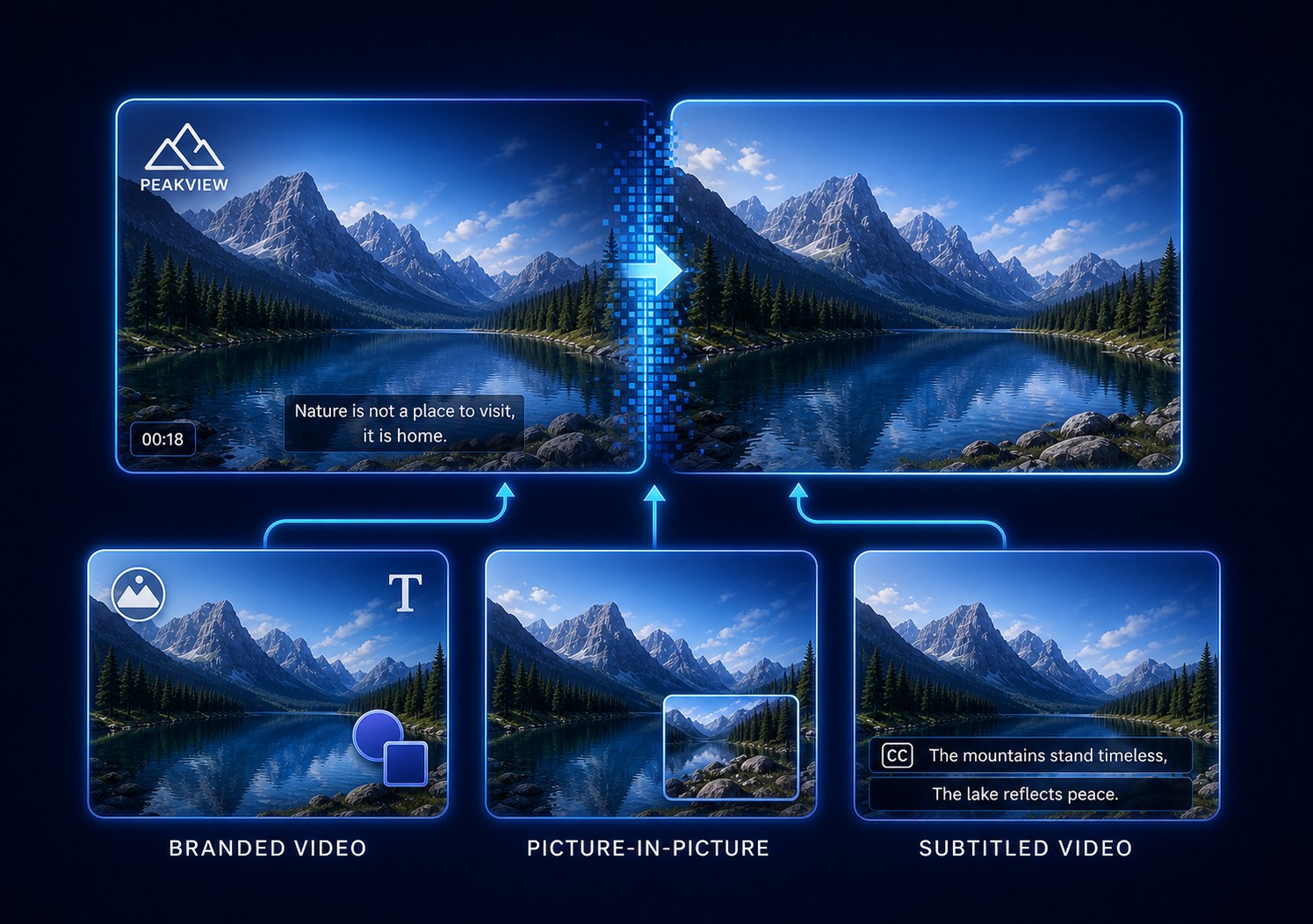
Can You Remove a Logo from a Video Cleanly?
Many small fixed logos can be cleaned convincingly, especially over a plain or slowly changing background. Results are less predictable when a logo covers faces, text, fine lines, fast motion, or unique image detail.
Adobe documents that temporally aware repair analyzes neighboring frames to synthesize missing pixels. FFmpeg's delogo filter instead interpolates from pixels immediately outside a defined rectangle. Both depend on material around the logo; neither can recover hidden source pixels that no longer exist.
When Video Logo Removal Is Practical
Logo cleanup fits footage that remains useful but carries outdated, incorrect, duplicated, or region-specific branding in an authorized delivery.
Update company videos
Clean a retired corner logo from owned training, demo, or marketing footage before adding current branding.
Localize a licensed master
Remove a region-specific mark or label before preparing an authorized version for another market.
Repair an export mistake
Clean an accidentally burned-in draft logo when the original project is unavailable.
Prepare a client revision
Remove an earlier partner mark from footage your agreement permits you to revise.
Choose the Right Way to Remove the Logo
Start with the least destructive option that can produce an acceptable result.
| Method | Best fit | Result | Main limitation |
|---|---|---|---|
| Crop or reframe | Logo on an expendable edge | Removes that edge from every frame | Changes composition or aspect ratio |
| Cover with a new logo | Authorized rebranding | Places a new graphic above the old one | Old logo is hidden, not repaired |
| Fast region cleanup | Small fixed logo over simple texture | Rebuilds pixels inside a tight region | May blur complex edges |
| AI-assisted cleanup | Motion, gradients, or changing detail | Uses broader scene information | Still needs frame-by-frame review |
| Tracked professional mask | Large continuously moving logo | Tracks and repairs the region over time | More setup and manual correction |
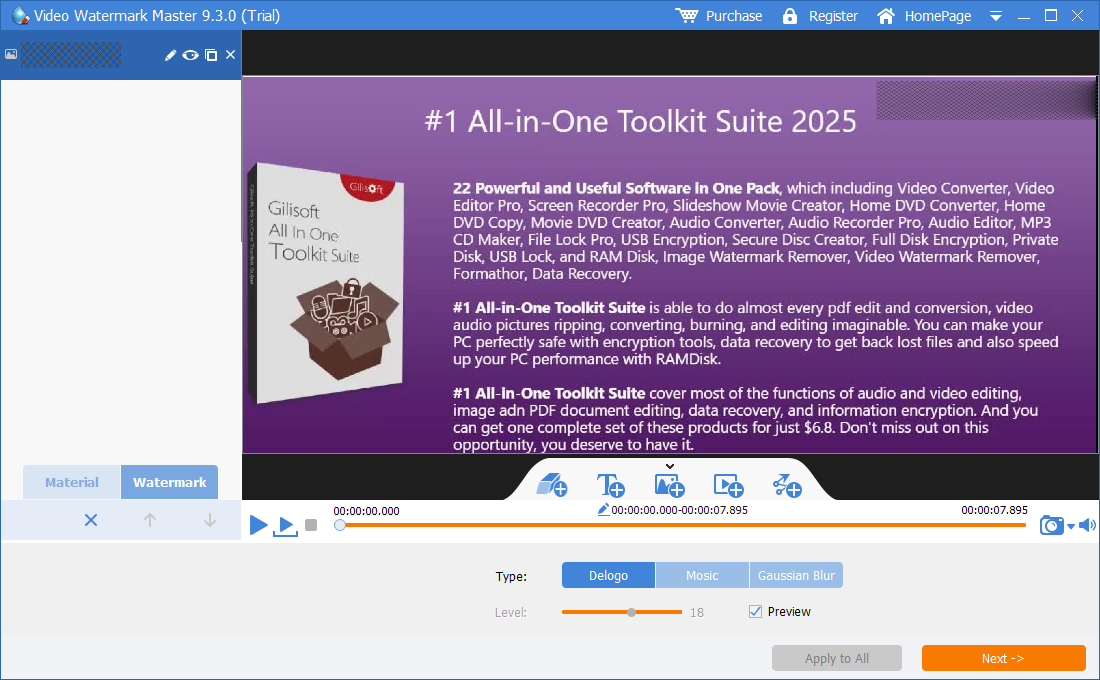
Cropping is clean when framing permits it. Covering works when a new brand is acceptable. When preserving the frame matters, GiliSoft ClipMark provides focused region and timing controls without requiring a full multi-track editor.
How to Remove a Logo with GiliSoft ClipMark
Test one representative section containing motion, a cut, and the most detailed background under the logo before processing a long video.
- Open the highest-quality authorized sourceAdd the original file or a working copy. Avoid a low-resolution screen recording when the source export exists.
- Choose Remove Logo or Remove WatermarkMove the playhead to the first frame where the complete logo is visible.
- Draw a tight region around the logoInclude its edge and shadow without selecting a large block of unaffected image.
- Set the correct start and end timeLimit processing to frames where the logo exists; create another range if it returns later.
- Separate position changesCreate regions for stable positions when a logo moves, switches corners, or changes size.
- Preview standard and AI-assisted cleanupStart with fast cleanup for a simple mark; test AI cleanup for motion, gradients, or detailed texture.
- Export and inspect outside the appCheck for blur, repeated patterns, flicker, broken lines, color seams, and missing detail.
Test the real source in GiliSoft ClipMark
Try one representative logo area and compare the exported result before committing to a full video or batch.
Download ClipMark TrialHow to Improve Logo Removal Quality
Why simple backgrounds work better
Plain walls, open sky, defocused scenery, and low-detail surfaces provide consistent texture. A logo across a face, product label, railing, subtitle, or patterned fabric hides unique information that cannot be inferred with certainty. Adobe separates object, surface, and edge-blend fill methods; Blackmagic Design likewise distinguishes current-frame patching from removal that uses surrounding frames.
Fixed, Moving, and Reappearing Logos
Fixed corner logo
Use one tight region and exact active time. Divide the video at scene cuts even if the logo stays in the same corner.
Logo that moves or changes size
Do not draw one oversized rectangle around its complete path. Use separate stable regions, or choose tracked restoration for continuous motion.
Logo that disappears and returns
Create independent time ranges. Processing clean frames can soften the image unnecessarily. This also fixes a logo that returns because the first range ended too early.
Several logos at once
Use a separate region for each mark. Review them independently, then together. Continue with the corner logo guide or complete ClipMark user guide.
Why the Removed Area Looks Blurred or Unstable
| Problem | Likely reason | What to change |
|---|---|---|
| Soft rectangular patch | Region is much larger than the logo | Tighten it and leave useful texture outside |
| Logo edge remains | Shadow or antialiased edge was missed | Expand only enough to include the full edge |
| Cleanup flickers | Background changes too quickly | Split the range or test AI-assisted cleanup |
| Logo returns later | Time range ends early | Extend it or add another timed region |
| Lines bend | Logo covers unique geometric detail | Use manual restoration, crop, or reframe |
| Export looks softer | Bitrate or resolution is too low | Match source dimensions and raise quality |
Video Logo Removal FAQ
Can I remove a logo without cropping?
Yes. Region cleanup preserves frame dimensions, but difficult backgrounds may show reconstructed artifacts.
Can every logo be removed without blur?
No. Large or moving logos over faces, text, and unique detail can require manual restoration.
Does ClipMark work when a logo appears briefly?
Yes. Set the exact start and end time so unaffected frames remain untouched.
Fast cleanup or AI cleanup?
Start fast for a simple fixed mark; use AI assistance for motion, gradients, lighting changes, or detailed texture.
Can I remove a TV channel logo?
A fixed channel bug is technically suitable for region cleanup, but only edit or redistribute when you have the rights.
Can ClipMark add a new logo afterward?
Yes. It supports visible text, image, logo, shape, and video overlays after old-brand cleanup.
References and Related Guides
Editing principles were checked against Adobe Content-Aware Fill, FFmpeg delogo documentation, Blackmagic Design removal guidance, and YouTube copyright guidance.