Crop, Rotate, Resize, and Flip
Reframe a photo, correct its orientation, set practical output dimensions, or mirror the image before publishing, printing, or sharing it.

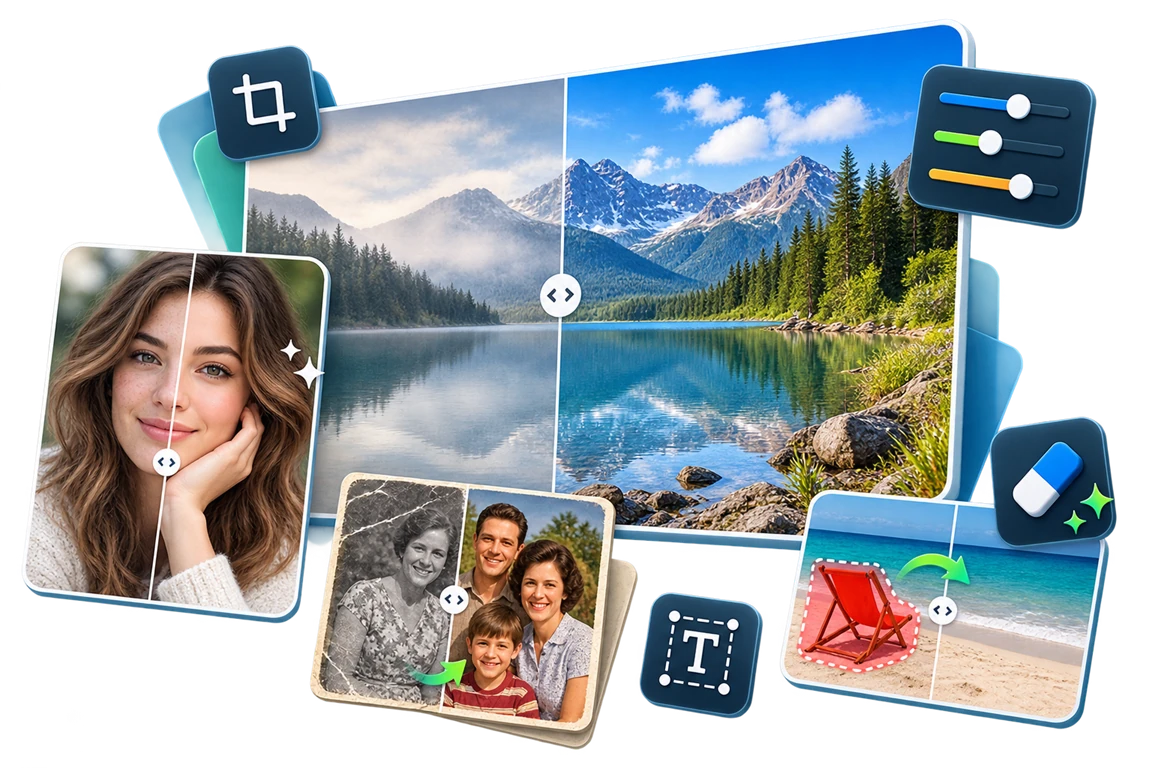
GiliSoft Image Editor combines everyday photo preparation with focused cleanup and enhancement tools. Start with crop, rotate, resize, color adjustment, and filters, then add text, stickers, frames, overlays, or a visible watermark.
For harder jobs, use the eraser and watermark-removal workspaces, replace a weak sky, improve faces and color, reduce haze, or enhance an older photo. The tools stay in one desktop workflow, so you can preview the complete image before export.

Reframe a photo, correct its orientation, set practical output dimensions, or mirror the image before publishing, printing, or sharing it.
Tune brightness, contrast, saturation, color balance, and other visual controls to improve dark, faded, weak, or hazy-looking photos.
Preview creative filters and effects, compare them with the original, and apply a consistent appearance to personal, product, or social images.
Create captions, labels, decorative elements, borders, and layered visual treatments for screenshots, product images, social graphics, or project photos.
Place a text or image watermark, clean an obsolete authorized mark, or use the batch watermark workspace to brand an image set consistently.
Select unwanted objects, date stamps, blemishes, or small distractions and clean them in controlled passes to protect nearby details.
Improve an outdoor background with the sky-change workspace, or use image matting tools when a person or product needs clearer separation.
Improve facial details, faded color, weak contrast, haze, and aging-photo appearance, then compare the result with the original before export.

The retouch tools save us hours every week. We can quickly clean product photos before listing updates.
Batch resize and crop are very reliable. Image dimensions now stay consistent across our website and ad channels.
Color and brightness adjustments are easy to control. We fixed many dark photos without quality loss.
Rotation, flip, and zoom controls make detail work much easier, especially for social image edits.
The effect presets help us produce polished visuals fast while keeping a consistent brand style.
Undo and redo are smooth in long editing sessions, so experimentation is safer and faster.
We use it to prepare training screenshots. The clarity and export quality are excellent for documentation.
Saving to PNG and JPG with predictable quality made our publishing process cleaner and more efficient.
Preview the Image Editor workspace for everyday image work: transform photos, adjust color, add text, manage watermarks, clean unwanted marks, repair faces, and restore old photos.
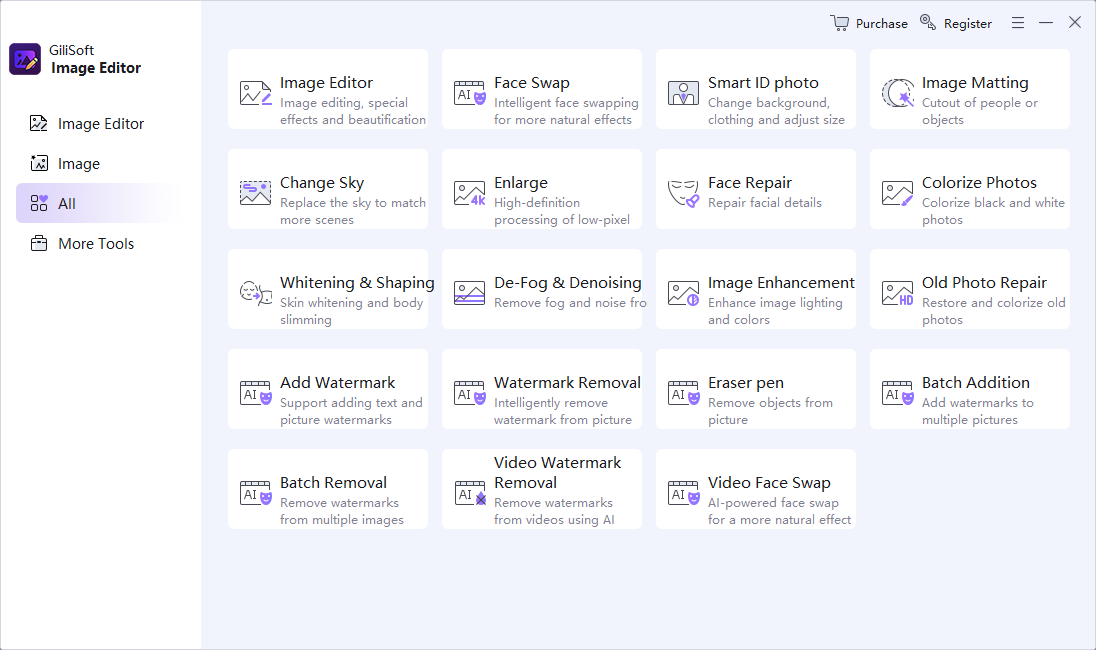
Start from the central editing workspace, then choose editing, retouching, watermark, object cleanup, and restoration tools as needed.
Use Image Editor for photo editing, retouching, watermark tools, object cleanup, sky replacement, face repair, and old photo restoration.
Use MarkEase when the main task is removing stamps, marks, logos, dates, and unwanted areas from photos.
Use Watermark Remover when the main task is mixed image cleanup and general watermark removal in one tool.
Use FaceSwap for authorized photo and video face replacement rather than general photo editing and restoration.
Yes. In addition to crop, rotate, resize, color adjustment, and filters, it includes text, stickers, frames, overlays, watermark tools, object cleanup, sky replacement, face repair, and old photo enhancement.
Yes. Use the batch watermark workspace to apply a consistent visible mark to an image set. Test one representative photo before processing the remaining images.
Yes. Use the cleanup and watermark-removal tools on photos you own or are authorized to edit. Tight selections usually produce better results around detailed backgrounds and edges.
Yes. It includes old photo enhancement, color improvement, face repair, defogging, and sky replacement. These tools improve visible appearance; they do not repair corrupted image files.

 Editors noted the practical toolset for everyday Windows image work, including crop, rotation, color adjustment, text, watermark, and enhancement tasks.
The product fits users who want image preparation, retouching, object cleanup, and restoration tools in one desktop application.

Reviewers highlighted stable photo editing, watermark handling, visual adjustment, and repeated cleanup work across common image projects.
The toolkit is especially useful when many images need a consistent look for websites, documents, stores, or team delivery.

Independent analysis described the software as dependable for image cleanup, enhancement, portrait improvement, and old photo restoration.
Old photo repair, face improvement, sky replacement, and watermark tools make it broader than a narrow crop-and-resize editor.


Enter your email address to get our latest newsletter