Can I uninstall multiple apps at once?
Yes. Select multiple apps and use Uninstall selected to start a batch. The selected items are processed one by one in list order, not simultaneously. A vendor uninstaller may still require confirmation or a restart.
Can I clean leftover files after uninstalling a program?
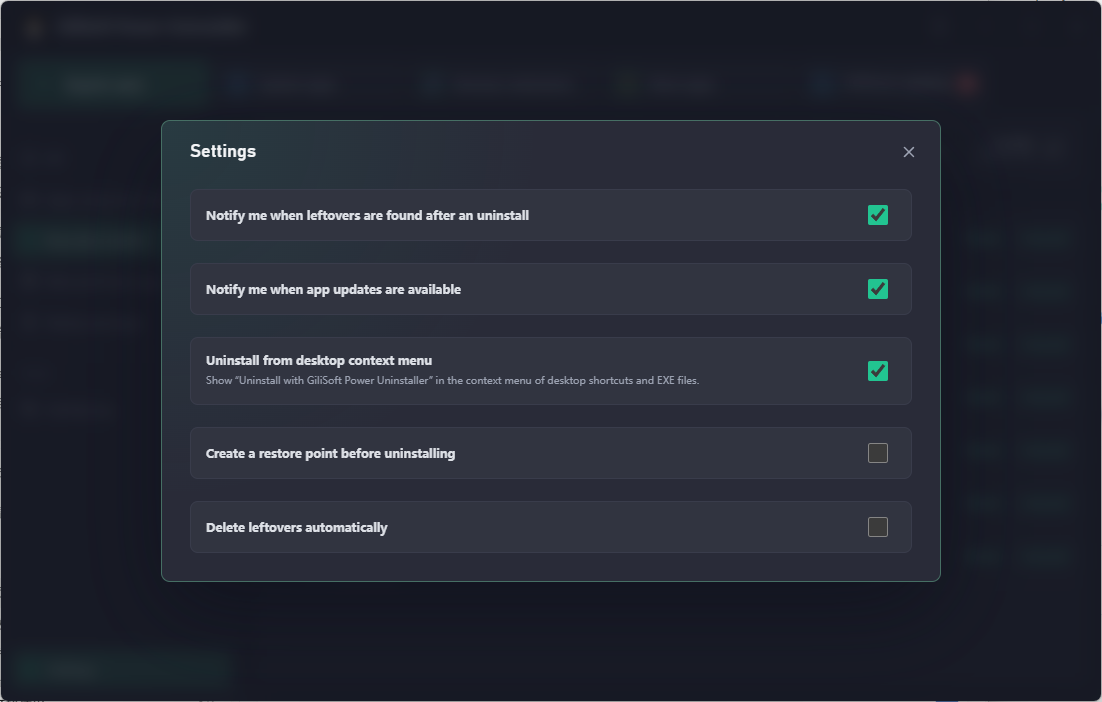
Yes. Choose Delete leftovers in the uninstall confirmation. Power Uninstaller checks for files and registry entries associated with the removed app and reports the cleanup result, including registry-key counts and cleaned-file size.
Can I remove preinstalled Windows apps?
Yes. Open System apps and use the Preinstalled apps view to review the available entries. Check the app name and purpose before removing a Windows component you may need.
Which browser extensions can I manage?
The Browser extensions view supports Chromium-based browsers such as Chrome and Edge, with browser, version, and enabled-status details. Firefox extensions are managed inside Firefox rather than from this list.
Can I create a restore point before uninstalling?
Yes. Select Create restore point in the uninstall confirmation, or set the default preference in Settings. Windows system protection must be available for restore point creation.
Can GiliSoft Power Uninstaller update installed software?
Yes. Open Software updates to compare current and available versions. Update apps individually, select the apps you want to update, or choose Update all. Update notifications can also be configured in Settings.