
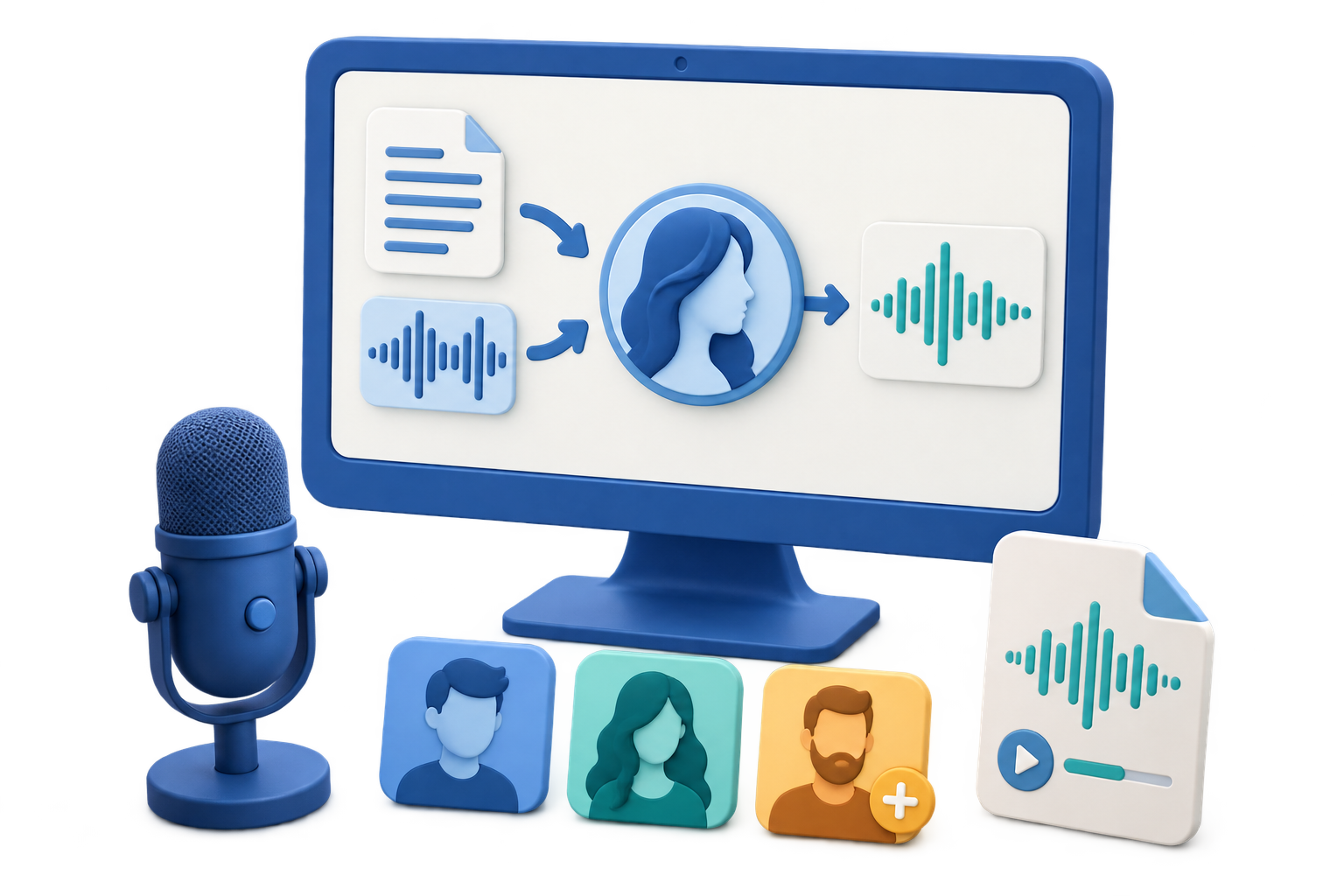
Is GiliSoft VoiceLab a Free Voice Cloner?
Quick answer: You can download the VoiceLab Windows trial and inspect its workflow. Creating a custom voice and generating AI voice audio use points; the app displays point information before processing. It is not an unlimited free voice cloner.
If you only need narration in a preset voice, Text to Speech may fit better than creating a clone. If you already have spoken audio and want a different target voice, use Voice Conversion.
Common Free Voice Cloner Options
| Free tool or method | Best for | What you need to check | Limits to know |
|---|---|---|---|
| Online free plans | Testing voice cloning quality quickly from a browser. | Monthly character limits, sample length, upload privacy, commercial usage rights, and whether voice consent is required. | Free quotas are usually limited, and private or client audio may not be suitable for upload. |
| Trial voice cloning apps | Trying higher-quality AI voices before choosing a long-term workflow. | Trial length, export watermark, voice model retention, allowed use cases, and whether generated audio can be used commercially. | Trials are useful for evaluation, but may not be a long-term free solution. |
| Open-source voice cloning projects | Technical users who want local experiments and more control. | GPU requirements, installation steps, model quality, dataset requirements, license terms, and safety controls. | Powerful, but setup, tuning, and output cleanup can be difficult for non-technical users. |
| Preset AI voice generators | Creating narration without cloning a specific person's voice. | Voice catalog, language support, emotion controls, export format, and content usage rights. | Safer for many projects, but it will not match your own voice or a branded speaker. |
| Mobile AI voice apps | Quick social clips, casual narration tests, and short audio experiments. | In-app purchases, export quality, privacy policy, watermarking, and whether the result can be used outside the app. | Often convenient, but not ideal for repeat desktop production or longer scripts. |
| Manual recording plus cleanup | Projects where a real recording is more trustworthy than a synthetic clone. | Microphone quality, background noise, room echo, volume consistency, and editing workflow. | No voice cloning is involved, but it can be the safest option for sensitive or personal content. |
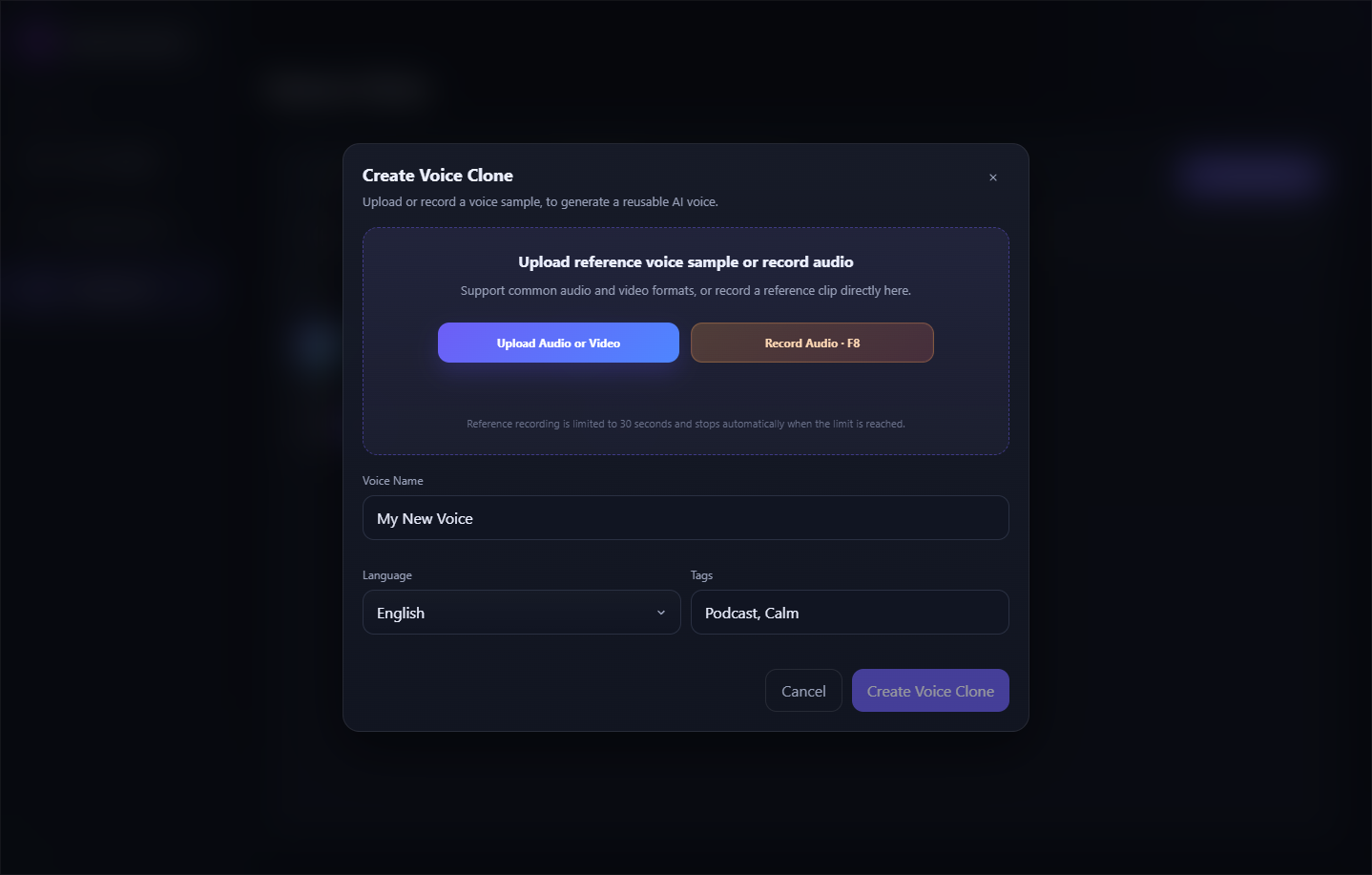
For a Windows trial with custom voice creation, GiliSoft VoiceLab is an option. The actual interface and point-based workflow are shown below.
Which Free Voice Cloning Method Fits Your Project?
Your own voiceover
Use your own clean recordings when you want consistent narration for lessons, explainers, podcasts, or product videos.
Video and social narration
Free online plans or preset AI voices can be enough for short scripts, but check export limits and commercial rights.
Business or training content
Use a desktop workflow for repeat production, but review where reference recordings are processed and how voice models are stored before using private or client material.
Try the VoiceLab Custom Voice Workflow
Prepare one clear sample
Use a short, single-speaker recording without music or overlapping speech. Keep the original file unchanged.
Open Custom Voice
In VoiceLab, upload an audio or video reference or use the recording option shown in the app.
Name and review the voice
Add a recognizable name and available language or tag details. Check the displayed point requirement before creating it.
Test a short line
Find the result in My Voices, preview it, and test a brief script before deciding whether it suits a longer project.
What to Check Before Paying for More Output
- Does the test voice pronounce names and technical terms correctly?
- Is the voice consistent across both short and long sentences?
- Can you find, preview, rename, and reuse it in My Voices?
- How many points does your planned script or conversion require?
- Do you have permission to use the reference voice in the intended project?
FAQ
What is the best free voice cloner?
It depends on your goal. Free online plans are useful for quick tests, open-source projects give technical users more control, and preset AI voices may be enough when you do not need a custom clone. Compare quotas, privacy, export rights, and setup effort before choosing.
Can I clone my own voice for free?
Many tools allow limited tests, but free quotas, sample length, export quality, and commercial rights vary. Use clean recordings and review the tool's voice consent rules.
What kind of sample should I use?
Start with a clear recording of one speaker. Avoid music, other speakers, clipping, and long silent sections.
Can I use a generated voice for videos?
Check that you have the right to use the reference voice and that your tool plan covers the intended output. Test a short line before generating the whole script.
Is GiliSoft VoiceLab a free voice cloner?
VoiceLab offers a Windows trial download, but it is not unlimited free voice cloning. AI voice generation and custom voice creation use points; review the required points and available packages before processing.
Should I use online or desktop voice cloning software?
Online tools are convenient for quick tests. A desktop-centered workflow can suit repeated production, but review where recordings are processed and how voice models are stored before using private material.