Gilisoft AIKit

A broader Windows AI toolkit for voice cloning, OCR, speech, image, subtitle, and creative media workflows


Windows 10/11 (64 bits)

Download TrialVersion: 10.1 BUY NOW$39.95 $49.95

Gilisoft AIKit

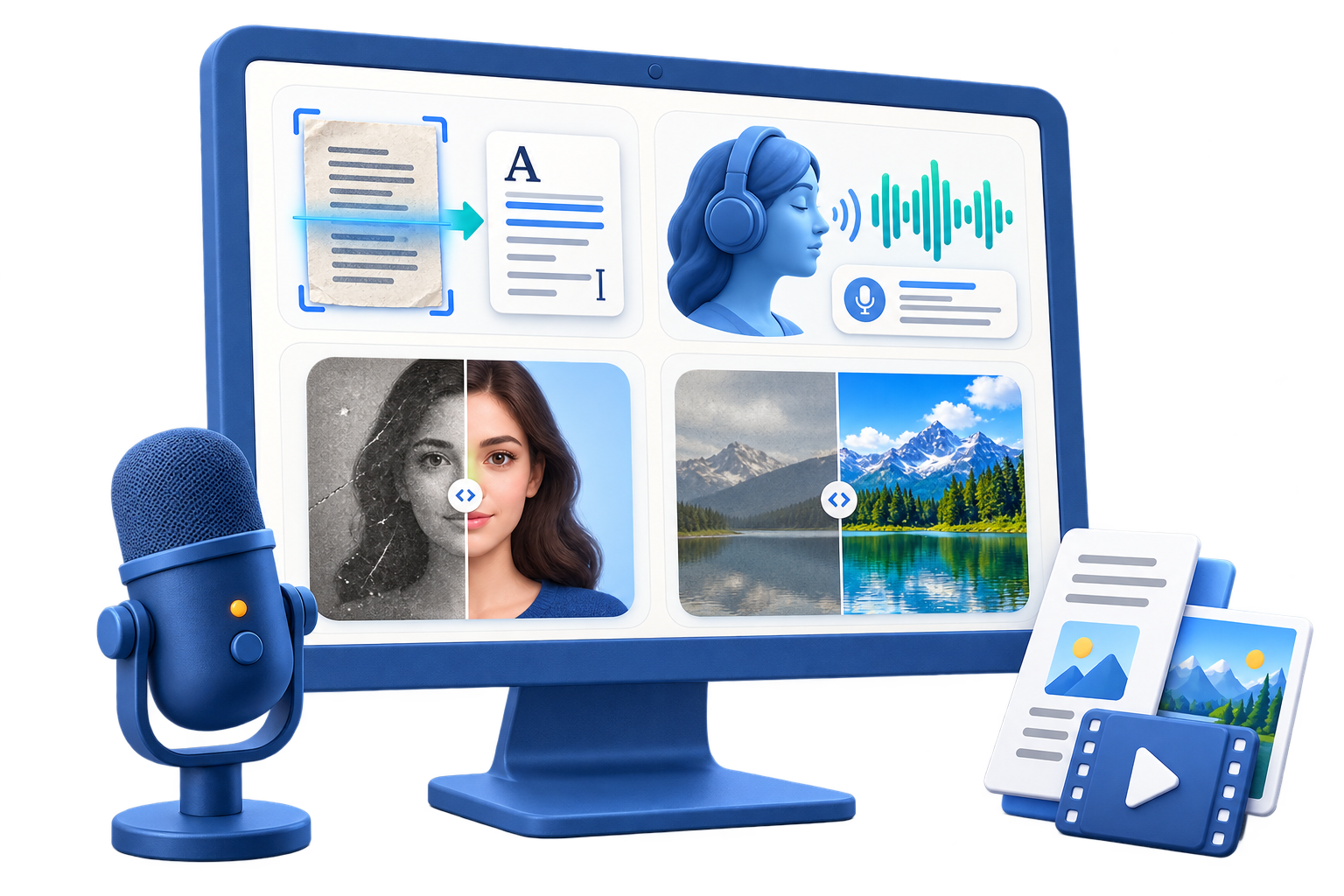
GiliSoft AIKit is a broader Windows AI utility suite that combines voice cloning, face swap, OCR, text-to-speech, speech-to-text, image enhancement, background removal, subtitle-related workflows, watermark cleanup, and creative media tools in one package. It helps you move between practical AI tasks such as extracting text from images, generating or cloning voices, enhancing portraits, repairing older photos, cleaning up marks, supporting subtitle workflows, and handling lightweight media-side AI jobs without bouncing between a long list of separate utilities. Instead of buying a different tool for every small task, you can keep a wider mix of everyday image, speech, voice, and media workflows in one Windows toolkit.

Core AI Toolkit Features

Face swap and face editing

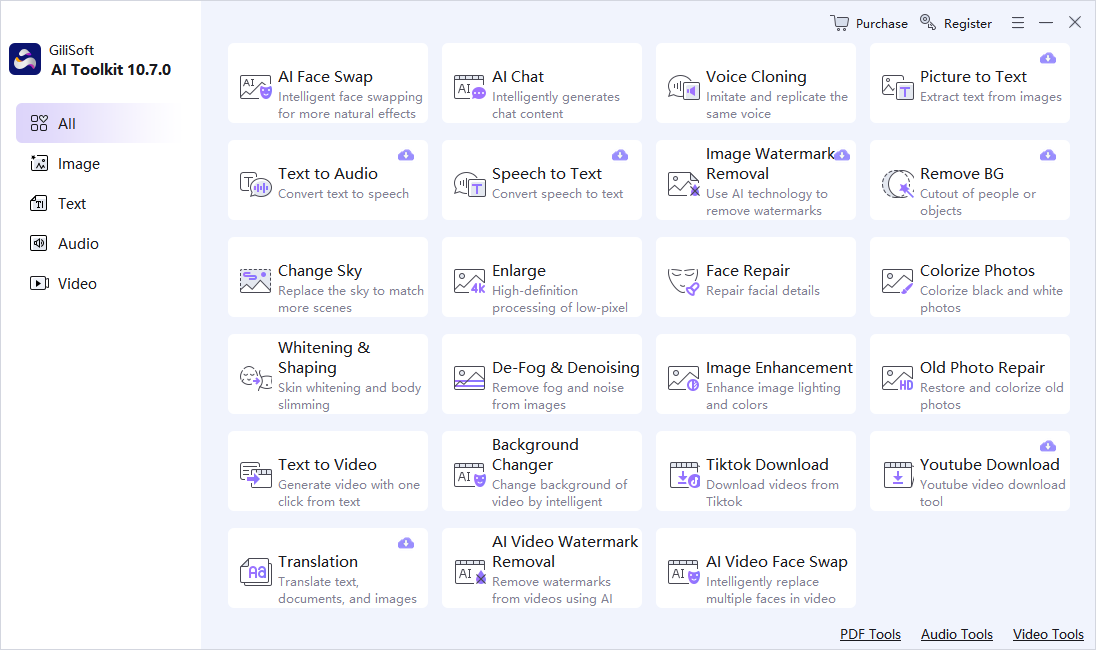
Face Editor provides an advanced and intelligent way to swap faces. It uses sophisticated algorithms to ensure realistic and seamless transitions, allowing users to create fun or creative visuals with ease. It offers a great deal of flexibility and precision bringing a new level of interactivity and entertainment.

AI chat and assisted drafting

AI Chat supports drafting, ideation, rewriting, and general assisted content generation when you need faster starting points for copy, notes, or creative prompts.

Voice cloning and presenter utilities

Create custom voice output, synthetic presenter-style content, and voice-led explainers from one broader Windows AI toolkit without needing a separate voice utility.

Picture to Text

Picture to Text accurately extracts text from images, providing a convenient way to obtain written information from visual sources. It helps in digitizing and accessing content that might otherwise be difficult to obtain, opening up new possibilities for data extraction and utilization.

Text to Audio

Text to Audio converts written text into audible speech, enhancing accessibility and providing an alternative way to consume content. It can be used for audiobooks, navigation systems, or any situation where audible output is preferred, offering convenience and flexibility.

Change sky

Change sky allows for the manipulation of the sky in an image to better suit different moods or scenes. It gives users the ability to create more visually appealing or imaginative compositions by replacing the sky with various options, adding an artistic touch.

Whitening and shaping

Whitening & Shaping offers options for skin whitening and body shaping to enhance physical appearance. It provides a means to achieve a desired look or aesthetic, whether for personal or professional use, allowing for adjustments to meet specific preferences.

Old Photo Repair

Old Photo Repair breathes new life into old and damaged photos. It uses advanced techniques to restore and colorize them, preserving memories and bringing back the details and vibrancy. It helps to cherish and showcase precious moments from the past.

Speech to Text

Speech to Text accurately converts spoken words into written text, facilitating transcription and note-taking. It is useful in various settings such as meetings, interviews, or when quickly capturing ideas, saving time and effort.

Super-resolution upscaling

Enlarge is capable of enhancing the resolution and quality of low-pixel images. It uses advanced algorithms to upscale the images, resulting in sharper and more detailed visuals, allowing for better display or printing.

Translation

Translation provides the ability to translate text, documents, and images between different languages. It helps break down language barriers and enables communication and understanding across cultures, making information more accessible.

Watermark removal

Watermark removal uses intelligent techniques to eliminate watermarks from images. It allows for the reuse or modification of images without the distraction of watermarks, providing more flexibility in creative projects.

Face Repair

Face Repair focuses on enhancing and repairing facial details in images. It can address issues such as blemishes, wrinkles, or other imperfections, resulting in improved facial appearance and a more polished look.

Image Enhancement

Image Enhancement enhances the overall quality of an image by adjusting lighting, colors, and contrast. It brings out the best in an image, making it more visually appealing and enhancing the viewing experience.

Image background removal

Remove BG efficiently separates the foreground from the background in an image. It allows for easy isolation of objects or people, providing flexibility for compositing or creating clean backgrounds for various creative projects.

Colorize Photos

Colorize Photos adds color to black and white or grayscale images, giving them a new lease of life. It helps to bring out the details and add a touch of vibrancy, making the images more engaging and visually interesting.

Video background changer

This feature allows users to change the background of an existing video, similar to green screen technology but without the need for an actual green screen. It enables users to easily replace the background in videos without reshooting, making it useful for video production, marketing, and creative video editing.

Text to Video

This feature allows users to automatically generate video content from text input. It's a valuable tool for those who need to create video materials quickly but lack video editing skills. By selecting appropriate visual elements and background music, it can help present text information in a more intuitive and engaging way.

Customer Testimonials

AIKit helped us speed up content generation with one tool for face swap, image cleanup, and quick script drafts.

- Olivia M., Digital Content Lead

We use Face Editor daily for short-form campaigns, and the output looks natural enough for production use.

- Kevin T., Creative Producer

AI Chat helps us draft variations faster, so campaign copy testing now takes hours instead of days.

- Rachel P., Growth Marketing Manager

Custom presenter gave our explainer videos a consistent style and reduced reshoot requests from stakeholders.

- Daniel K., Product Marketing Manager

Picture to Text is accurate on screenshots and scanned notes, which improved our documentation turnaround.

- Brian C., Operations Analyst

Text to Audio lets us produce voice content quickly for demos and internal training updates.

- Megan S., Training Manager

Change Sky and background tools made thumbnail production much faster without sacrificing visual consistency.

- Aaron W., Design Lead

Whitening and shaping controls are easy to tune, so we can keep results polished without over-processing faces.

- Sophia L., Brand Specialist

Who Is This For?

Creators who need more than one AI utility

Use AIKit when your workflow crosses image cleanup, face editing, OCR, speech, and media tasks instead of staying inside one narrow tool category.

Small teams moving between text, image, and video tasks

Keep drafting, image enhancement, subtitle support, and light creative AI work closer together in one Windows toolkit.

Users exploring AI workflows before committing to many separate tools

AIKit is useful when you want broader coverage first and only later decide whether a dedicated single-purpose product is needed.

Operators handling OCR and speech tasks alongside creative work

It fits teams that need picture-to-text, speech-to-text, and text-to-speech as part of practical documentation or publishing workflows.

Why Choose GiliSoft AIKit?

Broader coverage than a single-task AI app

AIKit is useful when your work includes face swap, OCR, speech tools, image enhancement, and creative AI tasks rather than just one narrow workflow.

Good fit for mixed AI utility work on Windows

Instead of bouncing between separate apps for OCR, speech, cleanup, and enhancement, you can keep a wider range of tasks in one toolkit.

Covers image, speech, and media-adjacent workflows

The value of AIKit is not one single killer feature, but the way multiple useful utilities stay close together for day-to-day work.

Useful before stepping into dedicated specialist tools

If later you need a more specialized product, AIKit still works as a broader entry point for understanding which AI workflow matters most to you.

Common AIKit Use Cases

Move between face swap, cleanup, and image enhancement

Use one toolkit when you need creative image work, cleanup, or visual polishing without buying a separate app for every step. Related pages: FaceSwap, image enhancement software for Windows, old photo repair and colorization, MarkEase, and Watermark Remover.

Handle subtitle and media-side AI tasks

Use AIKit as a broader suite when subtitle cleanup, media assistance, or AI-generated presentation support matters. Related pages: Subtitle Remover and Video UniReel.

Use one toolkit before choosing a dedicated product

Start broad, then move into a more specialized product only when one workflow becomes central. Related pages: all-in-one AI tools for Windows, AI tools for images and speech, AI tools for voice and images, and AI tools for content creators.

AIKit FAQ

What kinds of AI tools are included in AIKit?

AIKit combines voice cloning, face swap, OCR, text-to-speech, speech-to-text, image enhancement, watermark cleanup, subtitle-related workflows, and other creative AI utilities in one Windows package.

Is AIKit mainly for image work or video work?

It covers both. Some tools focus on image cleanup and enhancement, while others support speech, subtitle, and media-oriented AI workflows.

When should I choose AIKit instead of a dedicated product?

Choose AIKit when you want a broader AI utility suite. If you only need one specific workflow, such as face swap, subtitle cleanup, or image watermark removal, the dedicated product may be a better fit.

Does AIKit include OCR and speech workflows?

Yes. AIKit includes picture-to-text, voice cloning, text-to-speech, and speech-to-text capabilities alongside image and media AI features.

Can AIKit also fit voice cloning and synthetic voice workflows?

Yes. AIKit can fit broader AI voice workflows when you want custom voice output together with text-to-speech and speech utilities. See voice cloning software for Windows.

Can AIKit fit screenshot OCR and audio transcription too?

Yes. AIKit can also fit practical screenshot OCR and transcription work. See OCR software for Windows, OCR software for screenshots, audio transcription software for Windows, transcribe audio to text on Windows, and convert text to audio on Windows.

Can AIKit also fit creator-style mixed AI workflows?

Yes. AIKit can also fit creator-side workflows that combine OCR, speech, image enhancement, and voice tasks. See AI tools for content creators, AI tools for voice and images, and batch image text recognition.

Media Review

Editors highlighted the suite-style positioning, noting broad coverage across image, speech, OCR, and creative media tasks from one Windows toolkit.

GiliSoft AIKit is a versatile and user-friendly tool. Its wider AI utility coverage makes it easier to move across different content tasks without leaving the same product family.

Reviewers praised the balance between automation speed and practical day-to-day output, especially when one team handles multiple small AI workflows.

This software combines powerful AI capabilities with simplicity, allowing users to handle creative and practical tasks from one toolkit instead of stitching together many smaller utilities.

Independent analysis described AIKit as practical for smaller teams that need a flexible AI utility layer rather than a single narrow feature.

GiliSoft AIKit stands out by combining a broad range of image, speech, and media-adjacent AI functions with a workflow that stays approachable for everyday use.

SPECIAL OFFER | MEGA SALE
#1 Multimedia Toolkit Suite
11 Video Tools in Ultimate Multimedia Bundle