
Free PDF Editor for Windows: Compare Editing Options
Free PDF editors can be enough for a quick annotation or form. Before choosing, check whether you need to change existing text, edit a scan, reorganize pages, protect a document, or keep files on your PC.
Quick answer
For occasional tasks, free desktop tools or online services may handle comments, text overlays, form filling, or signatures. These features are not always the same as editing existing PDF content. Scanned pages need OCR before their text can be searched or edited. For private files, consider an offline tool. If you need direct text and image editing, OCR, page operations, and PDF security together, GiliSoft PDF Editor is a Windows product to evaluate; its download is a trial.
Choose a PDF editing method by task
| Task | Free method to consider | What to verify |
|---|---|---|
| Add comments or highlights | Browser viewer or desktop PDF reader | Markup tools and whether comments remain editable |
| Fill and sign a form | Built-in form tools or a PDF app | Form-field support, signature workflow, and export limits |
| Change existing text or images | PDF editor with direct content editing | Fonts, layout, selectable text, and saved output |
| Edit a scanned PDF | OCR-enabled PDF editor | Recognition language, scan clarity, and proofreading |
| Reorder, merge, or split pages | Desktop or online page-management tool | Page range, bookmarks, forms, and output integrity |
| Handle confidential PDFs | Offline desktop editor | Local processing and where temporary/output files are stored |
Free PDF editing options and their limits
Browser PDF tools
Convenient for viewing, comments, basic forms, and quick signatures. Directly changing page content or using advanced page tools may not be available.
Online PDF editors
Useful for occasional work without installing software. Check file-size, page, daily-use, and export restrictions, and review how uploaded documents are handled.
Free desktop utilities
Can support local editing or page operations. Confirm which features are included without payment and whether export adds limits or marks.
OCR-enabled editing
Needed when a PDF is a scan rather than selectable text. OCR can make text searchable, but recognition errors should be checked against the original page.
Keep an original copy. PDF edits can affect layout, fonts, form fields, signatures, or metadata. Test on a duplicate before changing a document you may need to restore.
When GiliSoft PDF Editor is a better fit
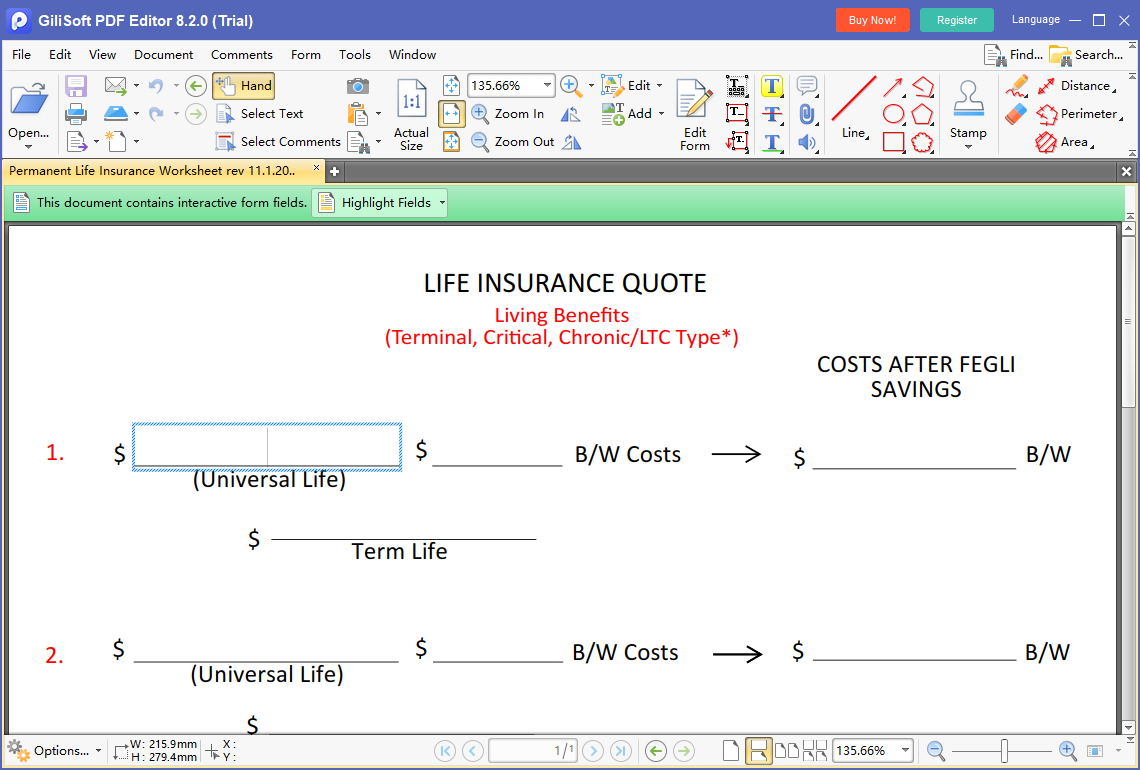
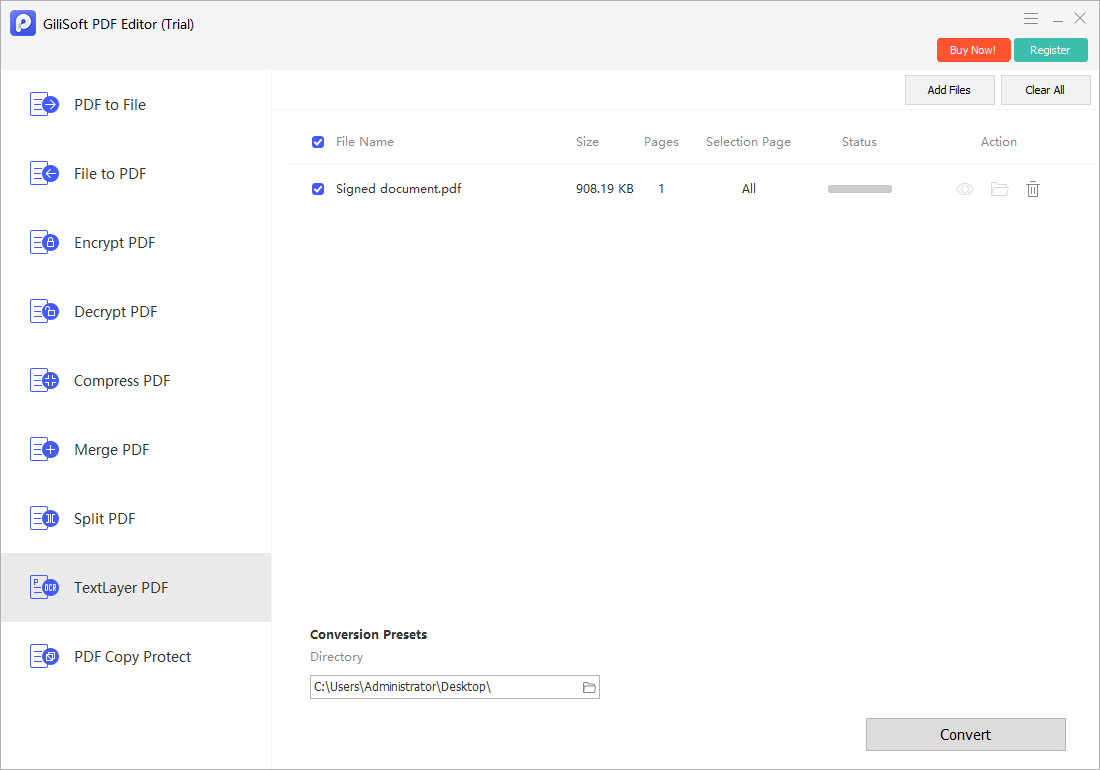
GiliSoft PDF Editor is designed for offline Windows PDF work that goes beyond adding a note on top of a page. Its feature set includes editing PDF text and images, OCR, annotations, page operations, conversion, merge, split, compression, encryption, and decryption. The trial lets you verify the tools on your own files; it is not a free unlimited edition.
- Work from a copy of the PDF.
Preserve the source document and verify that it opens correctly before editing.
- Identify whether text is selectable.
If the page is only an image, run OCR before expecting to search or edit its words.
- Choose the right edit type.
Use direct content editing for existing text, annotations for review notes, and page tools for organization.
- Review and save the result.
Check page layout, fonts, links, fields, OCR accuracy, and security settings before sharing.
For format conversion as the primary task, compare GiliSoft PDF Converter; for PDF editing and document changes, PDF Editor is the closer match.
Make a simple PDF edit safely
- Save a working copy.
Do not overwrite the only copy of an important document.
- Confirm the page type.
Select text to see whether it is editable content or a scanned image that needs OCR.
- Apply one small change.
Test an annotation, form field, text edit, or page operation before making multiple changes.
- Reopen and inspect the saved PDF.
Check the edited page and nearby pages, including links, forms, and text alignment.
Frequently asked questions
Can I edit a PDF for free?
Yes. Free desktop or online tools can handle some annotations, form filling, signatures, or simple edits. Check whether a tool edits existing PDF text or only adds an overlay, and review any file, page, or export limits.
Can free PDF editors change existing text?
Some tools can edit existing text, while others only add text boxes or annotations over the page. The result depends on the PDF structure and the editor's capabilities, so test a copy of the file.
Can a free PDF editor edit scanned documents?
A scanned PDF usually contains page images. OCR is needed to recognize text before it can be searched or edited, and recognized content should be proofread.
Are online PDF editors safe for private documents?
Online tools require you to upload the file. Review privacy, retention, and deletion terms, and use an offline workflow for confidential documents when required by your organization.
What does GiliSoft PDF Editor add beyond basic free editing?
GiliSoft PDF Editor is an offline Windows product for editing PDF text and images, OCR, annotations, page operations, conversion, merge, split, compression, and PDF security tasks. It is trial software, not a free unlimited editor.