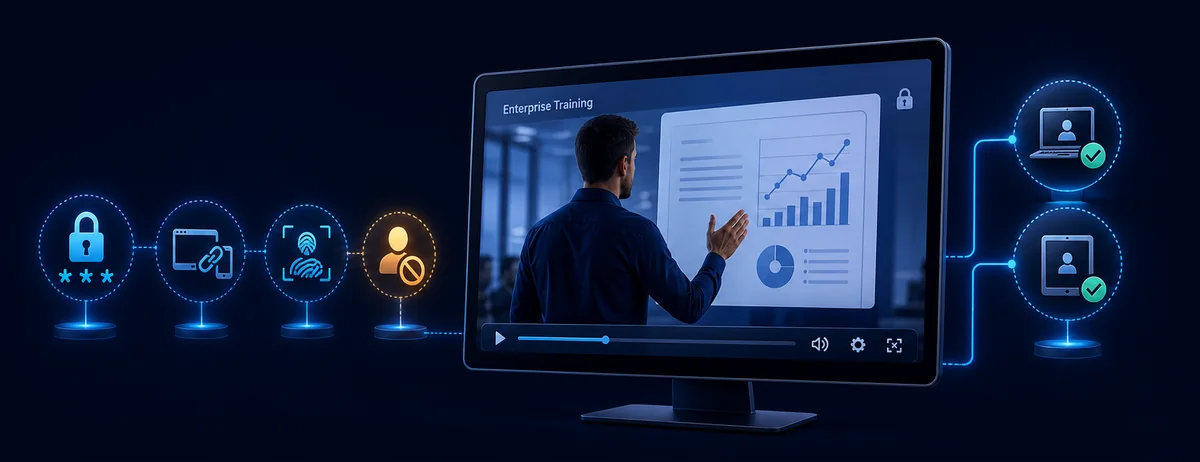
There Is No Single Best Tool for Every Course Platform
The right copy-protection software depends first on how learners receive the video. A hosted course website needs a different system from a training company that sends protected downloadable files for controlled viewing.
Streaming DRM keeps encryption and license decisions inside a web or app delivery stack. Protected downloadable packages place playback rules around files delivered directly to customers, employees, or partners. Enterprise Multi-DRM services supply the license infrastructure for teams building their own cross-device platform.
Quick verdict
Choose GiliSoft Video DRM Protection for protected course packages and offline delivery without building a streaming service. Choose VdoCipher for hosted course streaming. Consider PallyCon or EZDRM when a development team needs Multi-DRM infrastructure across web, mobile, and connected devices.
How We Evaluated E-Learning Video Protection
We compared products by the questions course owners actually face after a learner signs in or receives a file.
Delivery modelHosted streaming, downloadable package, or a custom application.
Playback authorizationPassword, account, license, device, or application-based access.
Leak deterrenceDynamic watermarking, anti-capture controls, and traceability.
Offline accessWhether protected viewing can continue without ordinary open files.
Deployment effortDesktop packaging versus APIs, SDKs, players, and license servers.
Best-fit audienceIndependent course creators, training teams, or platform developers.
Important: no video-protection product can make piracy physically impossible. A sound strategy combines encryption, controlled playback, visible or forensic watermarking, access policy, and a response plan for leaked credentials.
Best E-Learning Copy Protection Software Compared
| Solution | Best for | Protection model | Deployment |
|---|
GiliSoft Video DRM Protection
Best for protected file delivery | Downloadable lessons, partner training, controlled offline playback | Playback passwords, PC/USB binding, dynamic watermark, blacklist, anti-capture settings | Direct desktop packaging; no streaming stack required |
| VdoCipher | Course websites and apps that stream hosted video | Widevine/FairPlay DRM, viewer-specific watermarking, access controls | Cloud hosting with site/app integration |
| PallyCon / DoveRunner | Large services building web, mobile, TV, or app playback | Multi-DRM plus forensic watermarking options | Developer integration, packaging, player, and license workflow |
| EZDRM | Teams that already have a video platform and need DRM-as-a-Service | Widevine, PlayReady, FairPlay, and related license services | Technical integration with encoders, players, and delivery infrastructure |
The products above are not interchangeable. The first is a desktop content-packaging product; the others primarily serve hosted or custom streaming architectures. Comparing them by brand name alone hides the most important choice: where playback happens and who operates the delivery stack.
Which Product Fits Each E-Learning Delivery Model?
1. GiliSoft Video DRM Protection
Best for downloadable and offline course delivery.
GiliSoft turns course videos and supporting content into protected playback packages. The course owner can create passwords, bind playback to approved PCs or USB devices, add dynamic watermarks, manage blacklisted access, and apply anti-capture settings. It is the most direct option here when learners receive files rather than watch through a hosted browser player.
- No custom DRM server or player development is required.
- Suitable for corporate training, coaching libraries, certification lessons, and partner delivery.
- Best when controlled offline access and direct delivery matter more than browser reach.
2. VdoCipher
Best for hosted course streaming with a ready-made secure player.
VdoCipher combines encrypted video hosting with Widevine and FairPlay DRM, viewer-specific dynamic watermarking, and access-control integrations. Its official materials also describe protected offline viewing inside supported Android app environments. This fits LMS and membership sites that want learners to stream inside a controlled website or app.
- Built around hosted streaming rather than file-package delivery.
- Dynamic user information can deter screen recording and help identify leaks.
- Requires platform integration and an ongoing hosted-service relationship.
3. PallyCon / DoveRunner
Best for enterprise education and media services with engineering resources.
PallyCon, now presented through DoveRunner documentation, provides Multi-DRM and forensic watermarking integration. Its published use cases include education services, while its platform materials cover broad device playback and offline scenarios. It is designed for teams that can integrate packaging, license issuance, applications, and playback SDKs.
- Strong fit for cross-platform applications and larger service architectures.
- Forensic watermarking can complement DRM when leak investigation matters.
- More implementation work than a desktop packaging tool.
4. EZDRM
Best for adding managed license services to an existing streaming stack.
EZDRM provides managed Multi-DRM services covering systems such as Widevine, PlayReady, and FairPlay. It makes sense when a team already has encoding, storage, delivery, and player components but does not want to operate every license-service component itself.
- Supports common commercial DRM ecosystems.
- Works as infrastructure rather than an end-user desktop course packager.
- Best evaluated by developers alongside the existing video pipeline.
Choose by Workflow, Not by the Longest Feature List
Learners download course files
Choose GiliSoft when the protected package itself must carry playback and device rules after delivery.
Learners watch in a browser or app
Choose a hosted DRM platform such as VdoCipher when streaming, player integration, and account access are central.
You are building a multi-device service
Evaluate PallyCon/DoveRunner or EZDRM when your team controls the application, player, packaging, and delivery pipeline.
You need leak traceability
Prioritize dynamic or forensic watermarking in addition to encryption. The watermark strategy should match how the viewer is identified.
How GiliSoft Protects Downloadable Training Videos
For direct course delivery, the workflow stays inside a desktop packaging application instead of requiring a hosted video architecture.
1. Add contentImport course videos and any supporting files that belong in the protected package.
2. Set accessCreate playback passwords and choose PC or USB binding rules.
3. Add deterrenceConfigure dynamic watermarking, blacklist behavior, and anti-capture settings.
4. Deliver and manageExport the protected package, issue access, and respond to compromised credentials.
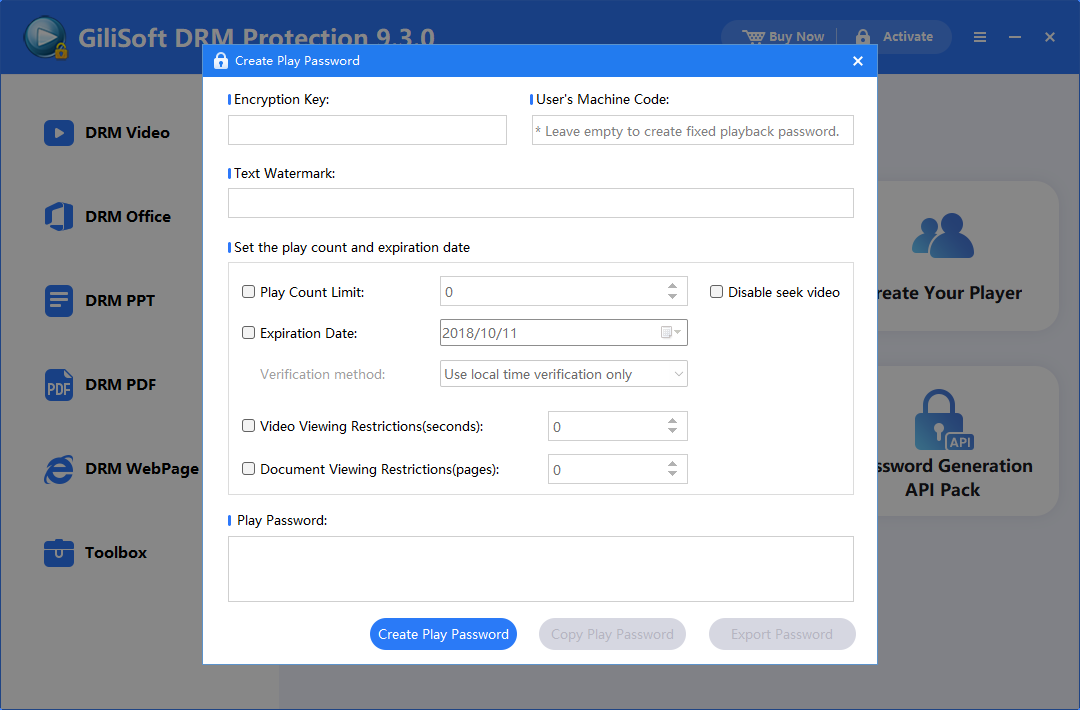
Create learner playback access
Generate controlled playback credentials instead of sharing a reusable open-video password page.
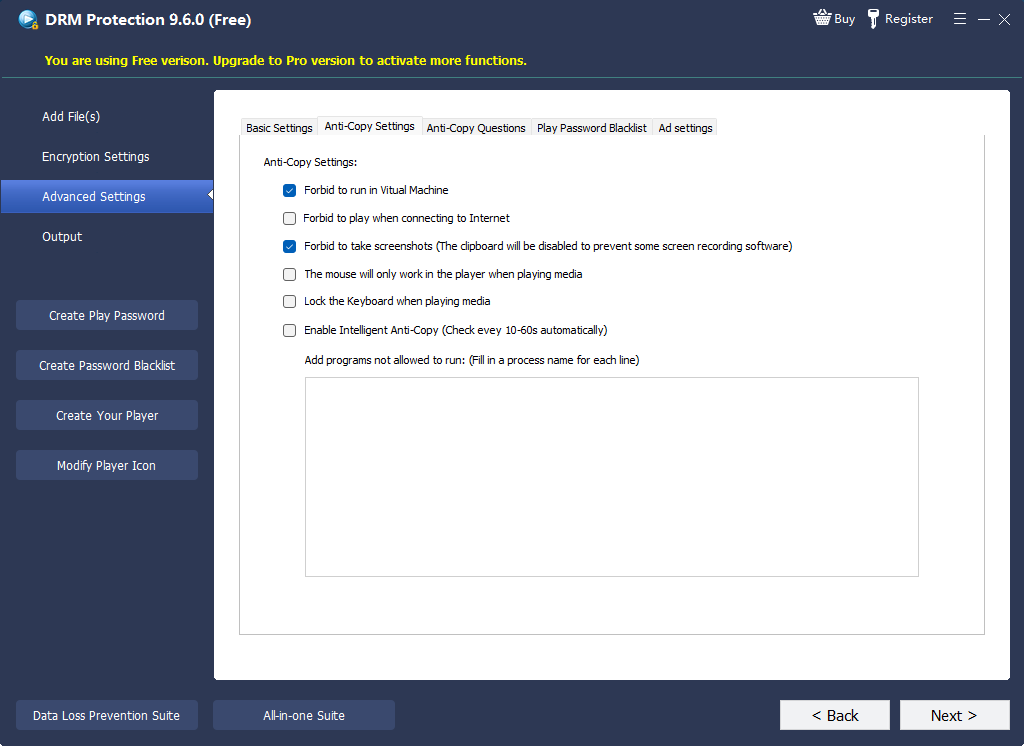
Apply playback restrictions
Use anti-capture and related playback controls together with watermark traceability and device rules.
Use GiliSoft when: your main job is delivering protected course files directly, with access rules that continue after delivery. GiliSoft is published from a Windows desktop application and produces protected video packages for supported viewer platforms; use a streaming DRM platform when you specifically need a public web player, mobile-first service, or smart-TV application.
E-Learning Video Protection FAQ
What is the best copy protection software for downloadable course videos?
GiliSoft Video DRM Protection is designed for protected downloadable delivery with playback passwords, device binding, watermarking, blacklist control, and anti-capture settings.
What is best for an LMS that streams video in a browser?
A hosted DRM platform such as VdoCipher is usually a more natural fit because it combines secure hosting, an embedded player, access integration, and DRM streaming.
Can video DRM completely stop screen recording?
No solution should promise absolute prevention across every camera, device, and compromised environment. Anti-capture controls and dynamic or forensic watermarking reduce casual misuse and improve traceability.
Is Widevine itself an e-learning platform?
No. Widevine is Google's premium-media content-protection system. Course platforms typically use a service or integration layer that packages content, manages licenses, and connects playback to Widevine-supported clients.
Can protected training videos work offline?
Yes, depending on the product and delivery model. GiliSoft supports protected local delivery packages, while some streaming platforms provide protected offline access inside supported applications.
Research basis: product capabilities were checked against official materials from VdoCipher, PallyCon/DoveRunner, EZDRM, and Google Widevine. Updated August 6, 2026.