Reduce Background Noise
Clean common recording noise such as hiss, hum, fan sound, room ambience, keyboard taps, and other steady distractions.

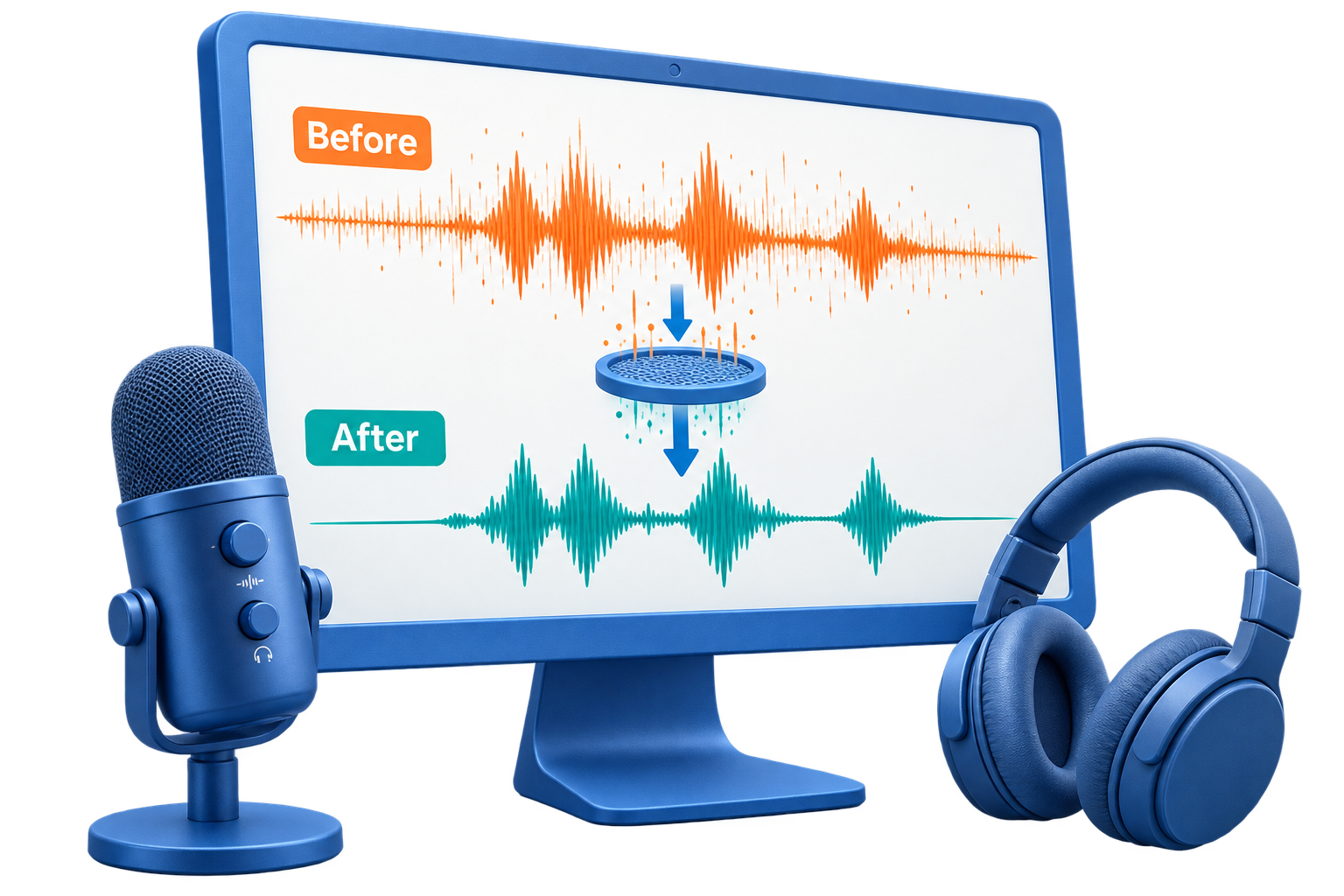
GiliSoft Noise Remover is designed for practical audio cleanup. Load a noisy recording, reduce unwanted background sounds, preview the result, and export clearer audio for publishing, sharing, training, archiving, or further editing.
Use it for microphone hiss, laptop fan noise, room hum, light wind, keyboard sounds, low-level background noise, and other common distractions in voice and music recordings. Because it is part of Audio Toolkit Suite, you can then trim the cleaned file, convert formats, join clips, record narration, or prepare final MP3, WAV, FLAC, AAC, M4A, OGG, and WMA output.
Noise reduction is not magic restoration. Results depend on the recording quality, the type of noise, and how much the unwanted sound overlaps the voice or music you want to keep.

Clean common recording noise such as hiss, hum, fan sound, room ambience, keyboard taps, and other steady distractions.
Make speech easier to understand in podcasts, interviews, online lessons, meeting clips, tutorials, and support recordings.
Reduce light wind, mic hiss, laptop fan noise, and room tone so recordings feel cleaner before publishing or review.
Review the cleaned result and decide whether the noise reduction is strong enough without making the voice sound unnatural.
After cleanup, cut, join, convert, record, adjust levels, or process the file with other tools in the same suite.
Prepare cleaned audio for training portals, podcasts, video editing, internal documentation, archives, or client delivery.

Noise Remover helped us clean webinar audio before uploading lessons to our training library.
It reduced fan and room noise enough that our interview recordings were easier to transcribe and reuse.
The suite connection is useful because we can denoise, trim, convert, and export from one package.
For support recordings, a quick cleanup pass makes voice notes much clearer before sharing with the team.
Reduce background distractions in spoken recordings before publishing, archiving, or sending audio for review.
Clean online lessons, class recordings, narration, and tutorial audio so learners can focus on the voice.
Improve meeting clips, customer call samples, voice notes, and internal recordings before sharing them with coworkers.
Use it when the recording is usable but distracted by light hiss, hum, room tone, fan noise, or microphone noise.
Use this page when the main job is reducing background noise and improving voice clarity, not full audio production.
Denoise cleanup becomes more useful when trimming, conversion, recording, joining, vocal tools, and export tools are nearby.
It is intended for common audio cleanup tasks from laptops, microphones, online meetings, lessons, podcasts, and voice notes.
For waveform editing use Audio Editor. For recording new audio use Audio Recorder Pro.
Clean interviews, narration, lectures, voice notes, and meeting clips so speech is easier to hear.
Improve recordings affected by microphone hiss, electrical hum, computer fan noise, and room tone.
Prepare clearer spoken audio for podcast episodes, course narration, tutorials, and internal learning materials.
Trim, convert, join, record, and export cleaned files with other tools in Audio Toolkit Suite.
Get noise reduction plus practical tools for audio cutting, joining, conversion, recording, vocal separation, speech tools, and final export in one Windows package.
Buy Audio Toolkit Suite 


Enter your email address to get our latest newsletter