Upload a clear portrait
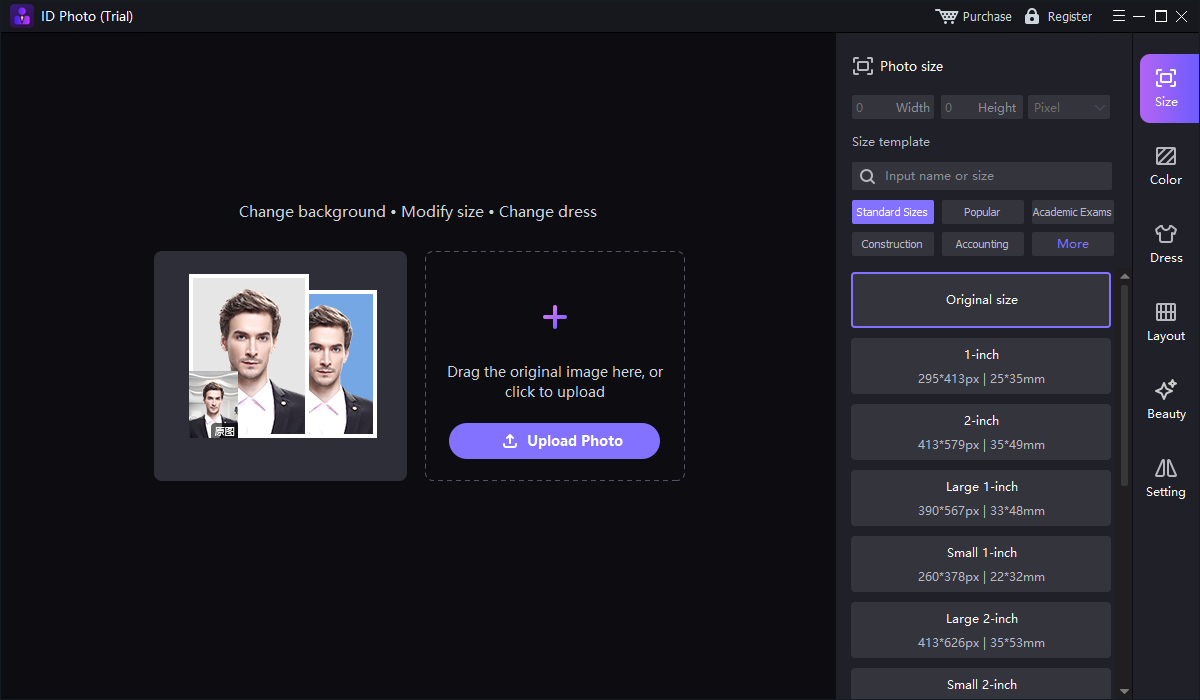
Open Smart ID photo and choose Upload Photo. Start with a sharp, front-facing portrait and enough space around the head to frame it at the required size.

Create ID, passport, visa, and badge photos with a focused Windows photo maker. Choose the size, frame your portrait, set the background, and prepare a digital photo or photo layout.
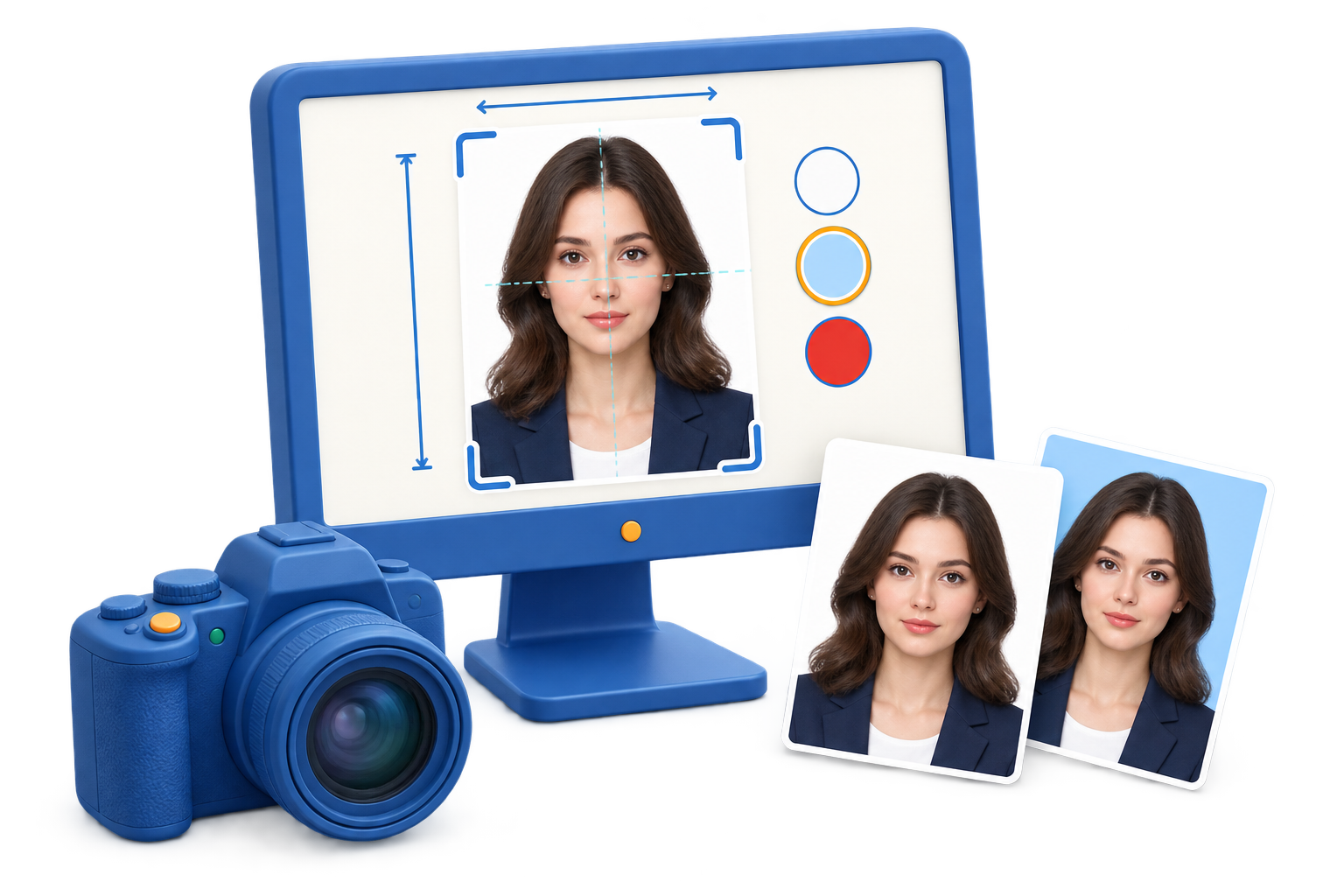
GiliSoft SnapID turns a portrait into a ready-to-use ID, passport, visa, employee badge, or school ID photo. Keep the essential work together: import a photo, choose a size template or enter custom dimensions, adjust the portrait framing, and prepare the finished image.
A dedicated ID Photo workspace brings Size, Color, Dress, Layout, and Beauty tools into one place. Set a consistent look for employee badges and student records, prepare a digital portrait for an application, or arrange a photo layout instead of building everything from scratch in a general image editor.
SnapID also includes portrait cutout and supporting image tools. Remove a distracting background, save a transparent portrait, fill it with a color or picture, or use image enhancement for profile and business photos. Formal document preparation and creative portrait editing remain separate workflows.
Crop a portrait into a focused head-and-shoulders photo. Give employee badges, student records, and application photos consistent framing instead of leaving the face lost in a wider image.
Search the photo-size template list or set width and height directly. The Size workspace keeps the selected dimensions and units visible, making it easier to match the size supplied by a school, employer, or application service.
Use the Color workspace to prepare a plain background for ID cards, badges, and profiles. Keep your organization's chosen background consistent across portraits without rebuilding the same composition in a full image editor.
Open Layout after choosing the individual photo size to prepare a photo sheet. Keep single-photo sizing and sheet arrangement in the same ID Photo workspace, with a separate digital image for systems that need an upload.
Remove the original background in the dedicated Portrait cutout workspace. Separate the person from a busy scene and prepare a cleaner portrait for employee cards, internal directories, profile images, and design work.
Keep the cutout transparent, fill the background with a color or picture, or soften it with background blur. Choose the result for the project rather than limiting every portrait to a plain document-photo background.
Save a finished portrait for badge systems, office records, or application uploads. Supporting Image Enhancement and related tools help prepare profile and business photos when the project calls for lighting, color, or clarity adjustments.
Access Dress and Beauty in ID Photo, or open Face Swap, Face Repair, Enlarge, and Old Photo Repair from the image tools. These options extend SnapID to profile and creative portrait projects beyond formal document photos.

SnapID helped our team generate consistent ID photos with fewer retakes caused by background or framing errors.
The cropping and size controls help us prepare passport and visa photos around the requirements supplied by each application service.
Background cleanup and color adjustment made our employee badge photos more consistent across different lighting conditions.
See the ID Photo controls and the separate portrait tools in these original product screenshots.
Move from a source portrait to the right photo size without rebuilding a layout by hand.
Open Smart ID photo and choose Upload Photo. Start with a sharp, front-facing portrait and enough space around the head to frame it at the required size.
Search the Size template list or enter width and height with the correct unit. Adjust the portrait framing for the individual photo before preparing a layout.
Use Color for the background your badge or profile needs, and Layout for a photo sheet. For a passport or visa, follow the receiving authority's rules on permitted editing.
Check the framing, dimensions, and background at full size, then save the finished image. Use the digital photo for uploads or the prepared layout for your photo-sheet workflow.
A passport submission, an employee badge, and a creative profile need different results. Choose the workflow that fits the destination.
Photo dimensions and framing
Start with a suitable original portrait and the receiving authority's photo specifications. Use only the preparation steps it permits; a size template alone does not certify acceptance.
Consistent portraits and backgrounds
Use the organization's chosen dimensions, a repeatable crop, and a plain background for badges, directories, visitor records, and school systems.
Cutout, backgrounds, and portrait tools
Use transparent output, background pictures or blur, image enhancement, and creative portrait tools when you are preparing an avatar, business profile, or design asset.
Prepare correctly sized digital portraits for personal records, application services, membership cards, and profiles without learning a full image-editing suite.
Give employee badge photos and directory portraits a consistent crop, size, and background. Keep the photo preparation steps familiar when working through staff records.
Prepare student ID and enrollment photos around the dimensions and background used by your institution, with digital copies for internal systems.
Handle size, background, cutout, and layout requests in dedicated workspaces, with additional portrait tools available for profile and creative projects.
Open Smart ID photo, use Upload Photo to import a portrait, choose a size template or enter custom dimensions, and adjust the framing and background for your intended use. Review the finished photo and save a digital copy.
Yes. The Size panel includes searchable templates as well as width and height fields with a unit selector. Match both the dimensions and the units to the destination's requirements; a template name such as 1-inch or 2-inch is not a universal passport specification.
Yes. Use the ID Photo workspace's Color tools for a plain background. For badge and profile projects, the separate Portrait cutout workspace also offers AI background removal, color or picture filling, transparent output, and background blur.
Yes. Use a consistent size, portrait framing, and background for employee badges, school IDs, visitor records, and internal profiles. Choose the same dimensions and framing for each portrait to give the finished photos a consistent look.
Photo size defines the dimensions of an individual portrait. Layout concerns its arrangement for a photo sheet. Start with the required individual size, then open Layout when preparing a sheet; use a saved digital photo for an upload that only needs one portrait.
Acceptance depends on the receiving authority, not the software. Check its current rules for dimensions, framing, background, and permitted editing. For example, the U.S. Department of State requires an original, unedited photo without filters or digital changes; follow its official passport photo requirements rather than applying background replacement or retouching to a U.S. passport submission.
U.S. passport photo requirementsThese tools are useful for creative portraits, profiles, and projects whose requirements allow such edits. Keep them separate from official passport and visa preparation: do not replace a person's face or alter their appearance for an identity-document submission.
SnapID is paid Windows software with a trial download. The purchase page currently offers a one-year license for 1 PC at $19.95 and a lifetime license for 1 PC at $29.95, with additional multi-PC and team options. The Buy Now buttons on this page show the lifetime 1-PC price.
Bring photo sizes, portrait framing, backgrounds, and layouts together in one Windows photo maker.
Compare one-year, lifetime, multi-PC, and team licenses 


Enter your email address to get our latest newsletter