Convert PDF to Word, Excel, and More
Turn PDF content into supported Office, image, text, HTML, and eBook outputs. Choose the output Type and Format, then review the converted text, tables, and layout.

Convert PDFs, Word documents, Excel sheets, PowerPoint slides, images, and eBooks in one Windows toolkit. Extract text with OCR and prepare finished documents with PDF editing, merge, split, compression, and password tools.
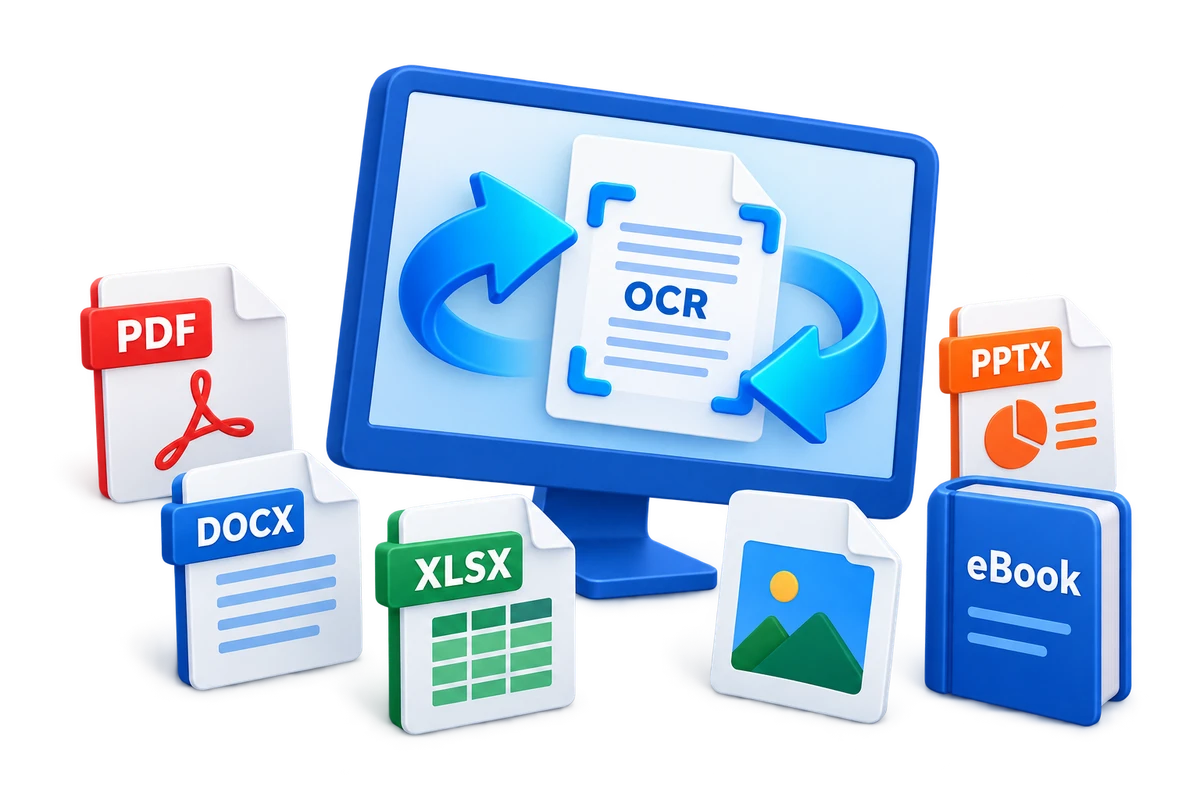

GiliSoft Formathor is an all-in-one file converter for Windows, combining document conversion, OCR, PDF tools, and image preparation. Turn PDFs into editable Word documents, spreadsheets, slides, images, or text, and create PDFs from Office documents, pictures, text, HTML, and supported eBook sources. Prepare reports, contracts, course materials, client files, and reading copies in the format your next task needs.
Continue beyond conversion with PDF editing, merging, splitting, compression, and password protection. Choose a compression preset for smaller delivery files, give a merged PDF its own output name, or use Unify page width when combining differently sized pages. PowerPoint tools also convert, merge, split, and protect presentation files.
Make image-based content usable with Image Quick Recognition, Snapshot Recognition, and Batch Recognition. Choose the recognition language and export format, or use TextLayer PDF to create searchable PDF output. Word and eBook tools provide more ways to repurpose documents, including EPUB creation and a Word to Audio task.
The Picture Tools workspace handles image conversion, HEIC and RAW sources, compression, resizing, cropping, rotation, and file naming alongside your document work. Select the required tool, add your files, choose its output options, and save a finished copy. Follow the Formathor user guide for illustrated workflows, or download the free trial to evaluate your own documents.
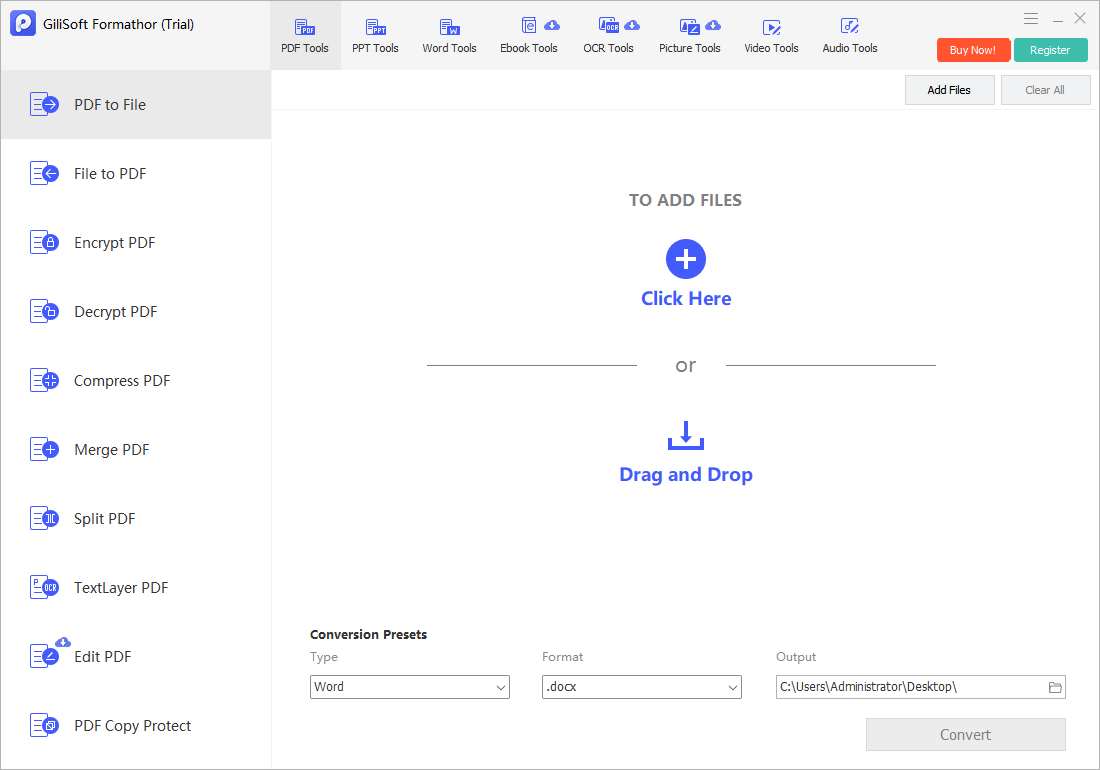
Turn PDF content into supported Office, image, text, HTML, and eBook outputs. Choose the output Type and Format, then review the converted text, tables, and layout.
Convert Office files, pictures, text, HTML, and supported eBooks to PDF. File to PDF includes output-folder, watermark, and Image-Only PDF options.
Combine PDFs into one document or open Split PDF for smaller outputs. Set the merged file name and use Unify page width when your source pages have different sizes.
Choose a compression preset in Compress PDF and save a lighter delivery copy. Check small text and images in the result before sending a report or uploading a document.
Open Edit PDF for document corrections and page handling. Its feature panel lists text and image editing, comments, form filling, and related PDF editor functions.
Set a password in Encrypt PDF before sharing a sensitive document. Decrypt PDF provides a separate task for removing existing protection when the file supports that operation.
Use PPT to File to repurpose slide content, or File to PPT for supported document sources. Choose the available format and save a presentation or working copy for the next task.
Combine presentations with Merge PPT, separate them with Split PPT, or apply a password with Encrypt PPT. Review the finished slide order and presentation layout.
Choose Word to File or File to Word according to the source and destination. For example, the Word to File workspace provides PowerPoint output in PPTX format.
Use Image Quick Recognition, Snapshot Recognition, or Batch Recognition. Set the recognition language and export format to prepare reusable text from image-based material.
Open TextLayer PDF when a scan needs searchable text rather than only a page image. Review the recognized words and reading order in the saved PDF.
Convert common, HEIC, and RAW sources, create image-to-PDF output, or use batch resize, crop, rotation, renaming, classification, and compression tools for an image set.
Use File to Ebook for supported document sources or Ebook to File for a reading copy in another format. Choose the available Format, including EPUB output, and set the destination.
Open Word to Audio and add a supported document to start the audio-output task. Prepare text-based learning notes, training scripts, and reading material for listening.

Convert PDF to Word (DOC/DOCX), Excel (XLS/XLSX), PowerPoint (PPT/PPTX), images (JPG/PNG/BMP/GIF/TIFF), TXT, HTML, and eBook formats such as EPUB, AZW3, MOBI, and LRF. Keep layout and text readability for reporting and document reuse.
Create PDF from Office files, WPS files, images, TXT, HTML, and eBooks. This helps standardize documents before sharing, archiving, or approval, while preserving core formatting from original source files.
Protect sensitive PDF files with password encryption, and decrypt authorized files when editing or collaboration is required. Useful for contracts, financial reports, and internal documents that need controlled access.
Reduce file size for upload, merge multiple files into one packet, split large PDFs by page range, edit PDF content, and create text-layer PDF output when scanned or image-based documents need searchable text.
Convert PowerPoint presentations to Word, Excel, PDF, images, TXT, and HTML formats. If you need to turn slides into video, see PPT to video converter or use Video Editor Pro for fuller video editing and export work.
Create PPT from Office files, images, TXT, and HTML content to speed up presentation drafting. It is useful for sales decks, internal reports, and classroom materials. See File to PPT converter for more focused steps and examples.
Apply password protection to presentation files and unlock authorized files when updates are needed. This helps protect strategy decks, training assets, and client-facing materials in transit.
Optimize PPT size for email and cloud upload, merge several decks into one, and split large presentations by section. Great for faster review cycles and cleaner distribution.
Convert between common image formats such as JPG, PNG, BMP, GIF, and TIFF, then compress files for lower storage and faster web delivery while preserving acceptable visual quality.
Batch crop, resize, rename, and rotate images to keep asset libraries consistent. Includes batch image classification support to help sort high-volume image datasets more efficiently.
Convert Word files into other working formats, use the built-in Word to audio converter, move between E-book to file and file to E-book formats, and use OCR tools for image recognition and document preparation.
Use picture tools for common image conversion, image-to-PDF output, compression, and batch preparation tasks when images need to be included in document packets or office delivery files.

We convert vendor PDFs to Word and Excel every day, and Formathor keeps table structure and spacing much more consistent than our previous tools.
The File to PDF process is fast for mixed sources like DOCX, XLSX, images, and TXT, which reduced our manual export steps.
PDF merge and split features are practical for contracts and reports, especially when we need to send only selected pages to clients.
We use Encrypt PDF before external sharing, and the password options are clear enough for non-technical staff to apply correctly.
Batch image conversion and resize helped our content team prepare web assets faster, with predictable output dimensions and file size.
Picture tools and image-to-PDF output helped us standardize inbound assets before they went into client reports and PDF packets.
For a small team, having PDF tools and multi-format conversion in one app simplified software management and onboarding.
Choose the right conversion direction, set the output, and check a finished sample before continuing with the rest of your files.
Open PDF Tools, PPT Tools, Word Tools, Ebook Tools, OCR Tools, or Picture Tools. Choose the required task, then use Add Files or drag supported files into its workspace.
Choose the available output Type and Format, OCR language, compression preset, or password settings for that task. Save the output separately from your originals.
Start the selected conversion or document operation. Open a saved sample to check text, tables, slide order, images, and searchability, then continue with any further PDF or batch tools.
Preview the main Formathor workspaces: PDF conversion, PDF tools, PowerPoint tools, Word output, eBook conversion, OCR, and picture tools.
Choose the output Type and Format in PDF to File. This view shows Word output in DOCX format and a separate destination folder.
Convert incoming reports, invoices, and spreadsheets into working documents. Merge review packets, split attachments, and compress PDFs for routine sharing.
Repurpose slides and course notes, recognize text from scanned material, and prepare PDF handouts, searchable documents, eBooks, or document-based listening material.
Prepare proposals, presentation decks, contracts, and supporting images in the formats a client needs. Add password protection to sensitive PDF or PowerPoint copies before delivery.
Convert reading material to supported eBook formats, extract text for reuse, and prepare images alongside documents. Review the final layout in the intended reader or application.
Follow illustrated steps for conversion, PDF tools, Word and PowerPoint tasks, eBook output, OCR, and finished-document checks.
GiliSoft Formathor offers a free trial, with paid licenses available for the full product. Try your source files and the tools you need before purchasing. Check the installed build's trial, activation, and individual module requirements for the features you plan to use.
Yes. PDF to File converts PDF content to supported outputs such as Word, Excel, PowerPoint, images, and text. File to PDF creates PDFs from supported Office, image, text, HTML, and eBook sources. Choose the conversion direction first, then select the available output Type and Format for that task.
Open the required task, use Add Files or drag supported files into the workspace, and choose the output format and folder. Process files that belong to that task together. If a project also needs merging, splitting, compression, or another conversion, run the matching tool afterward and inspect a representative finished file.
Yes. OCR Tools provides Image Quick Recognition, Snapshot Recognition, and Batch Recognition, with language and export-format settings. TextLayer PDF is a separate task for adding a searchable text layer to PDF output. Recognition and ordinary format conversion serve different purposes; check names, dates, numbers, and reading order against the source scan.
Formathor provides Edit PDF, Merge PDF, Split PDF, Compress PDF, Encrypt PDF, and Decrypt PDF. Merge PDF includes an output file name and Unify page width option; Compress PDF provides a compression preset. Password tools manage protection on files you can open and use; they are not a promise of recovering an unknown password.
Yes. PPT Tools includes PPT to File, File to PPT, Merge PPT, Split PPT, Encrypt PPT, and Decrypt PPT. Choose the task, add the presentation files, and set its available output or password options. Review slide order, fonts, charts, and images in the result before sharing the deck.
Yes. Word Tools provides Word to File, File to Word, and a Word to Audio task. Ebook Tools provides File to Ebook and Ebook to File, including EPUB output. Picture Tools covers common, HEIC, and RAW conversion, compression, image-to-PDF output, and batch resizing, cropping, rotation, and renaming.
Formathor runs as a Windows desktop application. Connectivity requirements can vary by tool; some categories in the interface are marked with a cloud icon. Check the selected tool's processing and connection requirements before using it with confidential documents.

Editors highlighted accurate conversion and layout preservation across PDF, Word, Excel, PowerPoint, and image sources.
Coverage also noted practical tools for PDF editing, merging, splitting, compression, and secure sharing.
Reviewers praised stable results on large documents and mixed-format input sources during repeated batch conversion tasks.
The unified interface helps teams handle conversion and light document processing without adding separate small tools.

Independent notes described the suite as a dependable option for document conversion, PDF preparation, and media-adjacent office tasks.
Image conversion and recognition-related tools make it more useful when teams prepare mixed content for reports and delivery packets.
Convert files, recognize text, organize PDFs and presentations, and prepare documents, images, and eBooks for the next task.


Enter your email address to get our latest newsletter
GiliSoft Formathor
PDF and Office Converter
PDF Converter for Windows
File to PDF Converter for Windows
Document Converter for Windows
PDF to Office Converter
Office File Converter for Windows
Office Document Converter
Office to PDF Converter for Windows
Batch Office File Converter
Convert Documents for Sharing
PDF Converter for Business Documents
PDF to Word Converter
Word to PDF Converter
Image to PDF Converter
PDF to Excel Converter
PPT to PDF Converter
Ebook to PDF Converter
Office to PDF for Business Use
Text Layer PDF Software
PDF Encrypt Decrypt Compress Merge Split Software
Convert Office Files for Sharing
Batch Document Conversion
Prepare PDF Files for Editing
OCR and Image Recognition Tools
HEIC and RAW Image Converter
Batch Image Tools