Convert eBooks to AZW3 for Kindle
Prepare EPUB, MOBI, PDF, and other source files as AZW3 output when content needs to be used on Kindle devices or kept in a Kindle-friendly archive.

Prepare eBooks for Kindle, tablets, reader apps, archives, and document reuse. Convert EPUB, MOBI, AZW3, FB2, PDF, LIT, LRF, PDB, TCR, and other supported formats with batch processing on Windows.

GiliSoft Ebook Converter is the eBook-focused workflow inside GiliSoft Formathor. It helps readers, publishers, documentation teams, and digital-library managers convert EPUB, MOBI, AZW3, FB2, PDF, LIT, LRF, PDB, TCR, and related formats for different readers and archive needs.
Use it when eBooks need to move between Kindle-friendly formats, open reader formats, PDF output, or older library formats. Batch conversion helps process multiple books in one run, and local processing keeps source files on the Windows PC.

Prepare EPUB, MOBI, PDF, and other source files as AZW3 output when content needs to be used on Kindle devices or kept in a Kindle-friendly archive.
Create EPUB files from PDFs, text, and other eBook formats when books need broad compatibility across tablets, reading apps, and e-reader devices.
Convert EPUB, TXT, DOC, LIT, LRF, PDF, and other sources to FB2 or related older formats when maintaining regional catalogs or legacy eBook libraries.
Move older eBook formats into more usable targets, or keep legacy-format copies where older reader systems and archives still require them.
Convert PDFs, text files, and document sources into eBook-friendly formats when long-form content needs to become portable reading material.
Create MOBI files from text, PDF, EPUB, and other eBook sources when compatibility with MOBI-based libraries or reading devices is needed.
Process multiple eBooks at once for catalog migration, reader compatibility updates, training libraries, or archive standardization projects.
Use GiliSoft Formathor when an eBook project also needs PDF, Word, PPT, image, OCR, or mixed document conversion beyond reader-format output.

We use it to convert EPUB and MOBI catalogs for different e-readers, and the output stays consistent across devices.
Batch AZW3 conversion significantly reduced manual work when preparing Kindle-ready editions for our archive.
EPUB output quality is clean and predictable, which makes proofreading and final packaging much faster.
We rely on FB2 and PDF conversions for regional distribution, and this tool keeps formatting issues low.
The interface is simple enough for non-technical staff, but still handles high-volume conversion tasks reliably.
Local processing was important for us, and Ebook Converter let us convert sensitive materials without cloud upload concerns.
It solved compatibility issues between legacy ebook formats and modern readers in our internal training library.
Preview the eBook conversion workflow: convert EPUB, MOBI, AZW3, FB2, PDF, and legacy reader formats into files that work better for Kindle, tablets, reader apps, publishing, and archives.
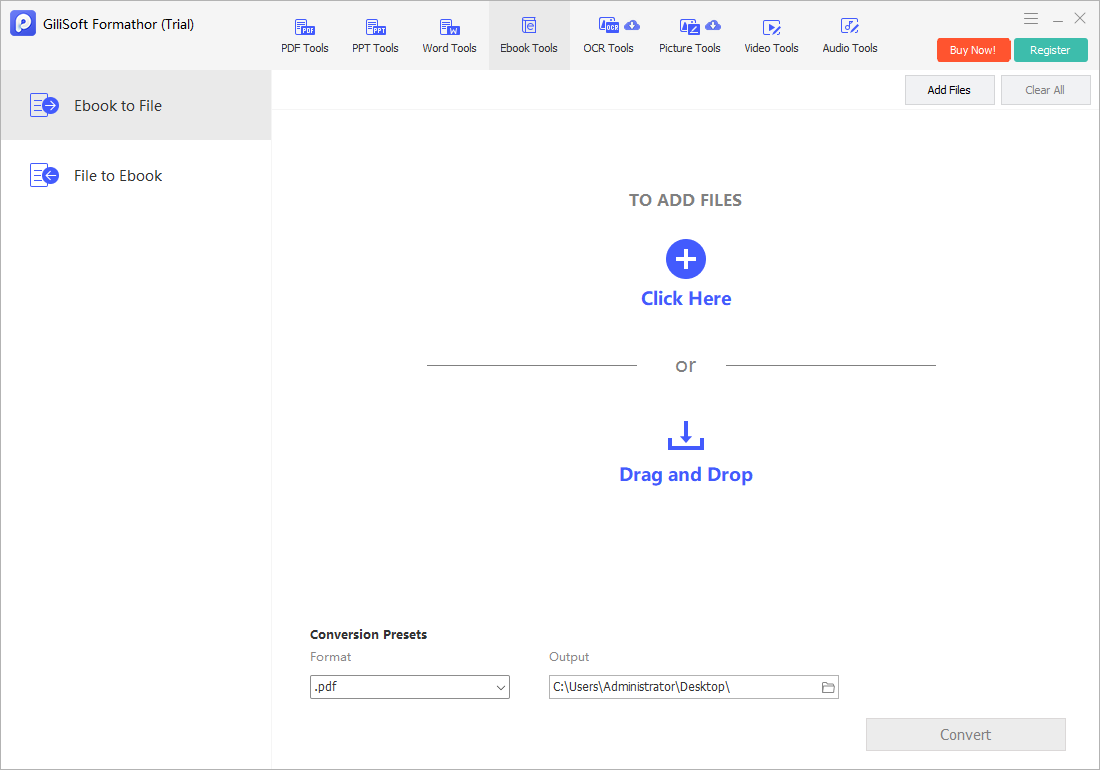
Convert eBook files into PDF, Word, text, HTML, images, or other reusable output formats for review, archive, or document reuse.
Click the screenshot to enlarge.Convert EPUB, MOBI, AZW3, PDF, and FB2 files when books need to work across Kindle, tablets, mobile readers, desktop apps, and legacy reading devices.
Create reader-specific files from one source when distribution requires EPUB, MOBI, AZW3, PDF, FB2, or older archive formats.
Batch conversion helps normalize mixed eBook collections for storage, migration, internal training libraries, and long-term content access.
Use Ebook Converter when long PDF, text, or document files need to become eBook-friendly reading material.
It supports common and older eBook formats including EPUB, MOBI, AZW3, FB2, PDF, LIT, LRF, PDB, and TCR.
Convert multiple books in one run when preparing reader libraries, training catalogs, or archive migration projects.
Source files stay on the Windows PC, which is useful for unpublished manuscripts, licensed materials, internal manuals, and private reading libraries.
For broader PDF, Word, PPT, image, OCR, and mixed document conversion, use GiliSoft Formathor as the larger conversion toolkit.
Prepare EPUB files for Kindle-style reading environments or older MOBI-based libraries.
Turn PDF documents into eBook-friendly files when long-form content needs better reader compatibility.
Convert LIT, LRF, PDB, TCR, FB2, and other older formats into files that are easier to maintain and read.
Use batch conversion when many books need the same target format for a device group, team library, or archive standard.

Editors highlighted wide eBook-format support and reliable conversion quality for common reader targets.
Batch conversion was noted as useful for catalog migration and archive normalization.

Reviewers praised consistency across common eBook conversion jobs and repeated export tasks.
Coverage emphasized predictable output and a low learning curve for personal users and publishing teams.

Independent notes described the suite as dependable for eBook conversion and long-term format migration.
Digital libraries and archive teams benefit from practical support for mixed legacy and modern formats.


Enter your email address to get our latest newsletter