

A folder protector should do more than place a folder out of sight. The right method depends on whether you are protecting an active folder, creating a password-protected archive, or using Windows account encryption on a compatible edition.
We compared five practical Windows choices. Two are free methods already available through Windows or 7-Zip, while three are dedicated folder-protection products. GiliSoft File Lock Pro ranks first because it protects existing folders without forcing users to compress, duplicate, or relocate their working files.
1. GiliSoft File Lock Pro: Best Overall Folder Protector
GiliSoft File Lock Pro is designed for folders that remain part of normal Windows work. Instead of creating a separate archive every time files change, you can lock, hide, or protect the folder in its current location and restore access with the File Lock Pro password.
Why it ranks first
It covers local folders, full drives, external storage, USB folders, and LAN shared folders. It also adds hide mode, read-only protection, folder monitoring, portable encryption, and secure deletion when a simple folder password is not enough.

How to protect a folder with File Lock Pro
- Open File Lock Pro and enter the master password.
- Choose Local Disk and open Locking File.
- Add the folder or drive that should require password-controlled access.
- Apply the lock, then test the folder from Windows Explorer.
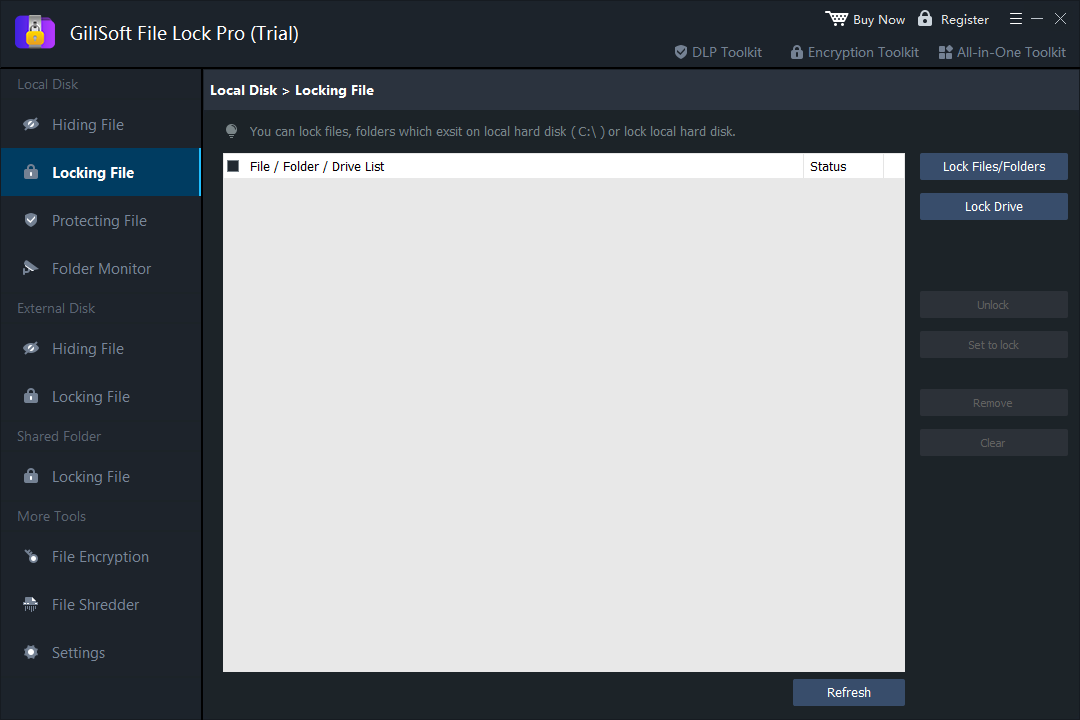 Lock active files, folders, or drives without first turning them into an archive.
2. Windows EFS Folder Encryption: Best Built-In Free Method
Encrypted File System (EFS) is available on supported Windows editions and ties encrypted files to the current Windows account. It can protect a folder without installing another application, but it is not a separate folder password and is not available on every Windows edition.
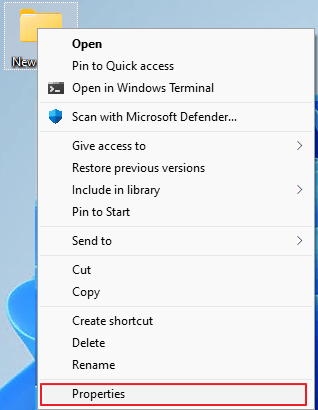
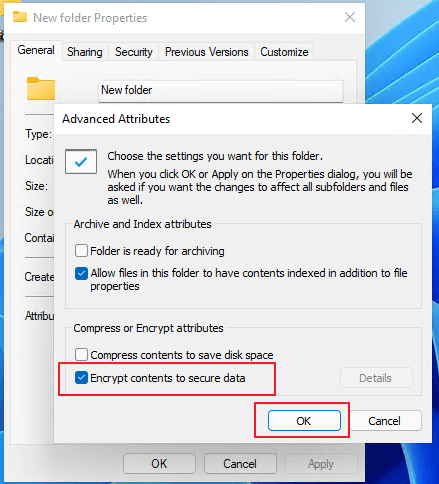
How to encrypt a folder with Windows properties
- Right-click the folder and choose Properties.
- On the General tab, select Advanced.
- Enable Encrypt contents to secure data.
- Apply the change to the folder, subfolders, and files as needed.
3. 7-Zip: Best Free Choice for an Encrypted Archive Copy
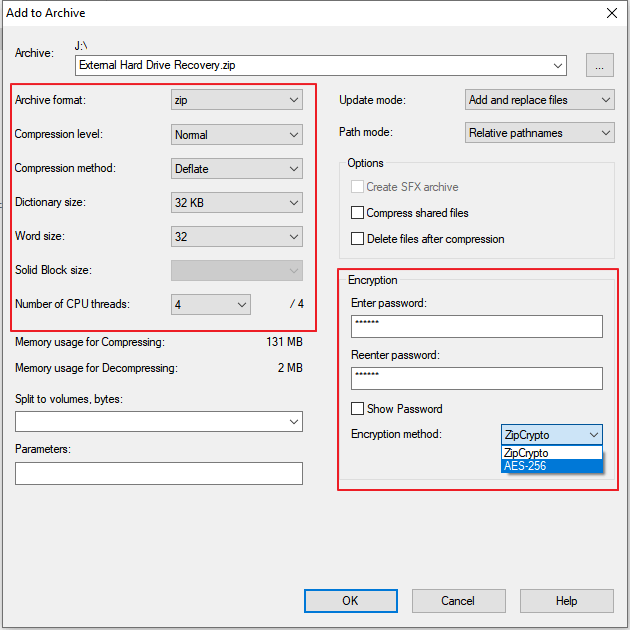
7-Zip can compress a folder into a password-protected 7z or ZIP archive. This is practical for storage, transfer, or email, especially when the original folder does not need to remain protected as an active working location.
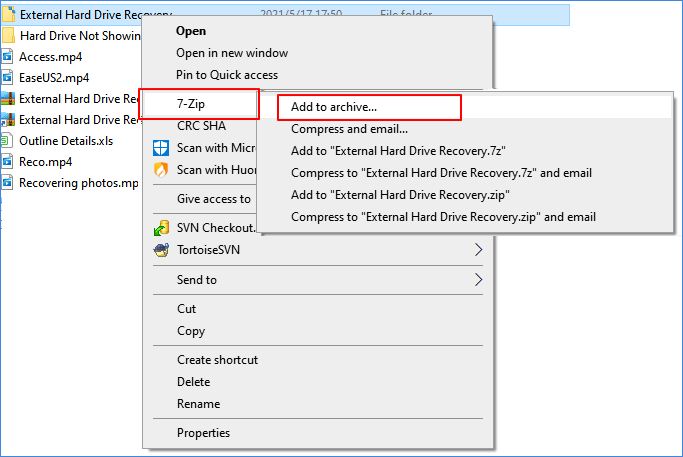
How to create a password-protected folder archive
- Install 7-Zip from its official source.
- Right-click the folder and choose Add to archive.
- Select an archive format and enter a strong password.
- Enable file-name encryption when the selected archive format supports it.
4. Folder Protect: Rule-Based Folder Access Control
Folder Protect is a dedicated Windows utility built around applying access restrictions to selected folders, drives, masks, and programs. It may suit users who prefer rule-oriented controls for visibility and file operations.
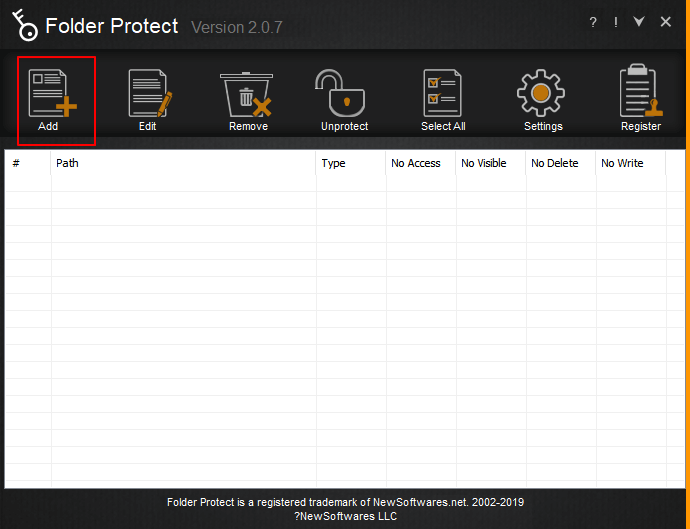 Select the content category that should be protected.
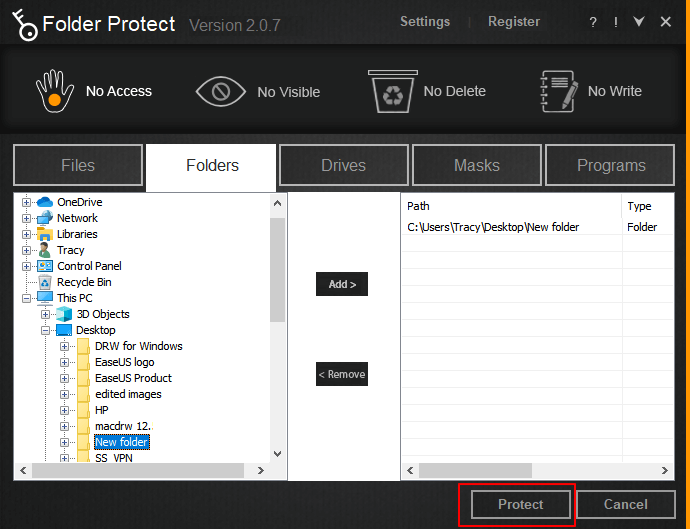 Configure the available access restrictions for a selected item.
5. KaKa Folder Protector: Portable Folder Protection
KaKa Folder Protector uses a small protection utility placed inside the target folder. It is oriented toward concealing or protecting a particular folder through a compact, portable workflow.
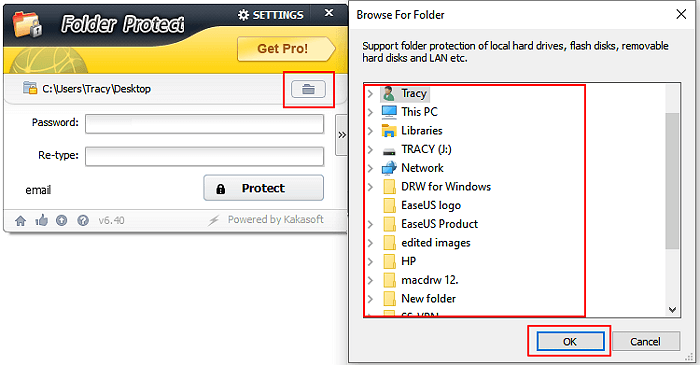 Select the folder and the preferred protection mode.
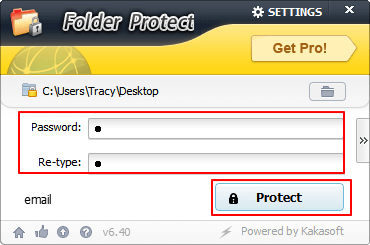 Set the password used to restore access to the protected folder.
Quick Comparison of the 5 Folder Protector Options
| Option | Cost model | Best for | Main limitation |
|---|---|---|---|
| GiliSoft File Lock Pro | Official trial, paid license | Active local, USB, external, drive, and shared folders | Requires installing a Windows application |
| Windows EFS | Included on supported editions | Windows-account-based folder encryption | Edition and certificate dependent |
| 7-Zip | Free | Password-protected archive copies | Not convenient for active folders |
| Folder Protect | Commercial software | Rule-based access restrictions | Requires protection-rule management |
| KaKa Folder Protector | Varies by edition | Lightweight individual-folder protection | Less centralized for many locations |
Which Folder Protector Should You Download?
Choose Windows EFS when you specifically want account-based encryption and know how to back up the certificate. Choose 7-Zip when the goal is a protected archive copy. Choose a dedicated folder protector when folders remain active and must stay locked, hidden, or protected in their existing locations.
For the broadest everyday Windows coverage in this comparison, GiliSoft File Lock Pro is the most complete choice. Its official trial lets you test folder locking, hiding, external-storage protection, and shared-folder controls before purchasing.
Protect Active Folders with GiliSoft File Lock Pro
Lock folders, hide private files, protect USB and shared folders, and keep sensitive data under local control.
Download the Official Trial