
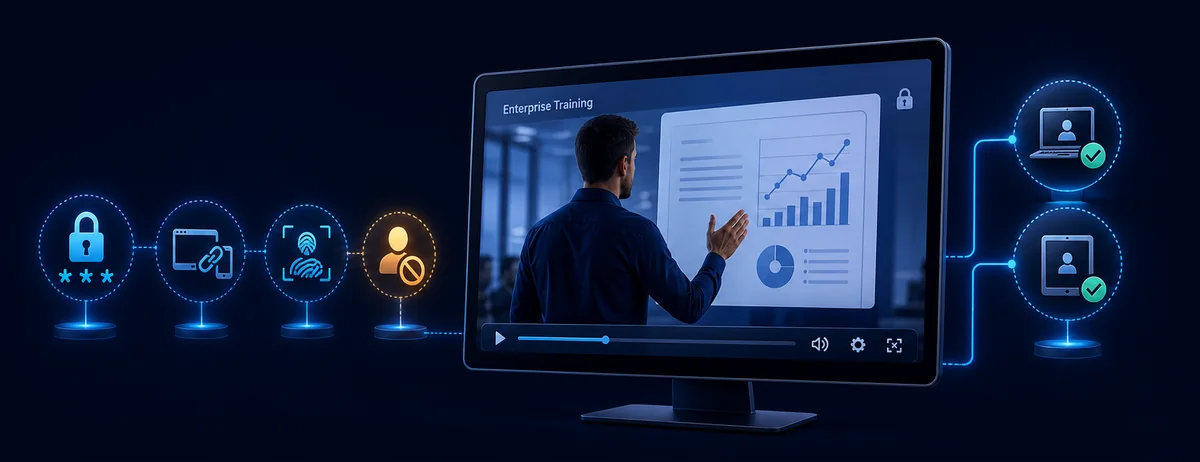
What Is Device-Bound Video Playback?
This is stronger than giving every viewer the same password. A shared password answers only who knows the password; device binding also checks whether playback is taking place in the approved hardware context.
Compare Video Access Methods Before You Bind
| Method | What is checked | Best fit | Administration |
|---|---|---|---|
| Shared playback password | The password entered by the viewer | Small trusted groups and simple offline delivery | Lowest |
| PC-bound playback | Password plus the viewer's machine code | Paid training, licensed courses, internal videos, confidential demos | Issue access per approved PC |
| USB-bound playback | The approved removable-media context | Offline kits, field training, partner delivery, portable libraries | Prepare and track approved USB media |
| Hosted multi-DRM | Client device, DRM license, account, and service policy | Browser, mobile, TV, and large streaming platforms | Requires packaging, player, license service, and platform integration |
Commercial streaming systems use the same broad principle at a larger scale. Microsoft documents PlayReady client binding as machine binding, while Google explains that a Widevine license is individualized to the requesting device. For a Windows package delivered directly to viewers, GiliSoft provides a more direct PC- or USB-binding workflow.
Bind Protected Video Playback to One PC
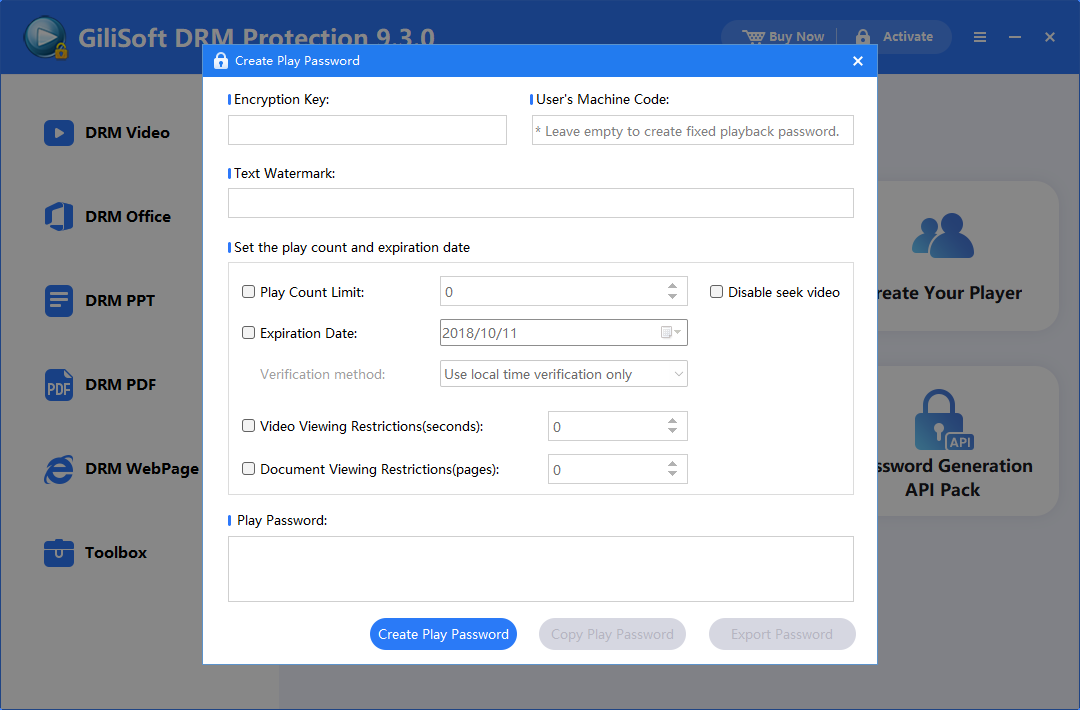
Use PC Binding when an approved viewer should receive a password that works with one Windows computer. The viewer provides a machine code, and you generate the corresponding playback password.
- Open GiliSoft Video DRM Protection, add the source video and supporting files, then configure the player, watermark, expiration, and anti-copy settings you need.
- Export the protected project and retain its Encryption Key. This key is used when creating viewer playback credentials.
- Ask the viewer to open the protected package and send you the Machine Code displayed by the player.
- Open the Playback Password Maker, select the project, enter its Encryption Key and the viewer's Machine Code.
- Set optional play count, expiration, preview limits, or viewer watermark text, then create and send the Playback Password.
- Have the viewer test playback on the authorized PC before a deadline, event, or course launch.
Bind Protected Video Playback to a USB Drive
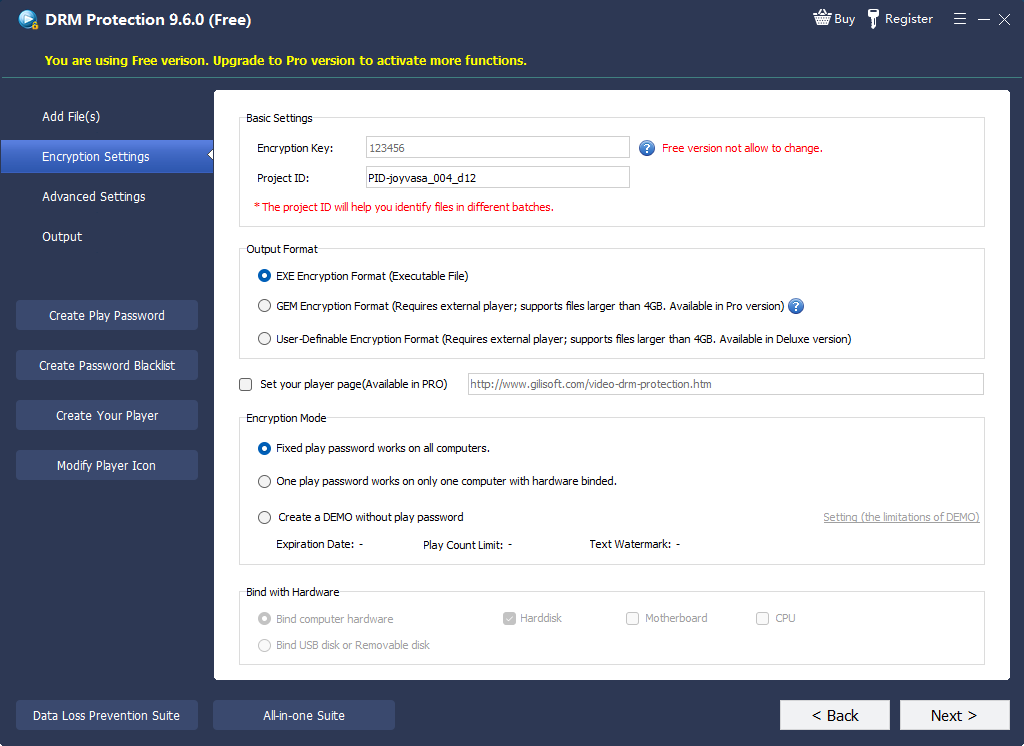
USB Disk Binding is useful when videos are distributed as a physical training kit, offline course library, partner package, or field-service reference. The protected delivery remains associated with the selected USB workflow instead of becoming an ordinary portable video file.
- Connect the USB drive that will carry the protected content and confirm it has sufficient free space.
- Add the videos and supporting material to the DRM project.
- Open the encryption settings and choose USB Disk Binding as the playback mode.
- Configure watermark, play count, expiration, blacklist, and anti-copy options required by the delivery policy.
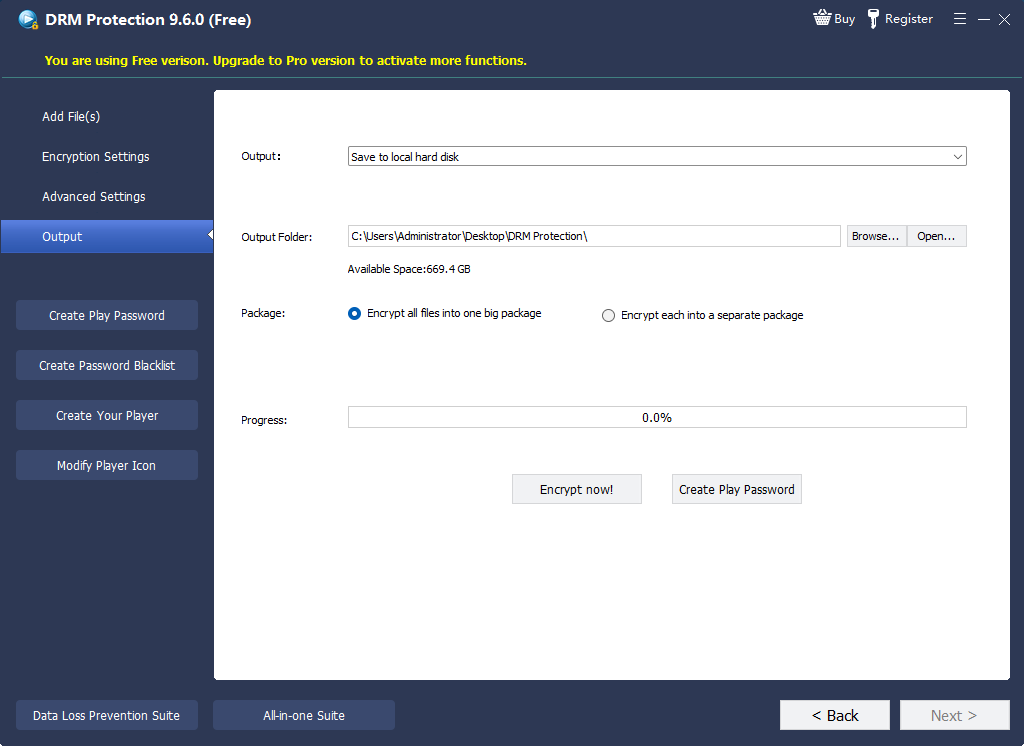
- Export the protected package to the approved USB drive and keep the project key in a separate administrative location.
- Test on a clean Windows PC: connect the USB drive, open the protected player, verify playback, then confirm that copying the package away does not provide normal unrestricted access.
How Device Binding Fits into the Full DRM Workflow
Binding is one layer in a protected delivery process. The content still needs encryption, the player must enforce the rules, and the publisher needs a practical way to issue or revoke access.
| Stage | Publisher action | Viewer experience |
|---|---|---|
| Package | Encrypt the video and choose the player and output settings. | Receives a protected package instead of an open MP4. |
| Authorize | Create a password for a machine code or choose USB binding. | Uses the approved PC or USB delivery device. |
| Trace | Add dynamic viewer information or watermark text. | Sees authorized playback with visible accountability when configured. |
| Control | Set expiration, play count, anti-copy rules, or blacklist a compromised password. | Playback follows the current access policy. |
Device-Binding Policy Decisions to Make First
- Number of devices: decide whether one customer receives one authorized PC or a small approved device allowance.
- Offline use: confirm how long viewers must play without reconnecting to an administrator or service.
- Replacement access: document what happens after a PC repair, Windows reinstall, or lost USB drive.
- Revocation: keep the project key and password records needed to blacklist compromised credentials.
- Watermark identity: decide whether the viewer name, email, order number, or another identifier should appear.
- Support ownership: assign who verifies viewers and issues replacement playback passwords.
Test Device-Bound Playback Before Delivery
- Play the protected video on the intended PC or from the approved USB drive.
- Copy the package to another computer and confirm the original credential does not silently become universal access.
- Check playback after disconnecting and reconnecting the USB drive.
- Test expiration, play count, watermark text, and anti-capture settings separately.
- Preserve the unencrypted master video, project key, and customer authorization records in secure administrative storage.
Device-Bound Video Playback FAQ
Does PC binding stop someone from copying the protected file?
The file may still be copied as data, but copying it does not provide the valid machine-bound playback credential required on another computer.
Can one protected project support more than one viewer?
Yes. Create separate playback passwords for the approved machine codes so each viewer can receive distinct authorization and watermark information.
Is USB binding the same as encrypting the whole USB drive?
No. USB binding controls the protected media playback workflow. Whole-drive encryption protects all data on the drive at the storage level.
Can access be blocked after a password leaks?
GiliSoft Video DRM Protection includes an online password blacklist for revoking a compromised playback password when that control is configured.
Should I use PC binding or hosted streaming DRM?
Choose PC or USB binding for controlled Windows delivery of protected packages. Hosted multi-DRM is designed for services that need browser, mobile, TV, CDN, account, player, and license-server integration.
Official Technical References
- Microsoft PlayReady client initialization explains how licenses can be bound to a unique device certificate.
- Microsoft PlayReady license acquisition explains device license stores, usage rights, and client-bound licenses.
- Google Widevine DRM overview documents device provisioning and licenses individualized to requesting devices.
- DoveRunner multi-DRM concepts explains packaging, license issuance, client playback, and usage-control information.
Protect Video Playback on Approved PCs or USB Drives
Use GiliSoft Video DRM Protection to combine device binding with playback passwords, dynamic watermarking, expiration rules, blacklist control, and protected offline delivery.
View Video DRM Protection