
 Encrypted storage
The Short Answer
The distinction is not simply “stronger” versus “weaker.” The products protect information at different moments. Encryption protects the contents while the secure area is closed. Copy protection adds rules around the recipient's use of files after delivery.
Files are meant to be viewed
Use USB Copy Protection for paid training, product catalogs, confidential proposals, field manuals, media, or other material that must remain usable without becoming an ordinary open copy.
Files are meant to be stored privately
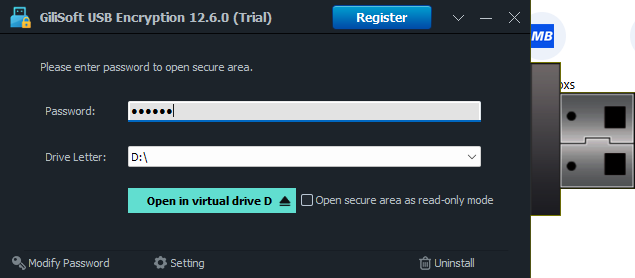
Use USB Encryption for client documents, backups, personal records, project files, and portable work data that must remain unreadable if the drive is lost or connected elsewhere.
USB Copy Protection vs USB Encryption at a Glance
| Question | USB Copy Protection | USB Encryption |
|---|---|---|
| Primary purpose | Control how recipients use files delivered on USB. | Protect confidential files stored on the removable drive. |
| Typical risk | Authorized viewers copy, print, capture, or redistribute content. | A lost, stolen, or borrowed drive exposes private data. |
| Password access | Yes, for protected content. | Yes, to open the encrypted private area. |
| Anti-copy rules | Yes, with controlled viewing and reuse restrictions. | No post-unlock content-use rules. |
| Print and screenshot restrictions | Supported for protected delivery. | Not the purpose of drive encryption. |
| Device binding and expiry | Supported for controlled distribution. | Not used for recipient licensing. |
| Watermarking | Supported for traceable delivery. | Not part of encrypted storage. |
| Private and public areas | Not its primary storage model. | Creates an encrypted private area while retaining a normal public area. |
| Best fit | Training, documents, media, catalogs, and paid offline content. | Portable records, backups, work files, and confidential storage. |
See the Difference in the Software
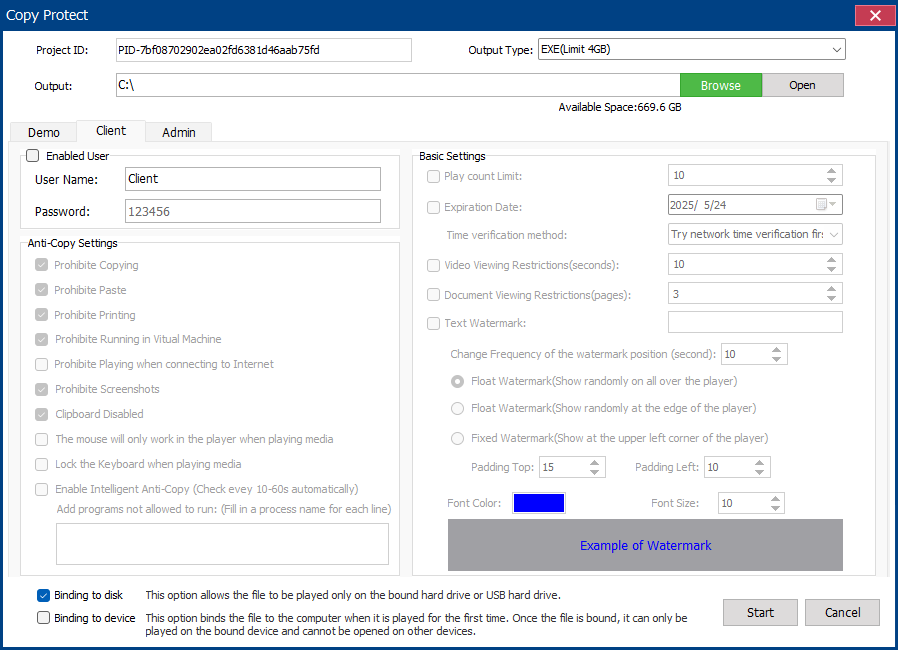
Rules follow the delivered content
Client settings control copying, printing, screenshots, clipboard behavior, playback, and other reuse paths. Binding, expiry, and watermark settings add more control for external distribution.
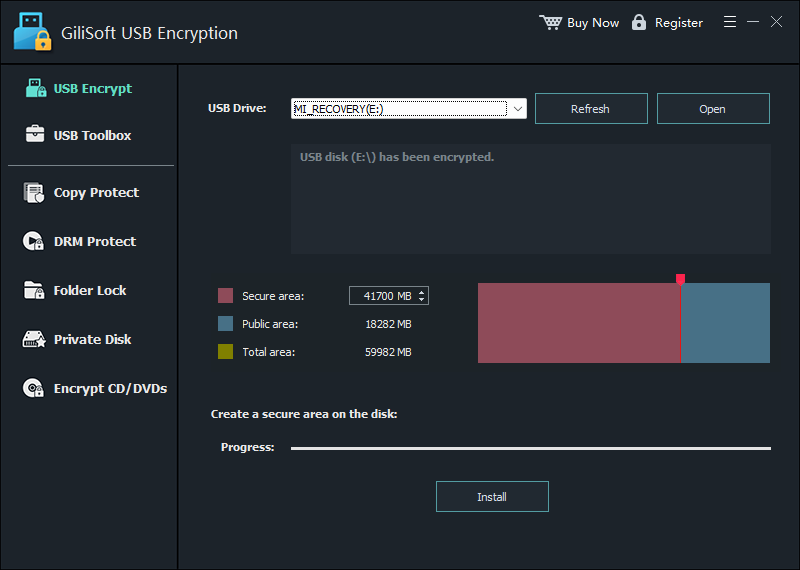
Encryption divides the drive into two areas
Choose the USB drive and allocate space to an encrypted private area while keeping a public area available. The private area opens only after password verification.
Which Product Fits Your USB Scenario?
Choose USB Copy Protection. Learners need access, but course videos and documents should not become ordinary files that can be freely copied.
Choose USB Encryption. The main risk is exposure if the drive is lost, stolen, or connected by someone without the password.
Choose USB Copy Protection when partners must read the files but copying, printing, screenshots, expiry, or device use must be controlled.
Choose USB Encryption. Store the backup inside the encrypted area and use the public area only for files that are safe to share normally.
Choose the GiliSoft Product That Matches the Risk
GiliSoft USB Copy Protection
For controlled USB delivery with anti-copy rules, print and screenshot restrictions, device binding, expiry control, and watermarking.
View USB Copy ProtectionFeatures, screenshots, and downloadGiliSoft USB Encryption
For a password-protected private area and a normal public area on the same USB flash drive or external removable disk.
View USB EncryptionFeatures, screenshots, and downloadUSB Protection FAQ
Is USB copy protection the same as USB encryption?
No. Copy protection controls recipient actions around delivered files. Encryption keeps stored data unreadable while the encrypted area is closed.
Which product helps if a USB drive is lost?
USB Encryption. Files in the encrypted private area require the correct password before the area can be mounted and opened.
Which product helps prevent recipients copying USB files?
USB Copy Protection. It is designed for viewing with anti-copy, printing, screenshot, binding, expiry, and watermark controls.
Can USB encryption stop an authorized user saving a copy after unlock?
No. Once the encrypted area is opened, encryption has completed its access-control job. Use USB Copy Protection when continued control after authorized access is required.