

How to Fix Corrupted Image Files on Windows
A file that cannot be decoded, a deleted photo, and a blurry photo are three different problems. The correct next step depends on whether the bytes are damaged, the file is missing, or the image is simply low quality.
Quick answer
Copy the damaged file first. Check its size and extension, try another viewer and another known-good copy, then use GiliSoft Total Repair's Image Repair task on the copy and inspect the recovered result.
Before You Start
- Stop editing or resaving the damaged original; make a working copy.
- Check whether the file is actually missing, zero bytes, partially transferred, or merely unsupported by the current viewer.
- Look for camera-card, backup, email, or cloud versions with the correct file size.
Choose the Right Approach
| Situation | Approach | Check |
|---|---|---|
| File is deleted or missing | Use recovery or backup, not image repair | A complete source file is restored |
| File exists but will not open | Try Image Repair on a copy | Decoder opens the result without missing regions |
| Image opens but looks blurry | Use enhancement, not corruption repair | No false expectation of recovered detail |
Fix Corrupted Image Files on Windows: Step by Step
- Preserve the damaged source
Copy it to another drive or folder without renaming an unknown format blindly.
- Rule out viewer issues
Check file size, genuine format, and whether another trusted app can read it.
- Try Image Repair
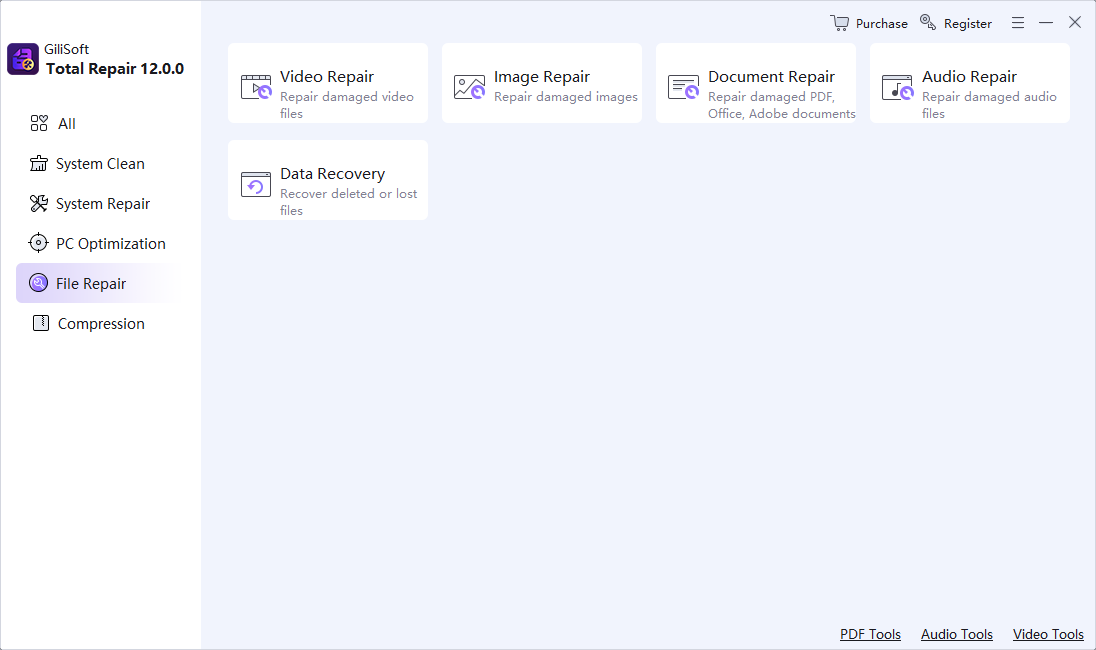
Open Total Repair's file tools, select Image Repair, and process the working copy.
- Inspect the output
Check dimensions, colors, visible regions, metadata, and whether the full image opens in a normal viewer.
- Escalate appropriately
For a missing or zero-byte file, use backups or data recovery instead of repeating repair on an empty source.
Review the Result
- Does the repaired file open in more than one viewer?
- Is the entire image present, not just a thumbnail or preview?
- Are backup and source copies preserved until quality is confirmed?
Limits and Common Mistakes
No repair tool can guarantee reconstruction when substantial image data is missing or overwritten. Changing a file extension does not restore damaged bytes, and sharpening does not fix corruption.
Frequently Asked Questions
Why can I see a thumbnail but not open the image?
A cached preview may survive when full file data is damaged; compare a known-good backup.
Will renaming JPG to PNG fix it?
No. Extensions label formats but do not rebuild corrupted content.
What if the file has zero bytes?
Use backups or recovery; there is no image data in that file for an image-repair tool to reconstruct.