Record Internet Radio on Mac

Capture online radio, livestream audio, and web broadcasts on Mac

GiliSoft Audio Recorder for Mac helps record internet radio, online shows, livestream audio, web broadcasts, interviews, music streams, and other browser-based audio on macOS. Save the captured audio as MP3, M4A, or WAV for later listening, review, study, or personal archiving where permitted.

Internet radioStreaming audioWeb broadcastsMP3, M4A, WAV
Radio CaptureStream detectedRecording activeArchive ready
GiliSoft Audio Recorder for Mac box

Internet Radio and Streaming Audio Capture on macOS

Internet radio and streaming programs are often available only at a specific time, or they disappear after the broadcast. A Mac audio recorder can help you capture the playback while it is available, then save the result as a practical audio file for later review.

Use GiliSoft Audio Recorder for Mac for online radio shows, web interviews, live talks, language listening material, music programs, event streams, and other browser or app audio that you need to keep for personal listening or internal review.

For general internal sound capture, see Mac Internal Audio Recorder. For broader system sound recording, see Record System Audio on Mac.

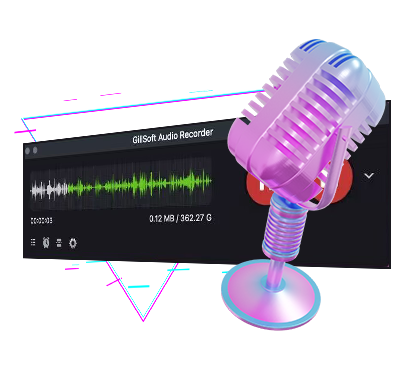
GiliSoft Audio Recorder for Mac screenshot
Who Records Internet Radio on Mac?

Radio and livestream listeners

Save online radio programs, web broadcasts, live interviews, and special audio events for later listening.

Language learners and researchers

Record listening material, talks, interviews, and educational streams for repeated review.

Media and content teams

Archive reference audio from online broadcasts, events, and source streams for internal production notes.

Users with time-limited audio access

Capture programs while they are available when replay, download, or podcast access is not provided.

Why Use GiliSoft for Online Radio Capture?

Capture the audio source directly

Record streaming playback from the Mac instead of using a microphone near the speakers.

Save practical audio files

Export MP3, M4A, or WAV files for listening, trimming, archiving, or review.

Useful for long web broadcasts

Record extended online programs, interviews, and streaming sessions when you need the full audio file.

Works with related audio tools

After recording, trim sections, clean noise, convert formats, or transcribe important speech when needed.

Common Internet Radio Recording Scenarios

Record online radio shows

Capture web radio programs for later listening when you cannot listen live.

Record livestream talks or interviews

Save spoken online events, guest interviews, language programs, and educational audio streams.

Record web music or audio playback

Capture browser-based audio and streaming playback for personal reference where allowed.

Prepare recordings afterward

Use Audio Editor to trim long recordings, Audio Converter to change formats, or Speech to Text for spoken content.

Related Mac Recording Pages

Mac Internal Audio Recorder

Capture internal app, browser, stream, and media playback audio on macOS.

Open guide

Record System Audio on Mac

Use this guide for broader Mac system sound recording scenarios.

Open guide

GiliSoft Audio Recorder for Mac

View the main product page for Mac system audio, microphone, and scheduled recording features.

Open product page

Audio Editor

Trim and prepare long internet radio recordings after capture.

View Audio Editor

Record internet radio and streaming audio on Mac

Capture online radio shows, web broadcasts, interviews, and livestream audio, then save MP3, M4A, or WAV files for later listening or review.

Buy Audio Recorder for Mac