
Audio Transcription Software for Windows
Use this workflow to turn a clear recording into an editable draft transcript that can be checked against the audio. A clean recording and careful review matter more than a confident-looking transcript.
Quick answer
Import a permitted recording into Speech to Text, select the correct language, generate a draft, and review it while listening to the source. Correct names, numbers, acronyms, speaker changes, punctuation, and meaningful non-speech audio before using the transcript.
Choose the Right AI Workflow
| Input or situation | Recommended approach | Review requirement |
|---|---|---|
| Clean single speaker | Generate a draft with the matching language | Names, numbers, punctuation, and omissions |
| Several speakers | Transcribe, then label speakers during review | Attribution and overlapping speech |
| Noisy or compressed audio | Use the best available source and listen closely | Low-confidence or missing passages |
| Transcript for decisions | Require human verification | Quotes, dates, owners, and obligations |
Step-by-Step Workflow
- Confirm permission and purpose
Make sure the recording and transcription are permitted, then define whether the output is notes, captions, search text, or a formal draft.
- Use the best audio source
Prefer the cleanest original recording. Do not repeatedly convert a lossy file, and identify the spoken language.
- Generate the draft transcript
Open Speech to Text, import the recording, choose the language, and create the editable result.
- Review while listening
Correct terminology, names, numbers, speaker changes, punctuation, omissions, and meaningful non-speech audio.
- Publish the appropriate output
Separate verbatim transcript, edited notes, and summary. Retain uncertainty instead of guessing at inaudible passages.
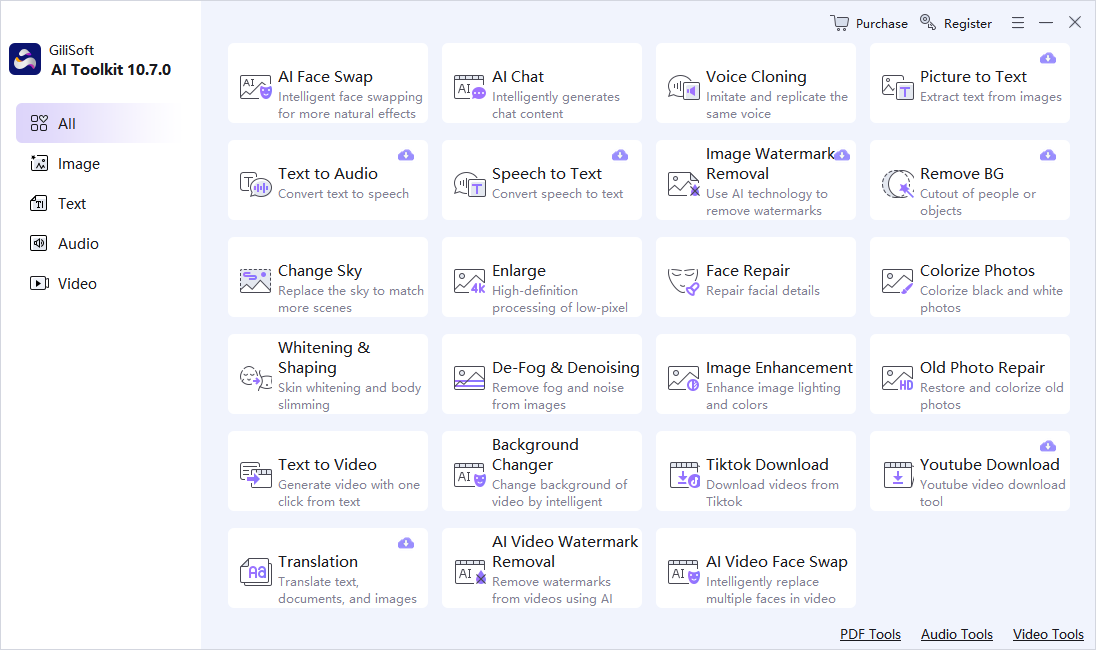
Use the GiliSoft AI Toolkit Workspace
These screenshots show the real dashboard and task workspace. Interface details can change by release, so verify the current controls and processing behavior before using sensitive or important material.

Review Before You Reuse the Result
| Faithful transcript | Compare the complete result with the source instead of reviewing only the easiest section. |
|---|---|
| Names and numbers | Check proper names, dates, quantities, abbreviations, identifiers, and claims manually. |
| Privacy and rights | Confirm permission, remove unnecessary personal data, and understand the current module’s processing path before sensitive use. |
Frequently Asked Questions
What improves automatic transcription?
Use the cleanest available recording, a well-positioned microphone, the correct language, and minimal overlapping speech.
Is a transcript the same as meeting notes?
No. A transcript represents spoken content; notes select and organize decisions, actions, and context after verification.
Can I use the transcript as captions?
It is a useful draft, but captions also require timing, speaker and relevant sound information, line formatting, and accuracy review.
Should I keep the source file?
Yes. AI output should be a separate derivative so errors can be checked and the task can be repeated.
Can generated output be used without review?
No. Review requirements depend on risk, but important names, numbers, claims, instructions, and visual details should always be checked.