
Best Video DRM Software for Offline Downloads and Streaming
The best video DRM software depends on where viewers watch. A downloadable package, a browser stream, and a private portal solve different access problems. Decide whether recipients need offline playback, then compare authorization, supported devices, and revocation.
Which video DRM software should you choose?
For downloadable videos played through a supported Windows viewer, choose an offline packaging tool with playback passwords and device rules. For playback inside a website or app, choose hosted streaming DRM with a license service and compatible players. GiliSoft Video DRM Protection fits the downloadable route: it creates protected GEM or EXE packages, supports password and device-binding workflows, and is not a hosted streaming DRM service.
Compare offline video DRM, streaming DRM, and simpler controls
| Delivery model | Best fit | What to verify |
|---|---|---|
| Offline protected package | Training, client, school, or internal videos downloaded to Windows PCs | GEM or EXE output, playback passwords, device binding, recipient player, and when online checks occur |
| Hosted encrypted streaming | Web courses, subscriptions, and large viewer populations | Browser and app coverage, license service, CDN, account integration, and ongoing hosting cost |
| Private portal and account access | Organizations already using identity and content platforms | Account policy and download rules; a login alone does not protect a file after download |
| Simple file encryption | Small private transfers without detailed playback policy | Password delivery and recipient software; fewer controls after the file is shared |
A portal login controls entry to a site, but it is not the same as DRM on a downloaded file. If viewers can save an unprotected copy, check what control remains after the download.
What to check before choosing video DRM software
- Viewer devices: confirm the exact Windows, macOS, browser, or mobile player required by your audience. Do not assume one protected package works on every platform.
- Delivery: decide whether viewers need a downloaded file, browser streaming, USB delivery, or all three.
- Authorization: compare fixed passwords, machine or USB binding, playback limits, and what happens when a viewer changes devices.
- Revocation: ask when the player checks an online blacklist. A disconnected copy cannot receive an immediate online update.
- Traceability: check viewer-specific watermarks and the limits of anti-capture controls.
- Total cost: compare edition features, recipient support, packaging work, hosting fees, and the cost of maintaining a custom player.
When GiliSoft Video DRM Protection fits
Choose GiliSoft Video DRM Protection when you publish downloadable videos and want playback rules to travel with the protected package. The project is created on Windows; standard protected delivery uses GEM or EXE output and supported GiliSoft playback. Verify the edition and target player before promising Mac or mobile playback; a cross-platform custom player is a separate project.
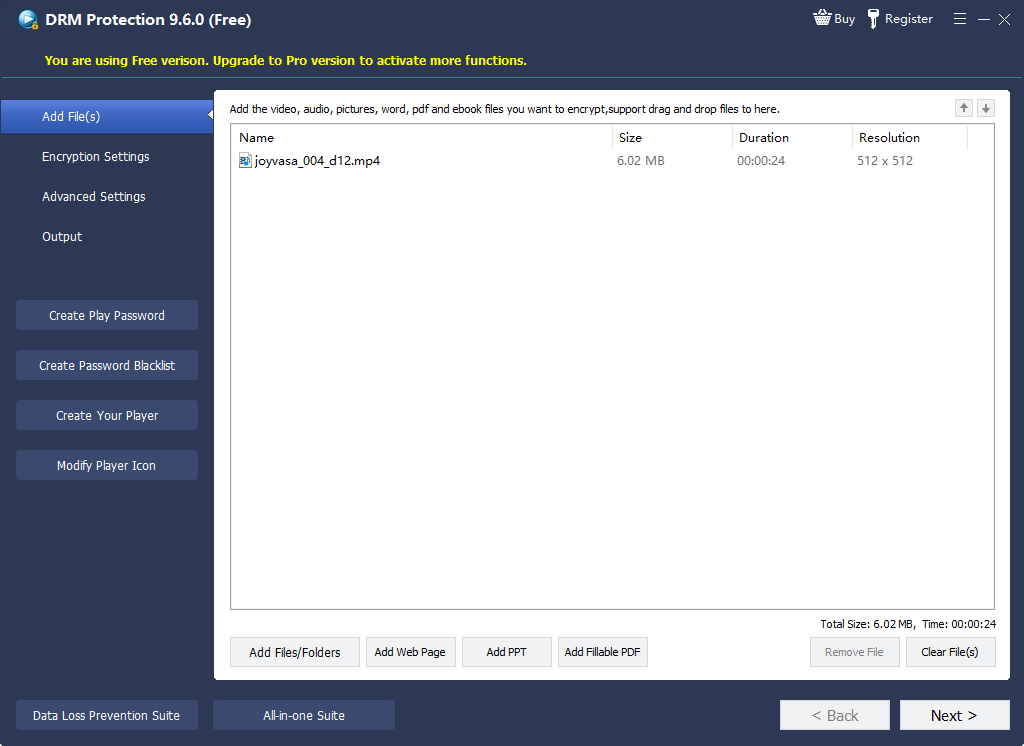
- Prepare source files.
Keep unencrypted masters backed up, check the videos, and choose the recipient devices.
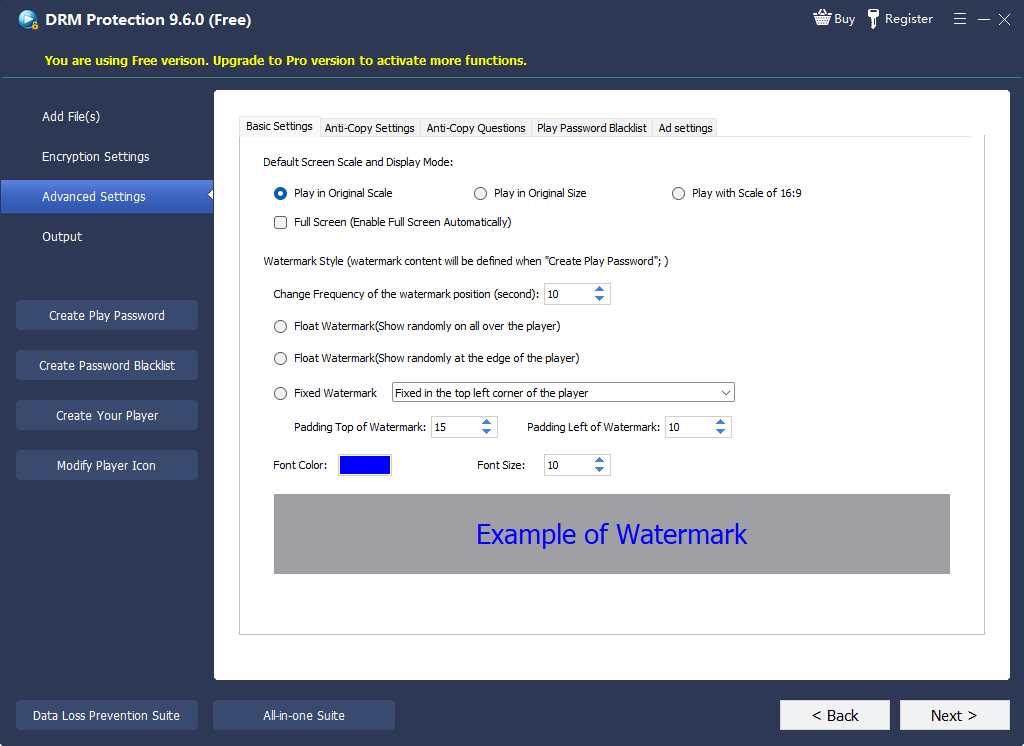
- Configure the project.
Save the Project ID and publisher Encryption Key, then choose fixed-password, PC-binding, or USB-binding rules. Add playback limits and a viewer watermark where needed.
- Export the protected package.
Create the GEM or EXE delivery file and keep the project records separate from the copy sent to viewers.
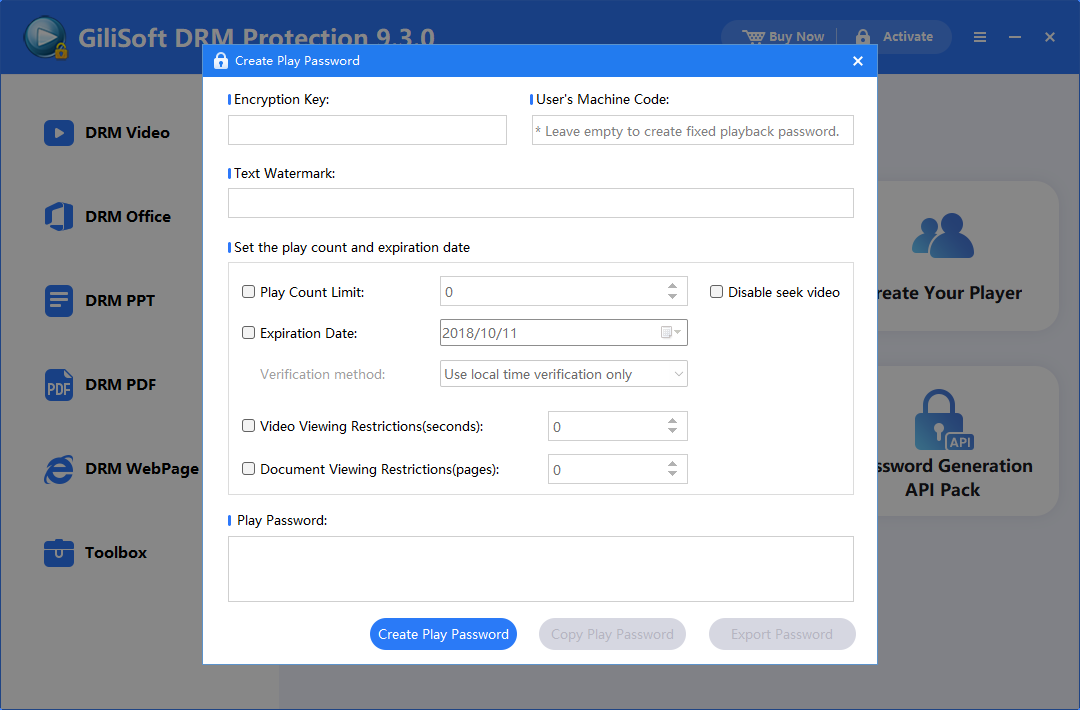
- Issue viewer access.
Create a Playback Password; PC binding uses the viewer's Machine Code. Send the Playback Password, not the publisher Encryption Key.
- Test before release.
Open the package on a recipient-style computer, check offline playback, and confirm when any configured online blacklist is consulted.
For the full interface sequence, see the Video DRM Protection user guide.
What video DRM can and cannot do
DRM can make unauthorized playback and casual copying harder, attach access rules to a protected package, and add viewer-specific watermarks. It cannot guarantee that an authorized viewer never records a screen or camera output. Plan for viewer support and leaked credentials as well as technical controls.
When an offline DRM package is not the best fit
- Browser or app streaming: use a hosted streaming DRM service with the required license infrastructure and player support.
- Immediate remote revocation: an offline copy does not receive a blacklist update until it checks online. Test the verification policy before selling time-limited access.
- Every-device playback: confirm the supported GiliSoft player and package for each device. Cross-platform custom player delivery is not a standard edition switch.
- Only a shared password is needed: simpler video encryption may be enough when binding, watermarks, and ongoing access controls are unnecessary.
Frequently asked questions
What is the best DRM for downloadable training videos?
Choose a system designed for protected offline packages, device or machine binding, password or license delivery, and the Windows playback environment your recipients use.
Is GiliSoft Video DRM Protection a cloud multi-DRM platform?
No. It focuses on encrypting files and creating controlled offline playback packages. A hosted streaming service is a different delivery model.
Can DRM completely stop screen recording?
No protection can guarantee prevention in every environment. DRM can add access controls and deterrence, but policy, user management, and delivery design still matter.
What is the difference between video encryption and DRM?
Encryption protects the file data. DRM adds rules around authorization, playback, devices, or delivery. A workflow may use both.
Should I test the protected package before distribution?
Yes. Test on a clean recipient-style PC, verify authorization and playback, and preserve the original unencrypted master separately.
Can an offline DRM video be revoked immediately?
Not necessarily. An online blacklist can reject a playback password at its next verification, but a disconnected copy cannot receive a blacklist update until it checks online. Test this behavior before distribution.