
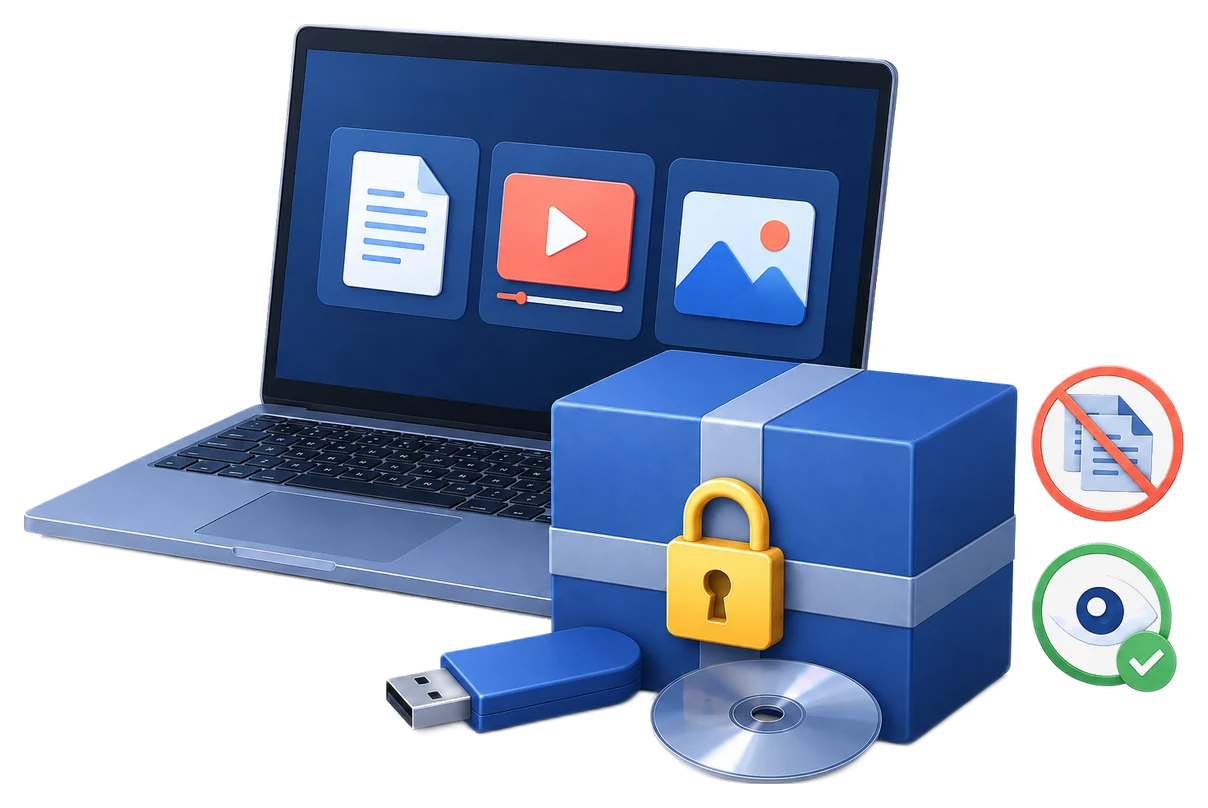
How to Reduce Copying from a USB Drive
Use this workflow to let a recipient read or view content from USB without delivering open source files for ordinary copy and paste. Keep source files with the publisher, test the exact recipient environment, and describe restrictions honestly.
Quick answer
Use GiliSoft Copy Protect to package the files as protected GCP output, bind the package to the USB drive when appropriate, disable the client copy and print actions you do not allow, and test the client view from another Windows computer.
Choose the Right USB Protection Method
| Requirement | Approach | What to verify |
|---|---|---|
| Lost or stolen USB | Encrypt the removable drive at rest | Unlock and key recovery |
| Recipient may view but not ordinarily copy | Create a protected package | Viewer rules and client test |
| Only approved USB should open content | Add USB binding | Authorized hardware and reissue plan |
Step-by-Step Protection Workflow
- Define allowed recipient actions
Agree who may open the content, whether printing or copying is allowed, when access ends, and how support or reissue works.
- Prepare a clean source set
Remove drafts, internal notes, hidden material, unnecessary metadata, and editable masters that should not be delivered.
- Create a protected package
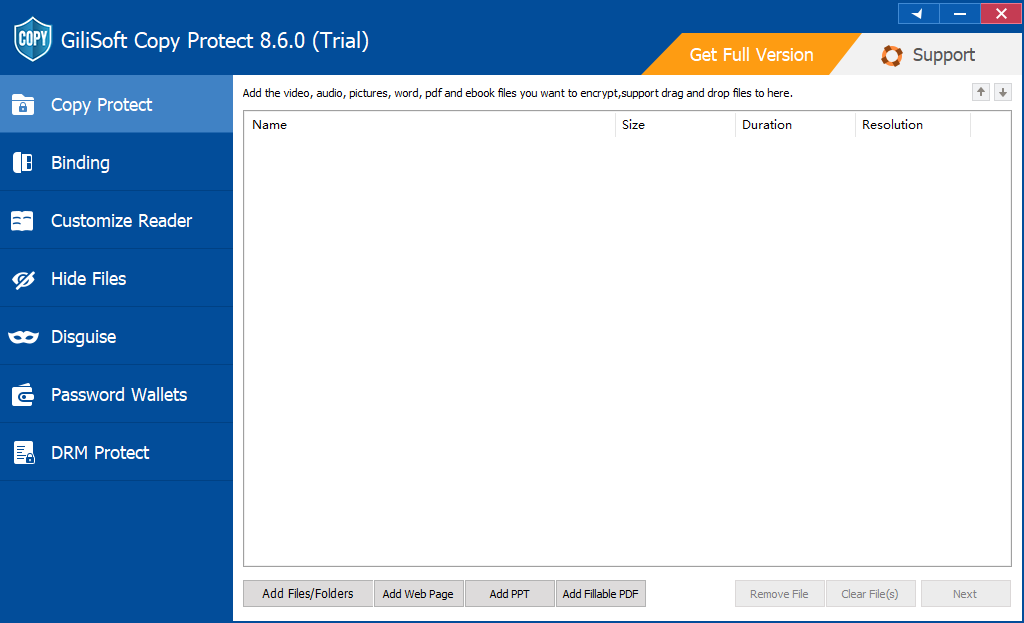
Add files in GiliSoft Copy Protect and choose GCP or EXE output suitable for the content size and recipient environment.
- Configure client settings and optional binding
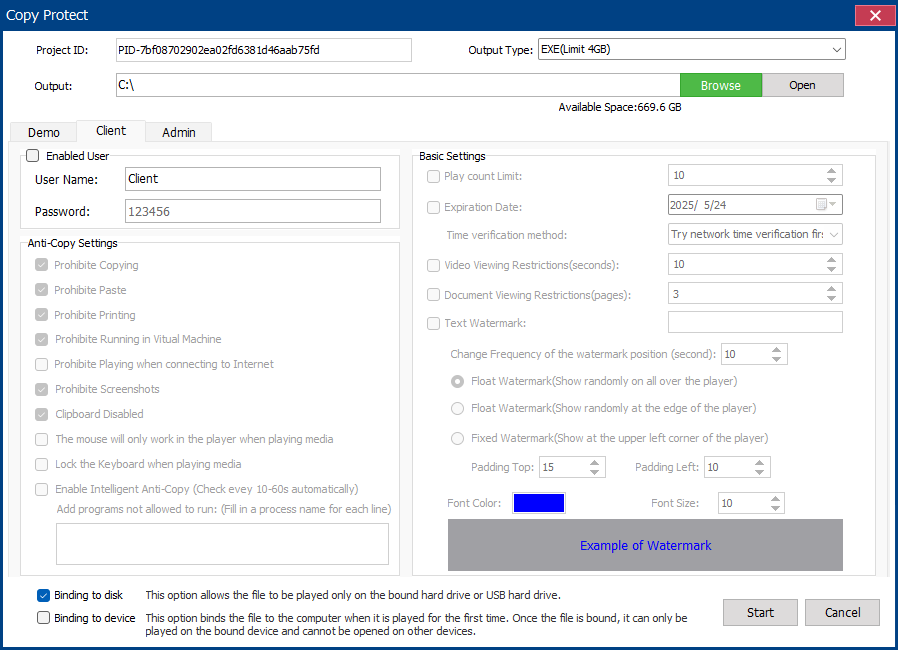
Create recipient credentials, set copy and print rules, apply watermark or expiry where needed, and bind to USB or a device only when practical.
- Test the recipient experience
Open the finished package on a separate Windows PC with client credentials, reconnect the USB, check every content type, and verify the intended restrictions.
Use the GiliSoft Copy Protect Workspace
These screenshots show the real package, binding, client, or administrator settings. The recipient must be able to open the package in the intended Windows environment.
Verify the USB Delivery Before Handover
| Copy, clipboard, print, screenshots, and USB binding | Test with recipient-level credentials, not the publisher's administrator profile. |
|---|---|
| Package integrity | Open every delivered content type, confirm the correct version, and keep the Project ID and admin credentials in publisher records. |
| Support and replacement | Document reader requirements, authorized hardware, expiry, and the procedure for lost, replaced, or failed USB media. |
Frequently Asked Questions
Can GiliSoft Copy Protect protect the files for this USB task?
It can package supported documents, images, video, audio, and mixed folders for controlled viewing. Test the exact source types and the recipient Windows environment before delivery.
Does copy protection stop every possible leak?
No. It reduces ordinary copying, printing, clipboard use, and similar actions under the selected viewer rules, but visible content can still be photographed or recreated.
Is USB binding the same as USB encryption?
No. Binding associates protected output with approved hardware. Removable-drive encryption protects data at rest until the drive is unlocked.
Should recipients get the administrator password?
No. Give them only the client credentials and instructions required to open their package; keep admin credentials and the Project ID with the publisher.
What if the authorized USB drive fails?
Plan a verified reissue procedure before distribution. Do not assume a copied package will open from replacement hardware when binding is enabled.
Should I use GCP or EXE output?
GCP is the standard protected-reader format. EXE can be useful for a self-contained package when the recipient permits executables and the output remains within the product size limit.