
Choose the Right Workflow First
| Decision | Screen recording software | Video editor |
|---|---|---|
| Primary input | Live screen, window, webcam, system sound, and microphone | Existing video, images, narration, music, and graphics |
| Core strength | Accurate capture and recording controls | Story structure, timing, layers, and finishing |
| Typical output | Tutorial, webinar, meeting, demo, support recording | Marketing video, course, montage, branded production |
| Best combined use | Capture clean source material | Trim, rearrange, subtitle, brand, and deliver it |
Prepare Before Editing
A short preparation pass prevents avoidable rework after timing, text, audio, or output choices have already been made.
Start with the real source
Decide whether the project begins with a live screen action or existing media.
Define the finishing level
A clean recording may need only trimming; a public production may need full editing.
Test audio before committing
Capture and editing cannot repair every muted, distorted, or wrong-device recording.
How to Complete the Workflow on Windows
Follow the steps in order and delay decorative work until the structure and essential sound are stable.
Define the finished video
Choose the audience, length, frame, required audio, captions, and delivery destination.
Select the recording or editing starting point
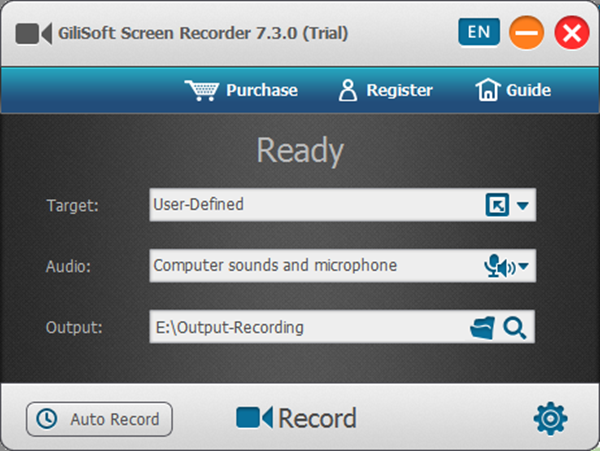
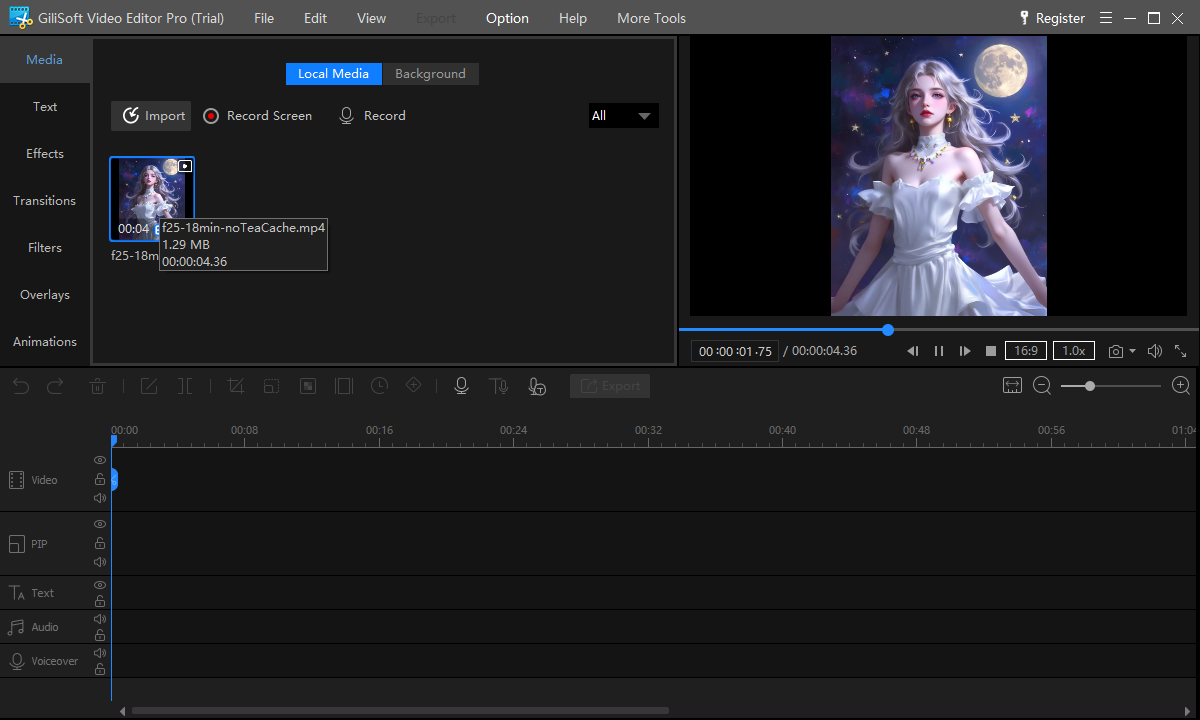
Open Screen Recorder Pro for live capture or Video Editor Pro for existing media and layered work.
Capture a short test when recording
Check region, window, cursor, webcam, system sound, microphone, and file output.
Remove structural problems
Trim setup time, mistakes, repeated actions, pauses, and any section that does not help the viewer.
Add the required finishing elements
Use subtitles, text, overlays, music, picture-in-picture, or effects only where they clarify the content.
Export and review outside the tool
Watch the complete deliverable and verify picture, sound, captions, compatibility, and the first and last frames.
Choose the Tool by the Stage of Work
Recording-first
Best for tutorials, webinars, support, meetings, software demonstrations, and live explanations.
Editing-first
Best for camera clips, existing recordings, mixed media, detailed sound, effects, and revisions.
Light finishing
A recorder with practical cleanup tools may be enough for a straightforward capture.
Complete production
Record clean source material, then move to a multitrack editor for complex publishing work.
Where Screen Recorder Pro Fits
GiliSoft Screen Recorder Pro is the primary recommendation for capture-led projects. Add GiliSoft Video Editor Pro when you need a deeper multitrack structure, layered graphics and audio, chroma key, or repeated editorial revisions.
Review the GiliSoft Screen Recorder Pro product page for the current feature overview or use the Screen Recorder Pro user guide for task-level instructions.
Troubleshooting and Quality Checks
- No system sound: select and test the correct source before the full recording.
- The captured area includes distractions: choose a window or custom region instead of fixing everything later.
- Editing takes too long: record in short sections and leave clean pauses between topics.
- The result feels flat: improve structure and explanation before adding decorative effects.
- Text is unreadable: design for the smallest target screen and protect the important interface area.
Do Not Expect One Stage to Repair the Other
Good editing cannot recreate a muted microphone or unreadable capture. Good recording cannot replace structural decisions, accurate captions, or a layered final production. Test the whole path before a deadline.
Frequently Asked Questions
Is a screen recorder the same as a video editor?
No. A recorder captures live screen and audio sources; an editor restructures and finishes existing media.
Can screen recording software edit the result?
Many recorders provide practical cleanup tools, but complex layered work is better suited to a full video editor.
Which tool is better for tutorials?
Use a recorder to capture the task. Add a video editor when the tutorial needs restructuring, layered media, detailed subtitles, or branding.
Do I need both products?
Only when the project needs both controlled capture and deeper post-production. Simple recordings may not.
Can I record system sound and microphone together?
Yes. Select both sources and make a short test to verify levels, sync, and the correct devices.
Which GiliSoft product should I try first?
Start with Screen Recorder Pro for capture-led work and Video Editor Pro for editing-led work.