
Secure Online Course Videos and Downloads
An online course may mix browser streaming with downloadable lessons. A local protected package helps with the download side; it should not be presented as a replacement for the course platform’s streaming controls.
Quick answer
For course files learners download, GiliSoft Video DRM Protection can create protected GEM or EXE output and viewer Playback Passwords. Keep streaming access managed by the course platform.
Separate Streaming and Download Controls
| Situation | Approach | Check before release |
|---|---|---|
| Browser-only lessons | Use platform streaming access controls | Enrollment, sessions, and platform player |
| Downloadable lesson files | Create protected DRM-style package | Player compatibility and viewer credentials |
| Offline learner access | Test package and password before travel | Online revocation may not apply while disconnected |
| Mixed delivery | Document which lessons use which method | Consistent course support and captions |
How to Protect and Deliver the Videos
- Map each lesson delivery path
Mark streamed lessons separately from files learners can download. Do not imply that a protected file secures an independent browser player.
- Package the downloadable subset
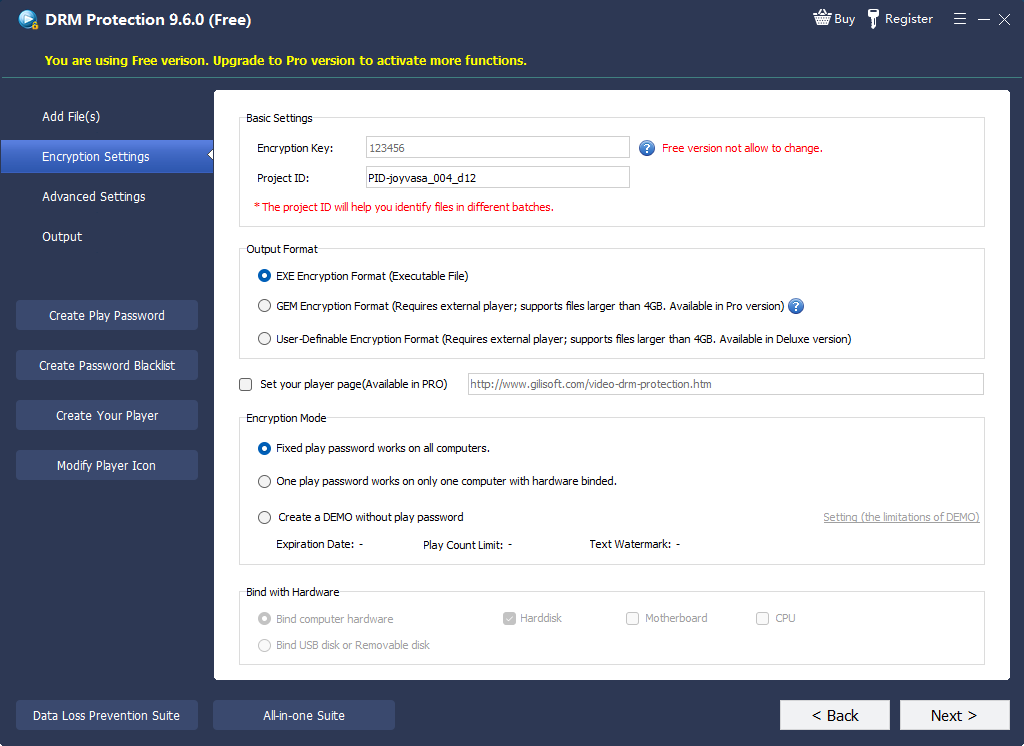
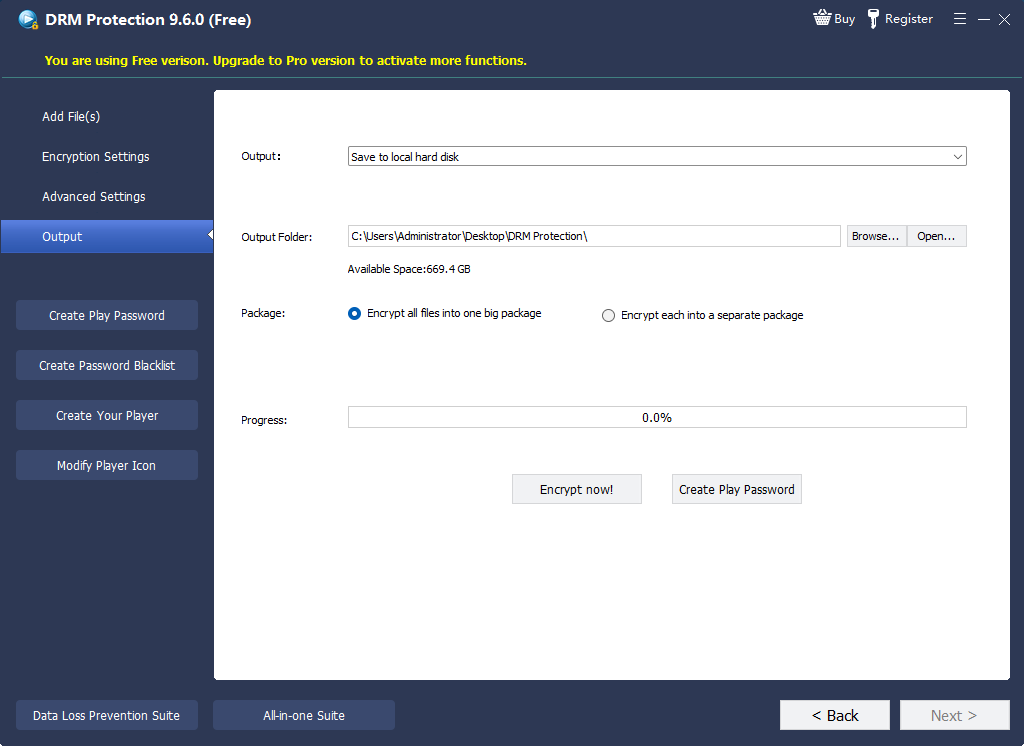
Add approved files to GiliSoft Video DRM Protection, set the Project ID and Encryption Key, and choose the package output.
- Issue access with realistic controls
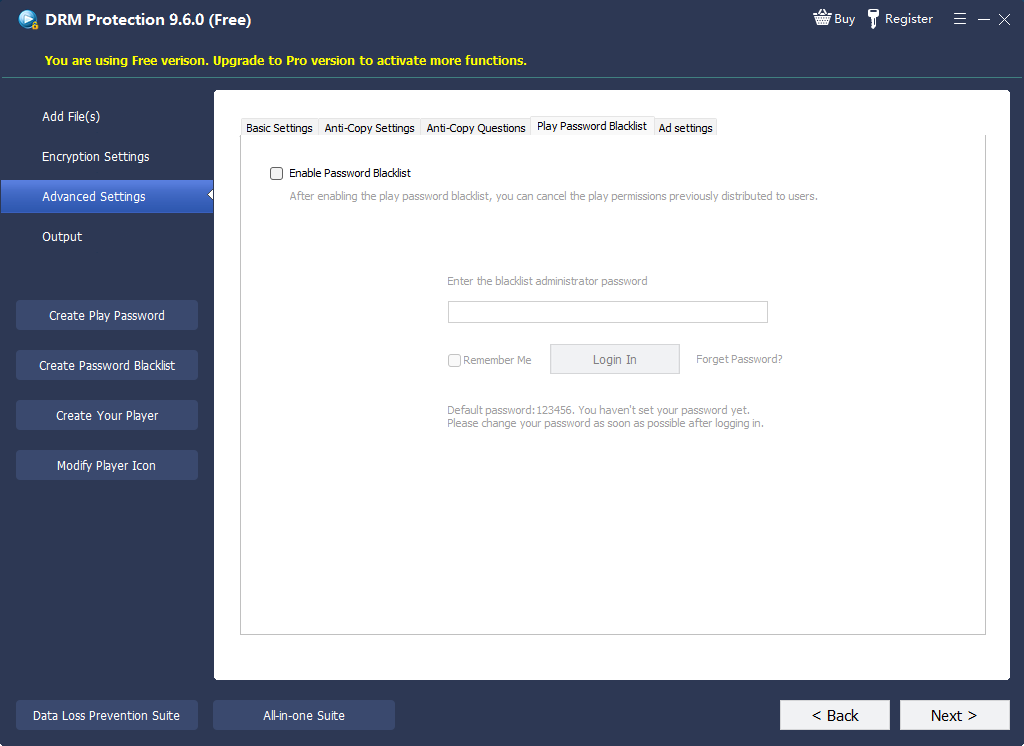
Select passwords or device binding, optional watermarks, and expiry; configure an online blacklist before release only when its connectivity assumptions fit.
- Test both learning paths
Check platform playback on the site and protected-file playback on the supported local player, including captions and learner support.
The Video DRM Protection user guide shows the matching settings, password maker, and supported package workflow.
Product Interface for This Workflow
Use the actual GiliSoft Video DRM Protection screens to confirm project settings, protected output, and viewer credentials.
Check the Viewer Experience
- Keep the publisher Encryption Key and Project ID separate from the viewer Playback Password.
- Test the completed GEM or EXE package in the supported playback environment, not just the original source video.
- Check expiry, device changes, caption or transcript access, and a reachable support route.
- When using an online blacklist, confirm it was configured before release and verify the next online check.
Frequently Asked Questions
Can GiliSoft protect my website’s video stream?
This page does not claim that. GiliSoft Video DRM Protection is used here for protected downloadable packages.
Does online blacklisting always revoke an offline learner?
No. It depends on a configured URL and future online verification; test the exact viewing mode.