
The practical protection plan
Protecting e-learning video starts with enrollment, but it must continue through delivery and playback. The right setup depends on whether learners stream inside an LMS, download lessons for offline study, receive a USB training kit, or use a mixture of those methods.
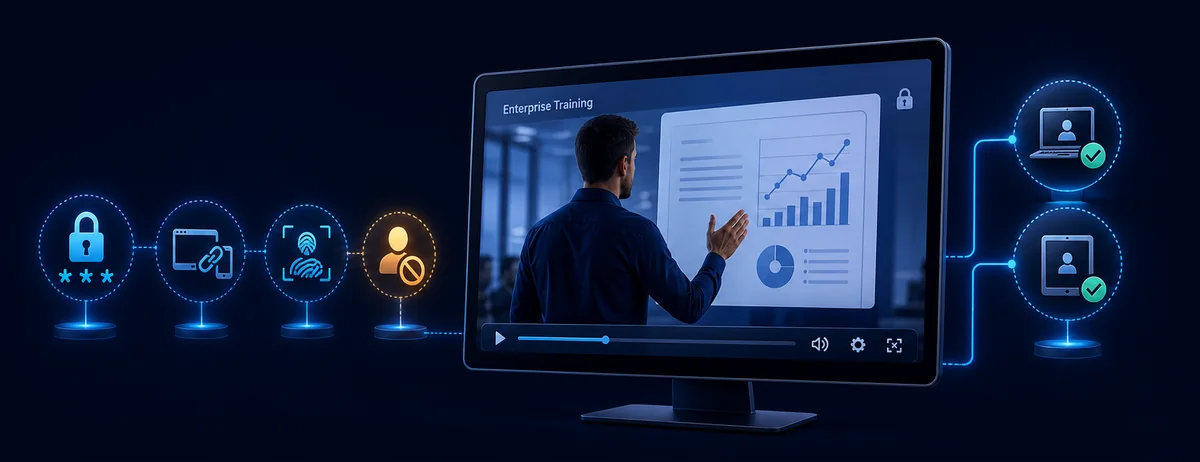
For hosted lessons, connect playback to a signed-in learner and use private video delivery with expiring tokens or streaming DRM. For downloadable lessons, replace the ordinary MP4 with a protected package that applies passwords, device binding, watermarks, time limits, and revocation after the file has left the LMS. GiliSoft is published from a Windows desktop application and its protected videos can be played across supported platforms.
Choose controls by learning delivery model
LMS-hosted streaming
Require learner login, keep the source private, issue short-lived playback URLs, restrict approved embed origins, and use browser DRM when the platform and course value justify it.
Downloadable course lessons
Deliver a protected player package instead of an open MP4. Add one-learner credentials, PC binding, visible identity watermarks, expiry, and blacklist revocation.
Offline field or classroom training
Bind protected playback to an approved PC or USB drive so learners can work without continuous internet while the lesson remains controlled.
Blended course delivery
Stream routine lessons in the LMS, then use protected downloads for travel, labs, field teams, or locations where reliable internet is unavailable.
LMS access is not the same as video protection
An LMS decides whether a learner can reach a course page. Moodle, for example, can restrict activities or sections by date, grade, group, or activity completion. Those rules are valuable for course progression, but they do not automatically control a video after an open copy is downloaded.
| Control layer | What it decides | What it does not solve alone |
|---|---|---|
| LMS enrollment and prerequisites | Who enters the course and when modules appear | Forwarding a downloaded MP4 |
| Signed streaming URL | Who can request a private stream and for how long | Playback of an already downloaded open file |
| Streaming DRM | License-based browser or device playback | Offline delivery outside supported players |
| Protected delivery package | Password, device, expiry, watermark, and revocation rules after delivery | Course enrollment, grading, and learner progress |
Map the common e-learning leakage routes
| Risk | Typical course scenario | Useful response |
|---|---|---|
| Shared learner account | Several people use one subscription login | Concurrent-session rules, device limits, per-learner credentials |
| Forwarded playback link | A permanent stream URL is copied from the course page | Short-lived signed token, login check, allowed embed origins |
| Copied download | An open MP4 is sent to a class group | Protected package, PC or USB binding, no open source file |
| Screen recording | An enrolled learner captures an authorized lesson | Capture deterrence, viewer watermark, short access period |
| Expired enrollment | Downloaded lessons still work after a course ends or refund | Expiration, online verification, blacklist revocation |
| Public re-upload | A course lesson appears on a public platform | Traceable watermark, access logs, preserved enrollment records |
Build protection around the learner journey
1. Confirm entitlement
Connect enrollment, employment, certification status, or membership to access.
2. Sequence the course
Use LMS dates, prerequisites, groups, and completion conditions to release lessons appropriately.
3. Protect delivery
Use private signed streaming or a protected offline package instead of a permanent public link.
4. Identify the learner
Issue individual credentials and bind valuable downloads to an approved PC or USB drive.
5. Add traceability
Show learner identity, account data, or machine information as a dynamic watermark.
6. Match the course period
Set expiry and play limits around a cohort, subscription, assessment, or certification window.
7. Keep a response path
Blacklist compromised passwords, disable accounts, review logs, and document refund handling.
8. Test learner access
Verify approved and unapproved devices before launching the course to a full cohort.
Protect downloadable lessons with GiliSoft
GiliSoft Video DRM Protection is useful when learners need downloadable or offline lessons and the course owner wants rules to remain attached after delivery. It complements the LMS rather than replacing enrollment, assignments, grading, or progress tracking.
- Add course lessons and supporting filesImport videos, documents, and other material that should be delivered as one protected learning package.
- Create access for the learnerIssue a playback password and choose whether it should be tied to an approved PC, USB drive, or permitted device rule.
- Set the learning periodConfigure expiration, play count, time limits, and online verification to match the cohort or subscription.
- Add a learner-specific watermarkDisplay identity information during playback so unauthorized redistribution is less attractive and easier to trace.
- Enable playback protectionApply the available anti-copy and anti-screen-capture controls for the intended protected playback environment.
- Export without the open source videoDeliver the protected package through the LMS, membership portal, download page, or approved storage.
- Test the real learner experienceOpen the package on an approved device, reject an unapproved device, and check watermark readability.
- Revoke access when requiredAdd leaked, refunded, or retired credentials to the online blacklist and preserve the related records.
Match the setup to the course
| Learning program | Recommended setup | Main goal |
|---|---|---|
| Self-paced paid course | LMS login, private stream, protected optional downloads, learner watermark | Keep access tied to an active purchase |
| Employee compliance training | Corporate account, course dates, approved PC binding, expiry, logs | Limit confidential material to managed staff |
| Partner certification | Individual credentials, limited devices, named watermark, revocation | Trace partner access and end it after certification |
| Coaching cohort | Cohort expiry, per-learner password, short device allowance | Align playback with the scheduled program |
| Offline field training | Protected delivery package, USB binding, offline playback, controlled renewal | Support unreliable or unavailable internet |
What not to rely on alone
Enrollment may hide the page, but an open download can still be copied.
A shared password can travel through chat, email, or student groups.
Any long-lived link can be forwarded unless the service rechecks authorization.
After extraction, the lesson becomes an ordinary shareable file.
Branding identifies the school, but a learner-specific watermark identifies the source of a leak.
No software can prevent an external camera; combine deterrence with identity, device rules, and revocation.
Keep the learner experience usable
E-learning video protection FAQ
Can an LMS stop learners from downloading videos?
An LMS can control access to a lesson page, while the video host can disable public links and require signed playback tokens. If the course intentionally offers downloads, use a protected package instead of an ordinary MP4.
What is the best method for downloadable course videos?
For protected downloadable lessons, use individual passwords, PC or USB binding, a learner-specific watermark, expiry, and revocation. Keep open source videos out of the delivered package.
Should every learner receive a unique password?
Yes when the course has meaningful commercial or confidential value. Individual credentials make device limits, watermark identity, revocation, and incident review more useful.
Can DRM completely stop screen recording?
No. It can deter common software capture paths, but no desktop control can stop a separate camera. Dynamic watermarking, short access periods, and revocation reduce the incentive and improve traceability.
How do I end access after a refund or course expiry?
Expire or blacklist the learner credential, disable the LMS account or enrollment, and invalidate private streaming tokens. Test that previously delivered packages no longer open under the revoked rule.
Should I choose streaming or protected offline delivery?
Use streaming when learners have reliable internet and broad device support matters. Use a protected offline package when the course must work after download, on a controlled USB drive, or in low-connectivity locations. GiliSoft is published from a Windows desktop application and its protected videos can be played across supported platforms.
Official references
- Moodle Restrict access documents availability conditions based on dates, grades, groups, and activity completion.
- Cloudflare Stream signed URLs documents private playback tokens, expiration, download permission, and access rules.
- Cloudflare secure video downloads explains how private downloads require signed authorization.
- Microsoft PlayReady license policies describes playback rights, expiration, security levels, and output restrictions.
- Google Widevine DRM overview explains license-based premium media protection across supported platforms.
Keep course rules attached after download
Use GiliSoft Video DRM Protection for downloadable and offline lessons that need learner passwords, device binding, dynamic watermarks, expiration, and revocation.