Keep videos inside a managed platform
Use account sign-in and platform permissions when every learner watches online and no downloadable file is required.

Protect paid courses, employee training, coaching libraries, and partner videos with viewer-specific playback access instead of distributing ordinary open video files.
The right level of protection depends on how the training is delivered. A private internal preview may only need a playback password. A paid course library, certification program, or partner-training package usually benefits from viewer-specific access and a way to respond when a credential leaks.
A file password answers one question: can this person open the package now? Training businesses usually need to answer several more: which device may play it, how long access lasts, whether the viewer can be identified, and what happens if a password is posted publicly.
Use account sign-in and platform permissions when every learner watches online and no downloadable file is required.
Use a local password-protected package for straightforward offline sharing with known recipients.
Use controlled offline delivery when the main concern is casual copying, printing, clipboard use, or common capture paths.
Choose DRM when device binding, dynamic watermarks, expiry, usage limits, and credential revocation matter.
| Method | Best for | Control after delivery | Main consideration |
|---|---|---|---|
| Platform access | Online-only employee or course portals | Account and portal permissions | Downloaded copies need separate protection |
| Video encryption | Simple private offline delivery | Playback password | Limited viewer-specific management |
| Copy protection | Packaged offline files and mixed content | Copy, print, clipboard, and capture controls | Less focused on learner licensing |
| Video DRM | Paid, confidential, or traceable training | Binding, watermark, limits, blacklist | Requires project and password management |
Use PC binding, an expiration date, learner watermark text, and blacklist verification so shared credentials can be disabled.
Bind playback to managed computers and use visible employee or department identifiers for accountability.
Create viewer-specific passwords, limit authorized devices, and replace access when a subscription or engagement ends.
Use delivery-batch watermarks and appropriate play limits for distributors, resellers, or external implementation teams.
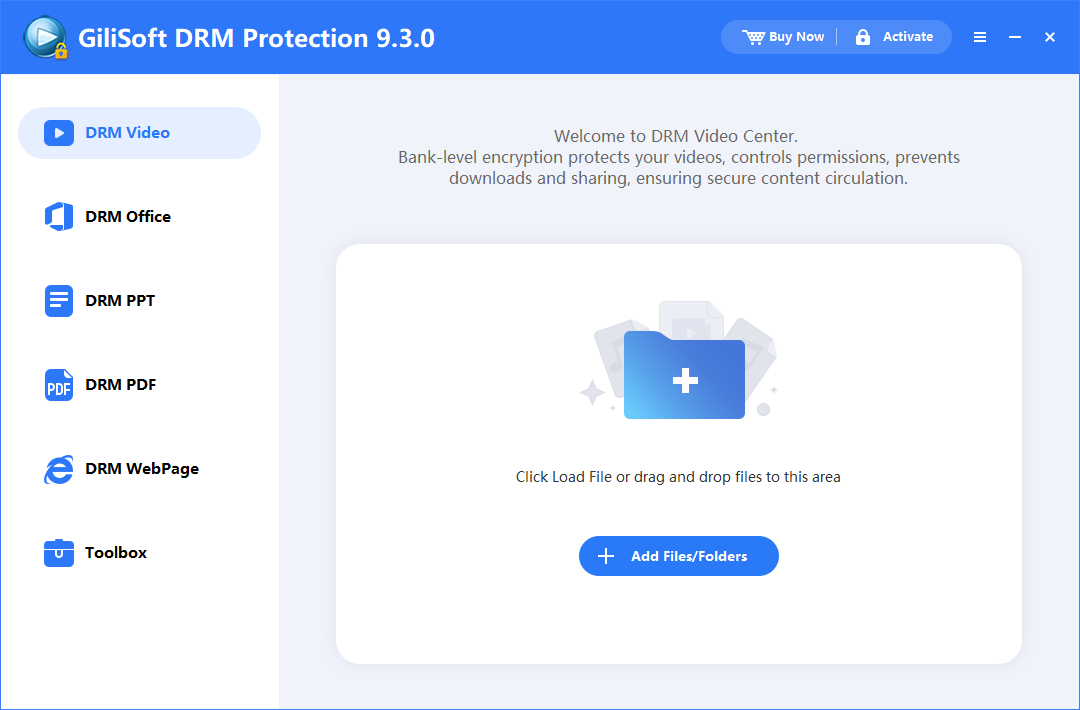
The screenshots below follow the real protection path. Select any image to view it at full size.
Open Video DRM Protection, select the video workflow, add the lessons or supporting files, and confirm that the correct source content is in the project.
Save the Project ID and Encryption Key, then select fixed password, PC binding, storage binding, or preview access according to the delivery model.
Configure fixed or dynamic watermark text, common screen-capture deterrence, virtual-machine checks, and the playback restrictions needed by the training program.
Create the protected output, test it on a second Windows computer, and verify password prompts, playback, sound, seeking, watermark placement, and device binding.
Create the playback password using the saved project information. Add the viewer's machine code for PC binding and set play count, expiry, preview, or watermark details when required.
Best for straightforward password-protected offline video packages where simple local playback is enough.
Best when the main job is controlled offline delivery with stronger anti-copy rules for packaged video content.
Best for paid or confidential training that needs device binding, dynamic watermarking, usage limits, and revocation.
Yes. Use an offline-capable package and select the authorization method that fits the viewer's computer or storage device. Test the complete package before release.
If online blacklist verification was configured before delivery, add the leaked credential to the blacklist and issue replacement access to the authorized viewer.
Yes. PC binding uses the viewer's machine code when the playback password is created.
Yes. Dynamic watermark text can identify a learner, customer, department, or delivery batch during playback.
DRM can deter and block common software capture paths while adding visible traceability. No desktop tool can prevent someone from pointing an external camera at a screen, so device binding and viewer watermarks remain important.
Basic encryption controls opening the package. Video DRM adds viewer-specific rules such as device binding, expiration, play limits, watermarks, and password revocation.
Plan protected delivery for students and downloadable course libraries.
Compare the core licensing and playback controls used for instructional content.
Understand passwords, binding, expiry, and viewer authorization.
Follow the complete product workflow with full-size screenshots.
Package course and internal training videos with device binding, dynamic watermarks, usage rules, and blacklist-based password revocation.
Buy Video DRM Protection