
If you want to keep your data safe, encryption is the only solution for you. Encryption protects your sensitive data against cyber threats and helps to comply with local or international security standards. File encryption is a data encoding method to transfer or store files safely. Thus, you will be required to use folder encryption software to prevent your data from tampering or unauthorized access.
However, if you don't know what folder encryption software is and which software will better help you secure your data, let's walk through this guide till the end. Here you will meet the top 10 folder encryption software that can keep all threats away from your data. So, let's get started.
- 1. GiliSoft File Lock Pro
- 2. BitLocker
- 3. Folder Lock
- 4. LastPass
- 5. AxCrypt
- 6. CryptoForge
- 7. Avast
- 8. SensiGuard
- 9. 7-Zip
- 10. VeraCrypt
Free File/Folder Encryption Software - Overview
File or folder encryption software is a program that uses cryptology to protect your sensitive data against unauthorized access. The software aligns the data movement to secure the folder content and eliminates all types of vulnerabilities around it.
The encryption software also allows you to protect vital information from prying eyes and only allows access with a proper decryption key. The software uses various components to secure your data, such as:
- Layer data protection to provide safety to both you, your organization, and other trading partners.
- Ensure your data remains safe across any device.
- It helps to securely transfer your data on the internet.
- Allow you to meet all the local and international security standards targeting your industry.
Top10 Best Folder Encryption Software for Windows Users
As you figured out how folder encryption software can protect your data, now you must be excited to encrypt your files and folders. However, you must also be confused as there is so many great folder encryption software available in the market.
So, for your convenience, we did market research and shortlisted the top 10 folder encryption software for Windows users in 2026. Here are the best programs to encrypt your files or folders:
1. GiliSoft File Lock Pro
GiliSoft File Lock Pro is a complete data security system that protects, hides, and locks your drives, files, or folders. Using this software, you can hide or lock your external drive or local disk with a click. The software allows you to encrypt your files and folders into GFL or EXE format with an AES encryption algorithm. Thus, no one without your permission can access, delete or move your data.
Step 1. Enter your File Lock Pro password to launch GiliSoft File Lock Pro. Register with a valid email and license code when required.
Step 2. Click File Encryption under More Tools > Click Add Files or Add Folders.
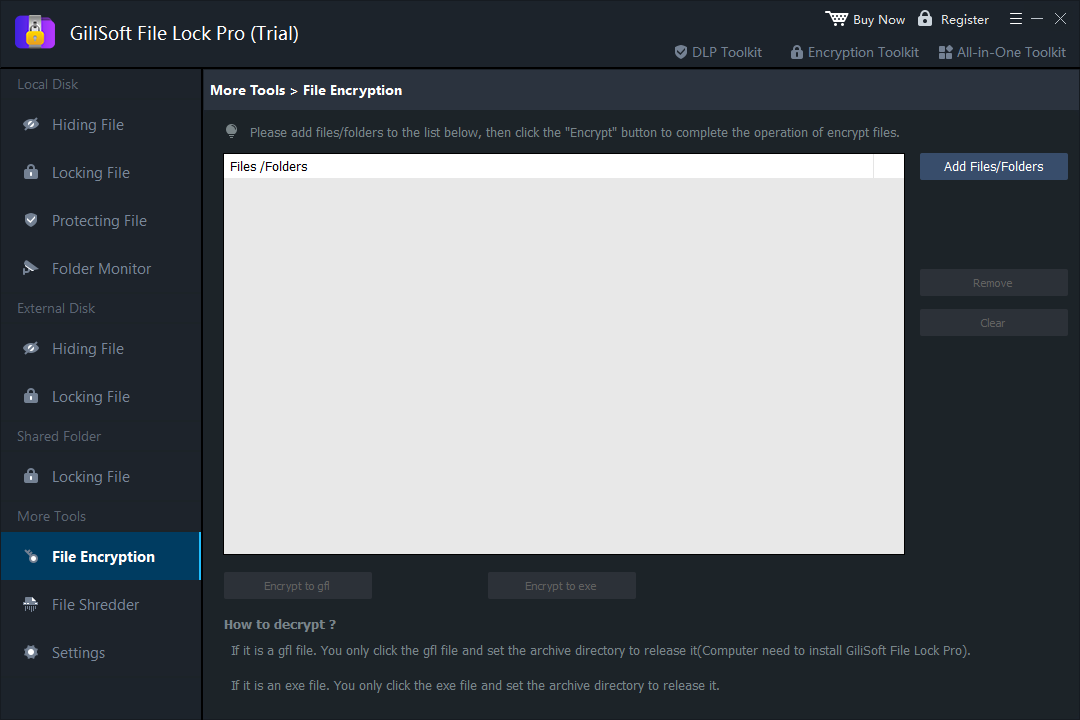
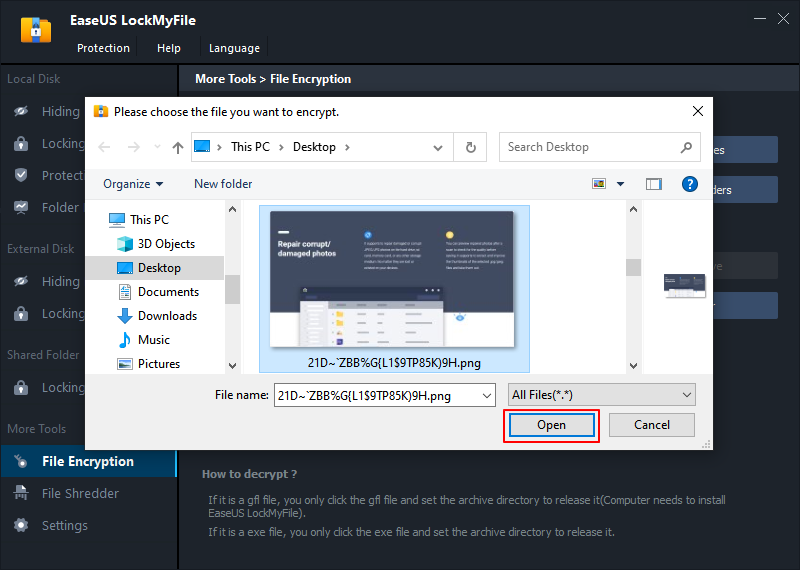
Step 3. Select important files or folders that you need to encrypt, and click Open.
Step 4. Select the encryption mode: Encrypt to gfl or Encrypt to exe.
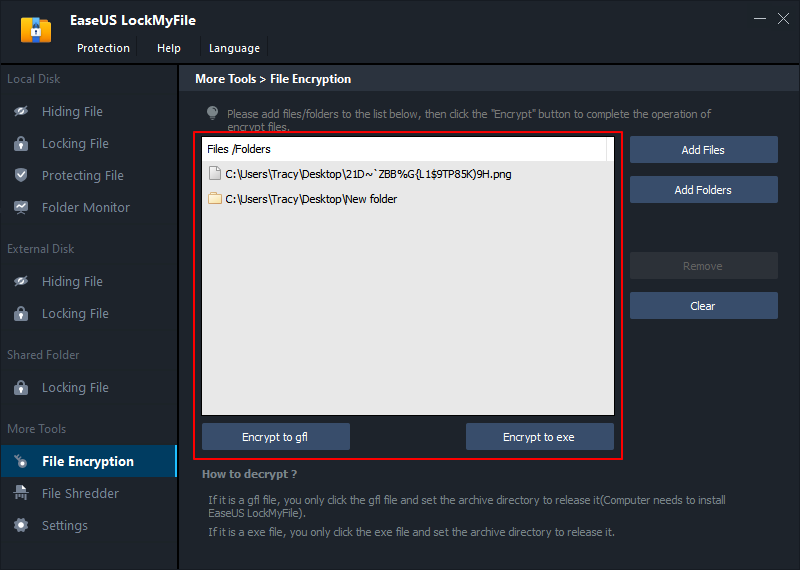
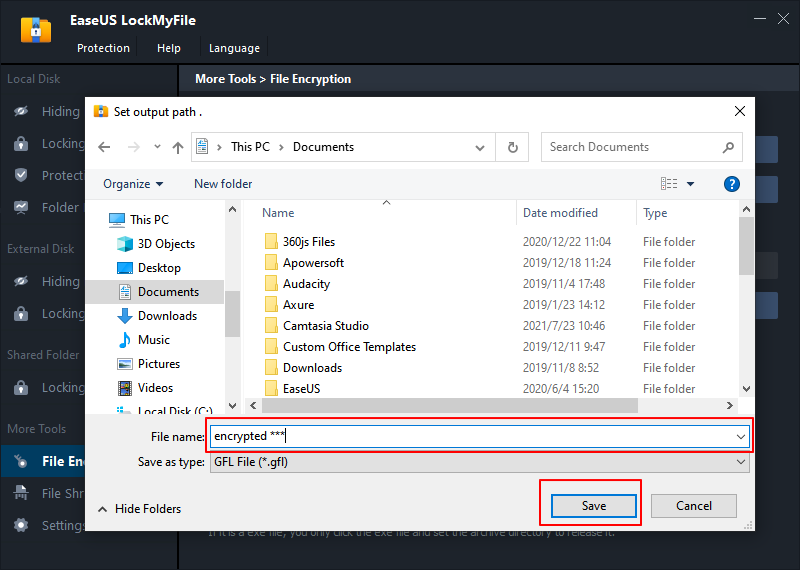
Step 5. Browse a safe location on your PC, rename the encrypted file or folder, and click Save to save the encrypted files/folders.
Resilient Features
- You can password protect your files or folders.
- Self-protection mode lets you hide your data, and when someone enters the wrong password 5 times, you will receive an email notification.
- It can help you set the password for your data shared on the network.
Pros
- Encrypt all types of data, including photos, videos, docs, etc.
- Secure folders on local or external drives.
- Easy to use.
- Lock, hide and protect your sensitive files.
Cons
- Not free, though a free trial is available.
Here you can use these easy steps to use GiliSoft File Lock Pro to encrypt files and folders on your computer:
2. BitLocker
BitLocker is an easy-to-use Microsoft software designed to protect information present on a device in case of theft or loss. It is a proprietary Windows encryption software that helps you encrypt your entire drive and prevent unauthorized system changes such as firewall-level malware.
The software is available on all the leading Windows versions, except Windows 11. Additionally, to use BitLocker, you need a PC running on the storage drive with at least two partitions and a Trusted Platform Module (TPM). The TPM is a special chip that runs an authentication check on your software, hardware, and firmware. If you don't have TPM on your system, you can't use BitLocker.
Resilient Features
- BitLocker can encrypt removable drives on the Windows XP or above versions.
- You can use this software with a command line too.
- BitLocker can be managed through Windows PowerShell.
- Three encryption modes are available with the BitLocker — Transparent operation mode, User authentication mode, and USB key mode.
Pros
- Easy to deploy.
- Smooth integration with Windows.
- Whole drive encryption.
- Use hardware chips for better security.
Cons
- Sometimes it takes longer to encrypt.
- Encrypting secondary-drive is a bit complicated.
- Encryption often stops midway.
3. Folder Lock
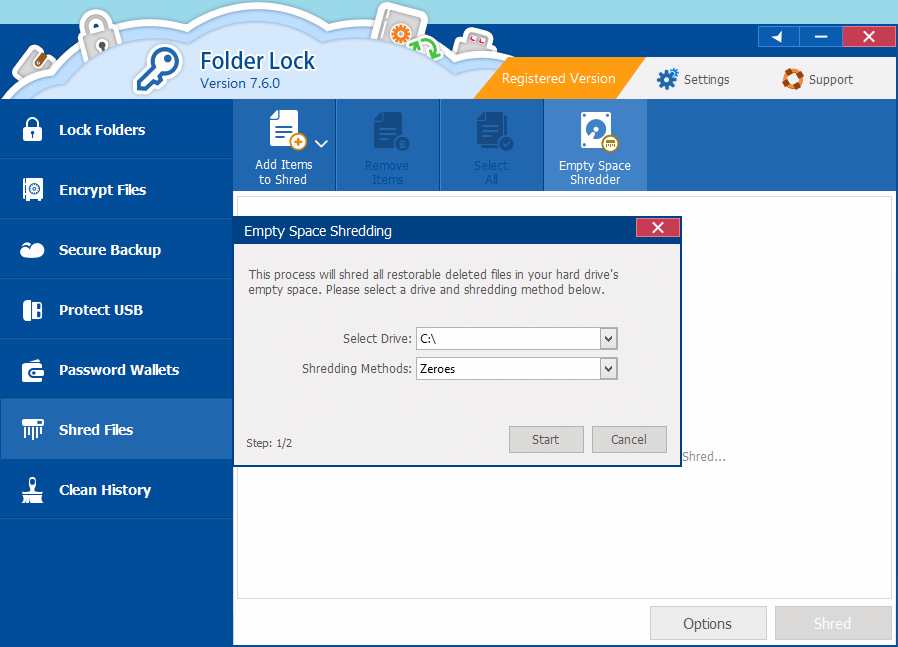
Folder Lock is an AES 256-bit military-grade encryption or lock system. It can fully encrypt your files or folders with 2-way encryption and backup.
The software is designed to lock and hide files within seconds. It also enables you to password protect and restrict unwanted access to your files and drives. Once you lock a folder using the software, it will only be accessible through the software interface.
Resilient Features
- You don't need to encrypt or decrypt files to access; simple copy and paste will do the job for you.
- The software also lets you backup your encrypted files online.
- You can store your locked files on your USB or external drives too.
- Folder Lock enables you to create digital wallets to protect your sensitive information on a regular basis, such as bank details, ATM pin, credit cards, etc.
Pros
- Simple to use.
- Intuitive user interface.
- Excellent encryption software.
Cons
- No two-factor authentication.
- Can't encrypt text.
- Doesn't support public-key cryptography.
4. LastPass
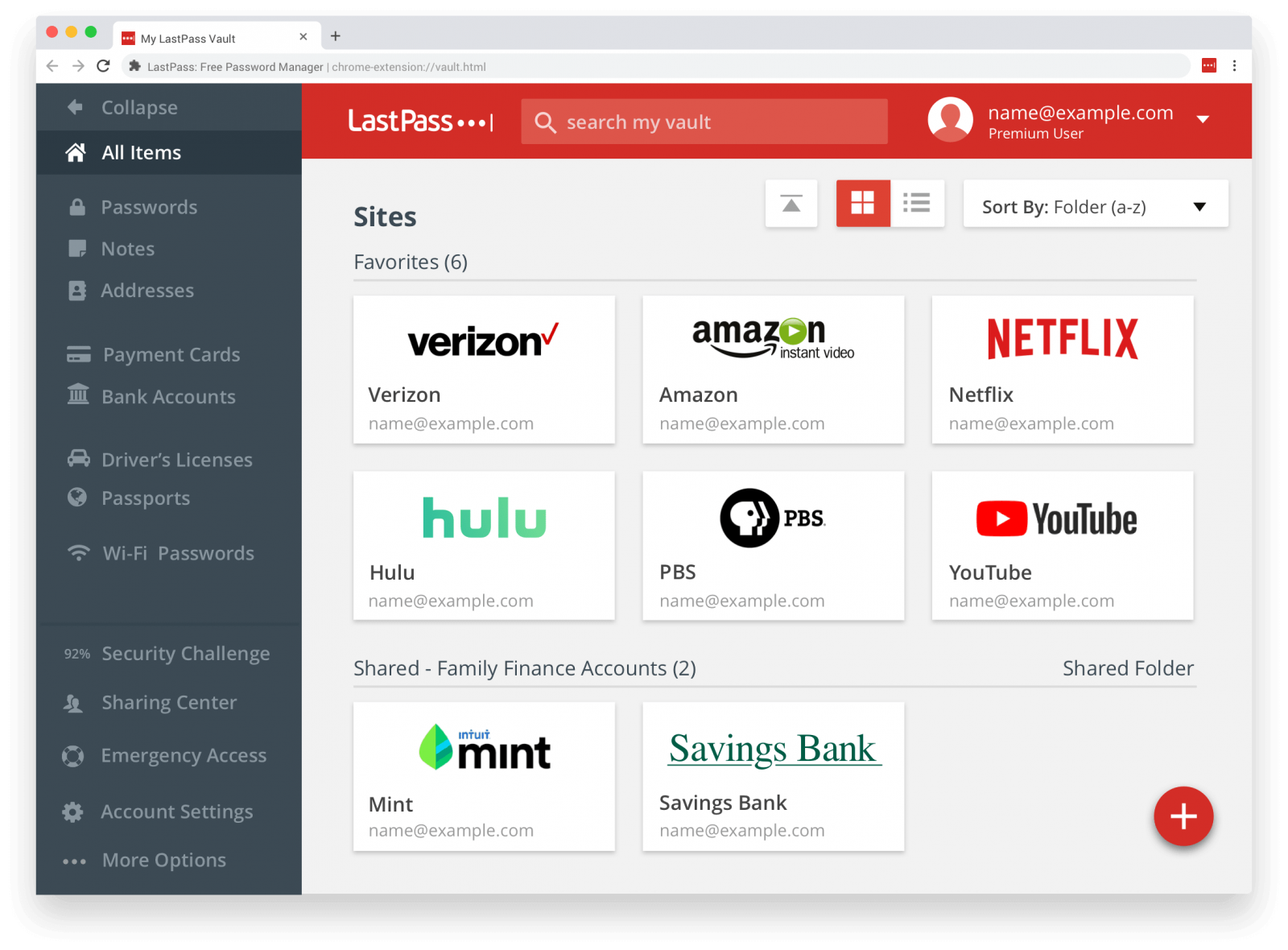
LastPass is a digital password management tool that can fully secure your digital fingerprints. It is an auto-pilot password management software with a simple login and log-out module.
Basically, LastPass can handle all your passwords like shopping sites, files, folders, or other digital passwords. It also detects your password strength based on duplicate, weak, old, or compromised. If your password isn't up to the bar, LastPass will send you an email to make your password stronger. Overall, if you want to effectively manage your passwords, LastPass is a great tool for you.
Resilient Features
- The built-in password generator helps to create strong passwords to protect against hacking.
- LastPass can store all your digital records, including Wifi passwords, credit card details, etc.
- The software offers dark web monitoring and sends instant alerts when your personal information is at risk.
Pros
- Built-in password generator.
- Strong security features.
- Supports multi-access device syncing.
- Nicely work with secure logins.
Cons
- Hard to import databases.
- No live support.
5. AxCrypt
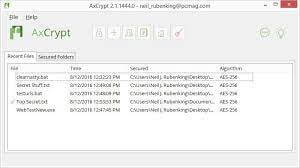
AxCrypt is an easy-to-download and folder encryption software. It is open-source software that can secure your files, documents, and data on both public and private domains. If you often collaborate with different people and have to create various digital passwords, AxCrypt offers all core security features, including editing encrypted files, password generation, storage, and more.
Resilient Features
- Offers strong file encryption with 128-bit or 256-bit encryption.
- Automatically secure your files on cloud storage like Google Drive, Dropbox, etc.
- Allow users to open files with their own passwords and collaborate securely.
- Password manager that can help you seamlessly access your digital passwords.
Pros
- Provides multiple platform support.
- Cloud storage support.
- Built-in password management feature.
Cons
- The free version offers limited features to Mac users.
- AES-256 encryption is only available to premium users.
6. CryptoForge
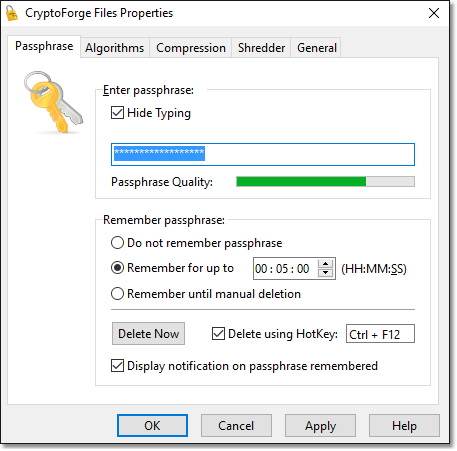
CryptoForge is another nice folder encryption software that Windows users can try in 2026. The software comes with a variety of encryption, data security, and many other tools. CryptoForge has robust file encryption and decryption features to securely transfer your files if you frequently have to share data on the internet.
Resilient Features
- It can encrypt large files for 64-bit sizes.
- You can easily send encrypted files and decrypt them with this tool.
- Supports the advanced AES level encryption.
- It is also a command-line encryption software that you can operate with a few easy commands.
Pros
- Easy to use.
- Works on modern encryption algorithms.
Cons
- Not free.
- Poor customer support.
7. Avast
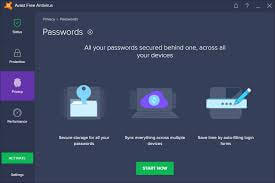
Avast is a big name in the antimalware industry. But it is seventh on this list because it's not a dedicated folder encryption software. It provides wholesome data security and antivirus solutions, and encryption here is a very small part of the entire package. However, it is free software for personal use and comes with excellent antimalware, antivirus, phishing protection, online security, and more.
Resilient Features
- Avast Wifi Inspector fully secures your network so you can securely share files and folders.
- Avast's Software Updater constantly scans your computer and reports any out-of-order activities.
- Allows you to safely browse on the web.
- Provides a strong shield against ransomware.
Pros
- Excellent protection for all the devices
- Free for personal use.
Cons
- The business version is quite expensive.
8. SensiGuard
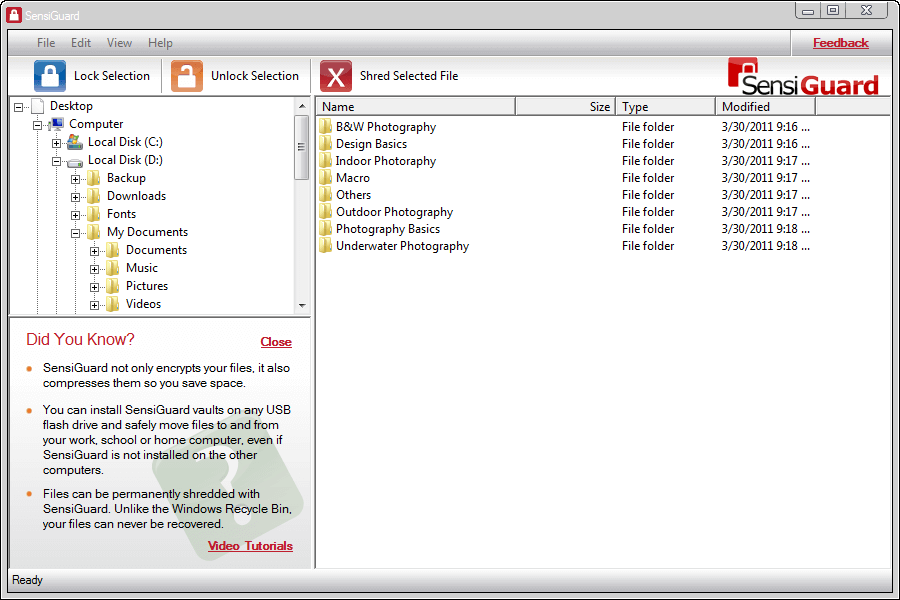
SensiGuard is a modern yet simple-to-use folder encryption software that can encrypt all your data. It can also protect your private information and provide safety against online identity theft. The software uses 256-bit AES encryption that you can access without any technical knowledge. All in all, SensiGuard is a fast and simple software for file encryption.
Resilient Features
- SensiGuard offers USB flash drive protection.
- Completely delete files from your computer that can't be recovered ever again.
- Automatically compress file size to save space on your device.
Pros
- Easy to use.
- Excellent file shredder.
- Supports AES-256 encryption.
Cons
- No live support.
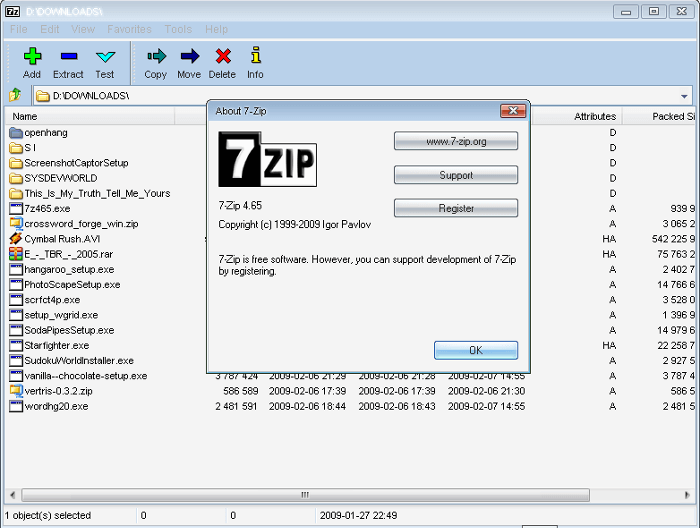
9. 7-Zip
7-Zip is a free and open-source data encryption software. Most software codes are registered under the GNU LGPL license, which allows you to customize the program according to your needs. Besides the AES level encryption, 7-Zip can zip files in multiple formats on your computers like 7Z, XZ, ZIP, TAR, GZIP, ZIP, and many others.
Resilient Features
- Offers a high compression ratio with LZMA and LZMA2 formats.
- Powerful AES-256 encryption in 7z and ZIP formats.
- Smooth integration with Windows Shell.
- Available in 87 local languages.
Pros
- Powerful file manager.
- Supports command line.
Cons
- Complex for beginners.
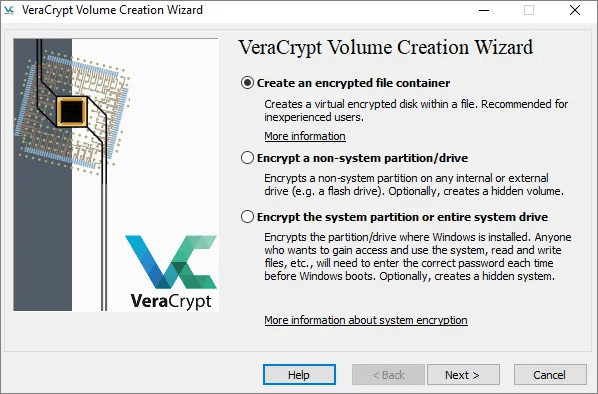
10. VeraCrypt
VeraCrypt is another free folder encryption software with military-grade level encryption. It is open-source software that you can use for free, but it does not have an intuitive interface. However, this can be compensated with multiple device support and high-end security standards.
Resilient Features
- VeraCrypt supports various individual ciphers, including AES, Twofish, Serpent, Camellia, and Kuzunyechhik.
- The software offers parallelized encryption for multi-core systems.
- Supports Unicode passwords on all the systems.
Pros
- Compatible with Windows, macOS, and Linux.
- Protection against brutal attacks.
- On-the-fly encryption.
Cons
- Requires tech knowledge to set up.
- Doesn't offer cloud integration.
Which Is the Best Folder Encryption Software
Can't decide which folder encryption software is the best for you? Well, all these tools are very useful and powerful in their own way. So, it is common to feel confused.
However, to clear your confusion, it is recommended to ask yourself a few basic questions to find the best folder encryption software. Here this table will better help you find a suitable folder encryption software:
| Point to Consider | GiliSoft File Lock Pro | BitLocker | Folder Lock | LastPass | AxCrypt | CryptoForge |
|---|---|---|---|---|---|---|
| What operating systems are supported? | Windows 2000/2003/XP/Vista/7/8/10/11 | Windows 2000/2003/XP/Vista/7/8/10/11 | Windows, iOS and Android | Windows, Mac, iOS, Android and Linux | Windows and Mac | Windows 2000/2003/XP/Vista/7/8/10/11 |
| Is the software available under your budget? | Free trial with three lucrative pricing options — $29.95/month, $49.95/year and $69.95 for lifetime | It’s cost $100 additional to your Microsoft Windows | No free trial. One time cost $39.95 | Free basic version. Paid version starts from $4/month | Free encryption for Windows users. For Mac users, $3.75/month | Free basic version. Single plan starts from $39.70 |
| Does the program support military grade encryption? | Yes | Yes | Yes | Yes | Yes | Yes |
| How much technology training is required to use the tool? | Beginner level | Beginner level | Beginner level | Beginner level | Beginner level | Technical level |
| Can you create a strong password with the program? | Yes | Yes | Yes | Yes | Yes | Yes |
| Can you encrypt external drives? | Yes | Yes | Yes | Yes | Yes | N/D |
Parting Thoughts
We hope that this guide has helped you find the best folder encryption software suiting your needs. Overall, all 10 folder encryption software are very nice with the military grade level encryption system. Thus, you should evaluate your system requirements and encryption needs to select the suitable tool.
If you have doubts or want to try GiliSoft File Lock Pro, you can contact us anytime.