
USB Device Control Software for Windows
Block unauthorized storage and transfer channels, keep approved company devices available, and review access attempts without disabling every USB-connected device.
What USB Device Control Software Actually Does
USB control is different from encrypting a flash drive. Device control protects the computer side: whether USB storage, external disks, phones, card readers, CD/DVD media, or related channels may be used. USB encryption protects files stored on the removable drive itself.
Microsoft documents the same allow-or-prevent model in Windows device policies, including approved-device exceptions. Microsoft Defender adds removable-media events and reports. Enterprise suites extend that model with centralized consoles, user or group policies, and detailed file-transfer auditing. The right product depends on how many PCs you manage and how much central administration you need.
If your immediate task is narrower—blocking USB storage and transfer channels while keeping essential peripherals available—see the focused USB port blocking software guide.
Six Controls Worth Checking Before You Buy
Check whether the product covers only USB storage or also SD cards, phones, optical media, Bluetooth, printers, and other ports relevant to your PCs.
A blanket block interrupts legitimate work. Approved company drives should remain usable without reopening access to every personal device.
Policy settings need a password and recovery path so ordinary users cannot simply turn restrictions off.
Logs should show when access was allowed or denied so administrators can verify settings and investigate support incidents.
One or several Windows PCs need a different product from a global fleet that requires a central cloud or on-premises console.
Some enterprise products add read-only access, user/group policies, temporary access, file-type limits, or file-level tracing. Confirm which controls are required before comparing price.
Choose the Right Control Method
| Option | Best fit | What it gives you | What to plan for |
|---|---|---|---|
| GiliSoft USB Lock Recommended for Windows | Offices, schools, labs, kiosks, and shared Windows PCs | Device-category restrictions, trusted USB whitelist, password-protected settings, and access logs | Install and test on each target PC; discuss customization for a large deployment |
| Windows Group Policy | Domain-managed Windows environments with experienced administrators | Allow or prevent installation using device IDs, instance IDs, classes, and approved exceptions | Policy design and device-ID testing can be technical; installation control is not the same as full transfer auditing |
| Microsoft Defender Device Control | Organizations already using eligible Microsoft Defender and Intune services | Removable-media rules, approved device groups, audit/block/allow events, and Defender reporting | Microsoft licensing, policy configuration, and reporting administration |
| Enterprise DLP device control | Large or cross-platform fleets | Central policies, user/group targeting, temporary access, detailed reports, and broader DLP integration | Higher licensing and operational overhead; compare Endpoint Protector, ManageEngine, and similar platforms |
Why GiliSoft USB Lock Fits Windows Device Control
GiliSoft USB Lock is built for a direct Windows requirement: stop personal or unknown removable devices while keeping approved work devices available. It avoids forcing a small office, classroom, lab, front desk, or shared-PC environment to build complex device-ID policies from scratch.

Controls that match common Windows risks
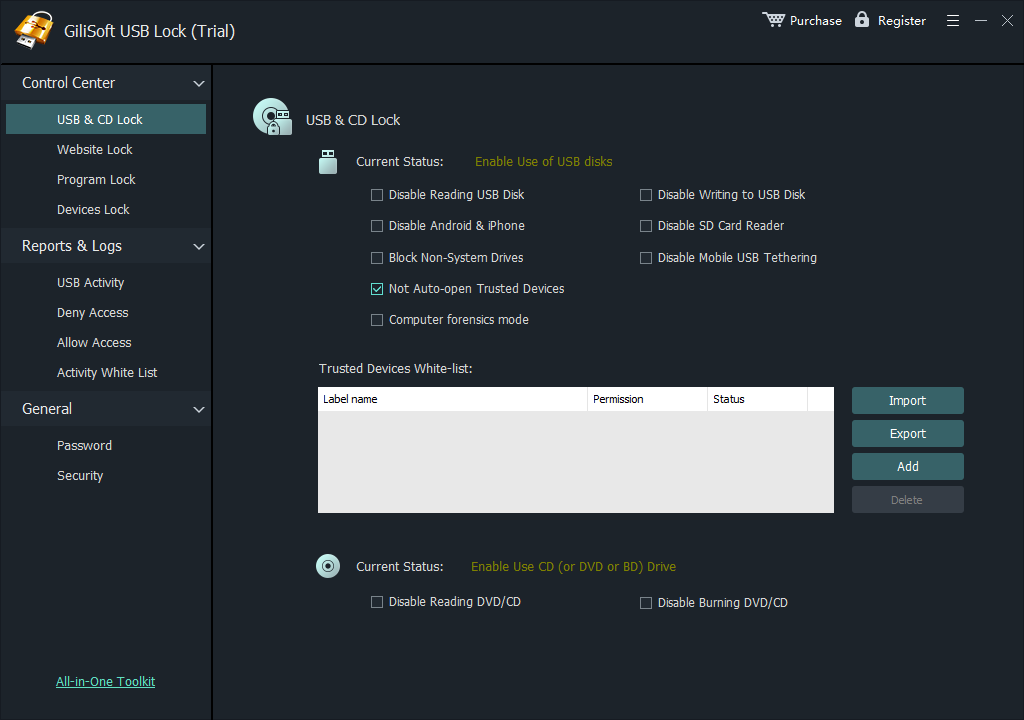
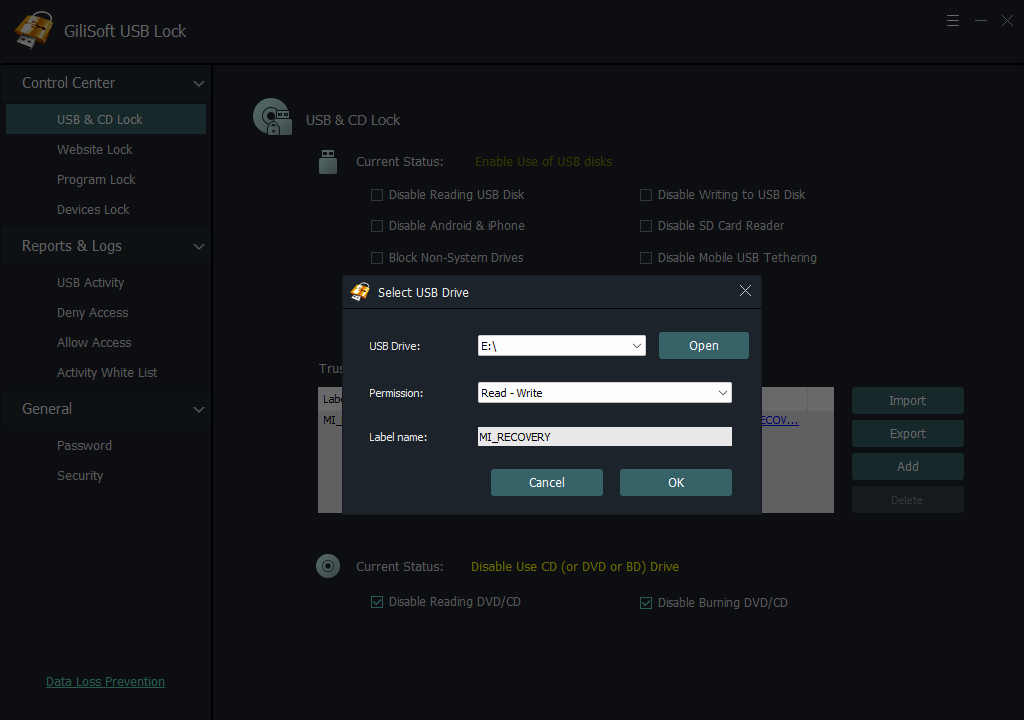
Restrict USB and SD storage, CD/DVD media, Android and iPhone data transfer, USB tethering, and selected local device channels. Add approved company USB drives to the whitelist, protect administration with a password, and review allow or deny events in the log.
- Block unknown USB and SD storage
- Keep approved USB drives usable
- Restrict phone data transfer and USB tethering
- Control CD/DVD and selected device channels
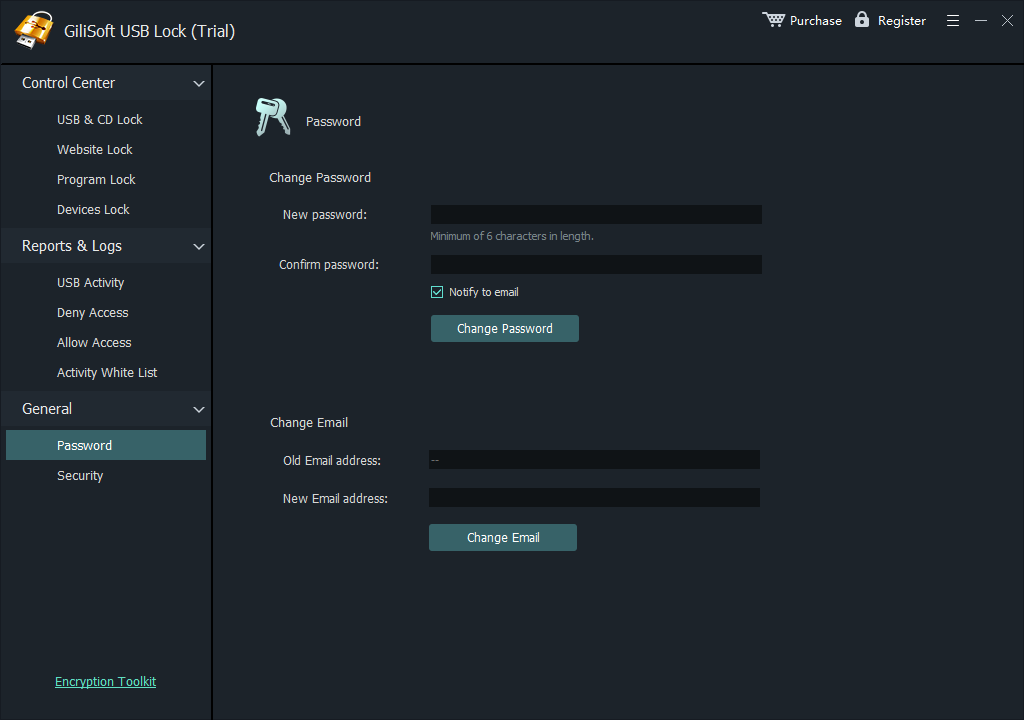
- Protect settings with a password
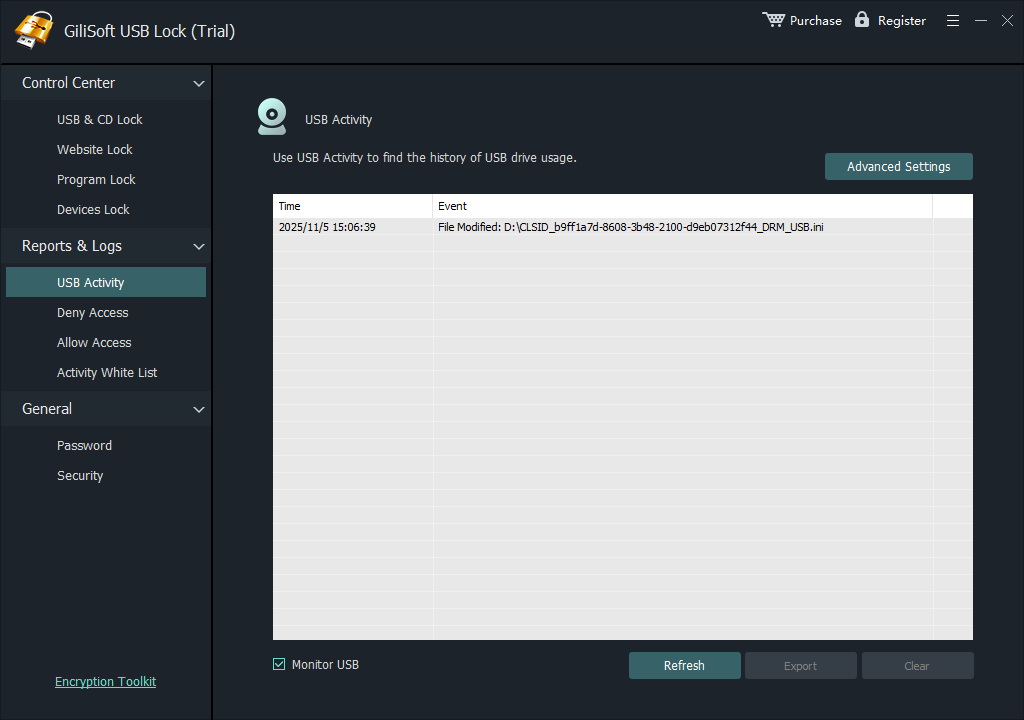
- Review access and policy events
Need USB control across a large Windows deployment?
GiliSoft can evaluate custom development for large-scale projects. Send the endpoint count, Windows versions, device categories, whitelist rules, administrator model, logging requirements, and preferred deployment method. The team can then assess customization, licensing, and rollout requirements.
Discuss a custom USB Lock deploymentHow to Apply a USB Device Policy
- List the device channels employees actually need: approved USB storage, printers, phones, card readers, optical media, or specialist hardware.
- Install GiliSoft USB Lock on a test Windows PC and set the administrative password and recovery email.
- Open USB & CD Lock and restrict only the storage and device categories covered by the policy.
- Insert each approved company USB drive and add it to the trusted-device whitelist.
- Test an unknown drive, an approved drive, phone data transfer, and any hardware used by the department.
- Review the log, export the tested whitelist, and document who may change the policy.
For the complete whitelist procedure, follow USB Lock whitelisting instructions. For company policy planning, see how to block USB ports on company computers.
Where USB Device Control Is Most Useful
Shared office and reception PCs
Block personal flash drives and phones while keeping a named support, backup, printing, or media-transfer drive available.
Schools, training rooms, and computer labs
Stop casual copying and unknown removable media without disabling keyboards, mice, or approved classroom hardware.
Repair, service, and production stations
Use a trusted-device list for approved maintenance drives and review logs when an unknown device is connected.
Large Windows fleets with specific requirements
Prepare the endpoint count, Windows versions, allowed device inventory, administrator roles, reporting requirements, and deployment method before contacting GiliSoft for customization. This produces a useful project estimate instead of a vague request for “enterprise USB control.”
USB Device Control Software FAQ
Can USB device control block storage without disabling keyboards and mice?
Yes, when the policy targets removable storage or selected device categories rather than every USB-connected device. Always test multifunction hardware because one physical device can expose several logical device entries.
Can I allow only company USB drives?
Yes. Add approved drives to the GiliSoft USB Lock whitelist so named company devices remain available while unknown storage stays restricted.
Does GiliSoft USB Lock encrypt files on the drive?
No. USB Lock controls device access on the Windows PC. Choose GiliSoft USB Encryption when the removable drive itself needs a password-protected secure area.
Can GiliSoft support a large deployment?
Yes. GiliSoft can evaluate custom development for large Windows deployments. Provide the endpoint count, Windows versions, required device rules, whitelist behavior, administrator controls, logging requirements, and rollout method.
Is Group Policy enough for USB control?
It can be sufficient for domain-managed Windows environments that mainly need device installation restrictions and approved-device exceptions. Teams that need simpler local administration, activity logs, or product support may prefer dedicated software.
Research Sources
- Microsoft Learn: Device control in Microsoft Defender for Endpoint
- Microsoft Learn: Device control events and reports
- Microsoft Learn: Manage device installation with Group Policy
- Endpoint Protector: Device Control
- ManageEngine: Device Control Plus
- CISA: Risks of Portable Devices
Control removable devices without blocking approved work
Test GiliSoft USB Lock on Windows, or discuss custom development for a large deployment.