
The Quick Answer
This page focuses on the role of AES in file-level video protection. For a page centered on local processing and disconnected viewing, see offline video encryption software. For licensing, revocation, blacklists, or dynamic watermarking, see Video DRM Protection.
What Is AES Video Encryption?
The Advanced Encryption Standard (AES) is a symmetric block cipher standardized by the U.S. National Institute of Standards and Technology in FIPS 197. Symmetric means the protection and recovery process depends on related secret-key material. When applied to a video package, encryption transforms readable media data into protected data that should not be usable as an ordinary video until the intended decryption and playback workflow succeeds.
Encryption, Password, and Playback Controls Are Different Layers
AES-based package protection
Protects the packaged video or supported media data so it is not delivered as an ordinary open source file.
Password verification
Provides the user-facing authorization step before the protected package can be opened.
Protected playback
Uses the GiliSoft player to present encrypted video content through its intended viewing workflow.
Playback deterrence
Screenshot and Save As controls help reduce straightforward capture and reuse paths during viewing.
Changing a video extension, marking a file hidden, or placing it in a password-protected Windows account does not perform the same job as encrypting the media package. Likewise, a password prompt alone does not explain how the underlying file data is protected. A useful product page should describe both the cryptographic layer and the playback layer without treating them as interchangeable.
How AES-Based Video Packaging Works
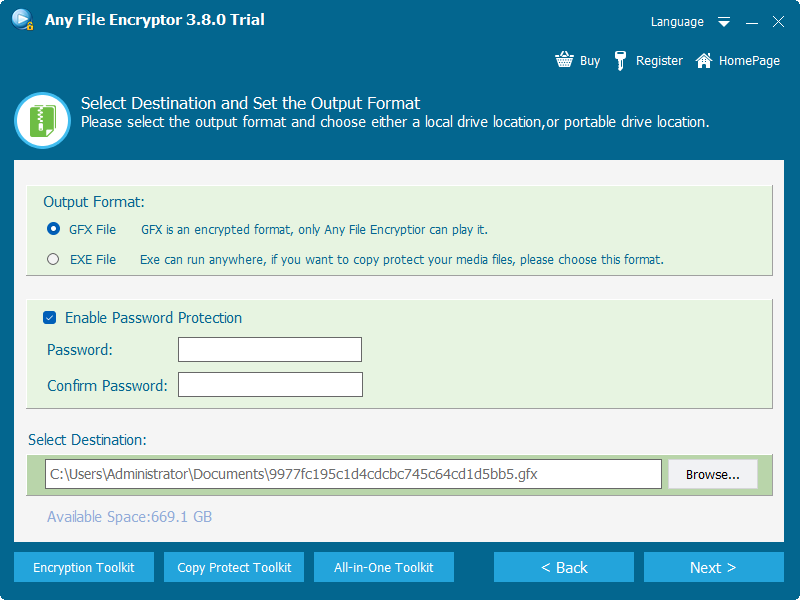
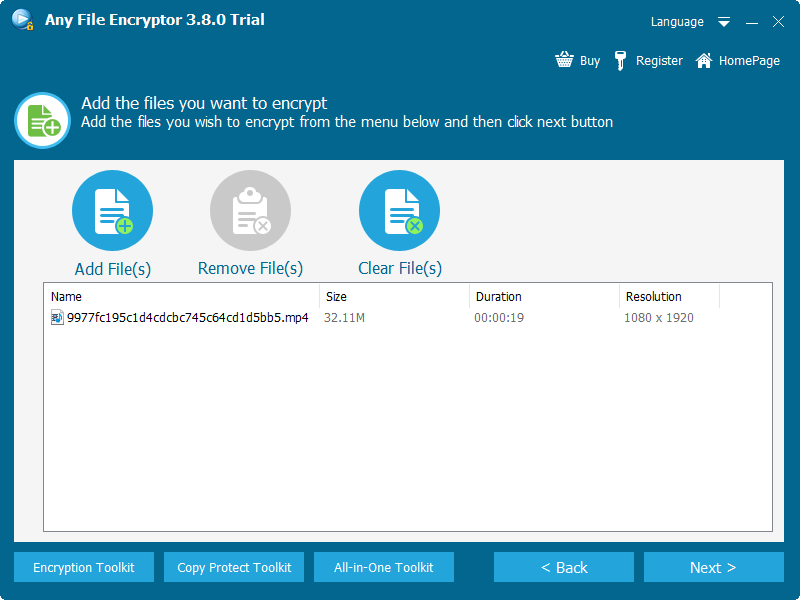
- 1Add the source video or supported files.Select the local media that should be delivered as a protected package.
- 2Choose GFX or Windows EXE output.The selected format determines how the recipient opens the finished package.
- 3Enable password protection.Set and confirm the password that viewers will enter before playback.
- 4Create the encrypted package.The program writes AES-protected output to the destination you select.
- 5Test decryption and playback.Open the package from a recipient-style Windows PC, verify the password, seek through the video, close it, and open it again.
Choose GFX, EXE, or USB-Bound EXE
| Output | Best for | Playback path | Important detail |
|---|---|---|---|
| GFX | Protected-player playback and larger packages | Open with the GiliSoft protected player | Use GFX when output exceeds 4 GB |
| EXE | Self-running delivery to compatible Windows PCs | Launch the executable and enter the password | EXE output is limited to 4 GB |
| USB-bound EXE | A Windows package that should open only with one authorized removable drive | Keep the bound USB connected during launch | Copying the EXE away from the authorized USB should prevent opening |
Any Video Encryptor Screenshots
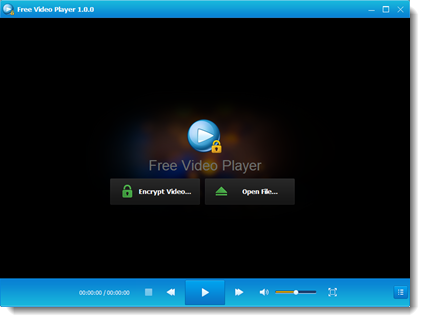
The interface shows the complete package workflow: add local files, select GFX or EXE, enable password protection, and open the encrypted output through the protected player.
 Add source files
 Open protected playback
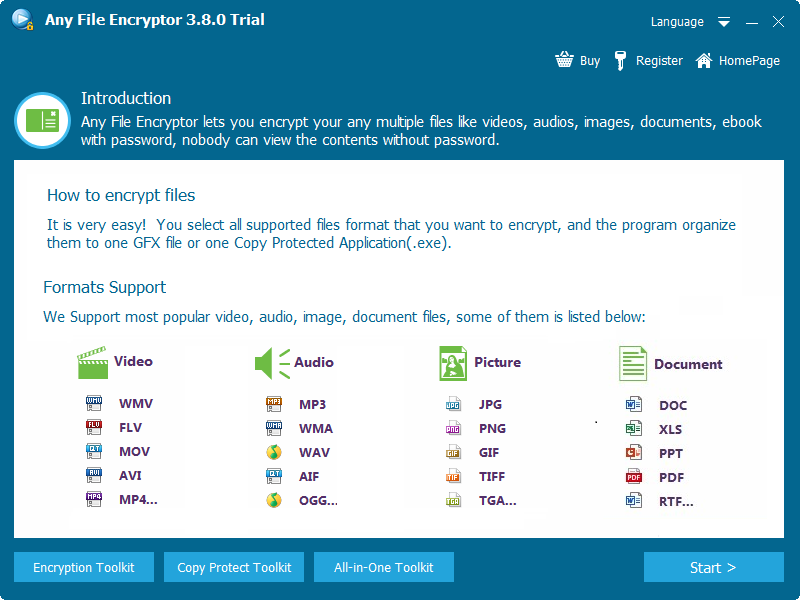 Review supported categories
Compare AES Video Protection with Other Methods
| Method | What it protects | Viewing experience | Best use |
|---|---|---|---|
| AES-protected GFX or EXE | The packaged video and supported file data | Password verification followed by protected playback | File-level delivery and offline sharing |
| AES archive such as 7z | Files stored inside the archive | Extract first, then use an ordinary player | Protected storage and transfer |
| BitLocker To Go | The entire removable drive | Unlock the volume, then use ordinary files and applications | Whole-drive protection |
| Video DRM | Encrypted content plus viewer or device permissions | Authorization-driven playback | Licensing, revocation, blacklists, and traceability |
| Rename or hide the file | No cryptographic protection | The original media remains recoverable or discoverable | Organization only, not security |
Where AES Video Encryption Fits
Send a protected review package rather than an open draft video.
Prepare password-protected lessons for local Windows playback.
Package lessons for controlled offline handoff.
Protect demos, meetings, and operational videos before distribution.
Keep protection attached to the package after it leaves the creator PC.
Package supported video, audio, image, and document files together.
Practical Security and Delivery Checks
- 1Use a unique, sufficiently long password.AES cannot compensate for a password that is easily guessed or shared carelessly.
- 2Send the password separately.Do not place it in the same folder, USB drive, or email as the protected package.
- 3Keep a verified source backup.Encryption and access control are not substitutes for recovery planning.
- 4Test on the recipient platform.Confirm Windows compatibility, executable policy, player behavior, audio, seeking, and closing.
- 5Use Video DRM when permissions must change later.Choose the DRM product when revocation, licensing, device authorization, or dynamic watermarking is part of the requirement.
Frequently Asked Questions
What does AES video encryption protect?
It protects the video data inside the encrypted package so the recipient does not receive an ordinary open source file. Password verification and the protected player then control the opening and viewing process.
Is the password itself the AES key?
The product documentation does not publish its internal key-derivation design. It is accurate to say that the password authorizes opening the AES-protected package, but not to claim undocumented implementation details.
Does GiliSoft use AES-256?
The public product information confirms AES-based protection but does not specify AES-128, AES-192, AES-256, or a cipher mode. This page therefore does not assign a specific variant.
Can AES-encrypted videos play offline?
Yes. A tested GFX or EXE package can be opened through its intended Windows playback workflow without a continuous internet connection.
When should I choose Video DRM Protection?
Choose Video DRM Protection when the project needs licensing, password revocation, device authorization, blacklists, dynamic watermarking, or stronger post-delivery management.
Sources and Further Reading
- NIST FIPS 197: Advanced Encryption Standard
- CISA: Protect data stored on devices
- Microsoft Support: BitLocker Drive Encryption
- NIST SP 800-111: Storage encryption technologies
Related Guides
Offline video encryption software | Encrypt video files with a password | Encrypted video player | Package videos as GFX | AES encryption vs video DRM