

How to Allow Only Work-Related Websites on Windows
Keep approved business portals, webmail, CRM, support, and cloud services available while unrelated browsing remains blocked on office, front-desk, and shared Windows PCs.
Can a Windows PC Be Limited to Work Websites Only?
Yes. Use an allowlist instead of trying to name every distracting website.Block general internet access, add the domains and Windows applications required for work, protect the settings, then review blocked events for any verified dependency you missed.
This model fits reception desks, service counters, warehouses, classrooms, training rooms, shared workstations, and company PCs assigned to a narrow job. It is more predictable than chasing social, streaming, gaming, shopping, and newly created websites one at a time.
Modern business sites often rely on separate sign-in domains, APIs, content delivery networks, document storage, and helper applications. Build the allowlist around the complete work task, not only the address visible in the browser bar.
Compare Ways to Allow Only Approved Websites
| Method | Best fit | Coverage | Administration |
|---|---|---|---|
| GiliSoft WebLock | Office, front-desk, kiosk, study, and shared Windows PCs | Websites, programs, services, IPs, temporary access, and logs | Local Windows tool with password-protected settings |
| Microsoft Edge policies | Managed Edge profiles and devices | URLs opened in Microsoft Edge | Group Policy, registry, or device management |
| Chrome Enterprise policies | Managed Chrome browsers | URLs opened in managed Chrome | Google Admin console or managed policy files |
| Microsoft Defender | Defender for Endpoint environments | Categories, custom URL/IP indicators, and reporting | Central portal and device groups |
| Secure web gateway | Identity and network-wide policy | Domains, full URLs, categories, users, and traffic | Gateway clients, routing, certificates, and central rules |
Recommended for a straightforward Windows rollout: use GiliSoft WebLock when individual or shared PCs need a defined set of business websites and applications without building a browser-management or secure-gateway environment.
Prepare the Work Website Allowlist First
- List each task the PC must perform and the websites used for that task.
- Sign out and in again so authentication and redirect domains are included.
- Open files, submit forms, and test embedded content and approved downloads.
- Record desktop applications and services that require internet access.
- Apply the rule to one test PC before using it on additional computers.
Do not approve a broad parent domain just to fix one missing page. Review the blocked event and add the narrowest verified website, program, service, or IP exception.
Allow Work Websites with GiliSoft WebLock
WebLock combines a restrictive internet policy with separate lists for approved websites, Windows programs, services, and IP addresses. An administrator password protects changes, Temporary Unlock handles supervised maintenance, and the log shows what the policy intercepted.
1. Choose the default internet policy
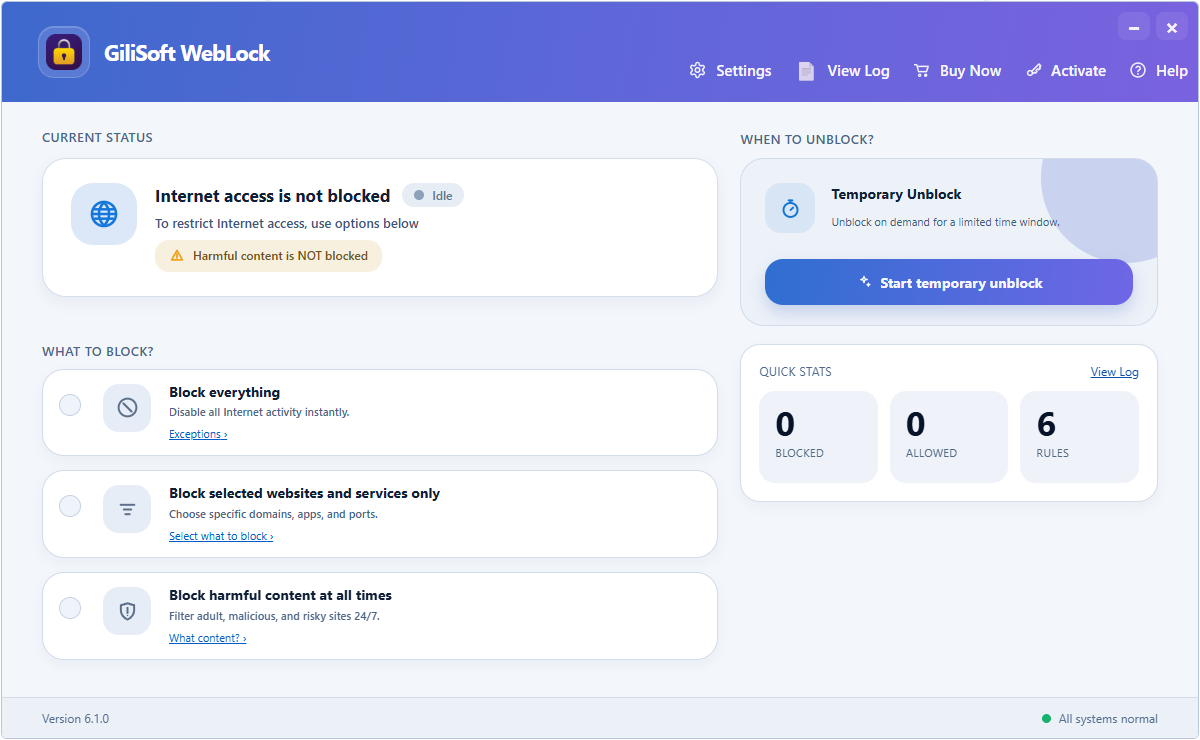
Choose a restrictive default policy before adding the access required for work.
- Open WebLock and enter the administration password.
- Select the policy that blocks general internet access.
- Keep WebLock active while building and testing approved lists.
2. Add approved business websites
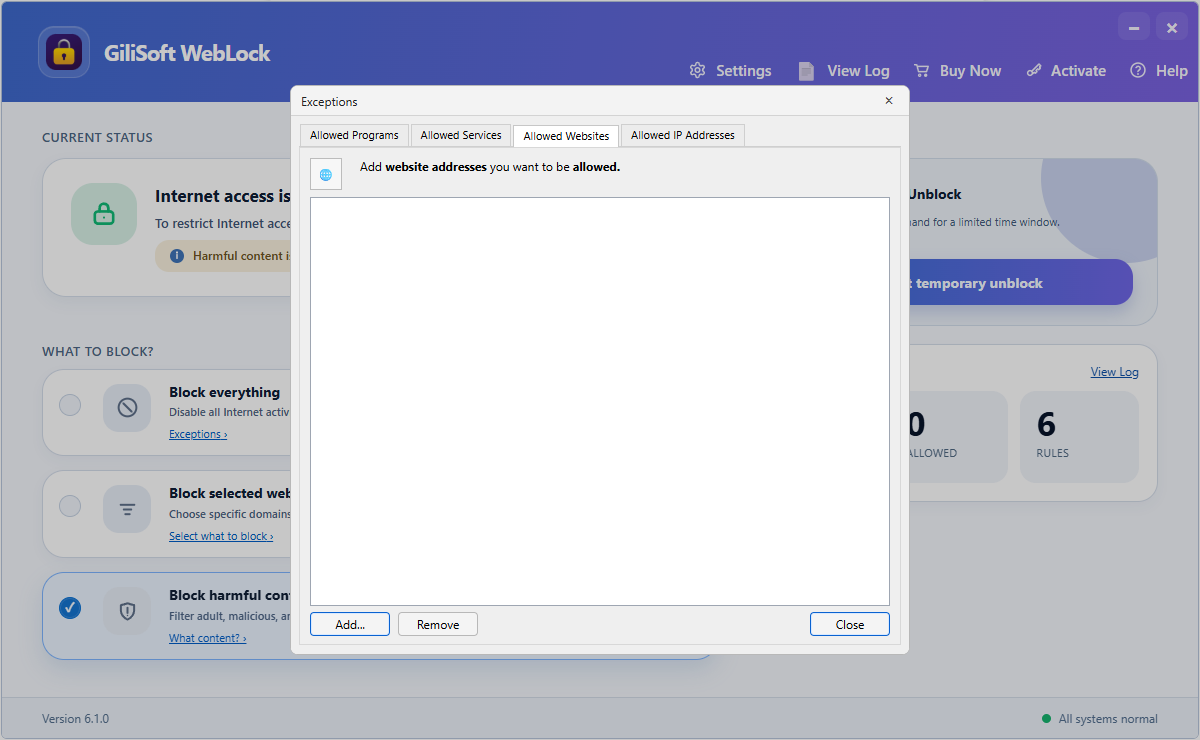
Add the company, cloud, support, and sign-in domains required by the assigned job.
- Open Allowed Websites.
- Add each required domain and save the list.
- Complete the normal sign-in and work sequence on an approved site.
- Try an unrelated site to confirm the default block remains active.
3. Keep trusted business applications online
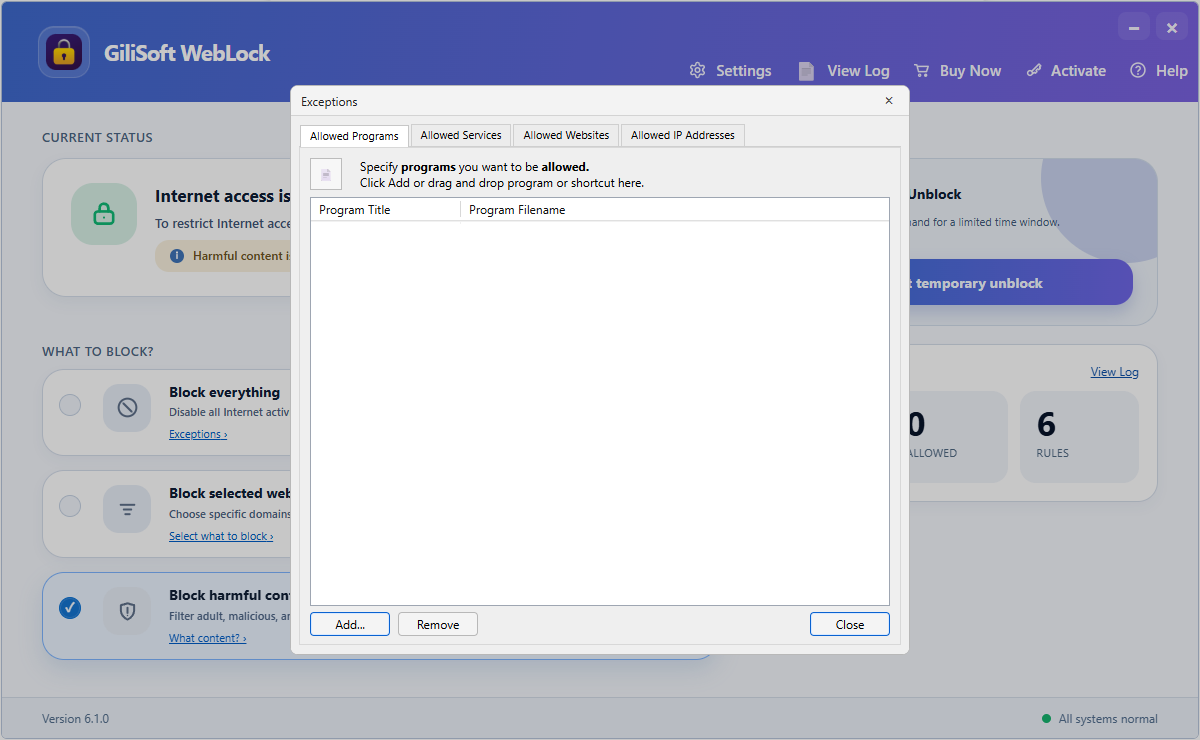
Allow the executable used by an approved desktop application.
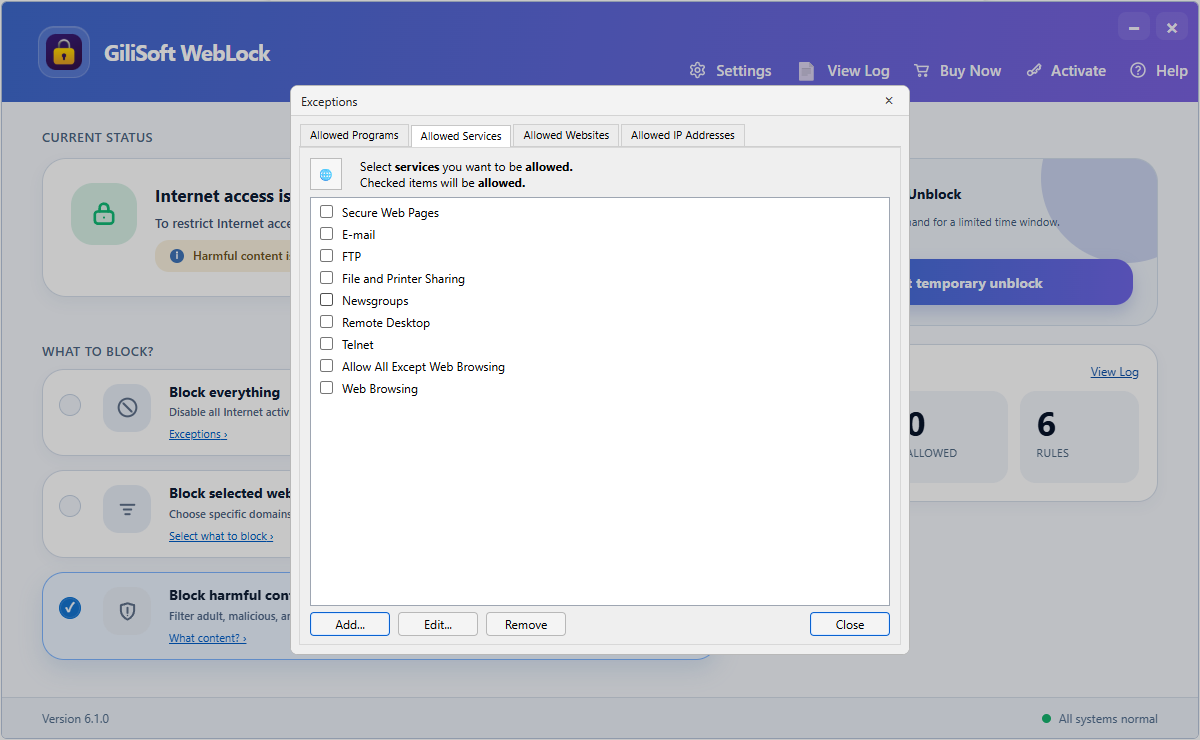
Add a service only when a verified business application requires it.
A website allowlist does not automatically cover every desktop application. Add the executable and any confirmed service or IP dependency, then test the exact online feature employees use.
4. Protect settings and review blocked events
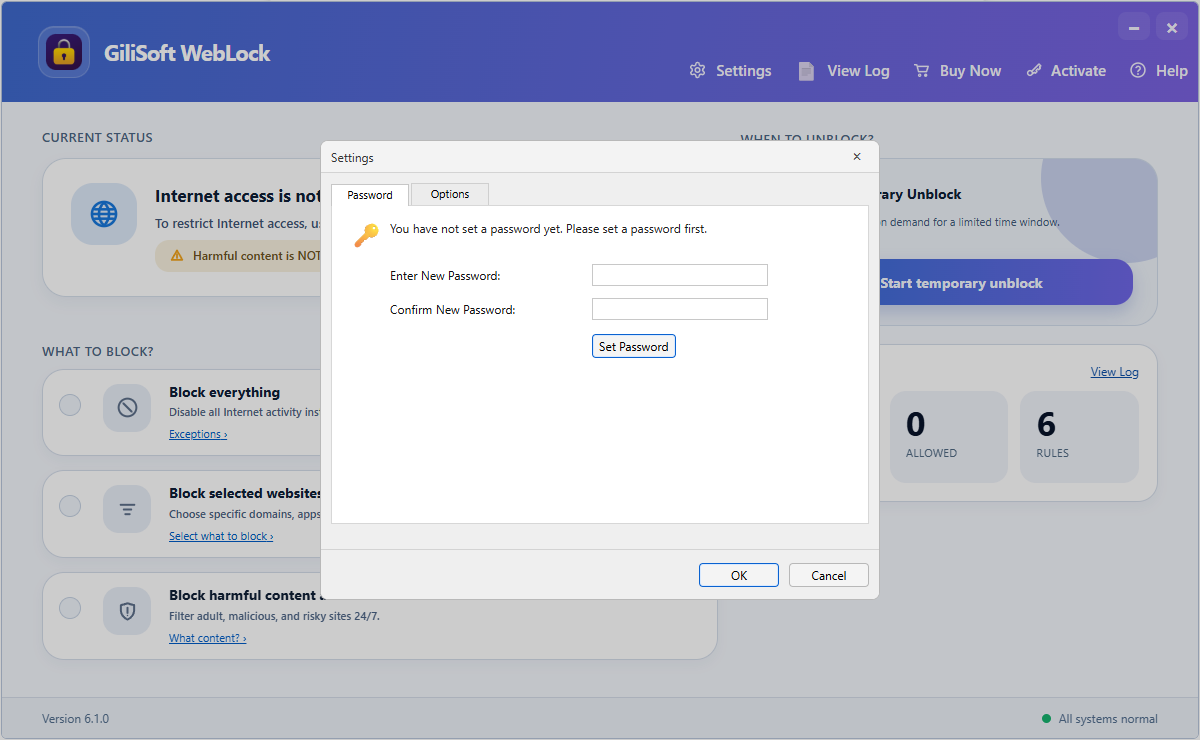
Require authorization before the allowlist or policy can be changed.
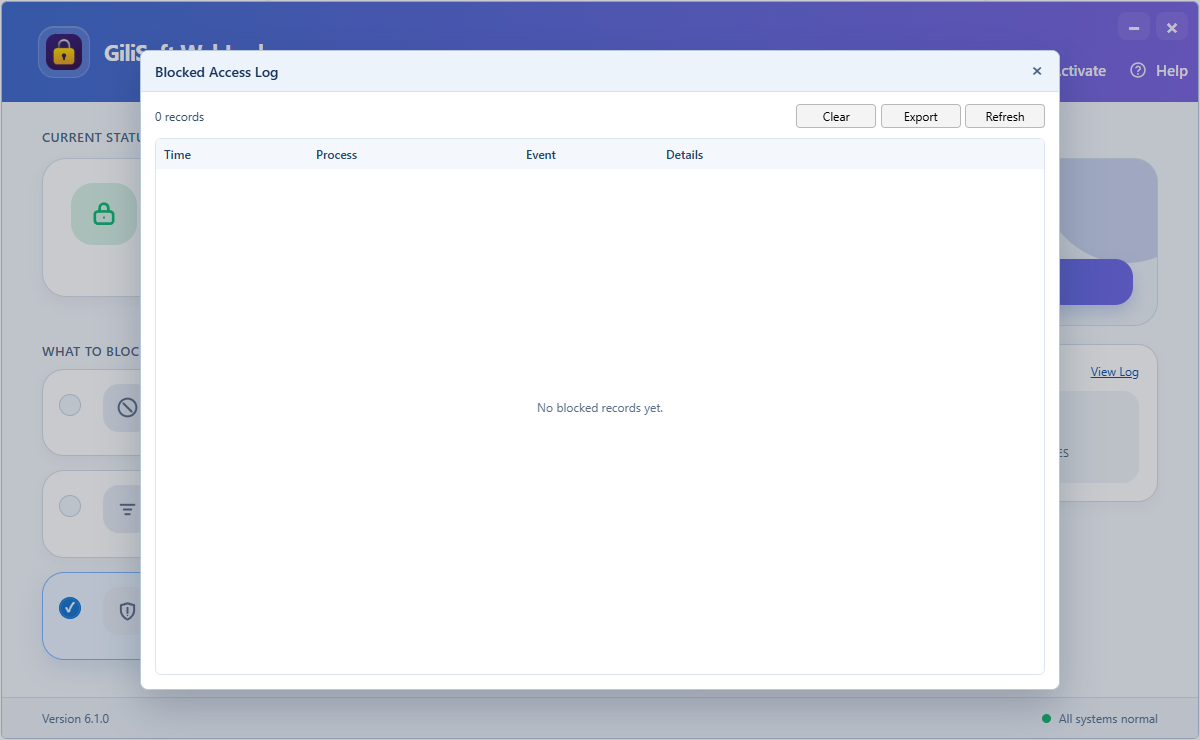
Identify missing dependencies without opening unrestricted access.
Use Edge or Chrome Policies for Browser-Only Control
Microsoft Edge URLAllowlist and URLBlocklist
Microsoft documents a configuration in which * is placed in URLBlocklist and approved destinations are entered in URLAllowlist. The allowed list takes precedence over the blocked list. Policies can be delivered through Group Policy, registry settings, or supported device-management systems.
Google Chrome URLBlocklist and URLAllowlist
Google documents the same default-block model for managed Chrome. Chrome Enterprise supports administration through the Google Admin console and managed policy files. Google also notes that URL lists are basic browser management; stronger filtering may require a content-filtering proxy or extension.
Browser policies are not whole-PC internet control. Desktop applications, alternate browsers, background services, and non-web protocols may require endpoint or gateway controls.
Use Endpoint or Gateway Filtering for Larger Environments
Microsoft Defender for Endpoint
Microsoft Defender web protection combines web threat protection, category-based filtering, and custom URL/IP indicators. Policies can target device groups and provide centralized reporting for organizations already operating Defender for Endpoint.
Secure web gateways
A secure web gateway can evaluate domains, full URLs, content categories, identities, device posture, and network traffic. Cloudflare documents DNS policies for whole domains, HTTP policies for complete URL paths, and network policies for non-HTTP traffic. This provides broader control but requires gateway enrollment, routing, policy administration, and certificate planning for inspected HTTPS traffic.
For larger or specialized WebLock deployments, GiliSoft can discuss customization and deployment requirements directly.
Roll Out Work-Only Browsing Without Breaking Business Apps
- Test on a representative Windows PC first
- Include sign-in, API, storage, and CDN dependencies
- Verify browsers and desktop applications
- Protect changes with an administrator password
- Document who can approve a new website
- Review blocked events before adding exceptions
- Retest after cloud or sign-in changes
- Keep a temporary maintenance procedure
Employees should know why access is restricted, how to request a legitimate site, and who reviews the request. A short approval path prevents policy from interrupting real work.
Frequently Asked Questions
Can I allow one website while blocking everything else?
Yes. Choose a restrictive default policy in WebLock and add the approved domain. Add any verified sign-in, API, program, service, or IP dependency needed for the site to work.
Why is an approved website only partly working?
The page may load resources from other domains or use a separate identity provider. Reproduce the failed action, review the blocked log, and add only the dependency that belongs to the approved task.
Can employees change the website list?
Protect WebLock settings with an administration password and keep it with the person responsible for policy changes.
How do I provide temporary unrestricted access?
Use Temporary Unlock for authorized maintenance. The saved policy can resume after the selected condition instead of being deleted and rebuilt.
Official References
Keep Work Websites Available and Block the Rest
Use GiliSoft WebLock to approve websites and Windows applications, protect policy changes, and review blocked attempts from one Windows tool.