


“Encryption software” can mean four very different things. BitLocker and FileVault protect an entire drive. GiliSoft File Lock Pro controls selected local files and folders. VeraCrypt creates encrypted volumes. Cryptomator encrypts a vault before cloud synchronization. Comparing them as if they perform the same job leads to the wrong purchase.
How We Compared the Encryption Tools
This guide does not award points for unrelated utilities. We compared the protection scope, operating-system support, ease of daily access, recovery options, cloud dependency, and the amount of technical setup each tool requires.
Six Encryption Tools Compared
| Software | Platforms | Protection type | Best for | Cost model |
|---|---|---|---|---|
| GiliSoft File Lock Pro | Windows; separate Mac edition | Selected files, folders, drives, USB and shared folders | Easy local privacy and access control | Paid / trial |
| Microsoft BitLocker | Windows | System, fixed data, and removable drives | Lost-device and offline-drive protection | Built in* |
| Apple FileVault | macOS | Mac startup disk | Native full-disk protection on Mac | Built in |
| VeraCrypt | Windows, macOS, Linux | Encrypted volumes and containers | Technical users and portable encrypted storage | Free / open source |
| Cryptomator | Windows, macOS, Linux, mobile | Client-side encrypted cloud vault | Cloud-synced documents and photos | Desktop free |
| AxCrypt | Windows, macOS and others | File encryption and encrypted vault | Cross-platform files and team sharing | Free limits / paid |
*Manual BitLocker Drive Encryption enablement is licensed on supported Windows editions; Device Encryption availability depends on the Windows device and hardware configuration.
1. GiliSoft File Lock Pro
Best for selected Windows files, folders, drives, and shared-PC privacy
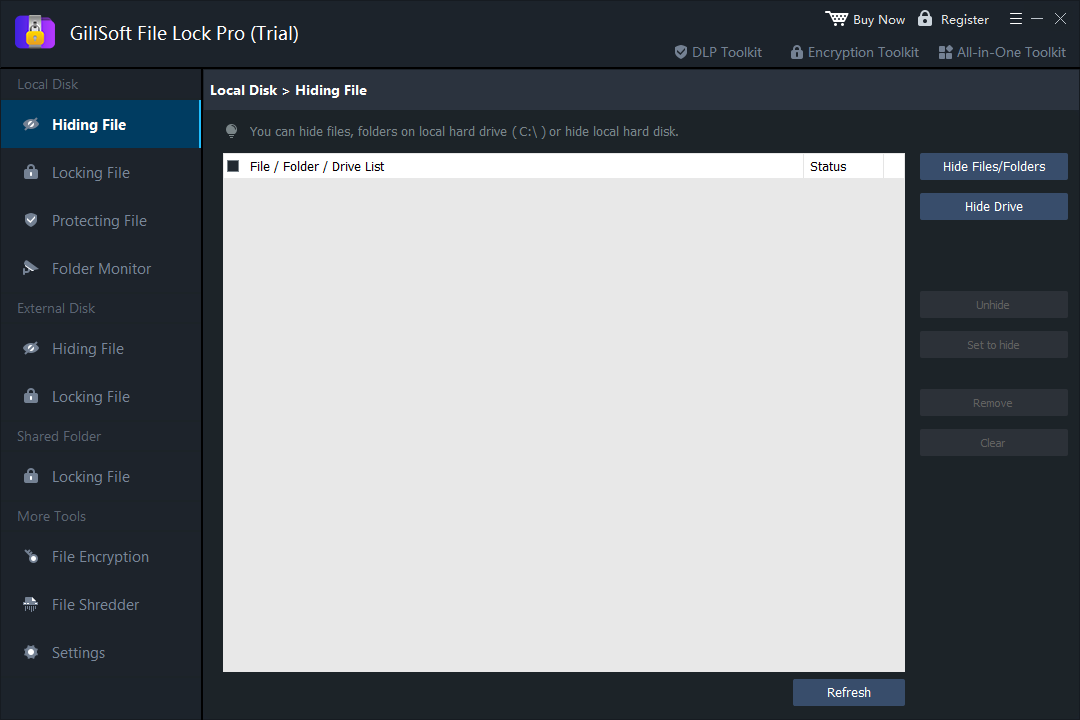
GiliSoft File Lock Pro is the most direct choice in this list when the job is not “encrypt my entire laptop,” but “keep these particular files and folders private.” It can hide or lock local items, protect content on external storage, apply rules to shared folders, and keep private data on the computer rather than requiring cloud synchronization.
The Windows product also includes separate file-encryption output for cases where a protected copy is preferable to a live folder rule. A separate File Lock Pro for Mac edition serves local Mac file and folder privacy, while FileVault remains the better starting point for whole-startup-disk encryption.
Why choose it
- Simpler than creating and mounting an encrypted container.
- Useful on shared family, dorm, office, and classroom PCs.
- Targets selected files, folders, drives, USB storage, and shared folders.
- Works locally without forcing private data into cloud storage.
Consider before buying
- It is not a replacement for BitLocker or FileVault full-disk encryption.
- Windows and Mac use separate product editions.
- A verified backup and secure password-recovery plan are still essential.
2. Microsoft BitLocker
Best built-in Windows protection for entire drives
BitLocker encrypts Windows drives so their contents cannot be read through offline access. That makes it especially appropriate for laptops, work PCs, and removable drives that might be lost, stolen, or attached to another computer.
Microsoft distinguishes simplified Device Encryption from manually managed BitLocker Drive Encryption. Recovery planning is not optional: BitLocker can request its 48-digit recovery key after security or hardware changes, and Microsoft says it cannot recreate a lost key.
Why choose it
- Native Windows integration.
- Protects the whole drive rather than selected folders only.
- Supports recovery and organization-managed deployment.
Consider before enabling
- Manual enablement depends on Windows edition and device configuration.
- It does not hide one folder from another signed-in user after the drive is unlocked.
- The recovery key must be backed up away from the protected device.
3. Apple FileVault
Best built-in full-disk choice for Mac
FileVault adds login-based protection to the Mac startup disk. Apple explains that Macs with Apple silicon or a T2 chip already encrypt data automatically, while turning on FileVault adds protection against access without the login password. Older Macs rely on FileVault for startup-disk encryption.
When enabling it, users choose an iCloud-based recovery path or a separate recovery key. Apple warns that losing both the login recovery path and the recovery key can make files permanently inaccessible.
Why choose it
- Built into macOS and tied to Mac user accounts.
- Strong baseline for a lost or stolen Mac.
- No separate encryption utility is needed for the startup disk.
Consider before enabling
- It protects the disk, not a custom per-folder hiding workflow.
- Recovery details must be stored safely.
- Additional Mac users may need to be enabled to unlock the disk.
4. VeraCrypt
Best free cross-platform encrypted-volume tool
VeraCrypt creates encrypted volumes that behave like normal disks after they are mounted. Files are encrypted as they are written and decrypted as they are read. Current official documentation lists support for Windows 11, recent Windows 10 versions, macOS 12 or later, Linux, and several additional systems.
Why choose it
- Free and open source.
- Cross-platform encrypted volumes.
- Useful for advanced users who want portable containers or encrypted partitions.
Consider before choosing
- Creating, mounting, dismounting, and backing up volumes adds operational steps.
- A mounted volume behaves like an unlocked drive, so endpoint security still matters.
- Container corruption and forgotten credentials require careful backup planning.
5. Cryptomator
Best free desktop option for encrypting data before cloud sync
Cryptomator is purpose-built for client-side cloud encryption. A user creates a password-protected vault in a cloud-synced folder, unlocks it as a virtual drive, and lets the app encrypt file contents and filenames before the cloud provider receives them.
Why choose it
- Clear focus on cloud-storage privacy.
- Open-source desktop software.
- Encrypted vaults integrate with normal file workflows.
Consider before choosing
- It is not whole-device encryption.
- Cloud synchronization conflicts and password loss still need planning.
- Teams should evaluate its dedicated access-management offering rather than sharing one vault password casually.
6. AxCrypt
Best for cross-platform file encryption and sharing features
AxCrypt focuses on file encryption, encrypted vaults, cross-platform access, and paid collaboration features. Its official feature comparison lists a limited free tier and broader Premium and Business plans.
Why choose it
- Available across desktop and mobile platforms.
- File-level protection fits documents moved between devices.
- Paid plans add broader management and sharing tools.
Consider before choosing
- The free tier has usage limits.
- It is not the same as full-disk protection.
- Teams should review account, sharing, and recovery policies before deployment.
Which Encryption Software Should You Choose?
Set Up Encryption Without Locking Yourself Out
- Back up first. Keep a verified copy of important files on storage that is not inside the new encrypted area.
- Choose the correct scope. Decide whether the actual risk concerns a stolen device, another signed-in user, cloud exposure, or a portable archive.
- Preserve recovery material. Store BitLocker or FileVault recovery information separately from the encrypted computer.
- Test with disposable data. Encrypt, unlock, restart, recover, and decrypt a test set before moving the only copy of important data.
- Keep software current. Use supported operating systems and current encryption releases, especially after platform upgrades.
Encryption Software FAQ
What is the best encryption software for Windows and Mac in 2026?
There is no universal winner. GiliSoft File Lock Pro is a practical local-folder choice on Windows; BitLocker and FileVault are the native full-drive choices; VeraCrypt is the advanced free volume choice; Cryptomator is designed for cloud vaults; and AxCrypt focuses on encrypted files across platforms.
What is the best free encryption software?
VeraCrypt is the strongest fit here for free encrypted volumes across Windows, macOS, and Linux. Cryptomator is the clearer free desktop choice when the protected data will be synchronized through cloud storage.
Is folder locking the same as encryption?
No. A folder lock controls access in a running operating system, while cryptographic encryption transforms stored data so it cannot be read without the key. Some products combine both approaches, but the terms should not be used interchangeably.
Should I use BitLocker together with File Lock Pro?
They address different moments. BitLocker protects the drive against offline access; File Lock Pro can add selected-folder privacy and access controls after Windows is running. Layering them can make sense on a shared or portable Windows PC.
Can encryption replace a backup?
No. Encryption protects confidentiality; a backup protects availability after deletion, corruption, device failure, or lost credentials. Important files need both.
Official Sources Used for This Guide
Protect Selected Windows Files and Folders Locally
Use GiliSoft File Lock Pro when you need straightforward password-based privacy for local folders, USB storage, drives, and shared-folder content.