
Choose protection based on what the learner should receive
| Delivery method | Works best for | Control after opening | Recipient receives |
|---|---|---|---|
| GiliSoft Copy Protect | Mixed paid course packs with documents, slides, video, audio, web pages, and folders | Copy, print, screenshot, clipboard, Save As, watermark, expiry, viewing limits, device binding | A protected GCP or EXE package |
| Native PDF or Office password | A trusted recipient who legitimately needs the original document | Open password and application-specific editing or printing permissions | The original password-protected file |
| Encrypted archive | One-time transfer of several files to a trusted recipient | Protection ends after extraction unless each file has its own controls | An encrypted ZIP, 7Z, or similar archive |
| USB encryption | Protecting the physical drive if it is lost or stolen | Files behave normally after the secure area is unlocked | An encrypted removable drive |
| GiliSoft Video DRM Protection | Video-first paid courses that need revocation, dynamic watermarks, expiry, and multi-platform protected playback | Playback passwords, device binding, blacklist revocation, watermarking, and anti-capture settings | Protected video and an authorized player experience |
| Normal accessible files | Public handouts, printable worksheets, and resources intended for reuse | No post-delivery restriction | Ordinary files by design |
Protect the complete training package with GiliSoft Copy Protect
Training rarely consists of one PDF. A course USB may include manuals, workbooks, policy documents, slides, videos, images, web pages, and reference folders. Copy Protect can package these materials together so learners open a controlled delivery rather than browse the original source files.
Build a clean learner package
Start from a separate release folder rather than the working course directory. Include only the files the learner needs: final manuals and worksheets, presentation decks, training videos, narration or listening exercises, HTML resources, templates, sample data, and reference folders. Keep answer keys, facilitator notes, editable masters, source artwork, attendance records, and obsolete revisions outside the delivery package.
- Finalize the course release. Remove instructor notes, hidden attachments, answer keys, old revisions, and personal metadata that learners should not receive.
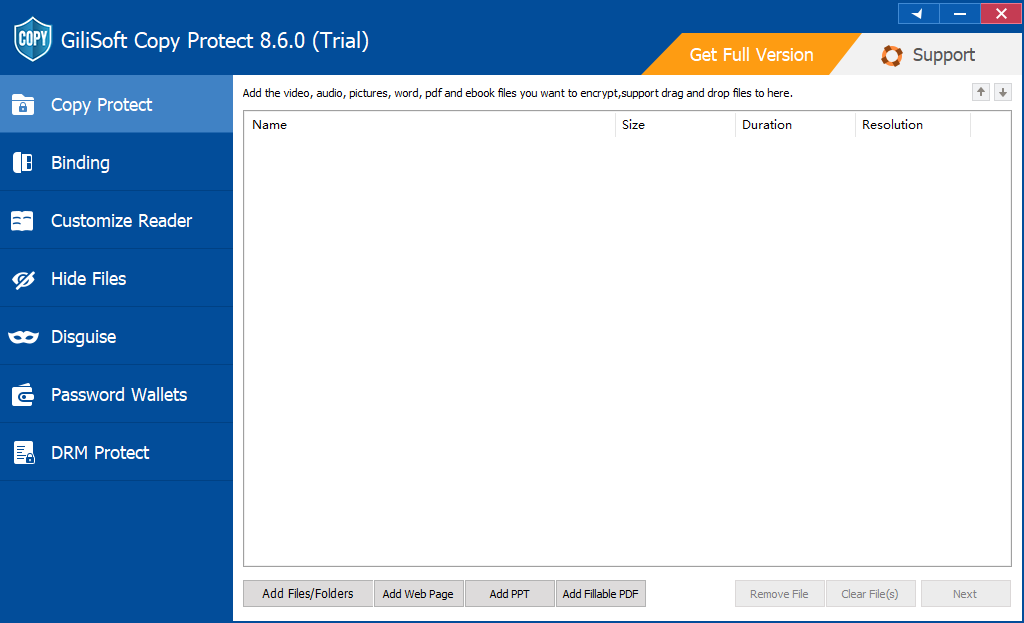
- Open Copy Protect and add the course documents, slides, videos, audio, images, web pages, and supporting folders in the order learners should see them.
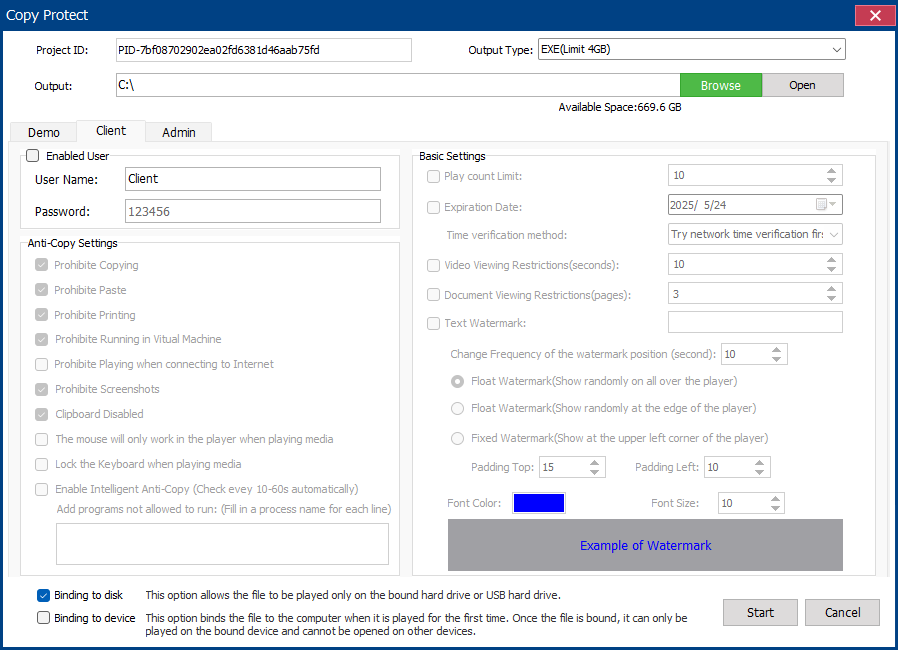
- Select GCP for a protected reader package or EXE for a self-running Windows delivery within the 4 GB output limit.
- Choose whether learners may print, copy text, use the clipboard, take screenshots, use Save As, or open the package in a virtual machine.
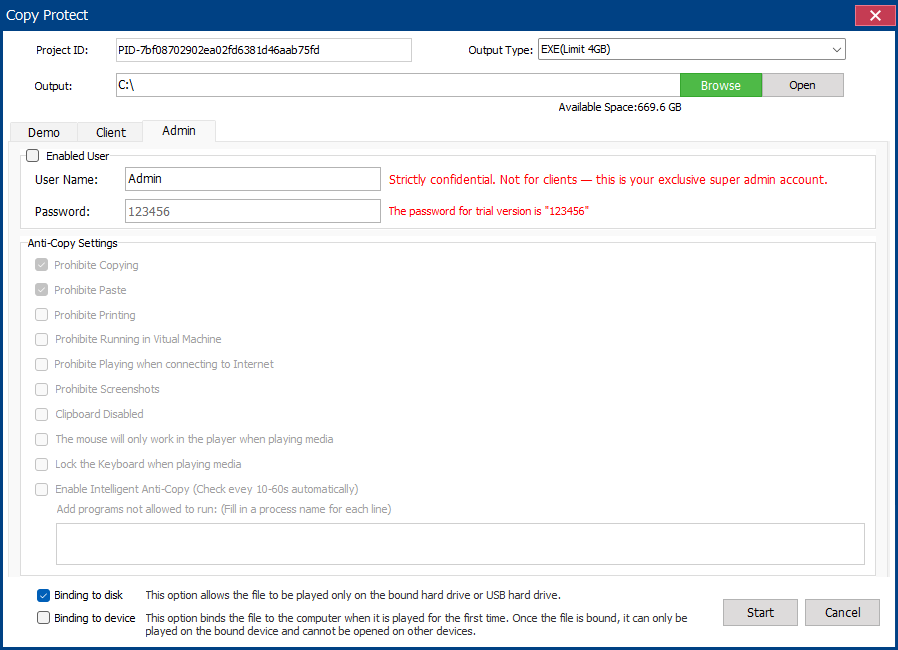
- Add the course name, learner or company name, expiration date, viewing limit, and an approved USB or PC binding where appropriate.
- Build the package and test the complete learner experience on another PC: opening password, navigation, links, fonts, search, printing, watermark, expiry, and relaunch behavior.
What the learner receives
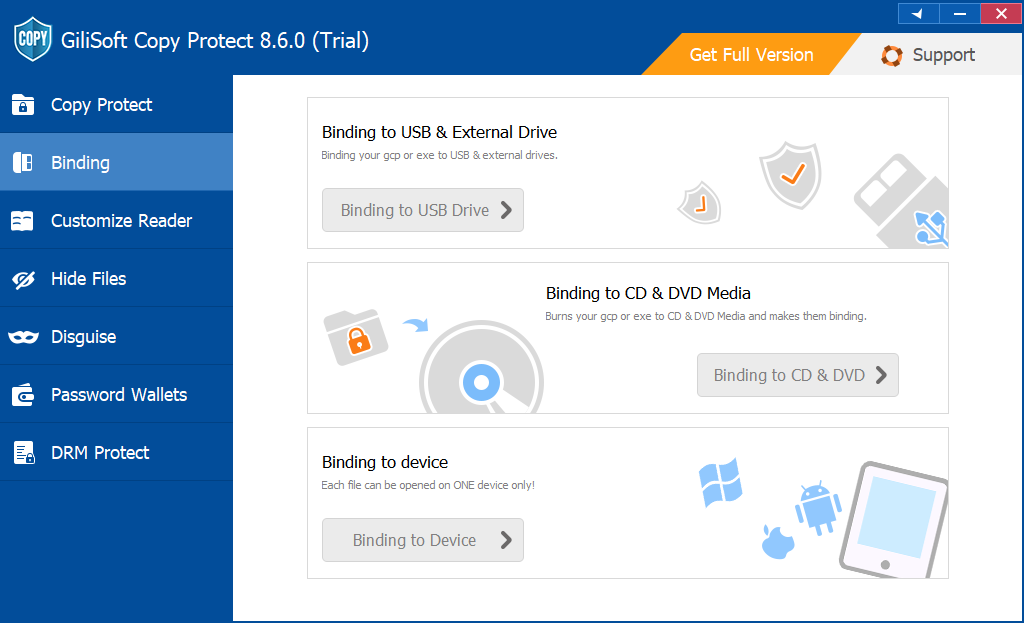
The learner launches the GCP or EXE delivery from the USB drive instead of browsing editable source PDFs.
The package applies the password, approved USB or PC binding, expiry, and viewing rules configured for that release.
The learner reads the manuals and supporting files while printing, copying, screenshots, and Save As follow the permissions you selected.
Keep instructor and learner releases separate
Do not build the protected USB directly from the working course folder. Create a clean learner-release folder first. Exclude answer keys, facilitator notes, editable slide masters, source artwork, previous revisions, attendance records, and any document that should remain inside the training team.
Deliver the training experience, not the editable source set
Give learners, customers, partners, or field teams a GCP or EXE package while retaining the original PDFs and supporting files internally. The protected package remains usable offline and can carry the access rules chosen for that training release.
Use Office or PDF passwords when learners may keep the original file
PowerPoint, Word, Excel, and PDF tools can protect individual documents with opening passwords or application-specific restrictions. This is appropriate when a trusted learner is expected to keep, search, annotate, print, or reuse the original file after training.
- Open the PDF in Adobe Acrobat and choose All tools > Protect a PDF.
- Select Protect with password, choose Viewing, and enter a strong password.
- Save the protected PDF, close it, and reopen it to verify the password prompt.
- Copy the PDF to the USB drive and send the password through a separate communication channel.
Apply document permissions only where the original document must remain usable
A PDF permissions password controls what a compatible reader allows after the document opens. Adobe Acrobat can disable printing, limit print resolution, restrict document changes, and turn text or image copying on or off. PowerPoint also supports opening passwords and restricted-access settings, but those controls apply to the individual presentation rather than the complete course library.
- Open the PDF in Acrobat and choose All tools > Protect a PDF > Protect with password.
- Choose Editing, enter a permissions password, and select the allowed printing and document-change settings.
- Disable copying when text and images should not be extracted, while keeping screen-reader access enabled when accessibility requires it.
- Save the file and test it in the PDF readers your recipients actually use.
Permission settings are useful for ordinary PDF delivery, but the recipient still receives the original PDF file. Choose Copy Protect when the objective is controlled viewing from a USB package rather than distribution of a reusable PDF.
Use an encrypted archive for one-time transfer
An encrypted archive is practical when several course files must be transferred together to a trusted employee or partner. Use AES encryption where the archive tool supports it, choose a strong password, and test extraction before deleting or moving any source files.
The protection ends when the recipient extracts the archive. The extracted PDF is an ordinary file unless it also has its own password or permission settings.
Encrypt the USB when loss of the physical drive is the main risk
USB encryption protects every file while the drive is lost, stolen, or not yet unlocked. GiliSoft USB Encryption can create a password-protected private area and a normal public area on the same removable drive.
After the secure area is opened, its course files behave like normal files. Combine USB encryption with native document passwords or Copy Protect when you also need file-use restrictions after access is granted.
Choose Video DRM when protected video is the main course product
A mixed USB course library is usually best served by Copy Protect. A video-first course has different needs: the publisher may need to issue playback passwords, bind each authorization to a computer or USB drive, show a dynamic viewer watermark, expire access, and revoke a leaked password after delivery.
GiliSoft Video DRM Protection is authored on Windows, while its protected playback can be prepared for supported desktop and mobile environments. Keep PDFs, worksheets, and public handouts in the appropriate document package, then use Video DRM for the premium lesson videos when ongoing playback control matters more than one mixed-file container.
What file passwords and drive encryption do not solve
Recommended setups for common training deliveries
Training release checklist
- Remove instructor-only notes, answer keys, hidden attachments, old revisions, personal metadata, and unused pages.
- Apply real redaction to confidential text and images instead of covering them with shapes.
- Verify fonts, links, bookmarks, forms, search, accessibility, and media references on another computer.
- Keep the original PDFs and editable source files in an internal archive, not beside the protected learner package.
- Use learner-, customer-, or department-specific passwords and watermarks instead of one permanent password for every recipient.
- Test copy, print, screenshot, expiration, watermark, viewing-limit, USB-binding, and relaunch behavior before duplication.
- Label each USB release, record the assigned recipient or group, and retain the configuration used to rebuild that release.
Related course and document protection guides
Course material protection FAQ
Can one package contain PDFs, slides, videos, audio, and folders?
Yes. Copy Protect is intended for mixed delivery sets and can package common document, media, web, image, and folder content under one controlled learner experience.
Can each learner receive a named watermark?
Yes. Visible watermarks can identify the learner, customer, department, or partner receiving a protected release, which makes redistributed screenshots or printouts easier to trace.
Should I choose GCP or EXE output?
Choose GCP for the standard protected-reader format and larger projects. Choose EXE for a self-running Windows package when the complete output is within the 4 GB EXE limit.
Can access end after the training period?
Set an expiration date or viewing limit for a protected release. Test the rule before duplicating the USB drives and keep the source project so a revised authorization can be issued when appropriate.
Can worksheets and paid manuals use different rules?
Yes. Build separate packages when permissions differ. A printable workbook can allow printing while a paid reference manual remains view-only, and instructor material can stay outside the learner release entirely.
Should a video-heavy course use Copy Protect or Video DRM?
Use Copy Protect when the learner needs one organized package containing many file types. Use Video DRM when premium video playback, device authorization, viewer watermarks, expiration, and revocation are the central requirements.
Official references
- Microsoft: Password protection for PowerPoint presentations
- Microsoft: Restrict changes to PowerPoint presentations
- Adobe: Restrict printing, editing, and copying in PDFs
- NIST: Reducing cybersecurity risks from portable storage media
Deliver a complete course without releasing the source library
Create one protected package for manuals, workbooks, slides, videos, audio, web pages, and supporting files, then choose how each learner may open, print, capture, and reuse the material.
View GiliSoft Copy Protect