
Choose the right USB file protection
| Your main concern | Best fit | What it protects | What happens after access |
|---|---|---|---|
| The USB may be lost or stolen | GiliSoft USB Encryption or BitLocker To Go | The removable drive or its private area while locked | Files behave normally after the drive is unlocked |
| Only selected files or folders should be private | GiliSoft File Lock Pro | Chosen files, folders, or drive content | The owner enters the master password to unlock or unhide items |
| Recipients may view files but should not reuse the sources | GiliSoft Copy Protect | Documents, PDFs, presentations, video, audio, images, web pages, and mixed folders | Recipients open a controlled GCP or EXE package |
| A trusted recipient needs a one-time transfer | AES-encrypted archive | The archive until the password is entered | Extracted files become ordinary files |
| One Office or PDF file needs a password | Application-level password protection | The individual document | The original file opens after the correct password is supplied |
Prevent ordinary source-file copying with GiliSoft Copy Protect
Use Copy Protect when a USB is part of a delivery: client documents, paid course material, product catalogs, presentations, training video, image libraries, audio, offline web pages, or mixed project folders. Instead of placing the ordinary sources on the drive, create a controlled GCP or EXE package.
- Keep a clean source archive away from the delivery drive, then remove drafts, hidden attachments, personal metadata, and files the recipient should not receive.
- Open Copy Protect and add the final documents, media, web pages, and supporting folders in the order recipients should see them.
- Select GCP for a protected-reader package or EXE for a self-running Windows delivery within the 4 GB output limit.
- Set client permissions for copying, printing, screenshots, clipboard use, Save As, and virtual-machine playback.
- Add a password, visible watermark, expiration date, viewing limit, and USB or PC binding where the delivery requires them.
- Build the package, place it on a test USB drive, and verify opening, navigation, permissions, binding, expiry, and relaunch behavior on another Windows PC.
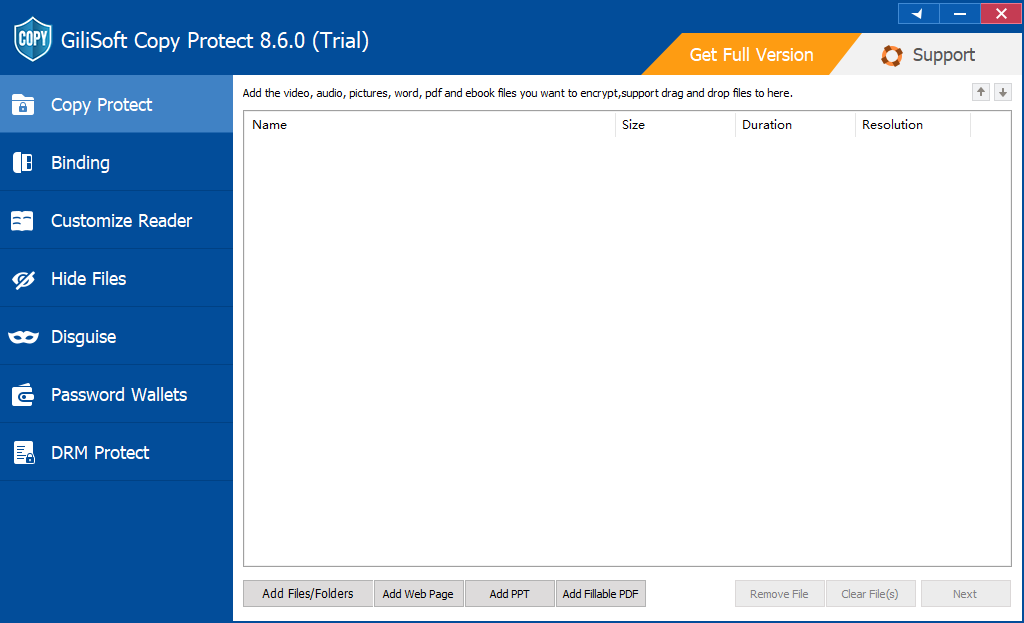
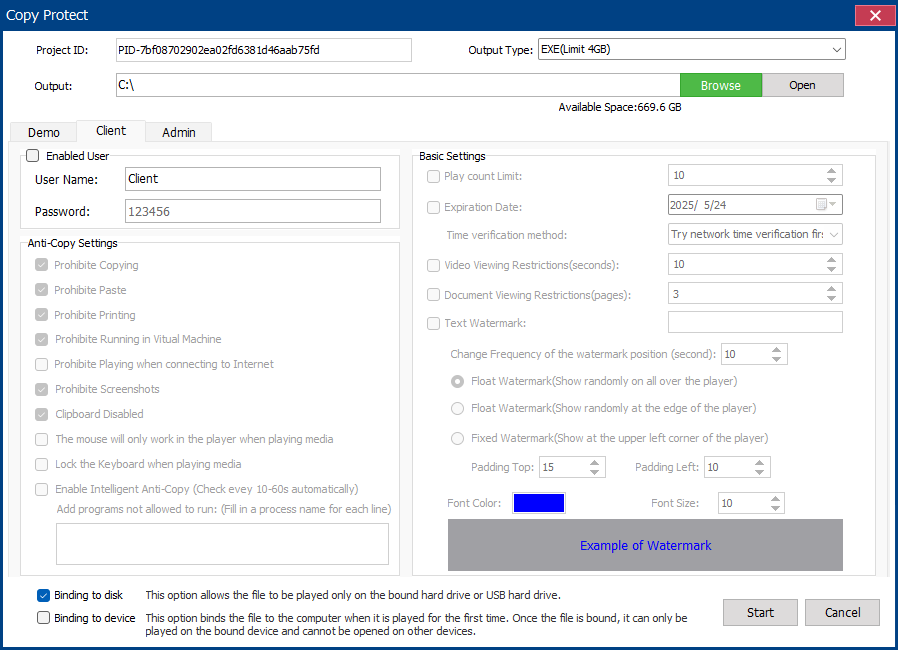
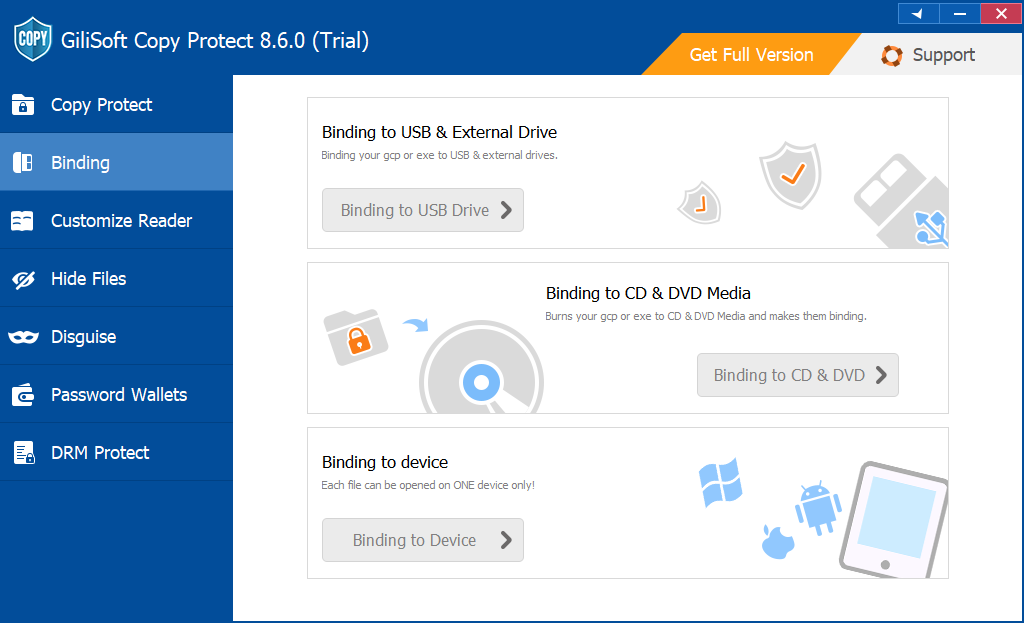
Deliver controlled files instead of ordinary sources
Create one offline package for documents and media, then define what recipients may open, copy, print, capture, or move. The source files remain in your internal archive.
Encrypt the USB when a lost drive is the main risk
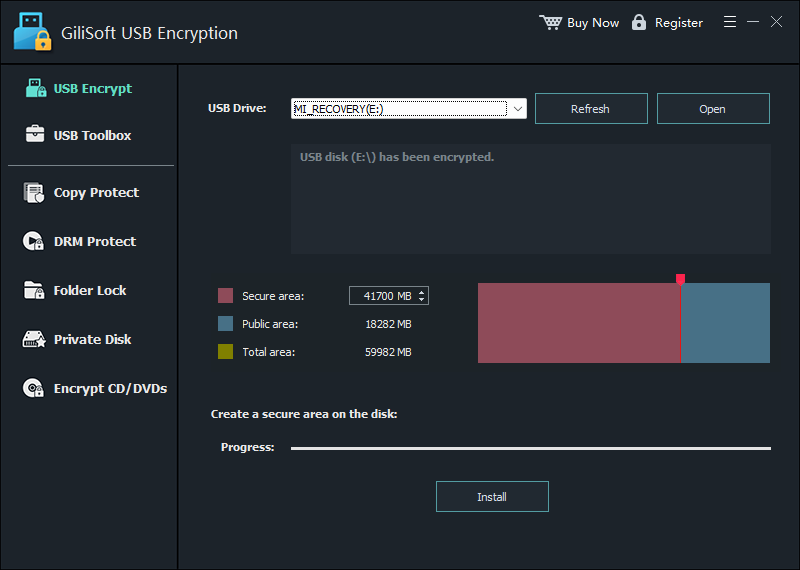
GiliSoft USB Encryption creates a password-protected private area and a normal public area on the same removable drive. Put confidential files in the private area and ordinary handouts, instructions, or public installers in the public area.
- Connect the intended USB drive, confirm its drive letter, and keep a verified backup of all important files.
- Open GiliSoft USB Encryption, choose the drive, and set the size of the private secure area while leaving enough public space for normal sharing.
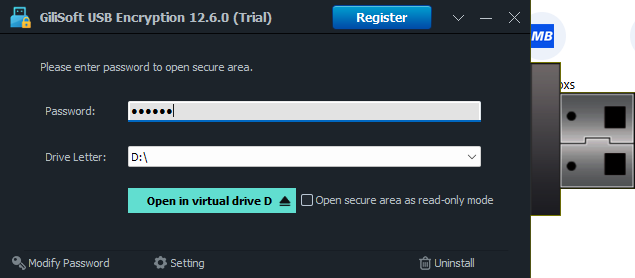
- Install the secure area, set a strong password, and copy confidential files into the mounted virtual drive.
- Close the secure area, reconnect the USB, and verify that private files require the password while public files remain available.
Lock or hide selected USB files with File Lock Pro
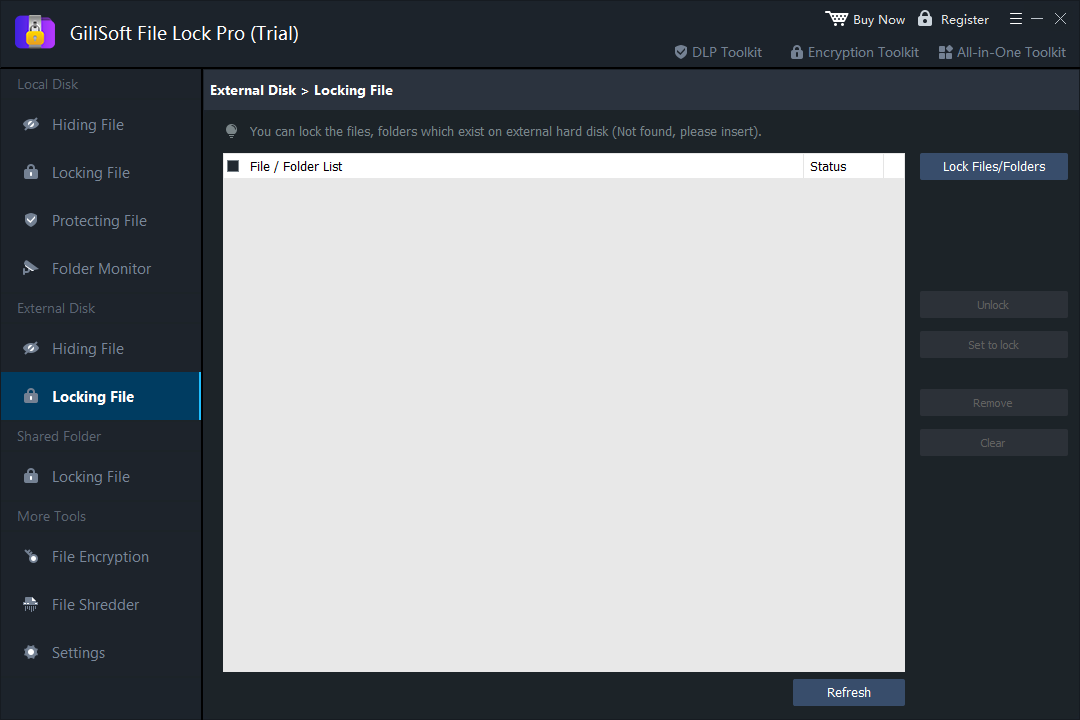
Use File Lock Pro when you own and manage the removable drive and need password-based access to selected files or folders. It can lock items so they remain visible but inaccessible, or hide them from ordinary Windows browsing.
- Open File Lock Pro and enter the master password.
- Choose External Disk > Locking File when the item should remain visible, or External Disk > Hiding File when it should disappear from normal browsing.
- Select Lock Files/Folders or Hide Files/Folders, add the target items, and apply the action.
- Eject and reconnect the USB drive, then verify the protected and public content separately.
Use an encrypted archive for one-time transfer
An AES-encrypted archive is appropriate when several files must travel together to a trusted recipient who is expected to extract and keep them. Use a strong, unique password, test extraction, and send the password through a separate channel.
Archive encryption ends at extraction. The recipient receives ordinary files afterward, so this is not the right method when reuse, printing, screenshots, or forwarding must remain controlled.
Use BitLocker To Go on supported Windows editions
Microsoft identifies BitLocker To Go as BitLocker Drive Encryption for removable data drives, including USB flash drives, SD cards, and external drives. In Windows Control Panel, removable devices appear under Removable data drives - BitLocker To Go.
BitLocker management is available in Windows Pro, Enterprise, and Education rather than Windows Home. Back up the recovery key before relying on the encrypted drive; Microsoft states that it cannot retrieve, provide, or recreate a lost BitLocker recovery key.
Understand what each protection stops
Recommended setups for common USB use
USB protection checklist
- Verify the drive letter and keep a separate backup before encryption, formatting, repartitioning, or protected-package creation.
- Remove drafts, personal metadata, hidden files, obsolete versions, and material the recipient does not need.
- Choose one primary goal: lost-drive confidentiality, selected-item privacy, recipient-use control, or company device policy.
- Use a unique password and store recovery material away from the USB drive.
- Test the finished USB on another supported computer using a non-administrator recipient account where relevant.
- Verify public files, private files, passwords, recovery, copy and print rules, device binding, expiry, and relaunch behavior.
- Label the USB, record the assigned recipient or department, and retain the source project or configuration needed to rebuild it.
Choose a guide for the files you are delivering
USB file protection FAQ
What is the best way to protect all files on a USB drive?
Use USB encryption when every confidential file should remain unreadable before the drive is unlocked. GiliSoft USB Encryption supports a private secure area plus a normal public area on the same drive.
Can USB encryption stop an authorized recipient from copying files?
No. Encryption protects data at rest. Once the authorized user opens the drive, its files behave normally. Use Copy Protect when delivered content must remain inside a controlled viewing package.
Can I protect only one folder on the USB?
Yes. File Lock Pro can lock or hide selected files and folders on external storage. An encrypted archive is another option when a trusted recipient should extract and keep the files.
Can a USB contain both public and private files?
Yes. Create a password-protected private area for confidential material and leave a public area for instructions, brochures, installers, or files intended for ordinary sharing.
Should I choose GCP or EXE for protected delivery?
Choose GCP for the standard protected-reader format and larger projects. Choose EXE for a self-running Windows package when the complete output is within the 4 GB EXE limit.
Official references
- Microsoft: BitLocker Drive Encryption and removable data drives
- Microsoft Learn: BitLocker To Go FAQ
- Microsoft: Back up a BitLocker recovery key
- NIST: Reducing cybersecurity risks from portable storage media
Protect the files according to how the USB will be used
Choose encrypted storage for loss protection, file locking for owner privacy, or a controlled Copy Protect package for customer and partner delivery.
View GiliSoft Copy Protect