
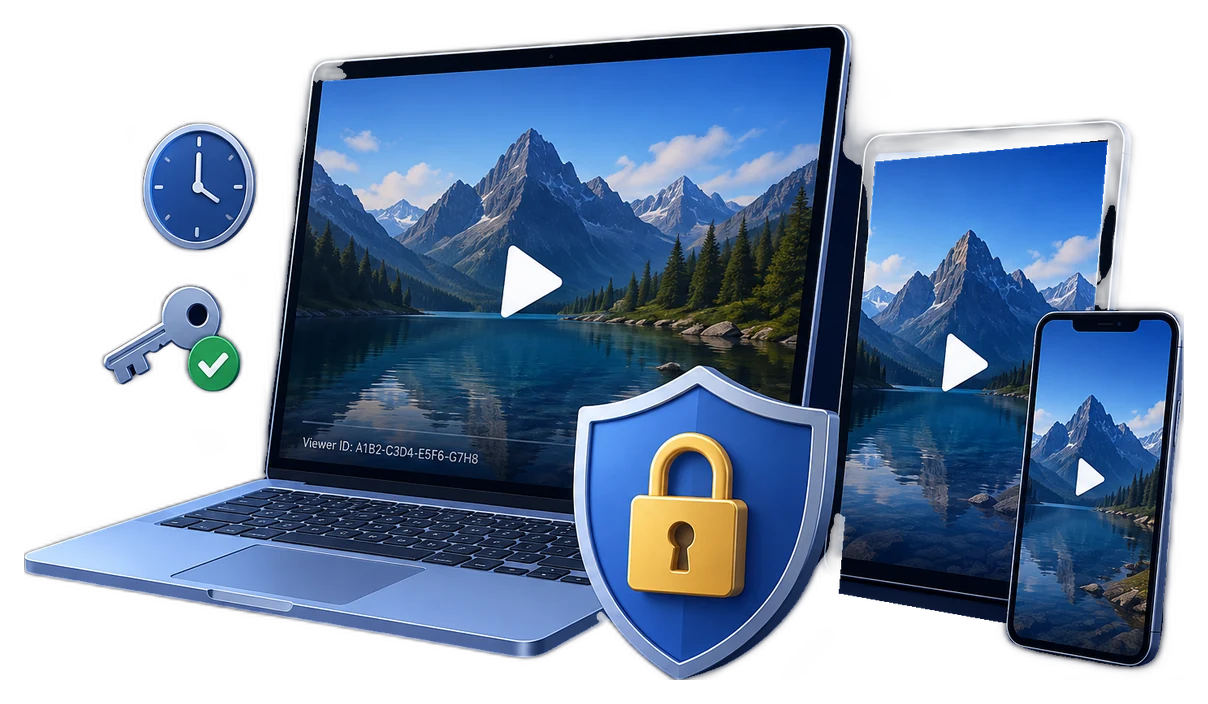
The short answer
A membership login protects the page. It does not automatically protect an ordinary video file after that file is downloaded, copied from a browser cache, or shared outside the member area.
Use two connected layers. For hosted viewing, verify the member before issuing a short-lived playback token and restrict the player to approved domains. For downloads, deliver a protected video package rather than an open MP4, then apply a member password, device binding, dynamic watermarking, expiry, and revocation. This keeps the protection model aligned with the way members actually consume the content.
Choose the membership delivery model
Private member streaming
Best for frequently updated libraries. Check subscription status at playback time, issue short-lived tokens, and keep the source video out of public storage.
Protected member downloads
Best for offline access. Replace the open MP4 with a protected package tied to a member password, approved PC, or USB drive.
Hybrid membership library
Stream the main catalog while offering protected downloads for premium tiers, travel, workshops, or unreliable connections.
Timed cohort or club access
Match expiry and renewal to the membership term, season, coaching cohort, event window, or paid access period.
Build a seven-layer protection plan
- Verify active membershipCheck the member account, plan, purchase, or role before rendering the player or generating a download.
- Keep original videos privateStore source files outside public web folders and avoid permanent MP4 URLs that remain valid after logout.
- Issue short-lived playback authorizationCreate a signed URL or token only after entitlement succeeds, with an expiry appropriate to the viewing session.
- Restrict where the player worksAllow playback only on your membership domains so copied embed code is less useful on another site.
- Protect intentional downloadsPublish a controlled package with password, device, expiry, play-count, and online verification rules instead of an open video.
- Identify the viewerAdd a visible member name, email, account ID, or machine code as a dynamic watermark to discourage redistribution and support investigation.
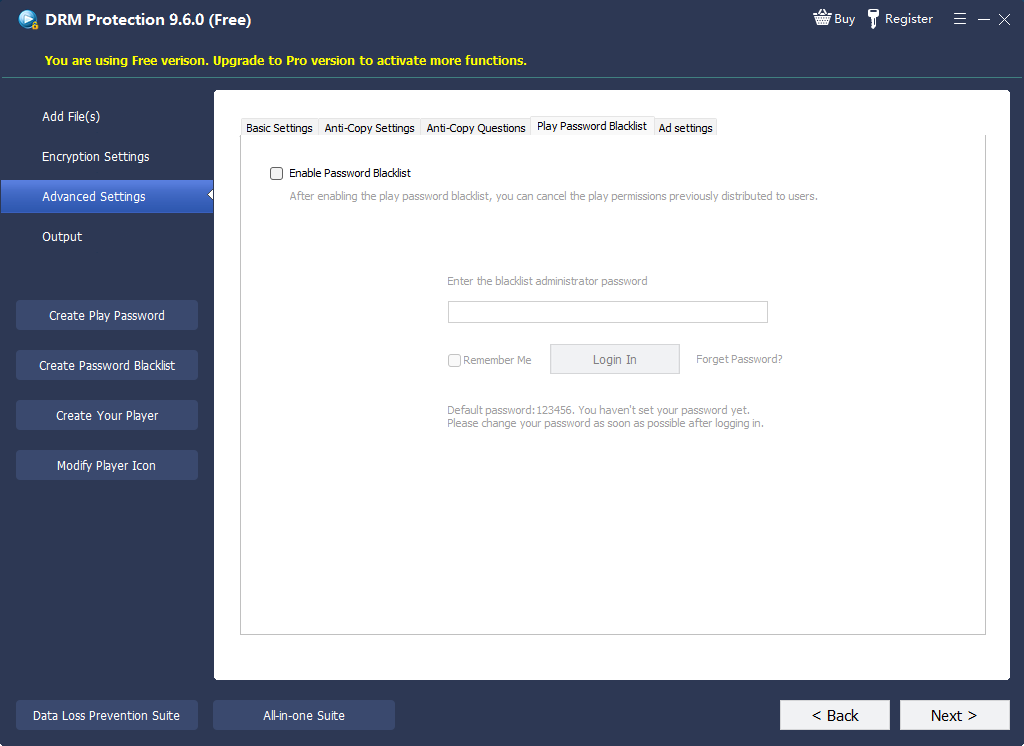
- Plan for cancellation and leaksInvalidate tokens, disable the member account, and blacklist compromised playback credentials when a subscription ends or misuse is confirmed.
Protect hosted membership streaming
For browser-based membership libraries, the access decision should happen immediately before playback. Cloudflare Stream documents signed tokens for logged-in members, limited viewing periods, optional download permission, and IP or geographic rules. Its Allowed Origins setting can also limit where manifests and video segments are requested. Vimeo similarly supports domain-level privacy for approved embed domains.
For higher-value premium media, license-based systems such as Widevine or PlayReady add encrypted playback and license policies across supported devices. This is a different job from simply hiding a player behind a member page: the player requests a license or token after the service confirms the viewer's entitlement.
| Hosted control | Membership use | Operational rule |
|---|---|---|
| Member entitlement | Checks whether the account has an active plan or role | Evaluate it for every new playback session |
| Signed playback token | Replaces a permanent public video URL | Keep expiry short and generate it server-side |
| Allowed embed origins | Limits playback to approved membership domains | Include every production subdomain that serves the player |
| Streaming DRM license | Applies encrypted playback rights on supported clients | Match device coverage to the actual member audience |
Protect downloadable membership videos with GiliSoft
GiliSoft Video DRM Protection is designed for membership videos that must remain controlled after download. The protected package is authored on Windows, while members can play the protected video across supported playback platforms. Use it for premium workshops, paid coaching archives, subscriber-only recordings, private community resources, and offline member libraries.
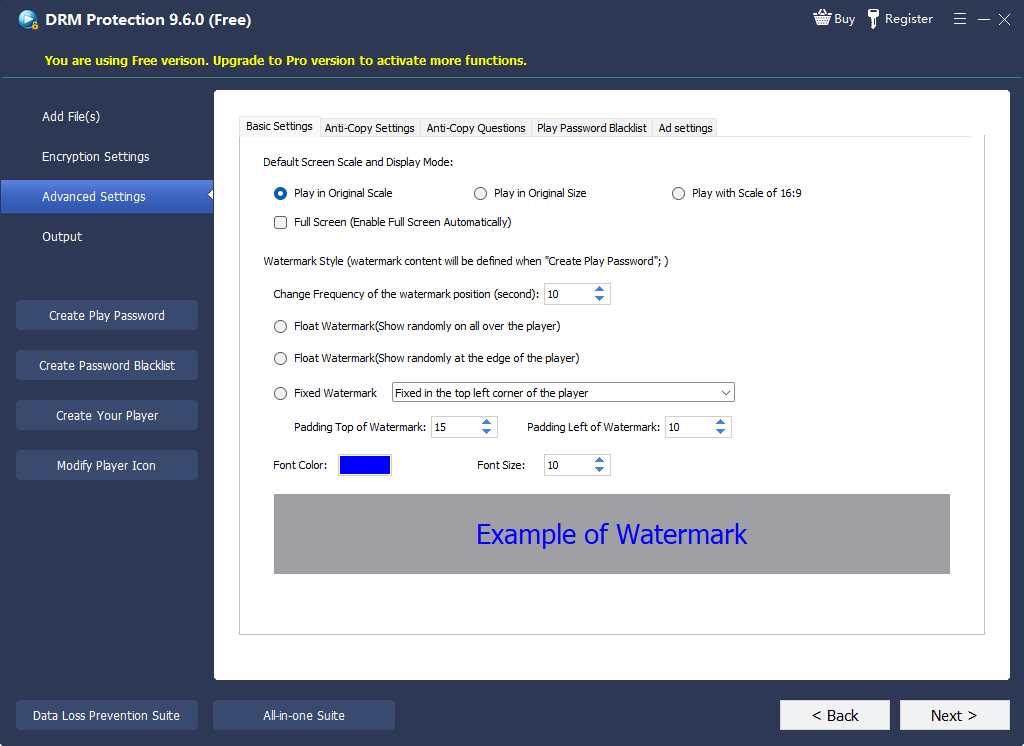
- Add the member video and supporting materialImport the videos and related files that belong in the protected delivery package.
- Create an individual playback passwordAvoid one shared password for the entire community. Individual credentials make revocation and member-specific rules practical.
- Choose PC or USB binding when appropriateBind valuable downloads to an approved member device or delivery drive when access should not travel with a forwarded password.
- Apply expiry, play limits, and watermarkingAlign playback with the subscription period and display identity information during viewing.
- Test approved and rejected playbackConfirm the package opens for the intended member and fails under an unapproved device or expired rule.
- Deliver through the member portalPlace the protected package behind the correct plan or role, and keep the original open video out of the downloadable area.
Protect downloadable membership videos
Use GiliSoft Video DRM Protection to keep passwords, device binding, dynamic watermarks, expiration, and revocation attached after a member downloads the video.
Design protection around membership operations
| Membership event | Action for streaming | Action for protected downloads |
|---|---|---|
| New member joins | Grant the correct video-library role and issue tokens only after login | Create a member-specific password and explain supported playback |
| Member upgrades | Allow premium collections immediately after the plan change | Issue access only to the newly included packages |
| Subscription expires | Stop token creation and invalidate active sessions where supported | Expire or blacklist the member credential |
| Refund or chargeback | Remove entitlement and preserve transaction records | Blacklist the related password and record the affected package |
| Device replacement | Review concurrent-device rules | Verify the member and reissue a binding under a documented policy |
| Leak reported | Rotate exposed URLs or keys and inspect account activity | Trace the watermark, revoke the credential, and retain evidence |
Compare membership video protection methods
| Method | Good fit | Protection that continues after download | Revocation |
|---|---|---|---|
| Unlisted or hidden link | Low-risk previews | No | Change the link |
| Member page with ordinary embed | Basic access organization | No | Disable the account |
| Signed private streaming | Hosted subscription libraries | Not for an open downloaded copy | Stop issuing or invalidate tokens |
| Streaming DRM | Premium browser and app streaming | Within supported offline-license systems | License and entitlement policy |
| GiliSoft protected package | Direct, downloadable, or USB member delivery | Yes: password, device, expiry, watermark, and playback rules | Online password blacklist |
Pre-launch membership checklist
Membership video protection FAQ
Is a membership login enough to protect videos?
It protects access to the page, but it does not govern an ordinary video after download. Hosted playback should use private, short-lived authorization; intentional downloads should use a protected playback package.
How can members download videos without receiving an open MP4?
Publish the video as a GiliSoft protected package, then assign a member password and optional PC or USB binding, expiry, play limits, watermarking, and online verification.
Can GiliSoft protected videos play on more than Windows?
The protected package is created with the Windows publishing application, while protected videos can be played across supported playback platforms. Test your intended member devices before launch.
How do I stop access after a cancellation or refund?
Disable the member entitlement, stop issuing streaming tokens, and expire or blacklist the related GiliSoft playback credential.
Should every member get a unique password?
For valuable downloads, yes. Individual credentials make device binding, watermark identity, revocation, and incident review more useful than one shared community password.
Can dynamic watermarks help with leaked videos?
Yes. Displaying member identity or machine information discourages casual redistribution and helps connect a captured copy to the authorized viewing session.
Official references
- Cloudflare Stream: Secure your Stream documents signed playback tokens, expiration, download permission, access rules, and Allowed Origins.
- Vimeo domain-level privacy documents restricting video embeds to approved domains.
- Google Widevine DRM overview describes license-based premium media protection and supported platforms.
- Microsoft PlayReady licenses and policies explains rights, dates, expiration, security levels, and output protections.
- Microsoft PlayReady binding policies describes client and domain binding concepts.
Keep membership video rules attached after download
Use GiliSoft Video DRM Protection for member downloads that need individual passwords, device binding, dynamic watermarks, expiry, and access revocation.