
The short answer
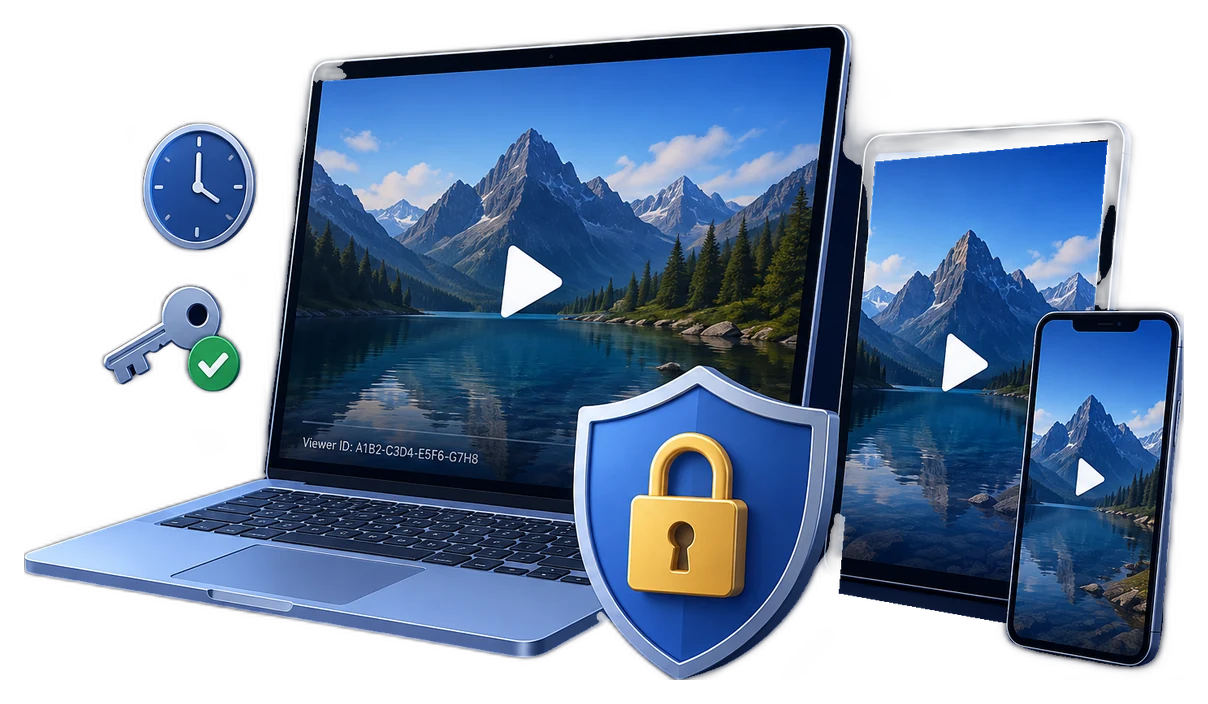
Protecting subscriber video content means making the playback decision from the subscriber's current entitlement, not merely from possession of a page URL or video file.
For hosted viewing, confirm the subscription before issuing a short-lived playback URL, cookie, token, or DRM license. For offline access, replace the open MP4 with a protected package whose password, device rule, watermark, expiry, and revocation controls remain attached after download.
Map subscription status to video access
Recurring billing introduces states that a simple subscriber-page password cannot represent. Stripe's subscription guidance notes that payment success or failure determines whether a customer should continue receiving the service, and recommends revoking access when a subscription becomes unpaid after retries. Your video rules should follow the same lifecycle.
| Subscriber state | Hosted playback | Protected download |
|---|---|---|
| Active or paid trial | Issue short-lived playback authorization for the included plan | Allow the current package and create an individual credential |
| Past due | Apply the documented grace period rather than making an improvised exception | Avoid issuing new credentials until payment is resolved |
| Cancelled at period end | Continue only through the paid-through date | Set package expiry to the same date when the offer requires it |
| Unpaid or expired | Stop issuing tokens and close active entitlement | Expire or blacklist the playback credential |
| Refund or chargeback | Remove the related plan access and retain an audit record | Blacklist the affected credential and record the package |
| Plan upgrade or downgrade | Recalculate the catalog available to the account | Issue only the packages included in the new plan |
Choose the right subscriber delivery model
Private subscriber streaming
Best for frequently updated catalogs. Check entitlement for every session, issue short-lived authorization, and keep source files outside public storage.
Protected subscriber downloads
Best for offline lessons and premium archives. Deliver a controlled package tied to a subscriber password, device, USB drive, or access period.
Hybrid subscription library
Stream the main catalog while offering protected downloads for premium tiers, travel, workshops, or low-connectivity use.
Fixed-term subscription
Align streaming tokens and protected-package expiry with the paid term, renewal date, cohort, season, or licensed access window.
Protect hosted subscriber playback
Do not place permanent media URLs in subscriber pages. Amazon CloudFront documents that an application should verify the viewer is signed in or has paid, then return a signed URL; its policy can include an expiry and optional start time or IP range. For HLS libraries made of many restricted files, CloudFront recommends signed cookies as a practical alternative to signing every segment URL.
Cloudflare Stream supports signed tokens for authenticated viewers and Allowed Origins for approved domains. For higher-value browser and app playback, license-based systems such as Widevine add encrypted premium-media playback across supported devices. These controls work best when the subscription service decides entitlement before a token or license is issued.
- Keep the origin privatePrevent subscribers from bypassing the authorized player with a direct storage URL.
- Check the current plan at playback timeConfirm the account is active and that the requested title belongs to its tier.
- Issue short-lived authorizationUse a signed URL, signed cookie, token, or license whose lifetime matches the viewing session.
- Restrict approved playback locationsApply allowed-origin or domain privacy rules to reduce reuse of copied embed code.
- Record the authorization eventStore subscriber ID, title, time, device, and decision so support and abuse review have context.
Protect subscriber downloads with GiliSoft
GiliSoft Video DRM Protection is for subscription videos that must remain controlled after leaving the portal. The publishing application runs on Windows, while protected videos can play across supported playback platforms. This is useful for paid course downloads, premium coaching archives, subscriber research libraries, offline event recordings, and other content that should not become an ordinary shareable MP4.
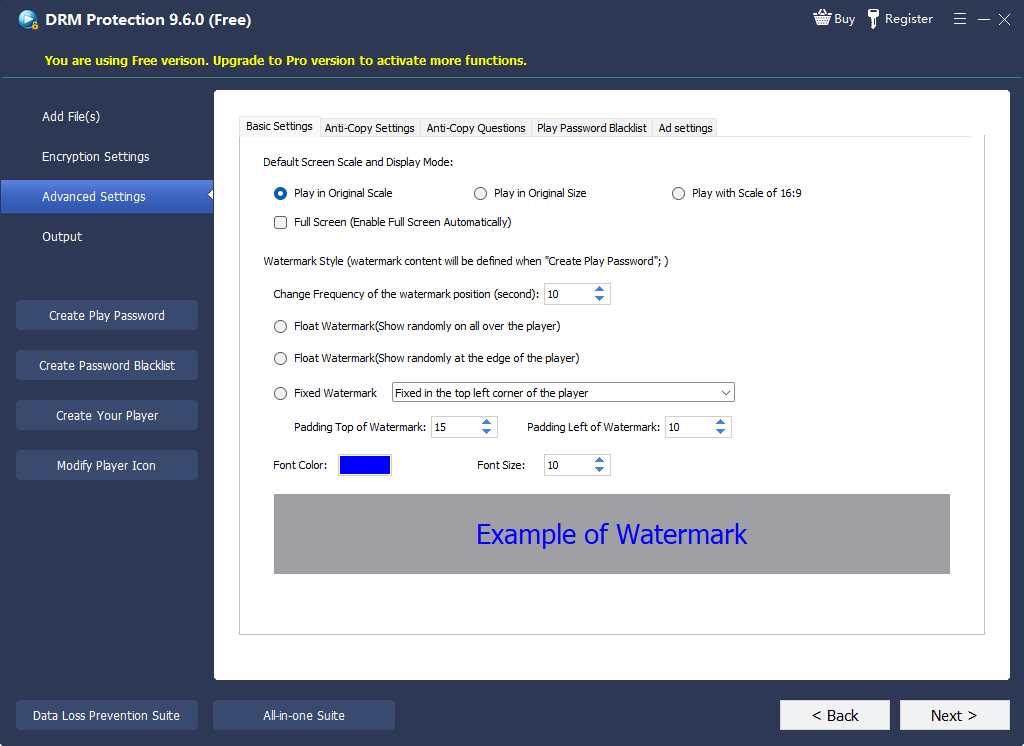
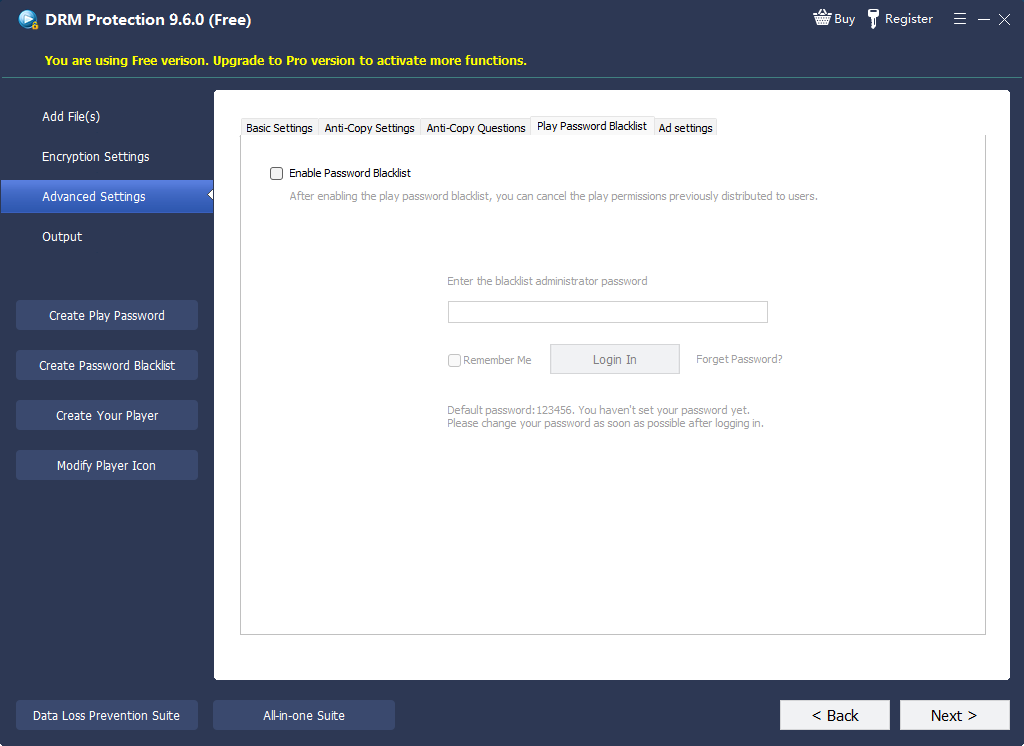
- Add the subscriber-only videoImport the course, archive, update, or premium recording and any supporting files that belong in the package.
- Create an individual playback credentialAvoid a single password shared across all subscribers. Individual credentials make revocation and investigation practical.
- Choose the binding ruleBind valuable downloads to an approved PC or USB drive when a forwarded password should not open the content elsewhere.
- Match time controls to the subscriptionSet expiry, play count, and verification behavior according to the paid-through date and offer terms.
- Add subscriber identity to the videoUse a dynamic watermark such as customer name, email, account ID, or machine code to discourage redistribution.
- Verify approved and rejected casesTest the intended device, a second unapproved device, an expired credential, and a blacklisted credential before launch.
Protect subscriber downloads after delivery
Keep password, device binding, watermarking, expiry, and revocation attached when subscribers receive videos for offline playback.
Reduce account sharing and credential forwarding
No single control eliminates misuse. Combine controls that make a shared account or forwarded download less useful while keeping legitimate support manageable.
Concurrent-session policy
Limit simultaneous playback according to the subscription offer and investigate abrupt location or device changes.
Subscriber-specific credentials
Issue one playback credential per subscriber instead of a catalog-wide password that cannot be revoked selectively.
Device replacement policy
Document how an authenticated subscriber can retire an old device and bind a replacement without creating unlimited resets.
Visible identity watermark
Display subscriber information during playback so captured or redistributed copies carry useful accountability.
Build cancellation and incident response before launch
- Receive the subscription eventProcess renewal, failed payment, cancellation, refund, chargeback, or plan change from the billing system.
- Update entitlement onceUse a central subscriber record rather than separate manual rules for the website, streaming service, and download portal.
- Stop new authorizationDo not issue another streaming token, signed URL, download, or replacement credential after entitlement ends.
- Revoke existing protected accessExpire or blacklist the GiliSoft playback credential when the offer requires post-cancellation access to stop.
- Preserve evidence and support historyRecord the reason, affected videos, subscriber, credential, device, and operator action.
Compare subscriber video protection methods
| Method | Best use | Follows subscription state | Controls an intentional download |
|---|---|---|---|
| Hidden or unlisted video link | Low-risk previews | No | No |
| Subscriber login with ordinary embed | Catalog organization | Only at page access | No |
| Signed private streaming | Hosted subscriber libraries | Yes, when tokens follow entitlement checks | Not an open downloaded copy |
| Streaming DRM | Premium browser and app streaming | Yes, through license and entitlement policy | Only within supported offline-license systems |
| GiliSoft protected package | Direct download, offline, and USB subscriber delivery | Yes, through expiry and blacklist operations | Yes: password, device, watermark, and playback rules remain attached |
Subscriber video launch checklist
Subscriber video protection FAQ
Is a subscriber login enough to protect video content?
No. It protects the page at login time, but a permanent media URL or ordinary downloaded MP4 can continue circulating. Hosted playback needs short-lived authorization, and intentional downloads need their own playback controls.
How should video access change when a subscription is cancelled?
Continue access only through the paid-through date defined by the offer, then stop issuing hosted-playback authorization and expire or blacklist protected-download credentials where required.
Can subscribers download videos without receiving an open MP4?
Yes. Publish a GiliSoft protected package with an individual password and optional device binding, expiry, play limits, watermarking, and online verification.
Can GiliSoft protected videos play beyond Windows?
The protected package is authored with the Windows publishing application, while protected videos can play across supported playback platforms. Test the subscriber devices included in your service before launch.
Should every subscriber receive a unique playback password?
For valuable downloads, individual credentials are strongly preferable because they support selective revocation, device rules, subscriber watermarks, and clearer incident review.
What happens when a subscriber replaces a computer?
Verify the account, retire the previous binding, record the support action, and issue a replacement according to a documented device-reset policy.
Official references
- Stripe subscription webhooks explains how recurring-payment events affect continued service access and when unpaid subscriptions should lose access.
- Amazon CloudFront signed URLs documents entitlement checks, signed access, expiration, and optional policy restrictions.
- CloudFront signed URLs and signed cookies explains why cookies are useful for subscriber areas and multi-file HLS playback.
- Cloudflare Stream security documents signed tokens, limited viewing periods, access rules, and Allowed Origins.
- Google Widevine DRM overview describes license-based premium media protection and supported platforms.
Keep subscriber video access controllable after download
Use GiliSoft Video DRM Protection for subscriber downloads that need individual passwords, device binding, dynamic watermarks, expiry, and access revocation.