
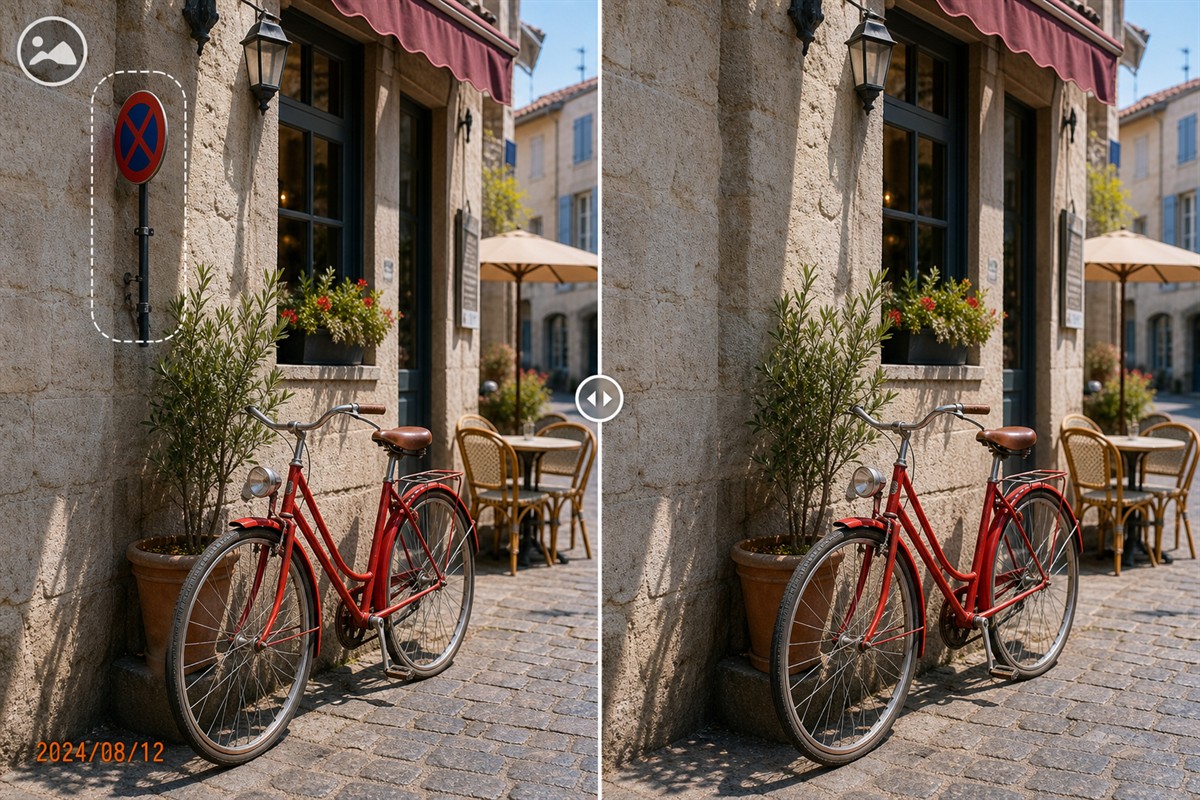
Can You Remove an Object from the Background of a Photo?
Yes, especially when the object is small, visually separated from the main subject, and surrounded by background texture that can support reconstruction.
A distant sign against a wall, litter on pavement, a wire across sky, or a chair over soft background blur is usually more practical than a pole crossing a face, a vehicle hiding unique architecture, or clutter overlapping detailed clothing.
Which Background Objects Are Easier or Harder to Remove?
The apparent distance of an object matters, but the hidden scene, subject overlap, and available texture matter more.
Easier: small isolated clutter
Litter, a compact sign, cable, bag, cone, chair, or distant person with clear space around the outline.
Harder: subject overlap
Poles, branches, people, furniture, or vehicles crossing hair, faces, hands, clothing, products, or other foreground detail.
Easier: repeatable background
Sky, walls, grass, sand, pavement, water, foliage, and soft blur provide similar nearby color and texture.
Harder: unique structure
Architecture, railings, fences, stairs, signs, readable text, crowds, reflections, and patterned interiors expose inaccurate reconstruction.
Remove connected traces deliberately
A believable result may require handling the object's cast shadow, reflection, wire, bracket, stand, footprint, gap in a crowd, or contact point. These often need smaller separate selections rather than one large mask.
Match Depth, Blur, Texture, and Perspective
Background cleanup has to preserve the visual cues that make the scene feel three-dimensional. A patch can be clean in color but still look wrong if its focus or geometry does not match the surrounding plane.
Depth of field
A repaired distant region should not become sharper than the surrounding background. Match the existing focus and blur level.
Texture scale
Bricks, leaves, gravel, tiles, and waves become smaller with distance. Repeated texture at the wrong scale makes the patch appear closer or farther away.
Perspective lines
Horizon lines, curbs, windows, shelves, railings, and paving joints must continue at the correct angle and spacing.
Light and shadow
Preserve the direction, softness, and brightness of ambient light. Removing an object while leaving its shadow creates an immediate inconsistency.
The hidden background is not stored behind the object
A flattened JPEG or PNG contains only visible pixels. Adobe describes Content-Aware Fill as replacing a selected object with surrounding pixels and lets the user control sampling. Microsoft and GIMP similarly provide brush or source controls and warn that automated repairs may require refinement.
Editing principles consulted: Adobe Content-Aware Fill, Adobe sampling controls, Microsoft Generative Erase, and GIMP Heal documentation.
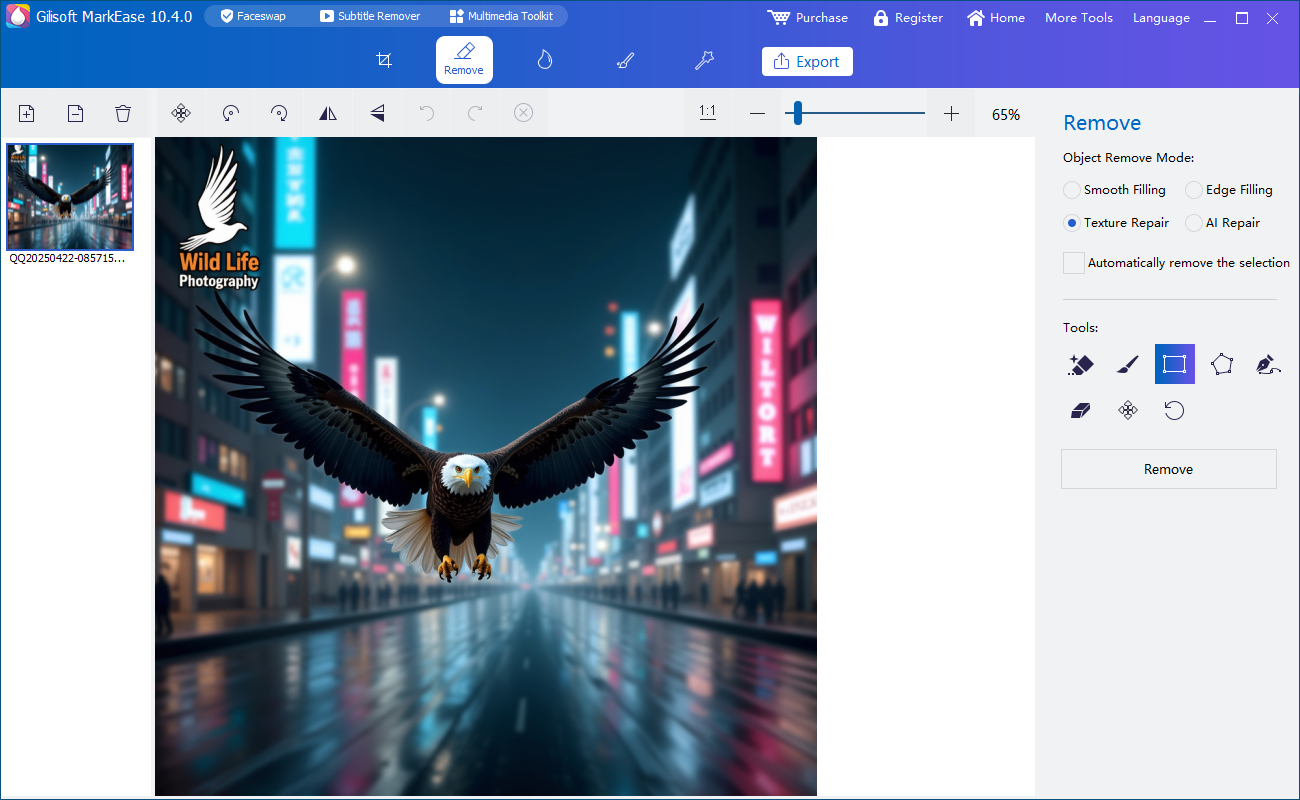
How to Remove a Background Object with GiliSoft MarkEase
Start with the highest-quality source. Compression and screenshots reduce the clean edge and texture information available for rebuilding the background.
- Open the original or best authorized copyPreserve an untouched master and use a separate working file in GiliSoft MarkEase.
- Identify the object and every related traceCheck its outline, holes, shadow, reflection, cable, support, contact points, and disconnected pieces.
- Map the background planes it crossesSeparate sky, walls, vegetation, pavement, water, people, and geometric structures before selecting.
- Protect the main subject boundaryKeep selections tight around hair, faces, hands, clothing, products, animals, and any sharp foreground edge.
- Repair different surfaces in smaller passesUse one region at a time so each pass relies on relevant nearby texture, blur, lighting, and perspective.
- Inspect and export a separate resultReview at 100% and final display size, then save a new file without overwriting the source.
Test background cleanup with MarkEase
Download the Windows trial and test one simple background object plus one difficult subject-overlap case. Inspect the full-resolution result before editing a larger set.
Download MarkEase TrialBackground Object Removal vs Other Methods
| Method | Best use | Advantage | Trade-off |
|---|---|---|---|
| GiliSoft MarkEase cleanup | Small to medium background distractions with usable nearby texture | Preserves framing in a focused Windows workflow | Reconstructs hidden pixels and requires full-size review |
| Crop the image | The object lies entirely on an expendable edge | Uses only genuine remaining pixels | Changes dimensions, composition, and aspect ratio |
| Use another frame | A burst, event sequence, or alternative capture contains the real background | Preserves authentic subject and scene detail | The timing, expression, or composition may differ |
| Reduce background emphasis | The object does not need complete removal and selective blur or tonal adjustment is appropriate | Requires less reconstruction | Changes visual style and may still leave the distraction visible |
| Manual clone and heal | Architecture, subject edges, crowds, patterns, or complex perspective | Provides precise source-pixel and geometry control | Requires more editing time and skill |
Common Background Objects and What to Check
Signs, poles, and cones
Repair walls, roads, and attachment points separately; check straight edges and any shadow cast across the ground.
Wires and cables
Use narrow selections and repair intersections with branches, roofs, poles, and sky one section at a time.
Litter and small clutter
Pavement, grass, sand, and flooring are often repeatable, but duplicated stones, leaves, or tiles can expose the edit.
Distant people
Check crowd spacing, shadows, reflections, and the edge of the main subject. Use the dedicated photobomber guide for person-specific cases.
Vehicles and furniture
Large items can hide substantial architecture, roads, rooms, and contact shadows. Another photo or manual editor may be more accurate.
Reflections and window clutter
Separate direct objects from reflected versions and preserve the perspective, transparency, light, and color of glass or water.
Background Cleanup Quality Checklist
Know when to stop
If the cleanup changes the main subject, invents important product or architectural detail, breaks readable text, or creates an implausible scene, return to the source and use cropping, another frame, a retake, or a skilled manual editor.
Remove Background Object from Photo FAQ
What background objects are easiest to remove?
Small isolated objects over repeatable sky, walls, pavement, grass, sand, water, or soft blur are generally easiest.
Can the exact hidden background be recovered?
No. A flattened image does not contain the pixels hidden behind the object, so the software reconstructs a plausible replacement from visible context.
What if the object touches the main subject?
Protect the subject boundary and work in small sections. Another photo or manual retouching may be safer when hair, faces, hands, clothing, or product detail is hidden.
Should the object's shadow and reflection be removed?
Yes, when they clearly belong to the unwanted object. Treat them separately when they cross surfaces with different texture or lighting.
Is cropping better than background cleanup?
Crop when the object lies on an expendable edge and the new framing still works. Use cleanup when cropping would remove important subject or context.
Should I overwrite the original photo?
No. Preserve the untouched source and export the cleaned version as a separate file.


