
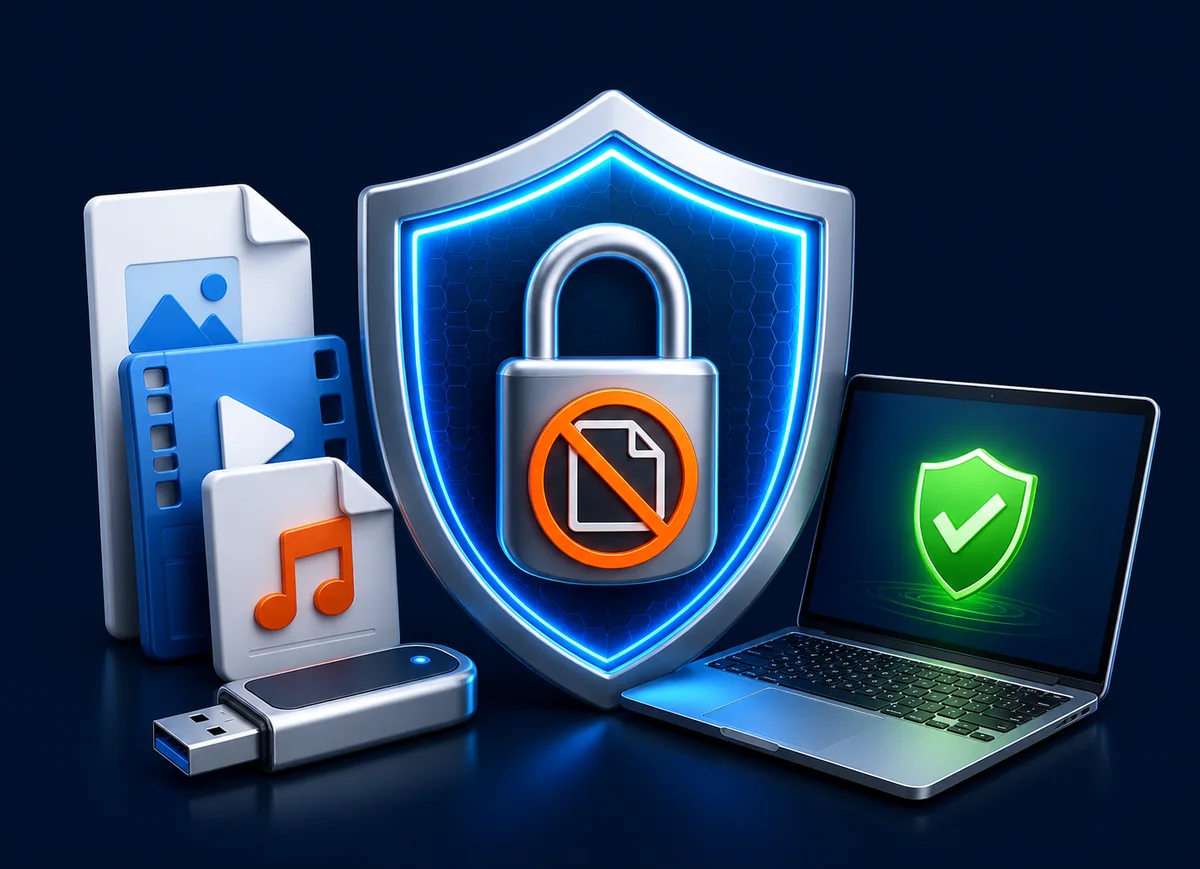
Before you start: build a clean learner folder
Step 1: choose GCP or EXE output
| Output | Choose it when | Important consideration |
|---|---|---|
| GCP package | You want the standard protected-reader format or the course library is large | Best default for multi-module video courses and larger releases |
| EXE package | You want a self-running Windows delivery | The complete protected EXE output must remain within the 4 GB EXE limit |
Step 2: add the course and configure access
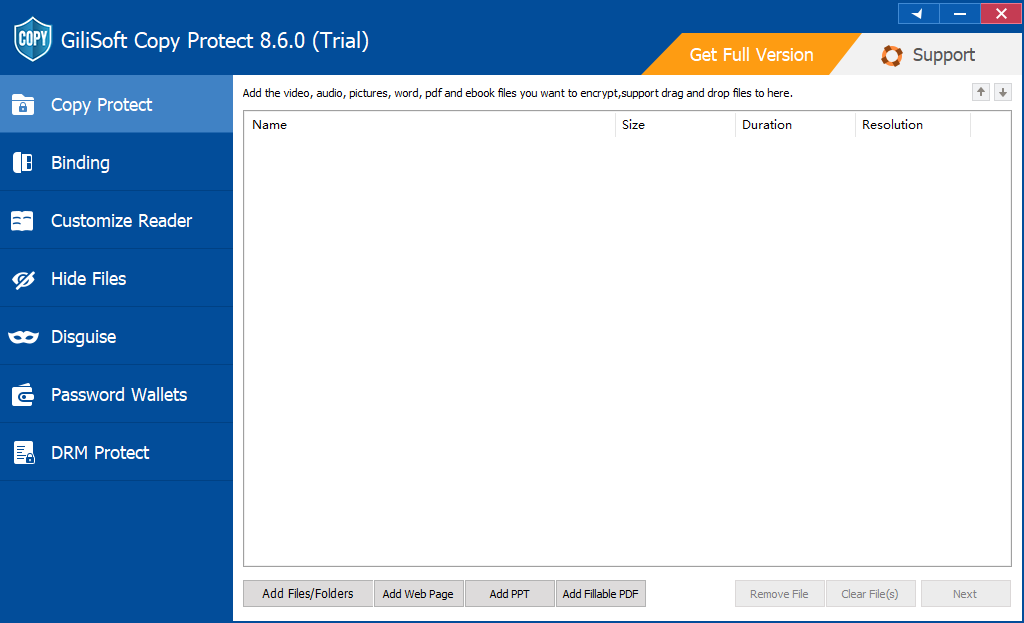
- Open GiliSoft Copy Protect and add the final lesson videos or the complete learner-release folder.
- Confirm the displayed lesson order and remove any file that should not leave the organization.
- Select GCP or EXE output and choose the destination used to build the protected release.
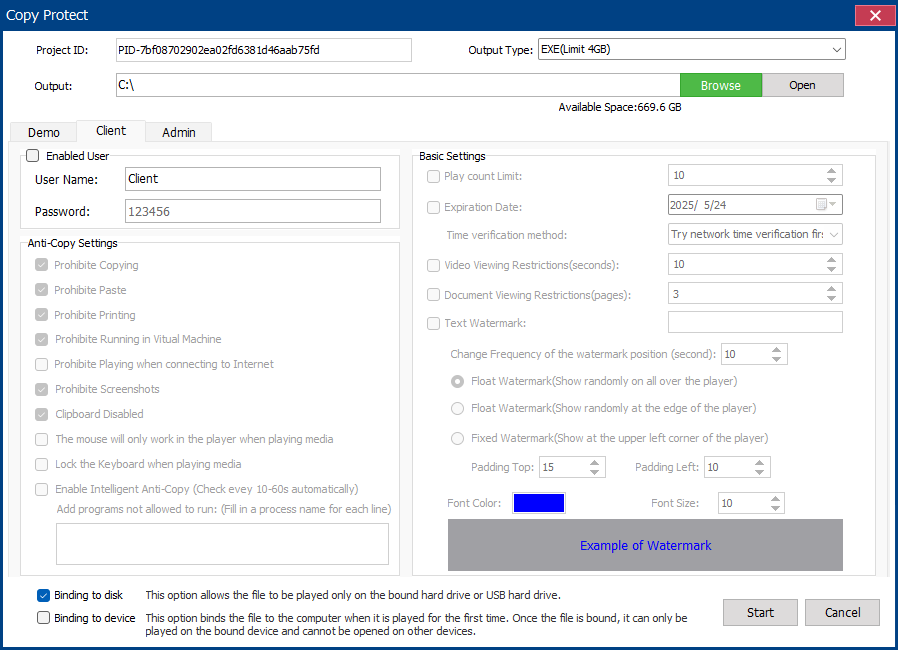
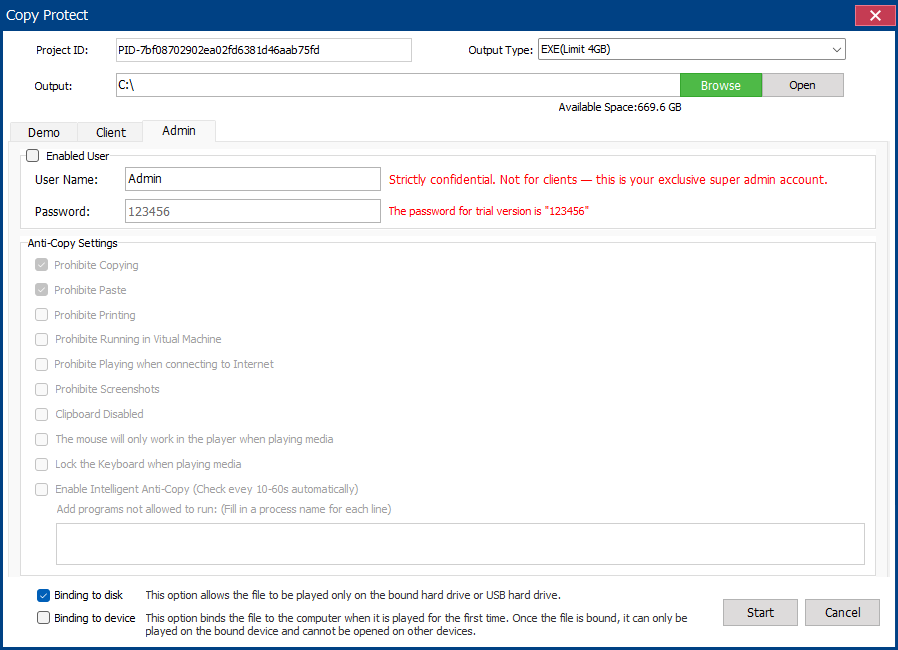
- Set the learner password and decide whether copying, clipboard use, screenshots, Save As, printing, and virtual-machine playback are allowed.
- Add a learner, customer, company, course, or department watermark where visible identity is useful.
- Set an expiration date or viewing limit when access should match a training period, subscription, certification, or contract.
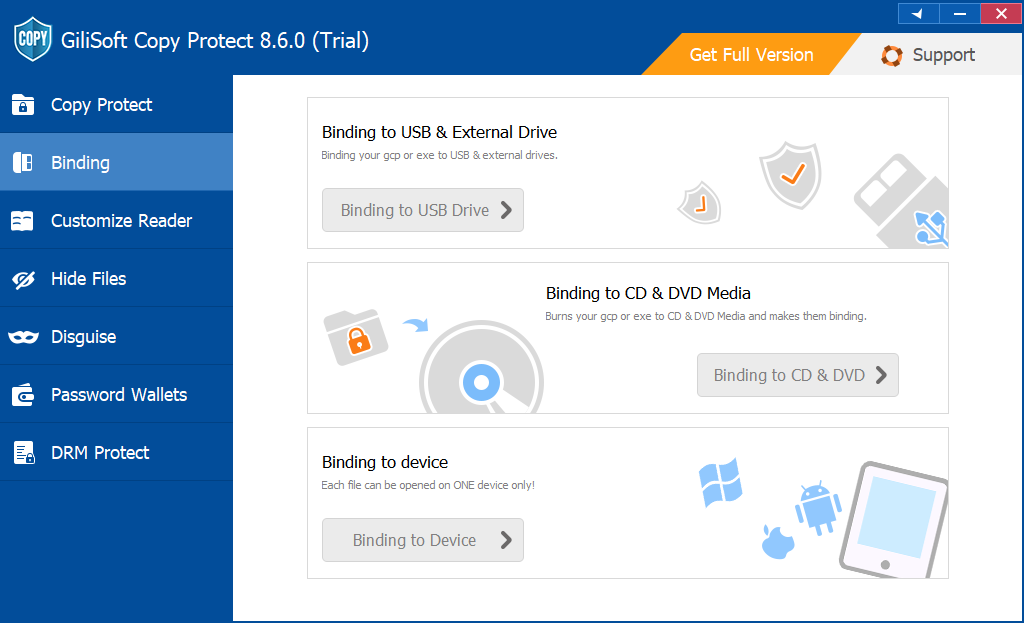
- Bind the package to an approved USB drive or Windows PC when the release should not move with a shared password.
- Build the protected package and keep the source project so the course can be revised or reissued later.
Where the main settings are configured
Step 3: test the package on another Windows PC
Testing on the authoring computer is not enough because cached codecs, fonts, permissions, and existing software can hide deployment problems. Use a clean or representative learner PC and test the same USB model intended for distribution.
Confirm the learner sees the intended package and not the original source-video folder.
Test the password, device binding, expiry, viewing limit, watermark, copy, capture, and Save As behavior.
Check the beginning, middle, and end of representative lessons, including audio, captions, seeking, and relaunch.
- Restart the test PC and open the package again.
- Eject and reconnect the USB drive before a second launch.
- Test a standard learner account rather than only an administrator account.
- Verify playback on the Windows versions and hardware used by the course audience.
- Keep a support note with the course version, package type, and assigned recipient.
Step 4: duplicate and assign the course USBs
- Keep one verified master USB and an internal copy of the unprotected source release.
- Duplicate only the tested protected package, not the working project directory.
- Label each drive with the course title and release number without printing its password on the media.
- Record the learner, customer, branch, or department receiving each device-bound release.
- Send passwords through a separate approved channel and keep recovery or administrator details internal.
Build the learner release with GiliSoft Copy Protect
Use one controlled Windows package for the final course videos and approved supporting files. The learner receives the course experience while the editable production library remains internal.
How to publish a revised course version
Keep version numbers in the source archive and package name. When a lesson changes, rebuild the affected release from the approved learner folder instead of editing files directly on distributed USB drives. Retest the complete package whenever videos, captions, passwords, expiry, binding, or client rules change.
Copy Protect, USB Encryption, or Video DRM?
| GiliSoft product | Use it for | Key distinction |
|---|---|---|
| Copy Protect | Offline Windows course packages containing video and related files | Controls common file-use actions after the learner opens the package |
| USB Encryption | Protecting the removable drive while it is lost, stolen, or locked | Files behave normally after the private area is opened |
| Video DRM Protection | Video-first courses requiring viewer authorization, dynamic watermarks, expiry, blacklist revocation, and protected playback on supported desktop/mobile environments | Best when ongoing playback authorization matters more than one mixed-file Windows package |
Set realistic expectations for protected playback
Related course video guides
Course video USB FAQ
Can several course modules be placed in one protected package?
Yes. Add the complete learner-release folder to one GCP or EXE package, or create separate packages when modules use different audiences, expiry dates, or permissions.
Can learners watch the course without internet access?
Copy Protect is intended for controlled offline Windows delivery. Test the finished package on a representative offline learner PC before distribution.
Should a large video course use EXE output?
Use GCP for the standard reader and larger libraries. EXE output has a 4 GB limit, so it should be reserved for releases that remain within that size after protection.
Can the course be tied to the USB drive?
Yes. Device binding can authorize an approved USB drive or Windows PC so a copied package and shared password do not automatically move access elsewhere.
Does the learner receive the original MP4 files?
The objective is to deliver the protected GCP or EXE package instead of a normal folder containing reusable source videos.
When is Video DRM Protection more suitable?
Choose Video DRM when the video itself is the primary product and viewer authorization, dynamic watermarking, expiration, blacklist revocation, and supported desktop/mobile playback are central requirements.
Official references
- NIST: Reducing cybersecurity risks from portable storage media
- Microsoft: BitLocker frequently asked questions
Turn final course videos into a tested USB release
Organize the learner folder, configure the permitted actions, bind the package where required, and verify the complete offline course before distribution.
View GiliSoft Copy Protect