
Choose the Internal Audio Source You Need
Internal audio is sound generated by the Mac and its applications. It is different from microphone audio, which captures your voice and the physical room.
| Recording need | Source choice | Best preparation |
|---|---|---|
| Browser or app playback | System Audio | Open the content, confirm normal playback, and silence unrelated apps. |
| Playback plus narration | System & Mic | Use headphones and test the balance between playback and voice. |
| Voice only | Microphone | Select the intended input and check its level in macOS Sound settings. |
| Long playback session | System Audio + Auto Stop or Auto Split | Connect power, prevent sleep, and verify available storage. |
Record Internal Audio on Mac: Step by Step
Open the target audio first
Prepare the browser, application, lesson, meeting, or media and confirm that it plays normally through the intended Mac output device.
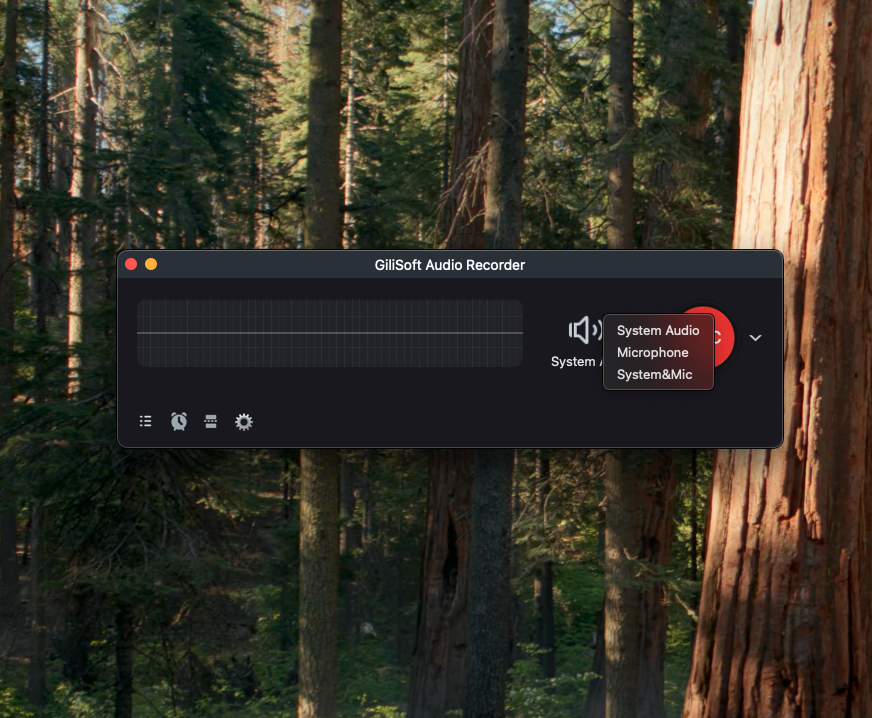
Choose System Audio
Open GiliSoft Audio Recorder for Mac and select System Audio. Choose System & Mic only when live narration must be included.
Allow macOS recording access
If prompted, permit the application under Privacy & Security > Screen & System Audio Recording, then reopen the app when macOS requires it.
Record a short test
Play representative audio, record about 10 seconds, and check clarity, level, and whether unrelated notification sounds were captured.
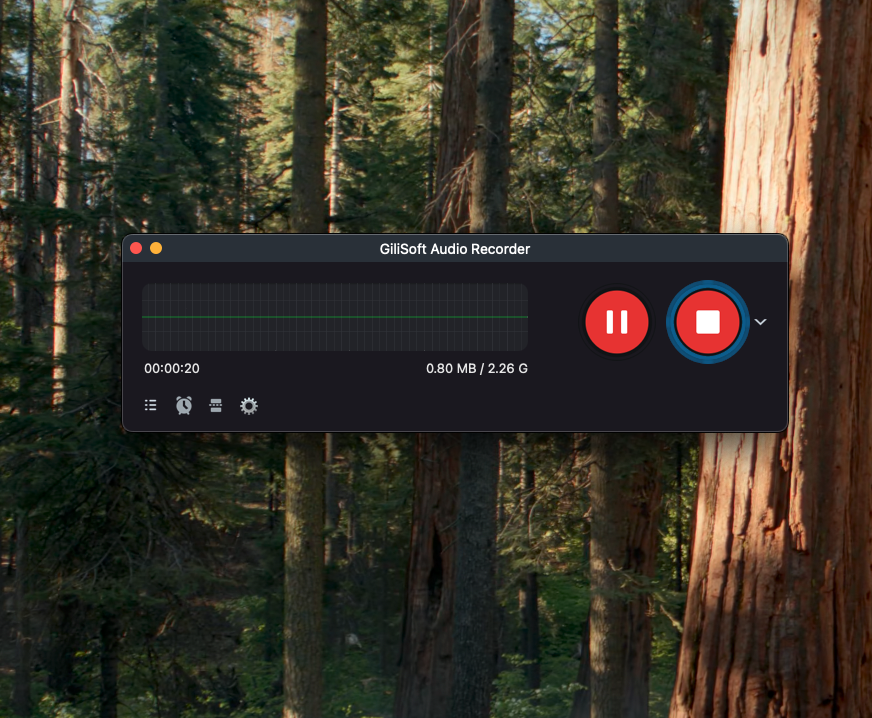
Record and review the full session
Start the final recording, stop when finished, and play the saved file before closing the source or clearing temporary material.
Improve Internal Audio Recording Quality
Set playback before recording
Application volume cannot exceed the Mac output level, so establish a clean moderate level before the take.
Silence unrelated alerts
Focus mode and closed background applications prevent notification sounds from entering the recording.
Use headphones for narration
Headphones stop system playback from returning through the microphone as echo.
Review the original file
Check the untouched recording before conversion or editing so capture and export problems remain separate.
If Internal Audio Is Missing
- Confirm that System Audio, rather than Microphone, is selected.
- Open System Settings > Privacy & Security > Screen & System Audio Recording and allow the application.
- Check that the target application and Mac output are not muted and that audio is not routed to another device.
- Restart the source application and recorder after changing permissions or output devices.
- Test ordinary app audio; protected services may intentionally prevent recording.
Frequently Asked Questions
Can a Mac record internal audio directly?
Apps with the appropriate macOS system-audio recording permission can capture authorized computer audio. Select System Audio and approve access when prompted.
Is internal audio the same as microphone audio?
No. Internal audio comes from applications and macOS, while microphone audio captures voice and room sound.
Can I record internal audio and microphone together?
Yes. Select System & Mic, use headphones, and test the relative levels before the full recording.
Why is my internal audio recording silent?
System Audio may not be selected, macOS permission may be disabled, the source may be muted or routed elsewhere, or protected playback may block recording.
Which format should I choose?
MP3 is convenient for general sharing, M4A provides efficient Apple-friendly audio, and WAV is useful when uncompressed output is preferred.
Can I record protected streaming audio?
Some services restrict recording. Use only content and recording methods you are authorized to use and do not bypass protection.
More Mac Audio Recording Guides
Continue with the source, scheduling, or troubleshooting guide that matches the next recording task.