

Restore an Old Photo and Read Its Text
Use this workflow to improve a working copy of an old image and separately extract visible writing without rewriting historical evidence. Restoration and transcription should remain two separate, reversible tasks.
Quick answer
Preserve the untouched scan, repair a duplicate conservatively, and run OCR on both the original and adjusted copies. Compare the text results with the source at high zoom, record uncertain characters, and keep visual restoration separate from documentary transcription.
Choose the Right AI Workflow
| Input or situation | Recommended approach | Review requirement |
|---|---|---|
| Archival scan | Keep untouched as the reference | File integrity and provenance |
| Restored working copy | Use restrained adjustments | Faces, objects, borders, and letter shapes |
| OCR draft | Run on source and adjusted copy | Every word and uncertain character |
| Shareable derivative | Label restoration and transcription choices | Audience can distinguish source from interpretation |
Step-by-Step Workflow
- Create an archival master
Scan or copy the old photo at useful quality and keep this source untouched.
- Make a restrained restoration copy
Repair damage or improve visibility on a duplicate without treating generated detail as historical fact.
- Run OCR separately
Extract text from both the source and adjusted copy so enhancement can be compared rather than silently trusted.
- Transcribe with uncertainty
Compare every character at high zoom and mark uncertain names, dates, signs, or handwriting.
- Keep provenance with the result
Store the source, restored derivative, corrected transcription, and notes about material changes together.
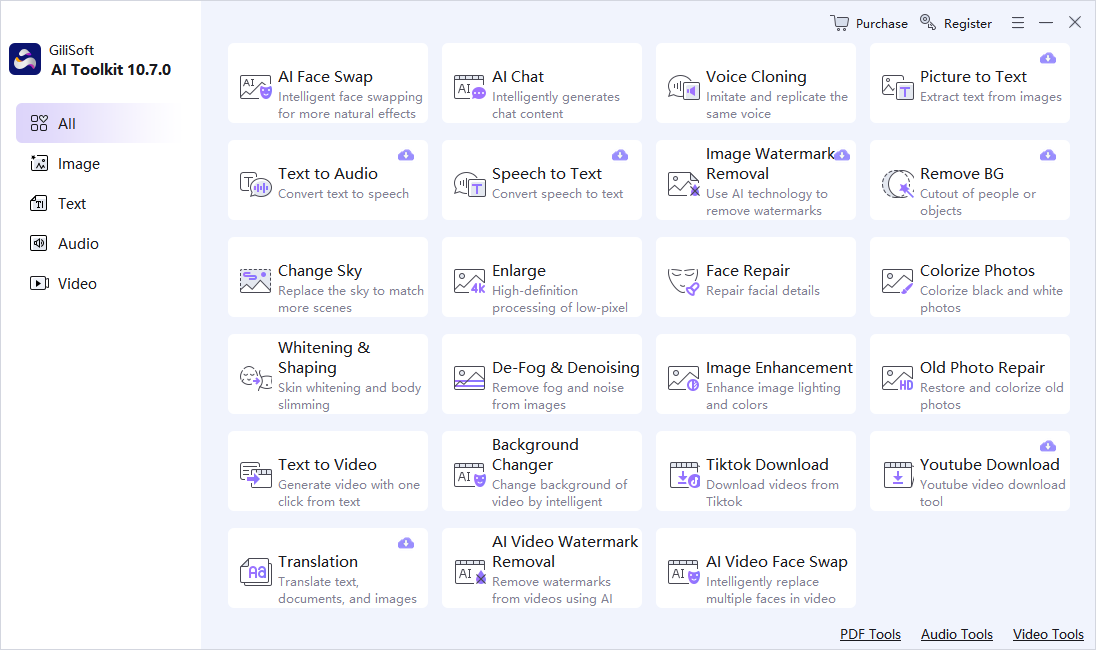
Use the GiliSoft AI Toolkit Workspace
These screenshots show the real dashboard and task workspace. Interface details can change by release, so verify the current controls and processing behavior before using sensitive or important material.

Review Before You Reuse the Result
| Historical fidelity | Compare the complete result with the source instead of reviewing only the easiest section. |
|---|---|
| Names and numbers | Check proper names, dates, quantities, abbreviations, identifiers, and claims manually. |
| Privacy and rights | Confirm permission, remove unnecessary personal data, and understand the current module’s processing path before sensitive use. |
Frequently Asked Questions
Can restoration recover the exact missing detail?
No. An AI repair can create plausible pixels but cannot prove what was originally present.
Should OCR use the restored image or original?
Try both and compare them with the original. Enhancement can improve visibility but can also alter letter shapes.
How should uncertainty be recorded?
Mark uncertain characters or words and keep the image reference so another person can review the evidence.
Should I keep the source file?
Yes. AI output should be a separate derivative so errors can be checked and the task can be repeated.
Can generated output be used without review?
No. Review requirements depend on risk, but important names, numbers, claims, instructions, and visual details should always be checked.