
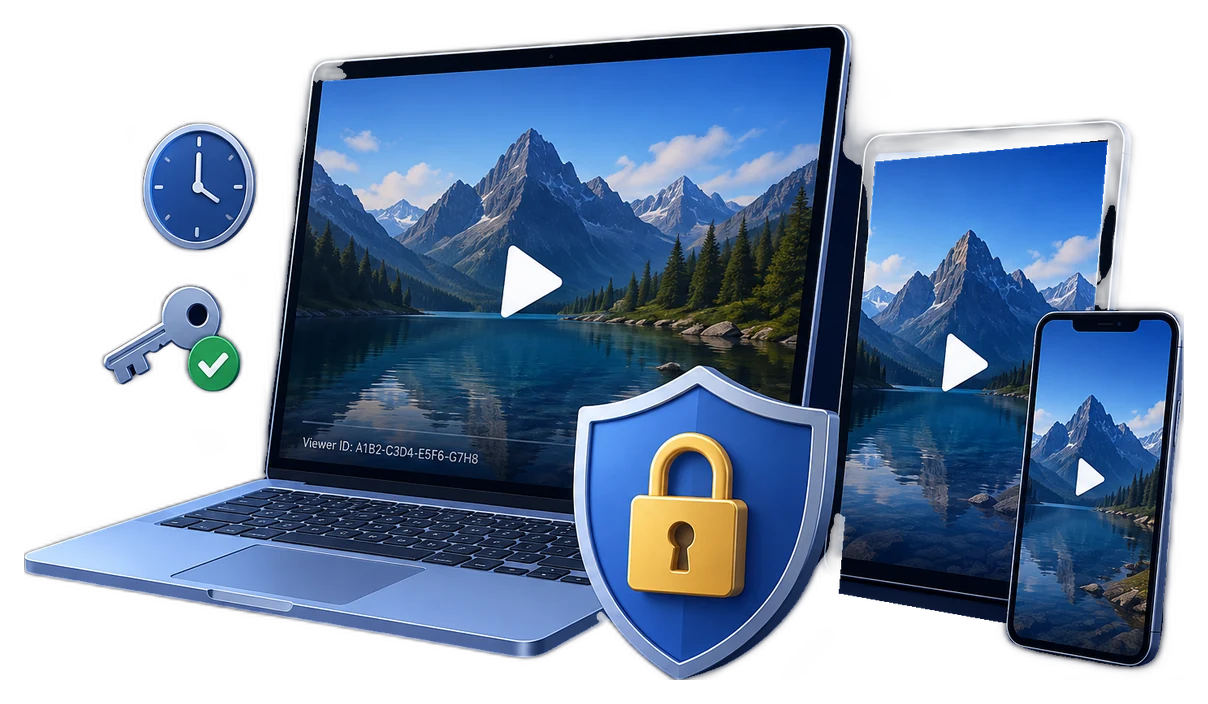
Why corporate training videos need more than a private link
Corporate training can expose internal procedures, customer-handling practices, product roadmaps, security controls, operational systems, and regulated processes. The security question is therefore not simply whether a video is public. It is whether the right employee, contractor, branch, or partner can watch it for the right period and whether that access can be changed later.
A private portal is useful while viewers remain inside it. The risk changes when a learner downloads the video, receives an offline training kit, works in a low-connectivity location, or retains access after changing roles. A practical plan follows the video from assignment to playback, expiry, and offboarding.
Choose controls that match the delivery model
There is no single protection method for every training program. Begin with where the video will live and how employees actually watch it.
LMS or company portal
Use identity, role, group, enrollment, and completion controls when learners stay inside the managed platform.
Authenticated streaming
Use signed or time-limited playback URLs when the video remains online but must not be exposed as a permanent public link.
Downloaded or offline video
Add file-level playback rules when content is delivered to laptops, branch offices, field teams, contractors, or USB kits.
For SharePoint-based delivery, restricted access can limit a site and its content to approved Microsoft Entra or Microsoft 365 groups. For hosted streaming, signed tokens can limit who may request a stream and how long the request remains valid. These controls are strongest while the learner stays online and authenticated.
Build corporate video security in layers
| Layer | Question it answers | Practical control |
|---|---|---|
| Identity | Who is the learner? | Company account, individual playback password, or viewer-specific credential |
| Role and group | Which training should they receive? | Department, job role, contractor group, course enrollment, or partner cohort |
| Time | How long should access last? | Course validity, password expiry, date window, play count, or preview limit |
| Device | Where may the video play? | Managed device, PC binding, USB binding, or approved playback platform |
| Traceability | Can misuse be attributed? | Viewer name, employee ID, email, or custom dynamic watermark |
| Revocation | What happens after departure or leakage? | Disable account, suspend enrollment, expire access, or blacklist an individual playback password |
A practical deployment workflow
- Classify the training videoSeparate general learning from confidential SOPs, customer-data demonstrations, security training, product-launch material, and partner-only content.
- Define the audience before publishingMap access to employee role, department, geography, contractor term, or partner agreement instead of sharing one permanent password with everyone.
- Select online, downloaded, or offline deliveryKeep routine courses in the LMS; use protected downloadable packages for field work, unreliable internet, external partners, or removable-media delivery.
- Apply time and device rulesSet expiry or usage limits, then add PC or USB binding when the training should remain with an approved device or delivery kit.
- Add viewer-level accountabilityPlace a dynamic watermark such as employee name, email, ID, department, or order reference over the video.
- Test the learner experienceVerify opening, password entry, playback, watermark visibility, offline behavior, and supported Windows, macOS, Android, or iOS playback before broad release.
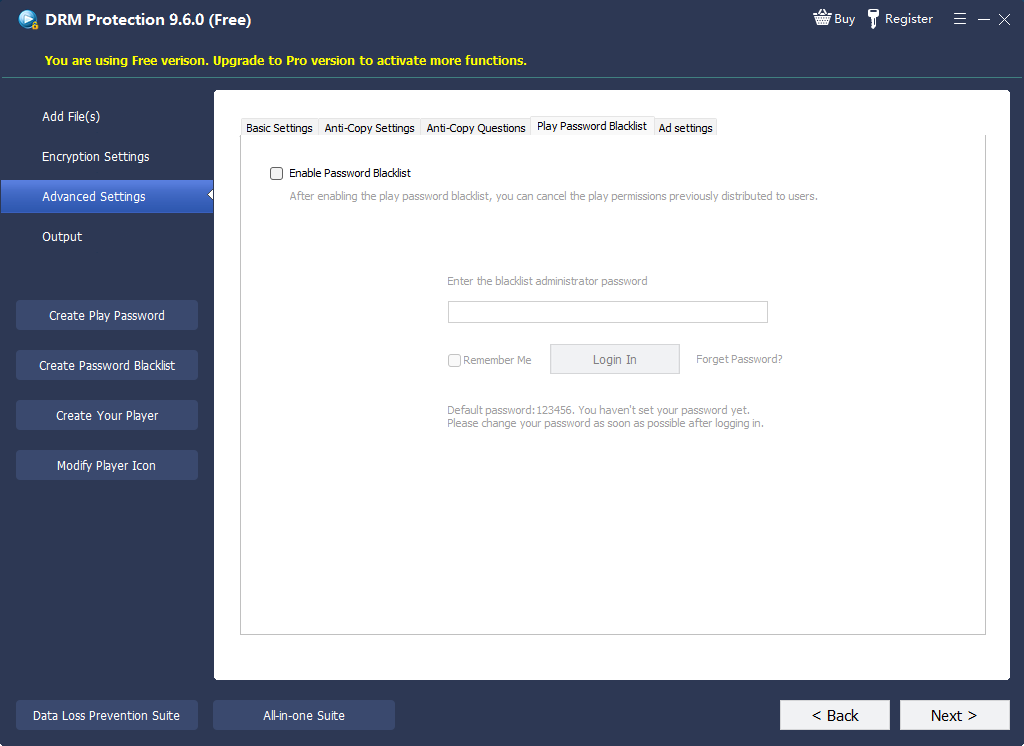
- Prepare the revocation pathRecord the project ID and encryption key, keep a credential register, and define who can blacklist a leaked or former-user password.
Where GiliSoft fits in a corporate training stack
An LMS is designed to assign courses, track progress, and report completion. GiliSoft Video DRM Protection addresses a different moment: what happens after a protected training video is downloaded or delivered outside the portal.
Use GiliSoft for controlled downloaded and offline playback
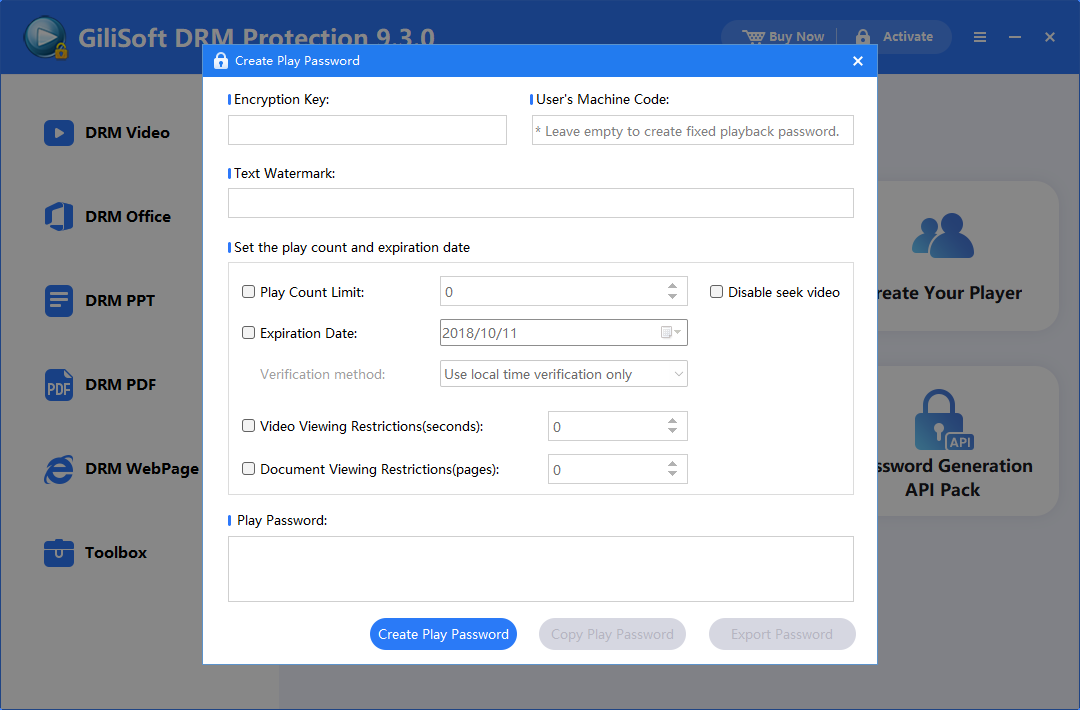
Create protected training packages on Windows, issue playback passwords, bind access to a PC or USB drive, set expiry and usage rules, add dynamic watermarks, and blacklist an individual credential when online verification is configured.
Publishing note: protection and password administration run on Windows. Protected content can be played on supported Windows, macOS, Android, and iOS playback platforms, so the learner experience is not limited to Windows-only viewing.
Common corporate training scenarios
Employee onboarding
Limit orientation, HR policy, and internal-system demonstrations to the employee's active onboarding period.
Compliance and security awareness
Assign content by role, preserve learner accountability, and remove access after transfer, departure, or policy expiry.
SOP and technical training
Protect manufacturing, service, maintenance, healthcare, or operational videos that expose internal procedures.
Partner and contractor enablement
Deliver training outside the company tenant without turning the original video into an ordinary reusable file.
Product launch preparation
Use expiry and watermarking for pre-release demonstrations distributed to sales teams, resellers, and agencies.
Field and branch-office kits
Bind offline training to a prepared USB drive or approved machine for locations where continuous internet is impractical.
Compare the main protection approaches
| Method | Best fit | Offline delivery | Revocation | Viewer traceability |
|---|---|---|---|---|
| Public or unlisted video | Low-sensitivity communication | Varies | Link removal only | Limited |
| LMS / SharePoint permissions | Managed employees inside the company tenant | Limited by platform | Account, group, or enrollment removal | Platform logs |
| Signed-URL streaming | Authenticated online viewing | No | Token expiry or signing-key controls | Streaming analytics |
| GiliSoft protected package | Downloaded, partner, branch, field, and USB delivery | Yes, according to configured mode | Expiry, limits, or online password blacklist | Dynamic viewer watermark |
Make offboarding part of the video-security plan
Training access should not remain active simply because an old link, token, or file still exists. Identity-platform offboarding, LMS suspension, and file-level revocation should work together.
Controls that often fail in practice
It is difficult to attribute or revoke without disrupting everyone.
A link may outlive the role, project, or contractor agreement.
A generic company mark discourages reuse but does not identify a viewer.
Disabling the portal account does not automatically remove files already stored offline.
Corporate training video security FAQ
Can GiliSoft protect training delivered through an LMS?
Yes. Keep course assignment and completion tracking in the LMS, then use a GiliSoft protected package for downloadable or offline video that should retain playback rules after leaving the portal.
Can employees watch protected training on Mac or mobile?
Protection and password administration run on Windows. Protected content can play across supported Windows, macOS, Android, and iOS playback platforms.
Can access be revoked after an employee or contractor leaves?
Disable the company account and LMS access first. For GiliSoft projects using online verification, an individual playback password can also be added to the blacklist.
Does the learner need a constant internet connection?
That depends on the selected protection and verification mode. Offline packages can support disconnected use, while online password verification and blacklist checks require connectivity at the relevant verification point.
Can screen recording be stopped completely?
Anti-capture controls and viewer watermarks are deterrence and accountability measures. No software can guarantee prevention against every camera, capture path, virtual environment, or compromised device.
Can a training package be bound to a USB drive?
Yes. USB Disk Binding can associate playback with an approved removable drive, which is useful for field, branch, classroom, and contractor delivery kits.
Research and implementation references
- NISTSP 800-171 Rev. 3 for least privilege, account management, and role-based training principles.
- MicrosoftSharePoint restricted access control for limiting sites and content to approved groups.
- MicrosoftRevoke user access in Microsoft Entra ID for session, token, user, and device offboarding considerations.
- DoceboCourse time validity for enrollment windows and expiry concepts.
- CloudflareSecuring Stream videos for signed and time-limited online playback.
Keep corporate training controlled after download
Use Video DRM Protection when employees, contractors, partners, or field teams need downloadable or offline training without receiving the original open video file.