GiliSoft Copy Protect
- Mixed video, document, image, audio, and web packages
- GCP and EXE protected output
- Client, demo, and administrator access modes
- Copy, print, clipboard, screenshot, device, and expiry rules

Choose Copy Protect when you need one controlled package for videos, documents, PDFs, images, audio, or web content. Choose Video DRM Protection when video playback must be tied to passwords, devices, watermarks, and access that can be blocked after delivery.

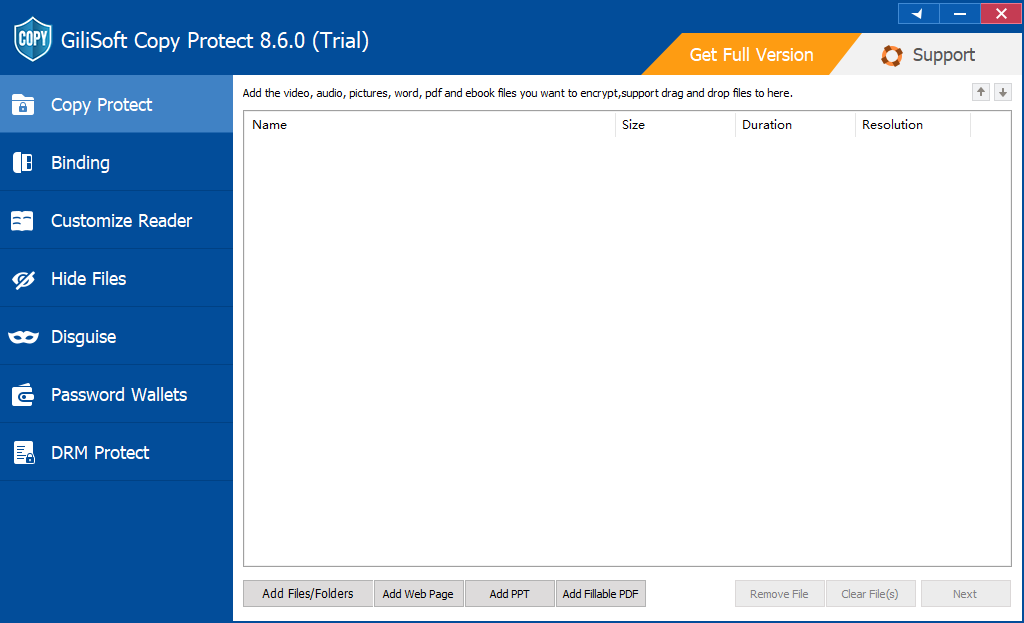
GiliSoft Copy Protect controls the package being delivered. It combines videos, PDF and Office documents, presentations, web pages, images, audio, and folders into a protected GCP or EXE output. It is the clearer choice when a customer, student, distributor, or field team needs one offline package but should not receive the ordinary source files.
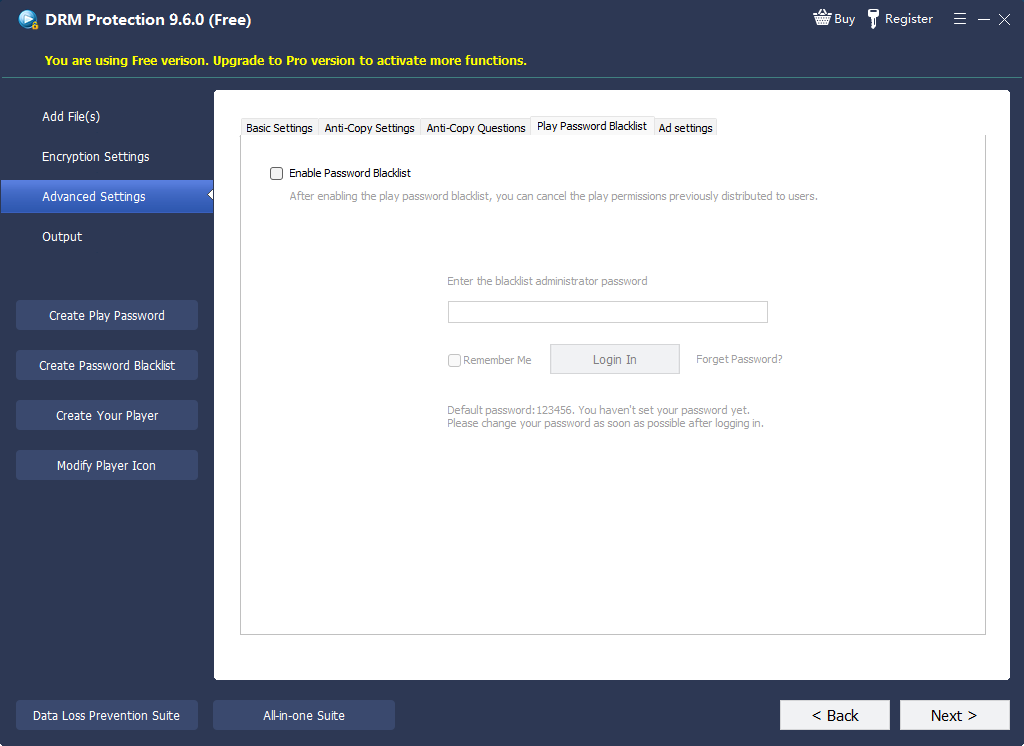
GiliSoft Video DRM Protection controls who can continue playing protected video. It is built around playback passwords, PC or USB binding, dynamic watermarks, anti-capture settings, and a blacklist for leaked or revoked passwords. Protected content is prepared on Windows, while the resulting playback experience can be delivered to supported viewing environments rather than being presented as a Windows-only viewing model.
| Decision point | GiliSoft Copy Protect | GiliSoft Video DRM Protection |
|---|---|---|
| Primary job | Deliver mixed files without exposing the reusable source files. | Manage protected video playback by viewer password and approved device. |
| Best content fit | Video, PDF, Word, Excel, PowerPoint, web pages, images, audio, and folders. | Training video, paid courses, coaching libraries, product demos, previews, and supporting documents. |
| Protected output | GCP package or EXE package. | GEM package or EXE package. |
| Offline delivery | Strong fit for USB, CD/DVD, local folder, and other offline handoff. | Supports offline protected playback with password and device rules prepared in advance. |
| Device binding | Can bind protected content to a computer, USB drive, or delivery media. | Can bind playback to a PC machine code or an approved USB device. |
| Copy and capture controls | Controls copying, clipboard use, printing, screenshots, and common reuse paths through client settings. | Adds anti-copy and anti-screen-capture settings around the protected video player. |
| Watermarking | Can place visible marks on supported protected content before the package is delivered. | Supports dynamic, viewer-linked watermarks for deterrence and traceability. |
| Expiry and viewing limits | Supports expiration, play-count, and related package restrictions. | Uses password rules and playback policies for date, count, and device limits. |
| Revoke leaked access | Best suited to rules embedded when the protected package is created. | Blacklist a leaked or revoked playback password so it can no longer authorize viewing. |
| Best buyer question | “How do I deliver these files without giving away normal copies?” | “How do I decide who can keep playing this video after it leaves my system?” |
Both products encrypt content into a controlled package and both can restrict common actions around the protected player. Both also support device-oriented delivery, expiry rules, and watermarks. That overlap is useful, but it should not hide the difference in product design:
Use Copy Protect when the customer should receive one protected mixed-content package. Use Video DRM Protection when the videos carry most of the value and individual playback passwords, device binding, watermarking, or later revocation are required.
Use Video DRM Protection. Assign playback credentials, bind them to approved PCs or USB devices, add viewer-linked watermarks, and blacklist a credential when access should end.
Use Copy Protect when the USB contains reports, PDFs, presentations, images, audio, and video that must open for the client without exposing ordinary source files. If the USB mainly carries licensed videos tied to approved viewers or devices, choose Video DRM Protection.
Use Copy Protect for a catalog that mixes documents, web pages, product images, manuals, and demonstration videos. Its package model is easier to match to an offline catalog than a video-centered license model.
Use Video DRM Protection when each member should receive controlled playback rather than an ordinary shareable MP4. Password policies, device binding, dynamic watermarking, and blacklist control directly support this requirement.
Industry DRM systems separate encrypted media from the license or authorization data required for playback. The W3C Encrypted Media Extensions specification describes browser APIs for controlling playback of encrypted content, while Microsoft PlayReady documents licenses that carry rights and conditions such as date limits, time after first play, client binding, output protection, and revocation.
This distinction explains the practical product choice. Copy Protect primarily controls a delivered package. Video DRM Protection adds a viewer-access layer around protected video. Neither approach should be confused with ordinary at-rest encryption, which protects stored bytes but does not automatically control how an authorized recipient uses an opened file.
No. DRM is a better match for video access that must be associated with viewers, devices, watermarks, and revocation. Copy Protect is usually more direct for mixed files, USB packages, client deliverables, and offline catalogs.
Yes. It can package video with PDF, Office, image, audio, web, and folder content. Choose it when the protected deliverable is a bundle rather than a video licensing program.
Yes. It can include supporting PDF, Office, PowerPoint, and web content, but its distinguishing value remains video playback passwords, binding, watermarking, and blacklist control.
Video DRM Protection is the clearer choice because its password management includes blacklist control. This lets the publisher invalidate a credential that should no longer authorize playback.
Use Copy Protect when a USB drive carries mixed files in one protected package. Use Video DRM Protection when video is the main asset and playback must be tied to an authorized PC or USB device.
No software can honestly guarantee that a person cannot point an external camera at a display. Anti-capture controls reduce common software recording paths, while dynamic watermarks discourage misuse and help identify the source of a leak.